
Adobe After Effects Download for Windows 11 & 10
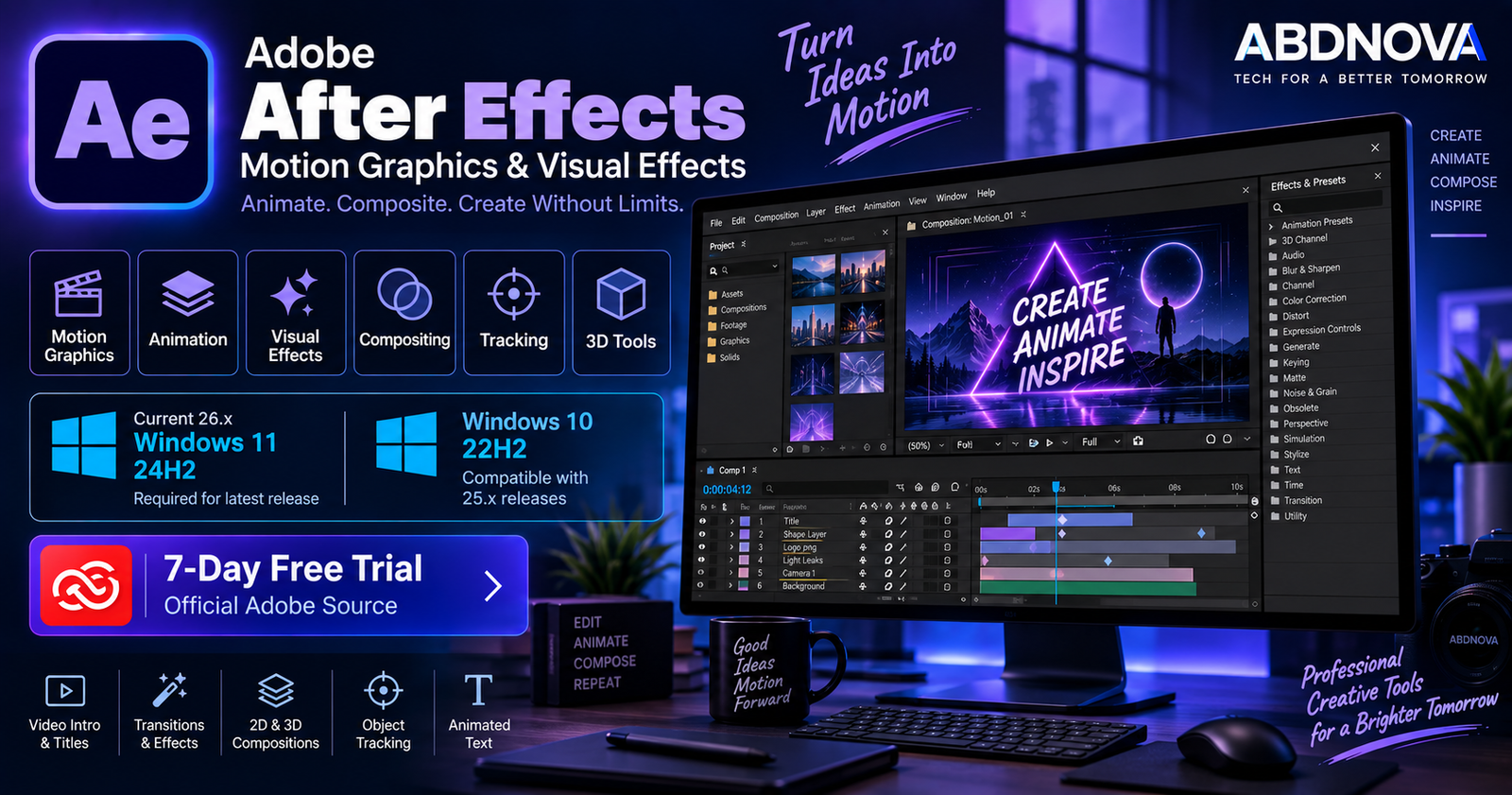
Adobe After Effects Download for Windows gives motion designers, animators and visual-effects artists Adobe’s professional software for motion graphics, animation, compositing and post-production.
After Effects is commonly used for animated titles, logo animation, visual effects, green-screen compositing, motion tracking, 2D and 3D compositions, social media graphics and professional video post-production.
There is an important Windows compatibility difference in the current release. After Effects 26.5 requires Windows 11 version 24H2. Windows 10 users need a compatible earlier release, such as the 25.x generation that supports Windows 10 64-bit version 22H2 or later.
Adobe After Effects for Windows at a Glance
| Details | Information |
|---|---|
| Software | Adobe After Effects |
| Developer | Adobe |
| Category | Motion Graphics & Visual Effects |
| Current Release Checked | 26.5 – September 2026 |
| Current Windows OS | Windows 11 24H2 |
| Windows 10 | Use a compatible earlier release such as 25.x |
| Minimum RAM | 16 GB |
| Recommended for 4K+ | 32 GB or more |
| Minimum GPU Memory | 4 GB on supported discrete GPU configurations |
| Recommended GPU Memory | 8 GB |
| Minimum Storage | 8 GB plus additional working space |
| License | Paid Creative Cloud subscription |
| Free Trial | 7 days |
| Installation | Adobe Creative Cloud |
Adobe After Effects for Windows 11
Windows 11 is required for the current After Effects generation. Adobe’s current technical requirements specify Windows 11 version 24H2 for After Effects 26.x.
After Effects can be used for projects including:
- Motion graphics.
- Animated titles.
- Logo animation.
- Visual effects.
- Green-screen compositing.
- Motion tracking.
- 2D animation.
- 3D compositions.
- YouTube intros and graphics.
- Advertising content.
- Film and video post-production.
- Social media animation.
Adobe also provides native Windows on ARM support for qualifying Snapdragon X-series systems in current After Effects releases.
Adobe After Effects for Windows 10
The latest After Effects 26.x should not be treated as a Windows 10 application.
Adobe’s current 26.x requirements specify Windows 11 24H2. However, the After Effects 25.x generation supports Windows 10 64-bit version 22H2 or later.
Windows 10 users should therefore check the requirements for the specific older After Effects release available through their Adobe account before installing it.
Press Windows + R, type winver, and press Enter.
Adobe After Effects System Requirements
| Component | Minimum / Recommended |
|---|---|
| Operating System | Windows 11 24H2 for current After Effects 26.x |
| Intel CPU | 6th Generation or newer with AVX2 |
| AMD CPU | Ryzen 1000 Series or newer with AVX2 |
| Recommended CPU | Intel 11th Gen+ with Quick Sync or AMD Ryzen 3000 / Threadripper 3000 Series+ |
| RAM | 16 GB minimum |
| 4K+ RAM | 32 GB or more recommended |
| GPU Memory | 4 GB minimum on supported discrete configurations; 8 GB recommended |
| Storage | 8 GB minimum plus additional installation and working space |
| Display | 1440 × 900 minimum; 1920 × 1080 or higher recommended |
For real production work, Adobe recommends fast internal SSD storage for the application and cache, plus additional high-speed storage for media.
How to Download & Install Adobe After Effects on Windows
After Effects is downloaded, installed and managed through Adobe Creative Cloud.
- Open Adobe’s official After Effects page.
- Select Free Trial or choose an eligible subscription.
- Sign in with your Adobe account.
- Complete Adobe’s trial or subscription setup.
- Download and install the Creative Cloud desktop app.
- Open Creative Cloud → Apps.
- Locate Adobe After Effects.
- Select Install.
- Wait for the application to download and install.
- Launch After Effects through Creative Cloud or the Windows Start menu.
Adobe After Effects Main Interface & Key Features
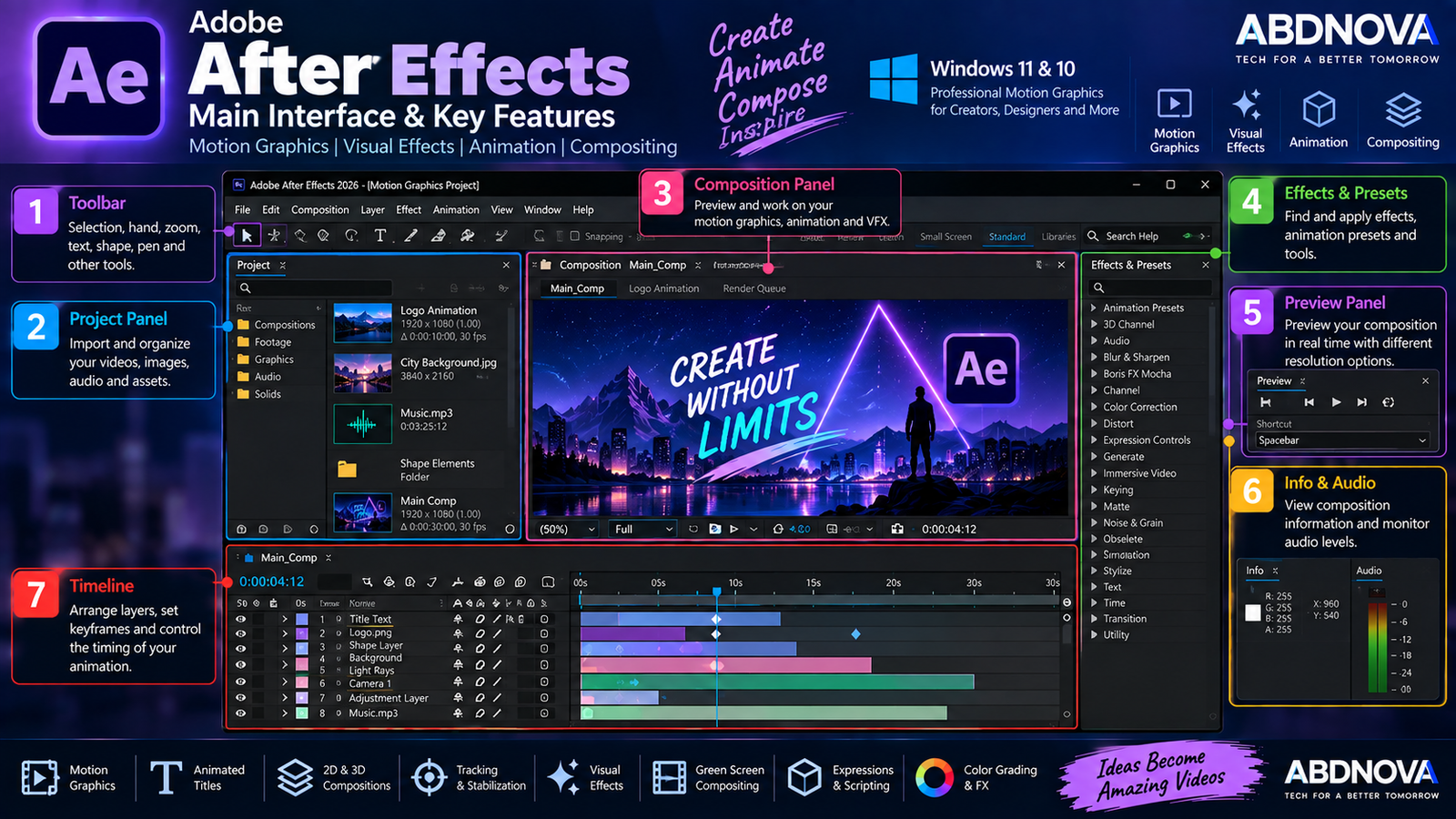
After Effects uses a professional panel-based workspace that gives users detailed control over compositions, assets, layers, effects and animation.
Project Panel
The Project panel contains imported videos, images, audio files, compositions and other project assets. Organizing assets into folders can make large projects much easier to manage.
Composition Panel
The Composition panel displays the current visual result and acts as the main preview area for graphics, animation, effects, text, layers and compositing work.
Timeline
The Timeline controls the timing and arrangement of layers. A composition can include:
- Video.
- Images.
- Text.
- Shapes.
- Audio.
- Adjustment layers.
- Cameras.
- Lights.
- 3D objects and layers.
Effects & Presets
After Effects includes a large collection of visual effects and animation presets. The Effects & Presets panel makes it easier to locate and apply them to selected layers.
Keyframes and Animation
Keyframes are fundamental to After Effects animation. They can control properties such as:
- Position.
- Scale.
- Rotation.
- Opacity.
- Effects.
- Masks.
- Text.
- Camera properties.
Changing a property at different points in time creates animation between those keyframes. After Effects also provides detailed interpolation and timing controls for smoother motion.
Adobe After Effects Motion Graphics, VFX & Animation
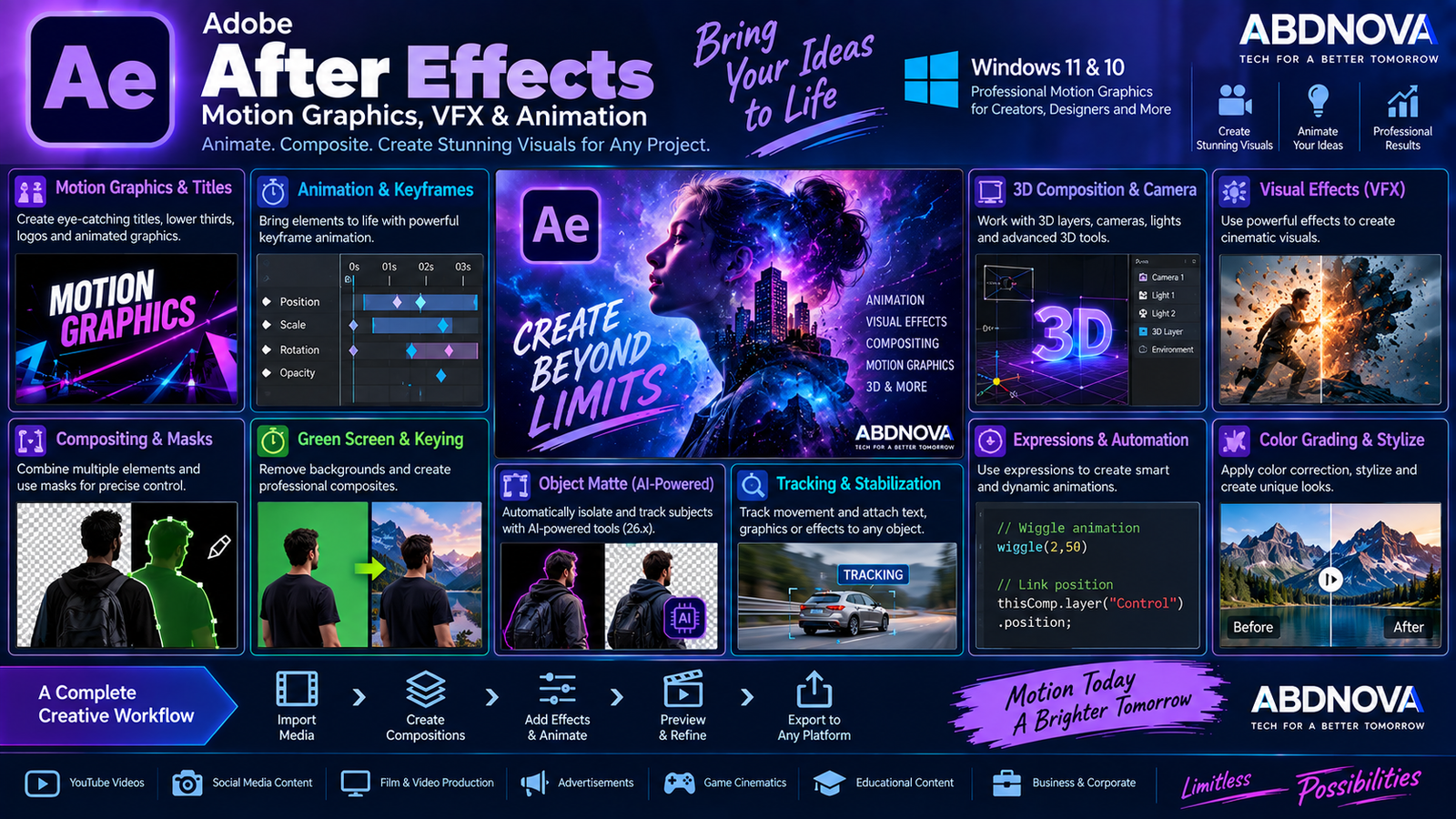
Motion Graphics & Animated Text
Motion graphics is one of the core strengths of After Effects. Designers can animate:
- Titles.
- Lower thirds.
- Logos.
- Icons.
- Shapes.
- Infographics.
- Promotional graphics.
- Social media content.
Text properties can also be animated to create reveals, fades, tracking changes, typewriter effects and kinetic typography.
Masks & Compositing
Compositing combines multiple visual elements into a single scene. Masks can show, hide or isolate selected areas of a layer and can be combined with animation, effects, tracking and keying.
Masks are useful for object isolation, visual effects, selective corrections, transitions, cleanup work and compositing.
Green Screen & Keying
After Effects can remove green or blue backgrounds and composite a subject into another environment.
A typical workflow involves keying the background, refining edges, correcting colors and combining the subject with a replacement scene.
Motion Tracking
Motion tracking allows effects, graphics, text and other elements to follow movement within footage.
This can be useful for attaching graphics to moving objects, placing labels beside subjects, stabilizing footage or creating more complex visual-effects shots.
AI-Powered Object Matte
Current After Effects versions include Adobe’s AI-powered Object Matte workflow for selecting, isolating and tracking subjects.
Object Matte was introduced in the 26.2 generation, and After Effects 26.5 adds disk caching for propagated Object Matte results so they can persist after a project is closed.
3D Tools & Advanced 3D
After Effects supports 3D-oriented workflows alongside traditional 2D compositing. Depending on the project and renderer, users can work with:
- Cameras.
- Lights.
- 3D layers.
- Materials.
- 3D objects.
- Advanced 3D features.
Complex 3D compositions can require considerably more GPU power and system memory.
Quick Apply
Quick Apply provides a faster way to search for effects, animation presets and menu commands instead of manually navigating through multiple menus and panels.
Effect Organization
After Effects 26.5 adds color labels for individual effect instances and updates the Effect Controls panel, making complicated effect stacks easier to organize.
Guides & Layout Tools
The current release expands guide functionality with percentage-based positioning, edge pinning, custom guide colors and improved guide editing.
Expressions
Expressions use JavaScript-based code to control properties and automate animation behavior.
They can be used to:
- Link properties.
- Automate repetitive animation.
- Create procedural movement.
- Build reusable animation systems.
- Generate loops.
- Control multiple elements together.
Adobe After Effects vs Premiere
After Effects and Premiere are designed around different primary workflows.
| Workflow | After Effects | Premiere |
|---|---|---|
| Primary Purpose | Motion graphics, animation, compositing and VFX | Video editing and production |
| Timeline Editing | Composition-focused | Full video-editing workflow |
| Motion Graphics | Major strength | Available but less specialized |
| Visual Effects | Advanced | More editing-focused |
| Compositing | Advanced | More limited |
| Long-form Editing | Not its primary purpose | Core workflow |
Many professional workflows use both applications: Premiere for assembling and editing the video, and After Effects for motion graphics, animation, compositing and specialized visual-effects work.
Adobe After Effects vs Blender vs DaVinci Resolve
| Software | Main Strength | Typical Workflow |
|---|---|---|
| Adobe After Effects | Motion graphics, compositing, animation and VFX | Adobe Creative Cloud post-production |
| Blender | 3D modeling, animation, rendering and simulation | 3D production and animation |
| DaVinci Resolve | Editing, color, Fusion VFX and audio | Broader video post-production |
The suitable application depends on whether your workflow is primarily motion graphics, 3D production, compositing, conventional video editing, color grading or a combination of these tasks.
Useful Tools for After Effects Workflows
After Effects projects often involve video files, image sequences and different media formats. Our FFmpeg Download for Windows guide covers a powerful tool for converting, processing and working with video and audio files.
If you need to inspect detailed technical information about video and audio files before importing them into a project, see our MediaInfo Download for Windows guide.
Is Adobe After Effects Free?
No. After Effects is not permanently free desktop software.
Adobe currently provides an official 7-day free trial of the full After Effects application with the latest updates. The trial converts to a paid Creative Cloud membership after seven days unless it is cancelled according to Adobe’s trial terms.
After Effects is distributed through Creative Cloud subscription plans rather than as a perpetual one-time-purchase desktop license.
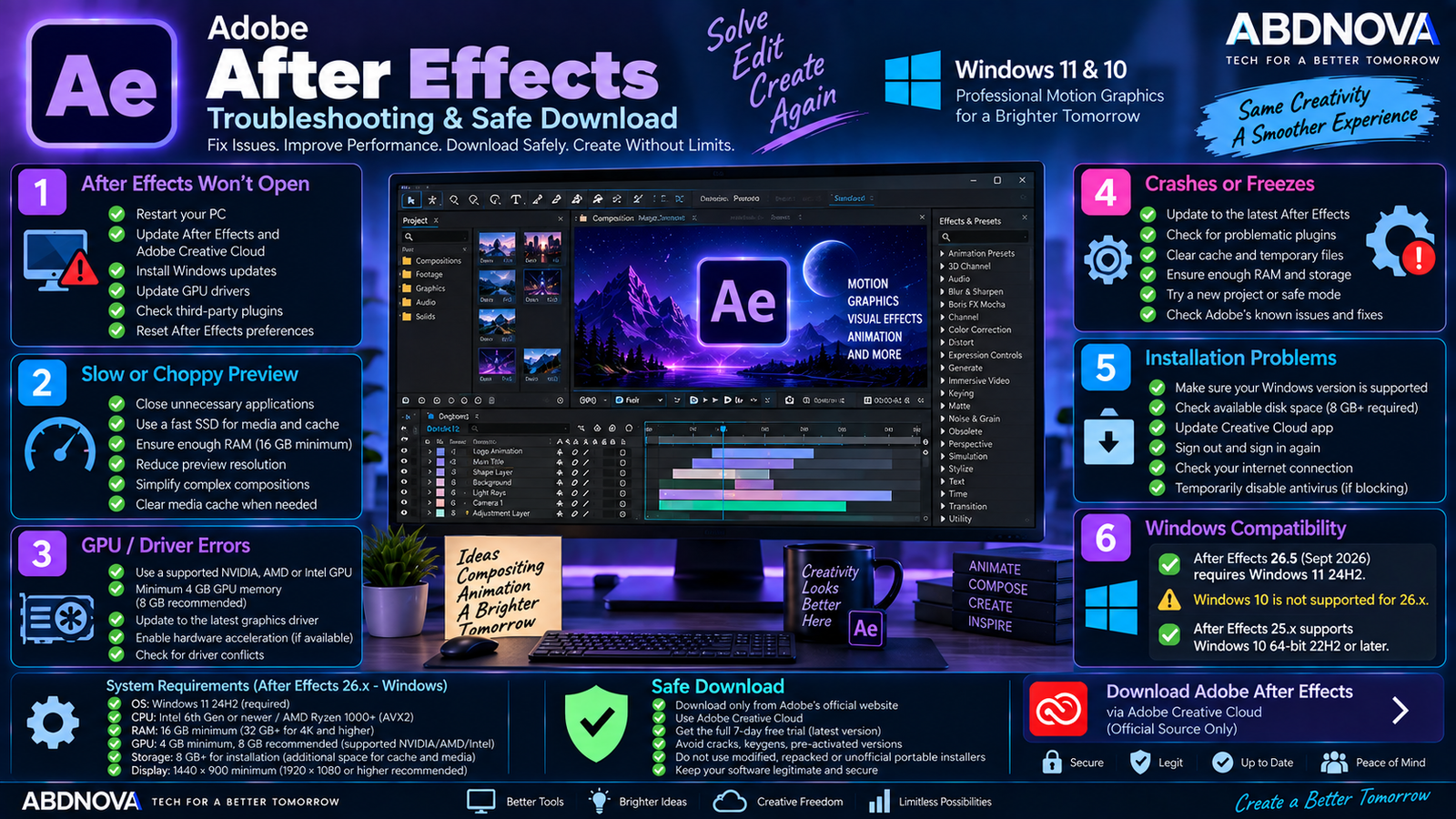
Adobe After Effects Troubleshooting & Safe Download
After Effects Does Not Open
Restart Windows first. If the problem continues:
- Update After Effects through Creative Cloud.
- Install available Windows updates.
- Update your graphics driver.
- Check recently installed third-party plugins.
- Verify that your PC meets the current requirements.
- Restart Adobe Creative Cloud.
For supported NVIDIA GPUs, Adobe recommends using the latest applicable NVIDIA Studio Driver.
After Effects Is Running Slowly
After Effects can become demanding when compositions contain high-resolution media, many effects, numerous layers, 3D elements or complex previews.
- Close unnecessary applications.
- Use a fast SSD.
- Keep sufficient free disk space.
- Check RAM usage.
- Update the GPU driver.
- Reduce unnecessary composition complexity.
- Manage cache when appropriate.
Adobe requires at least 16 GB RAM and recommends 32 GB or more for 4K and higher-resolution workflows.
Preview Is Slow or Choppy
A slow preview does not necessarily mean the final render will have the same problem. Complex effects and high-resolution footage can require significant processing power.
Try lowering preview resolution while working and make sure sufficient RAM and cache storage are available.
GPU Errors
Update the graphics driver and confirm that your GPU meets Adobe’s current requirements. Current After Effects 26.x generally requires at least 4 GB GPU memory on supported discrete NVIDIA, Intel or AMD configurations, while Adobe recommends 8 GB.
After Effects Will Not Install
Check the operating system first. Current After Effects 26.x requires Windows 11 24H2, so Windows 10 can fail compatibility checks even when the PC has otherwise capable hardware.
Also check:
- Available storage.
- Creative Cloud updates.
- Internet connection.
- Adobe account status.
- CPU compatibility.
After Effects Keeps Crashing
Update After Effects before deeper troubleshooting because current releases include important fixes. If crashes continue, check GPU drivers, third-party plugins, problematic media, cache and available system resources.
How to Update Adobe After Effects
Open:
Before installing a major new release, check Windows compatibility, plugin compatibility, GPU requirements and project requirements.
Safe Adobe After Effects Download
Download After Effects only through Adobe and the official Creative Cloud application.
- After Effects crack.
- After Effects keygen.
- Pre-activated After Effects.
- Modified Creative Cloud installer.
- Unofficial repack.
- Full version free.
- Unofficial portable After Effects.
Modified installers can contain malware, unwanted programs, credential-stealing software or altered application files. They also bypass Adobe’s legitimate licensing and update system.
Frequently Asked Questions
Does Adobe After Effects work on Windows 11?
Yes. Current After Effects 26.x requires Windows 11 version 24H2.
Does Adobe After Effects work on Windows 10?
Compatible older releases do. After Effects 25.x supports Windows 10 64-bit version 22H2 or later, while current After Effects 26.x requires Windows 11 24H2.
How much RAM does After Effects need?
Adobe currently requires at least 16 GB RAM. It recommends 16 GB for HD workflows and 32 GB or more for 4K and higher-resolution media.
Is Adobe After Effects free?
Not permanently. Adobe currently provides a 7-day free trial of the full application.
Is After Effects a video editor?
After Effects works with video, but its main strengths are motion graphics, animation, compositing and visual effects. Adobe Premiere is designed more specifically around conventional timeline-based video editing.
Can After Effects create 3D graphics?
Yes. After Effects supports 3D workflows involving cameras, lights, 3D layers, materials and Advanced 3D features. Exact capabilities depend on the renderer and application version.
Does After Effects have AI features?
Yes. Current releases include AI-powered Object Matte for subject selection, isolation and tracking. Beta features should not be treated as guaranteed features of the stable application.
How much GPU memory does After Effects need?
Current requirements generally specify at least 4 GB GPU memory for supported discrete GPU configurations, with 8 GB recommended.
Final Thoughts
Adobe After Effects Download for Windows is designed for motion graphics, animation, compositing, tracking, visual effects, 3D workflows and professional post-production.
The most important compatibility point is the operating system. Current After Effects 26.5 requires Windows 11 24H2, while Windows 10 users need a compatible earlier release such as After Effects 25.x.
For security, licensing and reliable updates, install After Effects only through Adobe Creative Cloud and avoid cracked, modified, repacked or pre-activated installers.
Download Adobe After Effects for Windows
Start the official 7-day After Effects trial directly from Adobe.