
Windows 11 IoT Enterprise LTSC 2024 Download
Windows 11 IoT Enterprise LTSC 2024 Download is available from Microsoft for organizations, device manufacturers, developers, and IT professionals evaluating Windows for fixed-function and specialized devices. It combines the Windows 11 platform with the controlled servicing model of the Long-Term Servicing Channel.
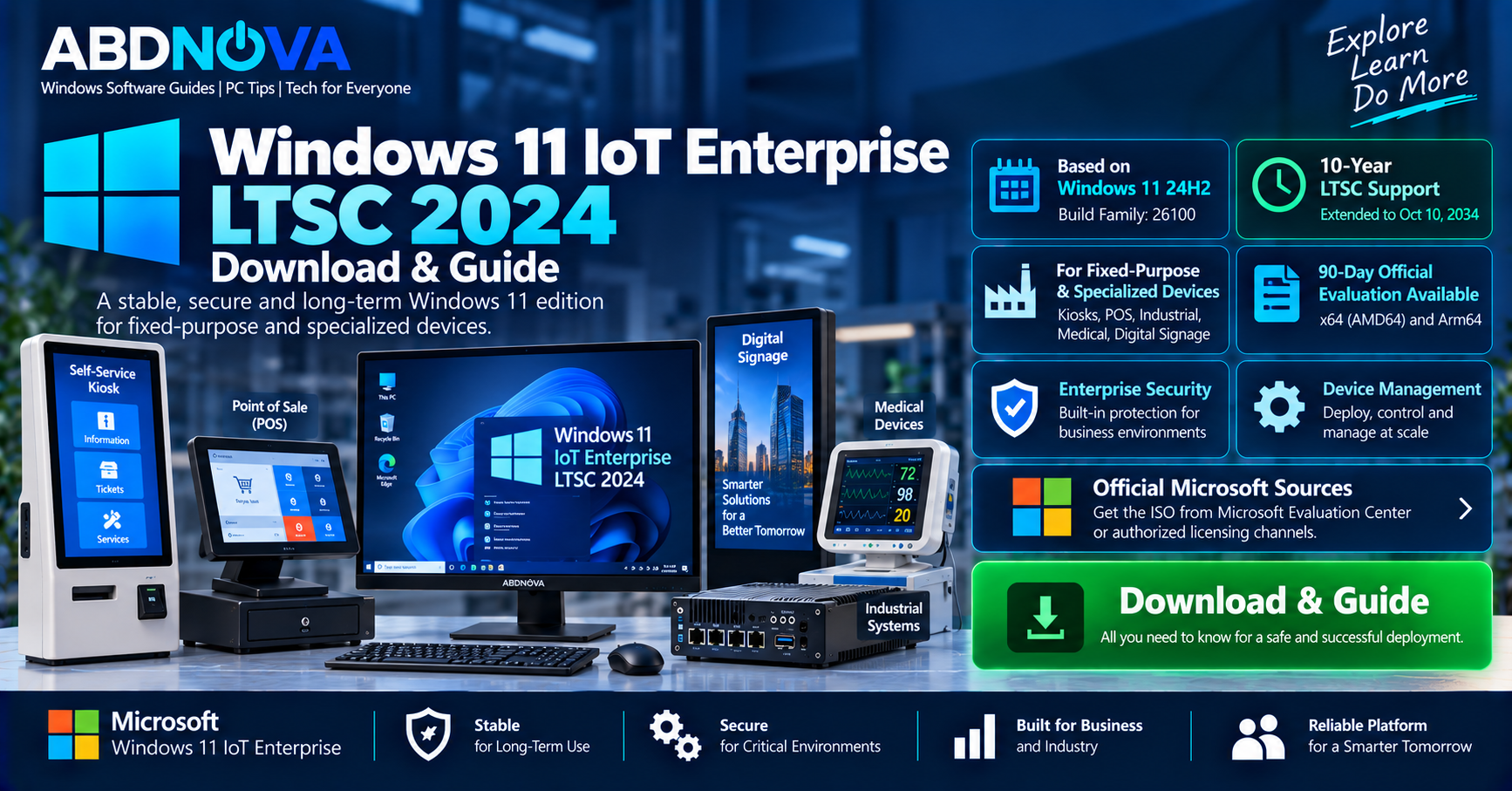
Windows 11 IoT Enterprise LTSC 2024 is based on Windows 11 version 24H2, uses the 26100 build family, and provides a long-term support lifecycle designed for specialized equipment where stability and predictable functionality are important.
Microsoft also provides an official 90-day Evaluation ISO for both x64/AMD64 and ARM64 devices, making it possible to test the operating system on compatible physical hardware or in a virtual machine before production deployment.
Windows 11 IoT Enterprise LTSC 2024 Details
| Detail | Information |
|---|---|
| Developer | Microsoft |
| Product | Windows 11 IoT Enterprise |
| Edition | LTSC 2024 |
| Base Version | Windows 11 24H2 |
| Build Family | 26100 |
| Servicing Channel | Long-Term Servicing Channel |
| Lifecycle | 10 years |
| End of Servicing | October 10, 2034 |
| Primary Use | Fixed-function and specialized devices |
| Evaluation | 90 days |
| Evaluation Architecture | x64/AMD64 and ARM64 |
| Licensing | OEM / eligible Volume Licensing |
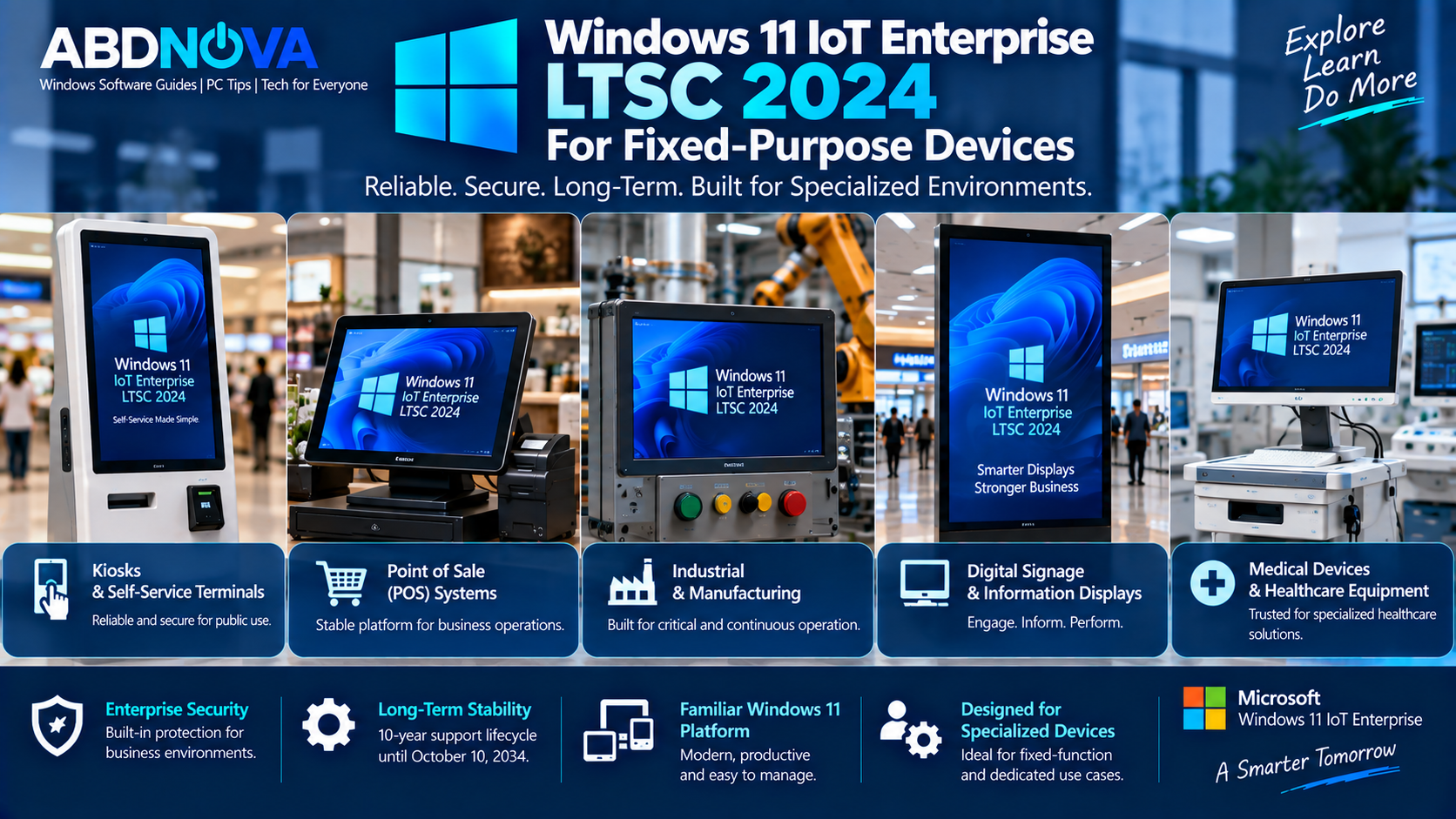
Windows 11 IoT Enterprise LTSC 2024 for Fixed-Purpose Devices
Windows IoT Enterprise is a full Windows Enterprise-based operating system with enterprise security, application compatibility, management, and servicing capabilities. However, its licensing and deployment model is specifically designed around fixed-purpose devices.
Typical Windows 11 IoT Enterprise LTSC 2024 deployments can include:
- Self-service kiosks
- Point-of-sale systems
- ATMs
- Digital signage
- Medical equipment
- Industrial controllers
- Manufacturing systems
- Hospitality terminals
- Banking equipment
- Specialized embedded PCs
This servicing model is useful where frequent operating-system feature changes could interfere with certification, application compatibility, device operation, or critical business functions.
10-Year LTSC Lifecycle
One of the most important differences between Windows 11 IoT Enterprise LTSC 2024 and normal Windows 11 releases is its lifecycle.
Microsoft supports Windows IoT Enterprise LTSC releases for approximately 10 years under its Fixed Lifecycle Policy. Windows 11 IoT Enterprise LTSC 2024 has servicing through October 10, 2034.
LTSC devices continue receiving monthly quality and security servicing while retaining a comparatively static feature set. Microsoft does not publish normal Windows feature updates through Windows Update for Windows IoT Enterprise LTSC devices.
Windows 11 IoT Enterprise LTSC 2024 Build
Windows 11 IoT Enterprise LTSC 2024 is associated with:
Build family: 26100
The exact revision installed on an individual device depends on the monthly quality and security updates applied to that system.
You can check the installed Windows version by pressing Windows + R, typing winver, and pressing Enter.
For more information about the standard 24H2 release, see our Windows 11 24H2 Download guide.
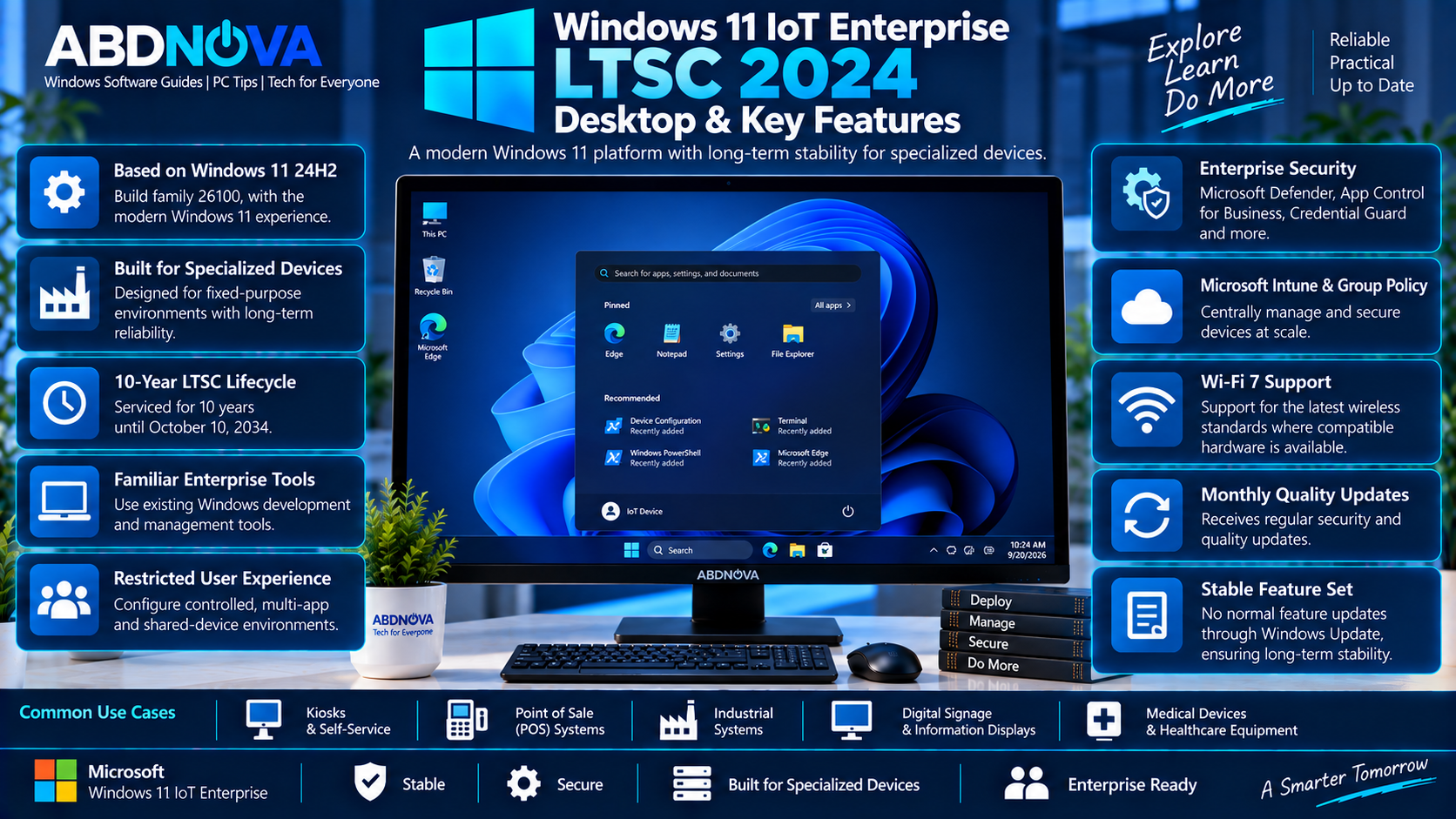
Windows 11 IoT Enterprise LTSC 2024 Desktop & Key Features
Modern Windows 11 Platform
LTSC 2024 brings the Windows 11 platform to long-life specialized devices. Microsoft states that its features are similar to Windows 11 version 24H2.
This allows organizations to combine a modern Windows environment with the more controlled LTSC servicing approach required by many fixed-purpose deployments.
Enterprise Security
Windows 11 IoT Enterprise includes enterprise-oriented security and management capabilities suitable for business and specialized deployments.
Depending on the deployment and hardware, organizations can use Windows security technologies, device policies, encryption, identity protection, application controls, and centralized management.
Device Management
Organizations can use familiar Windows management and development technologies to configure, secure, update, and manage specialized devices.
Microsoft describes Windows IoT Enterprise as binary-equivalent to Windows Enterprise, allowing organizations to work with familiar Windows applications, development technologies, and management tools.
Lockdown and Fixed-Purpose Deployment
A major reason to use Windows IoT Enterprise is the ability to configure a tightly controlled device experience.
For example, an organization may configure a computer primarily as:
- A self-service kiosk
- A POS terminal
- A digital information display
- An industrial workstation
- A dedicated medical terminal
The objective is to provide a reliable Windows platform for a defined function rather than an unrestricted general-purpose desktop experience.
Windows 11 24H2 Improvements
LTSC 2024 incorporates capabilities accumulated across Windows 11 releases through the 24H2 generation.
Microsoft documents improvements across areas including:
- Accessibility
- Applications
- Development
- Management
- Networking
- Security
- Servicing
- User experience
Windows 11 IoT Enterprise LTSC 2024 Hardware Requirements
Microsoft documents preferred requirements as well as optional configurations for certain specialized IoT devices.
| Component | Preferred Requirement |
|---|---|
| Processor | 1 GHz, 2 cores |
| Memory | 4 GB RAM |
| Storage | 64 GB |
| Firmware | UEFI |
| TPM | TPM 2.0 |
| Secure Boot | Enabled |
| Graphics | DirectX 12 |
| Display | 9-inch, 720p HD |
For specialized IoT devices, Microsoft also documents optional minimum configurations that can differ substantially, including configurations with 2 GB RAM, 16 GB storage, optional TPM and Secure Boot, BIOS support, and customized display requirements.
Windows 11 IoT Enterprise LTSC 2024 vs Enterprise LTSC 2024
Windows 11 IoT Enterprise LTSC 2024 and Windows 11 Enterprise LTSC 2024 share much of the same Windows platform, but their intended deployments and support lifecycles differ.
| Feature | IoT Enterprise LTSC 2024 | Enterprise LTSC 2024 |
|---|---|---|
| Base | Windows 11 24H2 | Windows 11 24H2 |
| Build Family | 26100 | 26100 |
| LTSC | Yes | Yes |
| Primary Purpose | Fixed-function specialized devices | Specialized enterprise scenarios |
| Lifecycle | 10 years | 5 years |
Microsoft’s lifecycle information gives Windows 11 IoT Enterprise LTSC 2024 a 10-year servicing lifecycle, while Windows 11 Enterprise LTSC 2024 has a five-year lifecycle.
Windows 11 IoT Enterprise LTSC 2024 vs Windows 10 IoT Enterprise LTSC 2021
Windows 11 IoT Enterprise LTSC 2024 succeeds Windows 10 IoT Enterprise LTSC 2021 and moves specialized-device deployments to the Windows 11 platform.
The newer release provides 24H2-generation capabilities, newer security technologies, and a more recent hardware and software foundation.
However, organizations do not automatically need to replace functioning Windows 10 IoT Enterprise LTSC 2021 systems simply because LTSC 2024 is available. Hardware support, software compatibility, lifecycle planning, and device requirements should guide deployment decisions.
Windows 11 IoT Enterprise LTSC 2024 Licensing
Windows 11 IoT Enterprise LTSC 2024 is not intended as a low-cost substitute for Windows 11 Home or Pro on a general-purpose computer.
Microsoft provides two major licensing routes:
OEM Licensing
Primarily intended for device manufacturers building and shipping new specialized devices.
Volume Licensing
Available to qualifying organizations upgrading or deploying eligible fixed-function systems.
Microsoft lists KMS and MAK among the supported activation methods for applicable volume-license deployments.
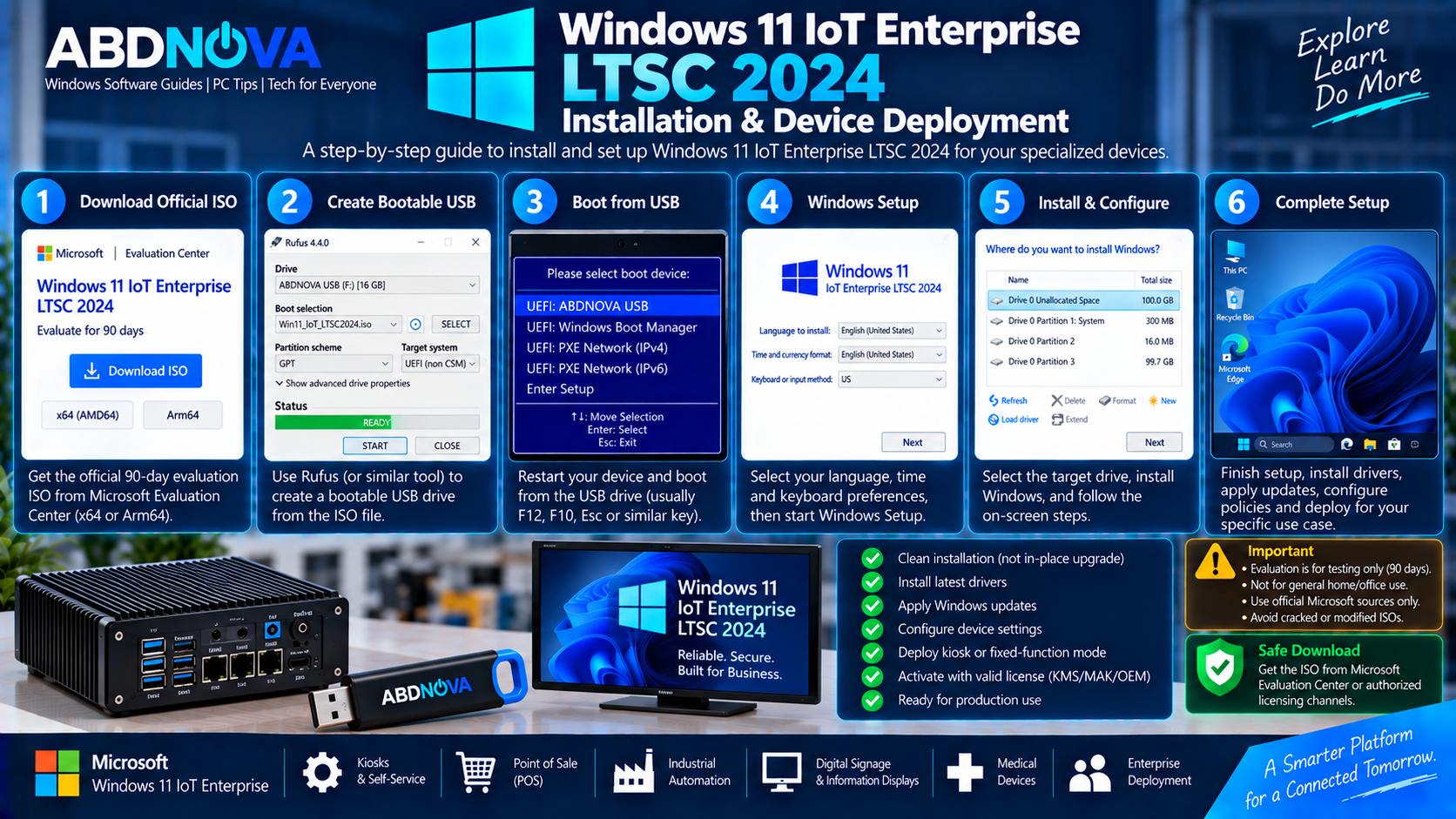
Windows 11 IoT Enterprise LTSC 2024 Installation & Device Deployment
Official 90-Day Evaluation ISO
Microsoft currently provides an official 90-day Windows 11 IoT Enterprise LTSC 2024 Evaluation.
Evaluation ISO options are available for:
- x64 / AMD64
- ARM64
The evaluation is intended for IT professionals, device manufacturers, and software developers evaluating Windows for long-lifecycle fixed-function devices.
Important Evaluation Installation Notice
You can evaluate the operating system in a compatible virtual machine or install it on suitable hardware using USB installation media.
Create a Bootable USB
After obtaining the legitimate ISO from Microsoft or an authorized licensing channel, you can create bootable installation media.
- Back up important data.
- Connect a suitable USB flash drive.
- Open a trusted bootable-media utility.
- Select the official IoT Enterprise LTSC 2024 ISO.
- Select the correct USB drive.
- Configure the appropriate UEFI and partition settings.
- Create the bootable USB.
- Restart the target device.
- Open the device’s boot menu.
- Boot from the USB drive.
Install Windows 11 IoT Enterprise LTSC 2024
Boot the target device from the legitimate installation media and follow Windows Setup.
- Select the language and keyboard settings.
- Start Windows Setup.
- Select the correct edition.
- Accept the applicable license terms.
- Select the target storage device.
- Complete the clean installation.
- Install manufacturer drivers.
- Install Windows servicing updates.
- Configure networking and security.
- Apply organizational policies.
- Configure the device for its fixed-purpose workload.
- Activate Windows using the appropriate license.
For production equipment, follow the hardware manufacturer’s deployment instructions and your organization’s Windows IoT licensing agreement.
Activation
Windows 11 IoT Enterprise LTSC 2024 requires legitimate licensing for production use. Applicable volume-license deployments can use Microsoft’s supported activation methods such as KMS or MAK.
OEM deployments have their own licensing and activation requirements. Downloading an ISO by itself does not provide a permanent production license.
Safe Windows 11 IoT Enterprise LTSC 2024 Download
For evaluation, use Microsoft’s official Windows 11 IoT Enterprise LTSC Evaluation Center. For production deployments, organizations should use the appropriate Microsoft Volume Licensing route, OEM channel, or authorized Windows IoT distributor.
- Pre-activated Windows IoT Enterprise
- Permanently activated ISO files
- Cracked Windows editions
- Activation-bypassed versions
- Modified Windows images
- Debloated or “Lite” builds
- Unofficial repacks
Do not obtain Windows 11 IoT Enterprise LTSC 2024 from unknown ISO mirrors, torrents, random cloud-storage links, activation websites, or unofficial software repositories.
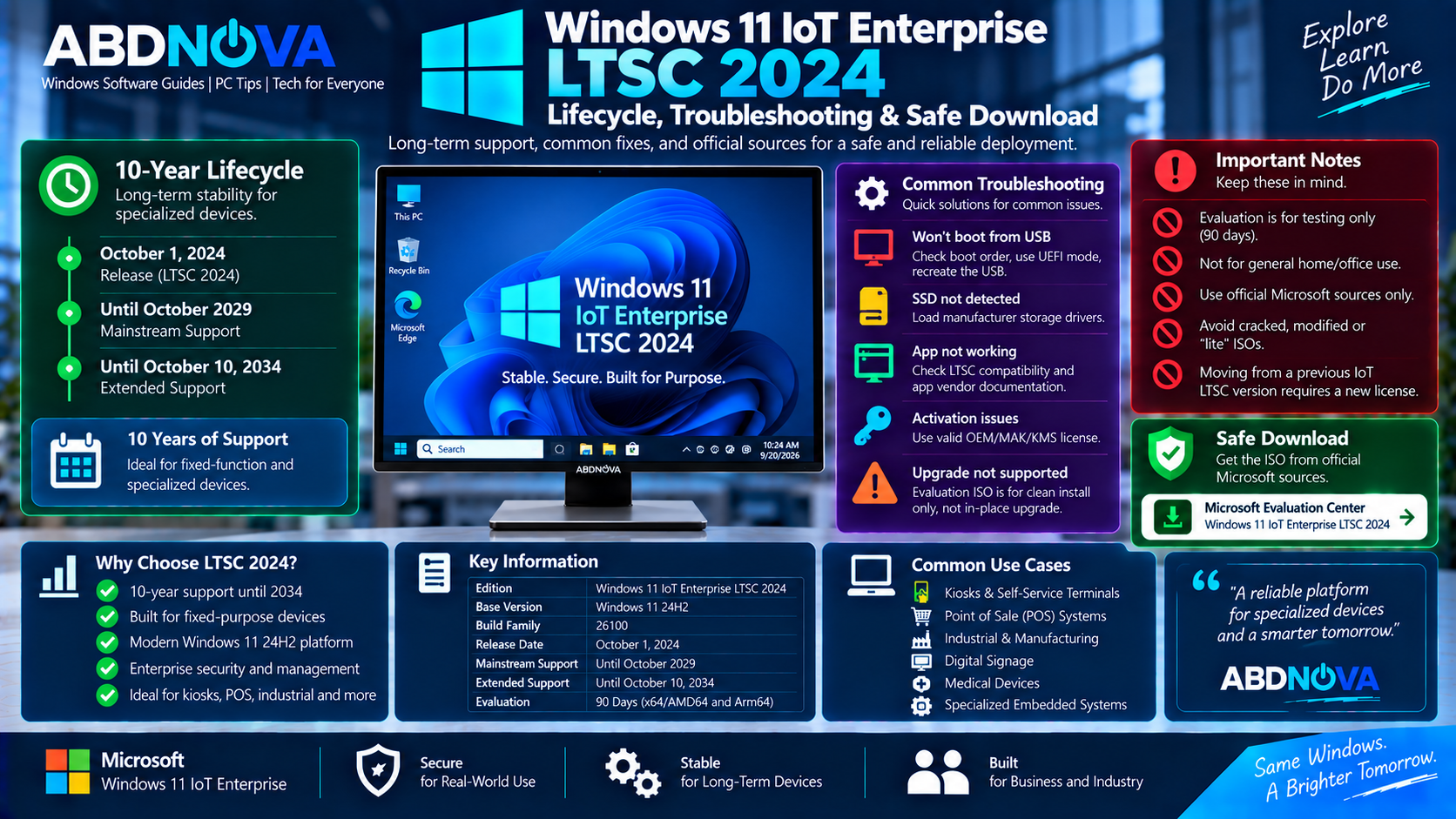
Windows 11 IoT Enterprise LTSC 2024 Lifecycle, Troubleshooting & Safe Download
Evaluation ISO Will Not Upgrade Existing Windows
This is expected. Microsoft states that its evaluation software is intended as a replacement installation rather than an upgrade of an existing Windows installation.
Back up the device and follow Microsoft’s evaluation installation instructions.
Device Does Not Boot from USB
Open the UEFI/BIOS boot menu and confirm that the USB drive is recognized.
If necessary, recreate the installation media using boot and partition settings appropriate for the target hardware.
SSD Is Missing During Windows Setup
Specialized PCs can require manufacturer-specific storage-controller drivers. Obtain the correct driver directly from the device, motherboard, or storage-controller manufacturer.
Application Does Not Work on LTSC
LTSC is designed for specialized scenarios. Applications and tools designed around normal Windows General Availability Channel releases may have different support policies on LTSC.
Check the software vendor’s compatibility documentation before deploying important applications to production devices.
Activation Fails
Confirm that the installed Windows edition matches your organization’s license and activation method.
For applicable Volume Licensing deployments, verify the KMS or MAK configuration and licensing information.
Frequently Asked Questions
Is Windows 11 IoT Enterprise LTSC 2024 still supported?
Yes. It is Microsoft’s current Windows IoT Enterprise LTSC release and has a 10-year servicing lifecycle through October 10, 2034.
What Windows version is IoT Enterprise LTSC 2024 based on?
Windows 11 IoT Enterprise LTSC 2024 has features similar to Windows 11 version 24H2 and uses the 26100 build family.
Is there an official Windows 11 IoT Enterprise LTSC 2024 ISO?
Yes. Microsoft provides an official 90-day Evaluation ISO for x64/AMD64 and ARM64 systems.
Can I upgrade existing Windows using the Evaluation ISO?
Microsoft says not to use the evaluation software to upgrade a previous Windows version. The Evaluation ISO is intended for replacement or clean installation.
Is IoT Enterprise LTSC 2024 intended for a normal home PC?
No. Microsoft positions Windows IoT Enterprise LTSC for fixed-function specialized devices rather than general-purpose Windows desktop computing.
Does Windows IoT Enterprise LTSC receive normal Windows feature updates?
No. Microsoft does not publish normal feature updates through Windows Update for Windows IoT Enterprise LTSC devices. Monthly quality and security servicing continues while the feature set remains comparatively static.
Does moving from an older IoT Enterprise LTSC release require another license?
Yes. Microsoft states that moving from one Windows IoT Enterprise LTSC version to another requires a new license.
Final Thoughts
Windows 11 IoT Enterprise LTSC 2024 Download gives organizations, device manufacturers, developers, and IT professionals access to Microsoft’s long-term Windows platform for fixed-function and specialized devices.
It combines Windows 11 24H2-generation capabilities with the 26100 build family and a 10-year servicing lifecycle through October 10, 2034. Typical deployments include kiosks, POS systems, industrial equipment, medical systems, digital signage, and other dedicated devices where long-term stability is important.
For testing, Microsoft provides an official 90-day Evaluation ISO for x64/AMD64 and ARM64. Production systems should use the appropriate OEM or Volume Licensing route and legitimate activation.
Download Windows 11 IoT Enterprise LTSC 2024
Get the official 90-day x64/AMD64 or ARM64 Evaluation ISO directly from Microsoft.