Windows 10 Enterprise LTSC 2021 Download – Evaluation ISO
Windows 10 Enterprise LTSC 2021 Download provides access to Microsoft’s long-term servicing edition of Windows 10 for specialized devices, organizations, IT testing, and enterprise environments where stability and a controlled feature set are more important than frequent feature upgrades.
Windows 10 Enterprise LTSC 2021 was released on November 16, 2021 and is based on Windows 10 version 21H2. Unlike regular Windows 10 editions that reached end of support in 2025, Enterprise LTSC 2021 follows its own lifecycle and continues receiving servicing until January 12, 2027.
What Is Windows 10 Enterprise LTSC 2021?
LTSC stands for Long-Term Servicing Channel. Instead of receiving regular Windows feature releases, an LTSC installation remains on a specific Windows platform and receives servicing during its defined lifecycle.
Microsoft positions LTSC primarily for special-purpose devices and enterprise scenarios rather than as the normal Windows release channel for everyday consumer PCs.
Windows 10 Enterprise LTSC 2021 incorporates enhancements introduced through Windows 10 releases up to version 21H2 and includes enterprise security, management, deployment, networking, and application capabilities.
Windows 10 Enterprise LTSC 2021 Details
| Detail | Information |
|---|---|
| Developer | Microsoft |
| Product | Windows 10 Enterprise LTSC 2021 |
| Base Version | Windows 10 version 21H2 |
| Initial Release | November 16, 2021 |
| OS Build Family | 19044 |
| Servicing Channel | LTSC |
| Architecture | 64-bit and 32-bit media may be offered depending on Microsoft evaluation availability |
| Evaluation | 90-day evaluation media has been offered by Microsoft |
| Enterprise LTSC Support End | January 12, 2027 |
| Intended Use | Specialized devices, organizations, IT testing and labs |
| Official Source | Microsoft |
Windows 10 Enterprise LTSC 2021 Support in 2026
Standard Windows 10 support ended on October 14, 2025, but that date does not mean Windows 10 Enterprise LTSC 2021 stopped receiving updates.
LTSC releases follow their own lifecycle. Windows 10 Enterprise LTSC 2021 remains on the Windows 10 version 21H2 servicing branch and continues receiving servicing through January 12, 2027.
If you need information about Microsoft’s regular Windows 10 installation media rather than LTSC, see our Windows 10 ISO Download guide.
Enterprise LTSC 2021 vs IoT Enterprise LTSC 2021
What Is the Windows 10 Enterprise LTSC Evaluation ISO?
The Evaluation ISO allows organizations and IT professionals to test Windows Enterprise without immediately deploying a fully licensed production installation.
Microsoft has offered a 90-day Windows 10 Enterprise LTSC evaluation. It can be useful for:
- Testing business applications
- Compatibility testing
- IT training
- Virtual machines
- Enterprise deployment testing
- Windows administration labs
- Testing specialized-device configurations
- Evaluating LTSC before licensing
Windows 10 Enterprise LTSC 2021 vs Regular Windows 10
| Feature | Windows 10 Enterprise LTSC 2021 | Regular Windows 10 |
|---|---|---|
| Servicing Model | Long-Term Servicing Channel | General Availability servicing |
| Base Version | Windows 10 21H2 | Final general release was 22H2 |
| Primary Use | Specialized enterprise scenarios | General-purpose PCs |
| Enterprise Management | Enterprise capabilities | Depends on edition |
| Lifecycle | Fixed LTSC lifecycle | Regular Windows 10 lifecycle |
| Support Status | Supported through January 12, 2027 | Standard support ended October 14, 2025 |
LTSC should not be viewed simply as a longer-supported version of normal Windows 10. Microsoft designed the servicing channel for specific enterprise and special-purpose scenarios, and application support can differ from the normal Windows release channel.
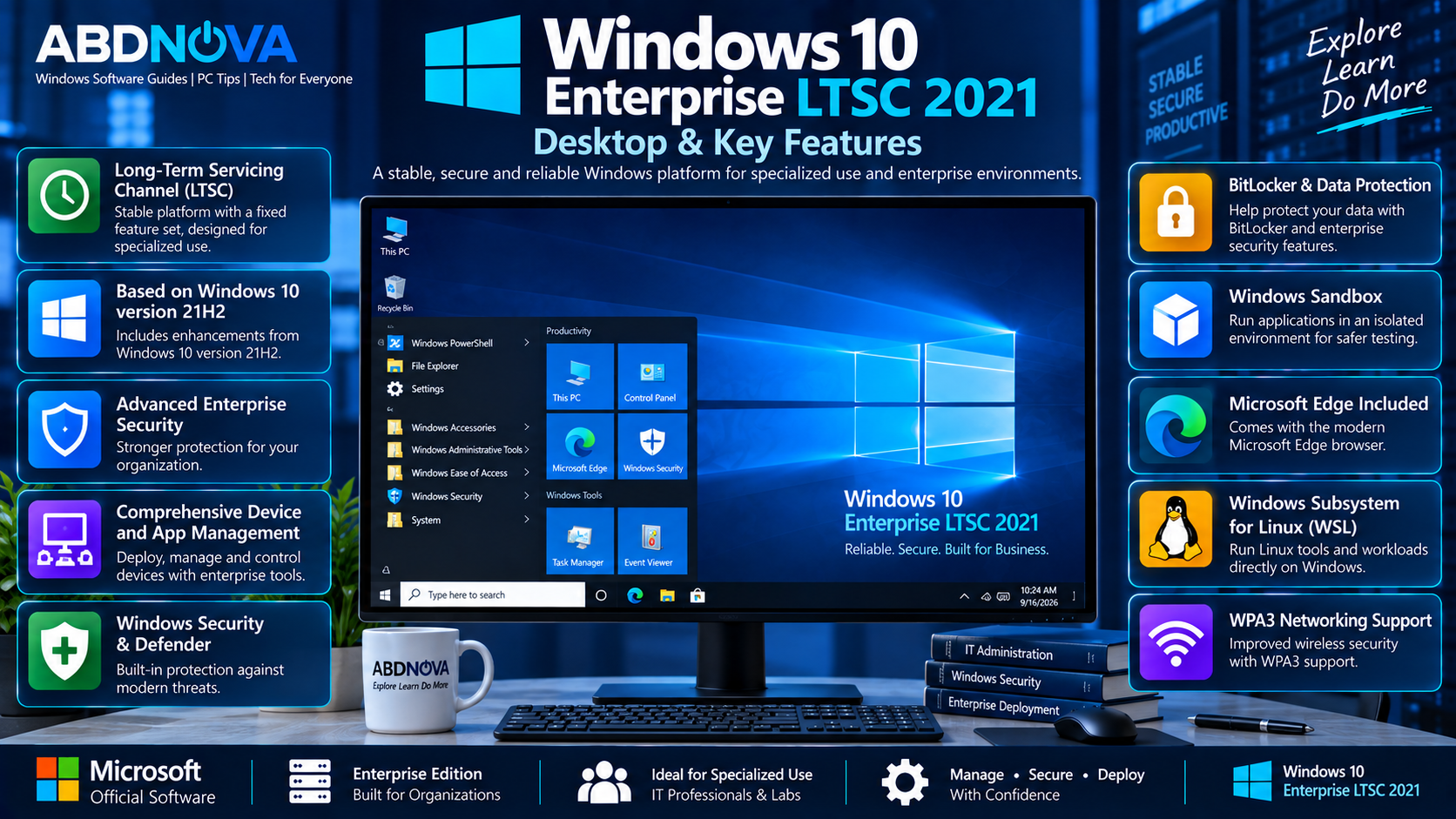
Windows 10 Enterprise LTSC 2021 Desktop & Key Features
Long-Term Servicing
The controlled LTSC servicing model is one of the main characteristics of this edition. Organizations can maintain a specific Windows platform during its defined lifecycle without adopting frequent feature releases.
Enterprise Security
LTSC 2021 includes enterprise-oriented security improvements accumulated through Windows 10 version 21H2, covering areas such as hardware security, operating-system security, application security, identity, and privacy.
Enterprise Management
Organizations can use Windows enterprise management and deployment technologies to control systems across managed environments.
Microsoft Edge
Windows 10 Enterprise LTSC 2021 supports the Chromium-based Microsoft Edge. If you need Microsoft’s standalone browser installer for Windows, see our Microsoft Edge Offline Installer guide.
Windows Subsystem for Linux
LTSC 2021 includes Windows Subsystem for Linux improvements among the technologies incorporated into the Windows 10 21H2 platform.
Networking Improvements
The operating system also includes networking improvements accumulated through Windows 10 releases leading up to version 21H2.
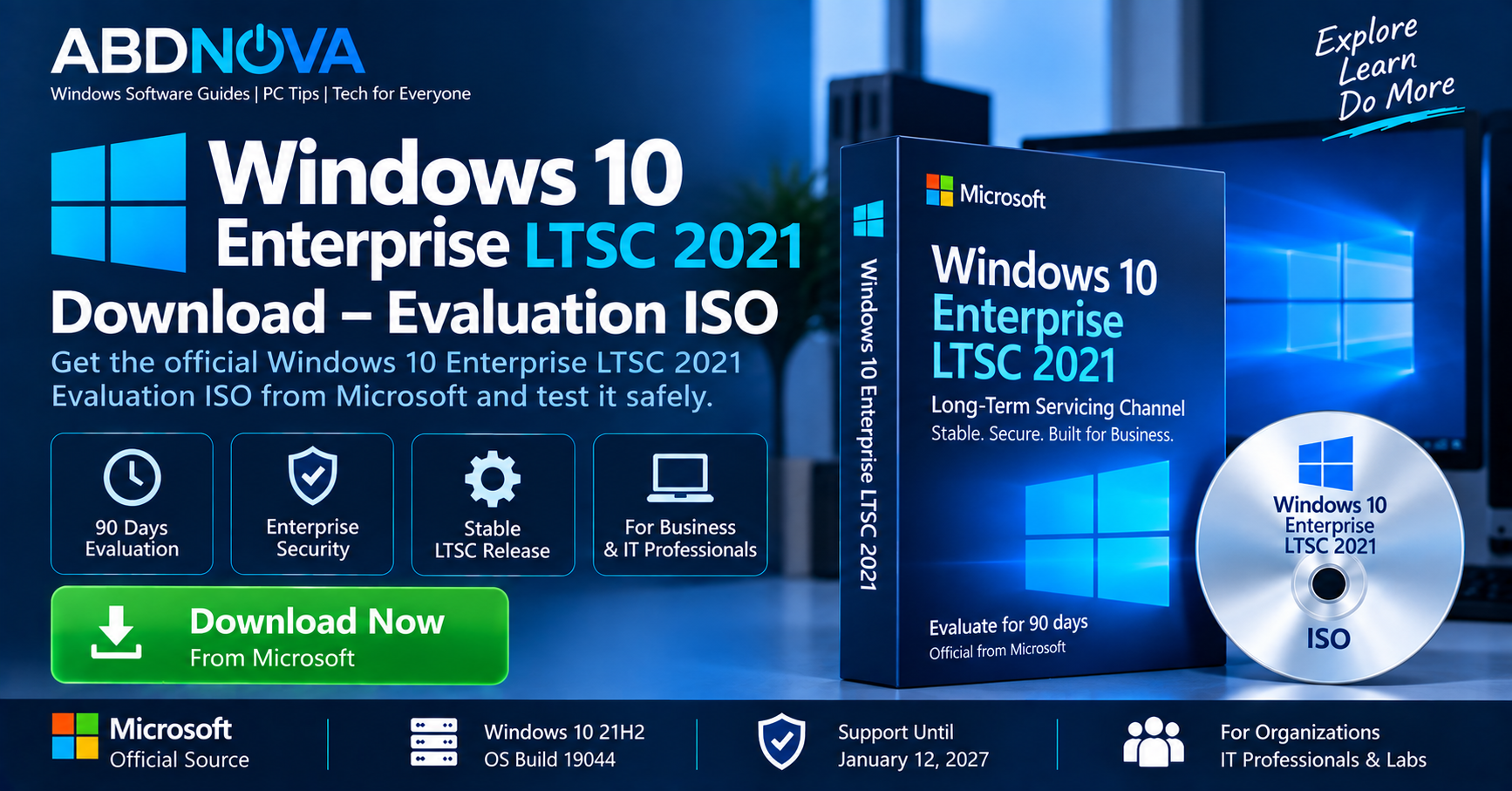
Windows 10 Enterprise LTSC 2021 Evaluation ISO Download
For evaluation media, use Microsoft’s official Windows Enterprise evaluation resources rather than unofficial ISO repositories.
Availability through Microsoft’s Evaluation Center can change over time. Check the currently available Windows Enterprise evaluation downloads before proceeding.
If Windows 10 Enterprise LTSC 2021 evaluation media is available, choose the correct LTSC edition, architecture, and language for your test environment.
- Pre-activated
- Cracked
- Modified
- Lite editions
- Custom builds
- Activation-bypassed versions
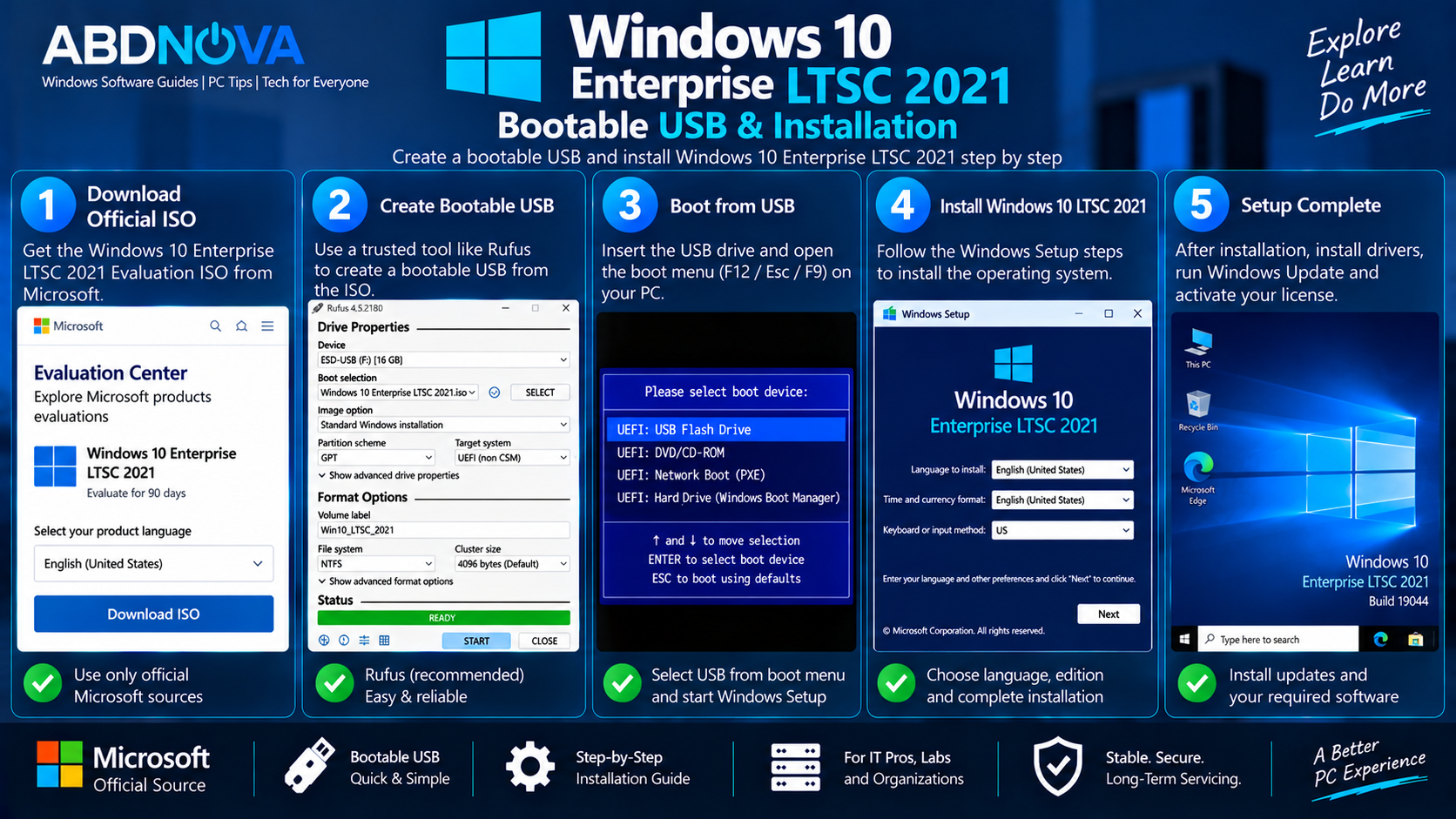
Windows 10 Enterprise LTSC 2021 Bootable USB & Installation
After obtaining legitimate Microsoft LTSC 2021 evaluation media, you can create bootable installation media for a compatible PC or test system.
What You Need
- Official LTSC 2021 Evaluation ISO
- USB flash drive with sufficient capacity
- Compatible PC
- A trusted ISO-to-USB utility
Create the Bootable USB
- Connect the USB flash drive.
- Open your trusted bootable-media utility.
- Select the Windows 10 Enterprise LTSC 2021 ISO.
- Select the correct USB drive.
- Configure the appropriate UEFI and partition settings for the target PC.
- Create the installation media.
- Restart the destination PC.
- Open the computer’s boot menu.
- Boot from the USB.
Install Windows 10 Enterprise LTSC 2021
After booting from the installation USB, Windows Setup guides you through deployment.
- Select your language and keyboard configuration.
- Proceed to Windows Setup.
- Select the appropriate LTSC evaluation edition offered by the ISO.
- Choose the destination drive.
- Complete the installation process.
- Install current Windows updates.
- Install appropriate hardware drivers.
Using LTSC 2021 in a Virtual Machine
A virtual machine is one of the most practical environments for evaluating Windows 10 Enterprise LTSC 2021 without changing the main Windows installation on a physical computer.
You can attach the official ISO to a compatible VM and test:
- Enterprise applications
- Group Policy
- Networking
- Windows administration
- Security configurations
- Software compatibility
- Deployment scripts
- Business software
- Development and testing environments
Is LTSC 2021 Good for a Normal Home PC?
Windows 10 Enterprise LTSC 2021 can technically run on many conventional PCs that meet the relevant requirements, but it should not automatically be considered a better Windows edition simply because its feature set changes less frequently.
Microsoft describes LTSC as intended for special-purpose devices and scenarios. Applications and tools designed around the normal Windows servicing channel may also have limited LTSC support.
For an ordinary consumer PC, consider application compatibility, hardware support, licensing, lifecycle, and the intended workload before choosing LTSC.
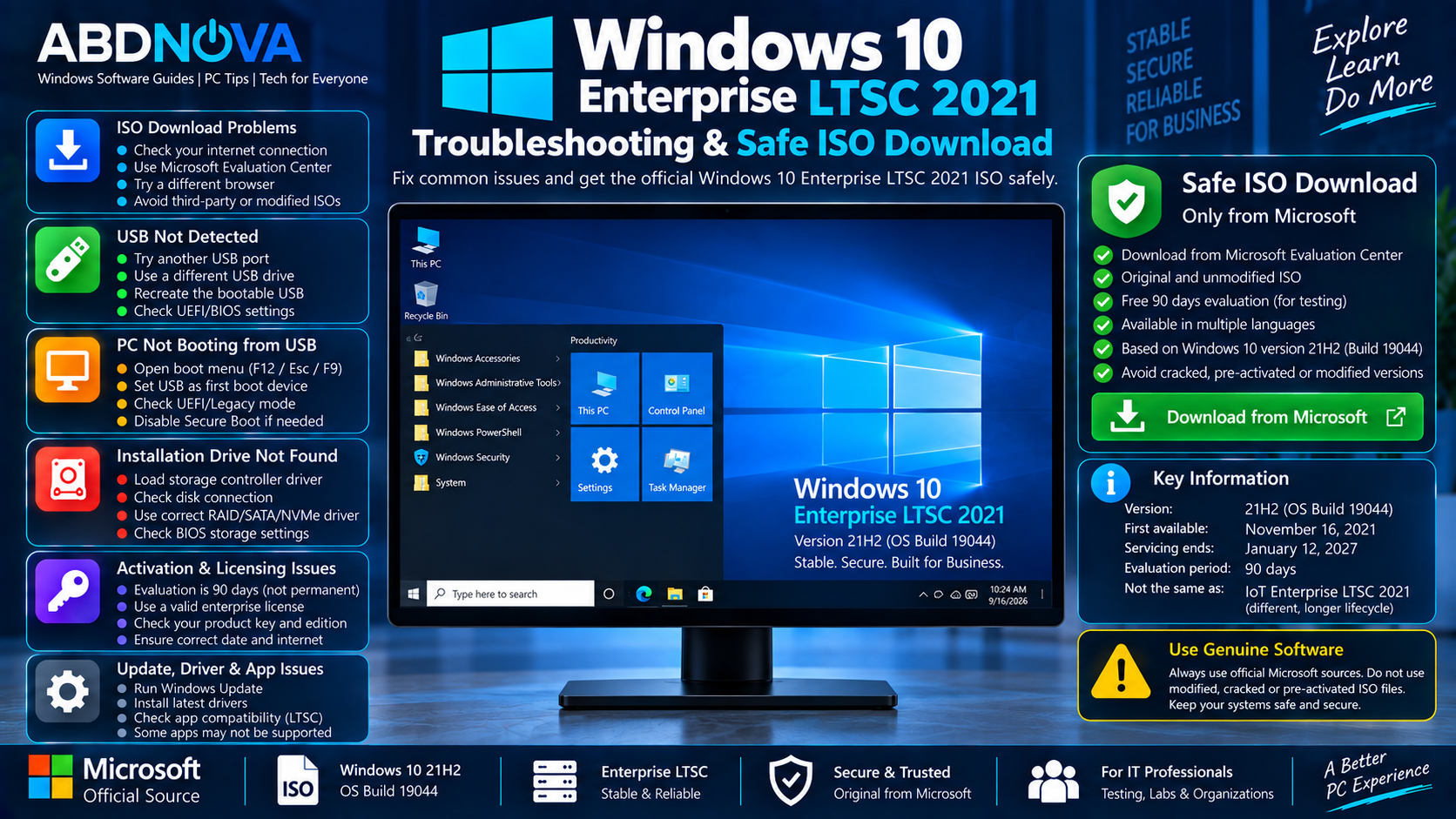
Windows 10 Enterprise LTSC 2021 Troubleshooting & Safe ISO Download
PC Does Not Boot from USB
Open the computer’s boot menu and select the USB device manually. If the USB does not appear, check UEFI/BIOS settings and confirm that the installation media was created correctly.
Installation Drive Is Missing
Windows Setup may require a suitable storage-controller driver on some systems. Check the PC, motherboard, or storage-controller manufacturer’s official support page for the appropriate driver.
Network Does Not Work After Installation
Install the appropriate network-adapter driver from the computer or hardware manufacturer and then run Windows Update.
Activation Problems
An Evaluation ISO and a commercially licensed LTSC deployment are not the same thing.
Use a genuine license appropriate for the installed Windows edition when deploying Windows beyond an authorized evaluation.
Applications Are Not Compatible
LTSC is not Microsoft’s normal general-purpose Windows servicing channel. Support for applications and tools designed around regular Windows releases can be limited.
Check the software vendor’s compatibility information before using LTSC for an important production workload.
Safe Windows 10 Enterprise LTSC 2021 ISO Download
For a safe Windows 10 Enterprise LTSC 2021 Download, use Microsoft-provided evaluation or properly licensed enterprise distribution channels.
Do not download Windows ISO files from random file-sharing websites simply because the filename claims to contain an original Microsoft ISO.
- Use Microsoft-provided evaluation or licensed enterprise channels.
- Avoid modified and pre-activated ISO files.
- Do not use cracks or activation bypasses.
- Choose the correct architecture and language.
- Back up important files before installation.
- Install Windows updates and official hardware drivers after setup.
Frequently Asked Questions
Is Windows 10 Enterprise LTSC 2021 still supported?
Yes. Windows 10 Enterprise LTSC 2021 remains within its lifecycle through January 12, 2027.
Is LTSC 2021 based on Windows 10 21H2?
Yes. Windows 10 Enterprise LTSC 2021 has features equivalent to Windows 10 version 21H2 and uses the 19044 build family.
Is Windows 10 Enterprise LTSC 2021 the same as Windows 10 22H2?
No. Enterprise LTSC 2021 corresponds to Windows 10 21H2, while the final regular Windows 10 feature release was 22H2.
Is the LTSC Evaluation ISO free?
Microsoft has offered Enterprise LTSC evaluation media for testing without purchasing a license first. The evaluation is not a permanent free Windows license, and Microsoft’s LTSC evaluation has been offered for 90 days.
Does LTSC 2021 receive updates after regular Windows 10 support ended?
Yes. LTSC releases follow their own lifecycle, so Windows 10 Enterprise LTSC 2021 continues receiving servicing according to its LTSC lifecycle.
Is Windows 10 Enterprise LTSC 2021 supported until 2032?
No. Windows 10 Enterprise LTSC 2021 reaches end of servicing in January 2027. The longer lifecycle extending into 2032 applies to Windows 10 IoT Enterprise LTSC 2021.
Can I install LTSC 2021 in a virtual machine?
Yes. A virtual machine is suitable for evaluation, software compatibility testing, IT training, and Windows administration labs.
Final Thoughts
Windows 10 Enterprise LTSC 2021 Download remains relevant in 2026 for organizations and specialized environments that specifically require Microsoft’s Windows 10 Long-Term Servicing Channel.
Enterprise LTSC 2021 is based on Windows 10 version 21H2 and remains within its own Microsoft lifecycle even though regular Windows 10 releases have already reached end of support.
For evaluation or deployment, use genuine Microsoft installation media and the appropriate licensing channel. Avoid modified, pre-activated, cracked, or unofficial LTSC ISO downloads.
Windows 10 Enterprise LTSC 2021 Evaluation
Check Microsoft’s official Evaluation Center for currently available Windows Enterprise evaluation downloads.