

Pop!_OS Download for PC
Pop!_OS Download for PC provides a free and open-source Linux operating system developed by System76. It is designed for desktop and laptop users who want a modern Linux environment for everyday work, development, creative applications, gaming, and productivity.
The current stable release is Pop!_OS 24.04 LTS, featuring System76’s new COSMIC Desktop Environment. System76 provides separate ISO images for standard Intel/AMD graphics systems and newer supported NVIDIA graphics hardware.
Windows 11 and Windows 10 users can download the ISO, create a bootable USB, test Pop!_OS before installation, or install it on compatible hardware.
Pop!_OS 24.04 LTS at a Glance
| Details | Information |
|---|---|
| Operating System | Pop!_OS |
| Current Release | Pop!_OS 24.04 LTS |
| Developer | System76 |
| Desktop Environment | COSMIC |
| Architecture | 64-bit |
| Recommended RAM | 4 GB |
| Recommended Storage | 16 GB |
| License | Free and open source |
| Installation Media | ISO |
| Standard & NVIDIA Images | Yes |
What Is Pop!_OS?
Pop!_OS is a Linux distribution created by System76. Although it is closely integrated with System76 computers, it can also be installed on many compatible desktop and laptop PCs from other manufacturers.
The operating system focuses on a polished desktop experience while retaining the flexibility of Linux for development, gaming, creative work, productivity, and general computing.
Pop!_OS 24.04 LTS represents a major change because the operating system now ships with COSMIC, System76’s own desktop environment.
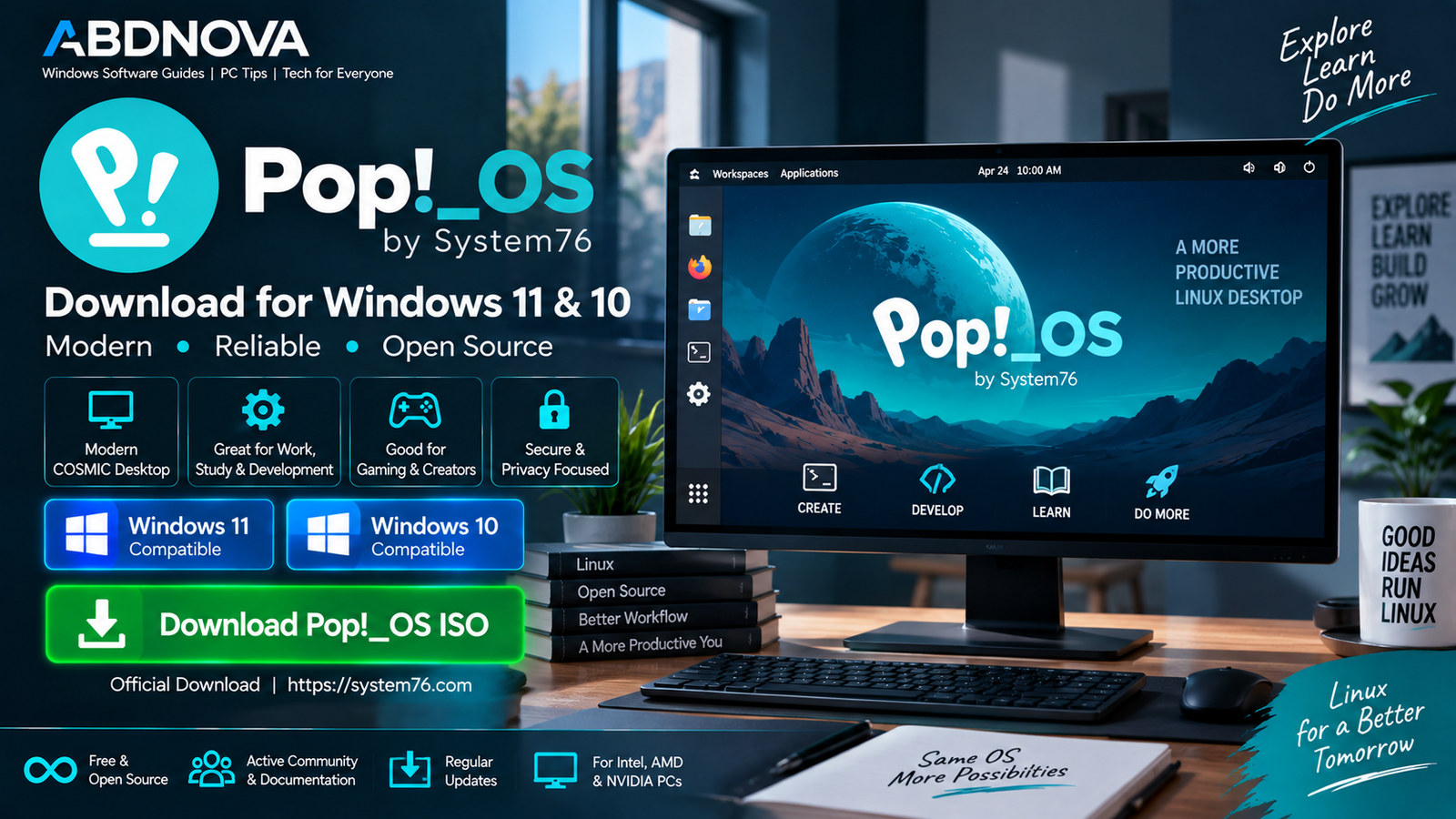
Pop!_OS Download for Windows 11 & 10
You can download the Pop!_OS ISO using a Windows 11 or Windows 10 PC and create bootable installation media.
For a normal Intel or AMD PC, the correct download depends mainly on your graphics hardware.
NVIDIA 16 Series or newer: Pop!_OS 24.04 LTS with NVIDIA
Pop!_OS is a complete Linux operating system rather than a standard Windows application. The downloaded ISO is used to create installation media instead of being installed as a normal Windows .exe file.
Which Pop!_OS ISO Should You Download?
Standard Pop!_OS 24.04 LTS
Choose the standard image for PCs using:
- Intel graphics.
- AMD graphics.
- NVIDIA GTX 10 Series or older graphics.
This is the appropriate image for many ordinary desktop and laptop PCs.
Pop!_OS 24.04 LTS with NVIDIA
System76 provides a dedicated NVIDIA image for computers with NVIDIA 16 Series or newer graphics, including newer GeForce GTX and RTX hardware.
The dedicated image includes the appropriate NVIDIA support, simplifying installation on compatible systems.
Pop!_OS ARM64 Images
Pop!_OS 24.04 LTS also provides ARM64 images. These are intended for ARM-based systems rather than standard Intel or AMD Windows PCs.
If your Windows desktop or laptop uses a normal Intel or AMD processor, you generally need the standard 64-bit PC image rather than ARM64.
Pop!_OS System Requirements
| Component | Recommended Requirement |
|---|---|
| Processor | 64-bit processor |
| RAM | 4 GB |
| Storage | 16 GB |
| Installation Media | Bootable USB |
| Secure Boot | Must be disabled for installation |
These are basic recommendations. More RAM and storage are preferable for gaming, development environments, creative applications, virtual machines, large files, and heavier multitasking.
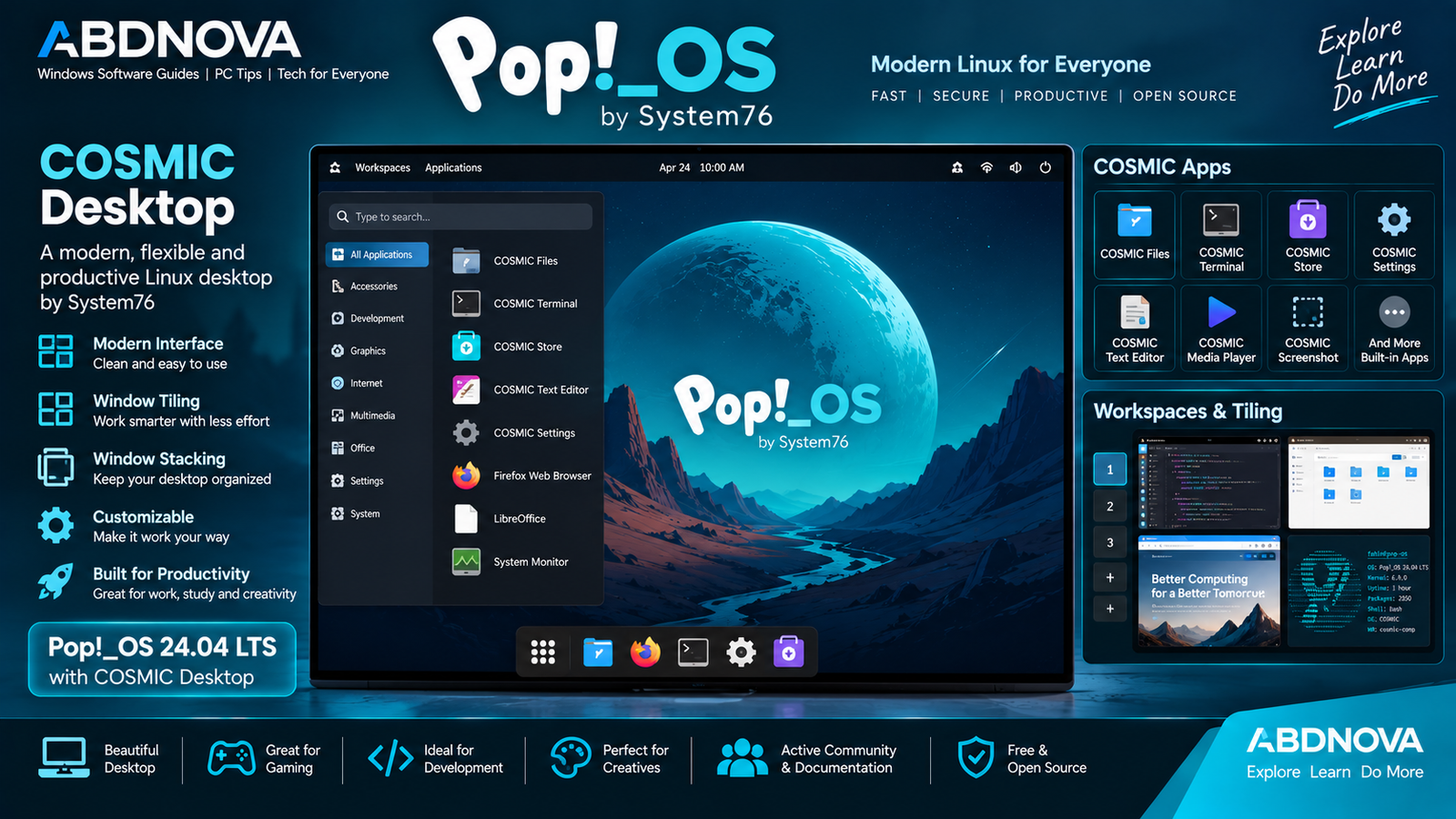
Pop!_OS COSMIC Desktop, Main Interface & Key Features
Pop!_OS 24.04 LTS introduces the new COSMIC Desktop Environment, replacing the previous GNOME-based Pop!_OS desktop experience.
COSMIC includes dedicated applications such as:
- COSMIC Files.
- COSMIC Terminal.
- COSMIC Store.
- COSMIC Text Editor.
- COSMIC Media Player.
- COSMIC Screenshot.
- COSMIC Settings.
Window Tiling
COSMIC can automatically arrange application windows, making it easier to work with several programs without manually resizing each window.
Tiling can be enabled per workspace or display.
Workspaces
Different tasks can be organized into separate workspaces. COSMIC supports horizontal or vertical workspace configurations depending on your preferred workflow.
Window Stacking
Multiple application windows can be combined into tab-like stacks. This helps reduce desktop clutter when several programs are open simultaneously.
COSMIC Launcher
The COSMIC Launcher can open applications, switch between running programs, perform calculations, run commands, and provide other shortcuts.
COSMIC Store
COSMIC Store provides a graphical interface for discovering and installing supported Linux applications.
Hybrid Graphics
Pop!_OS 24.04 improves hybrid graphics support. Applications that request the discrete GPU can automatically use it, while users can also select a preferred GPU when launching supported applications.
Pop!_OS for Development & Productivity
Pop!_OS can be used for software development, programming, web development, Linux administration, and other technical workloads.
COSMIC Terminal provides a built-in Linux command-line environment, while developers moving between Windows and Linux may also find our Windows Terminal Download for Windows guide useful on their Windows systems.
The desktop’s tiling, workspaces, keyboard navigation, and window stacking features can also help organize editors, terminals, browsers, documentation, and other productivity applications.
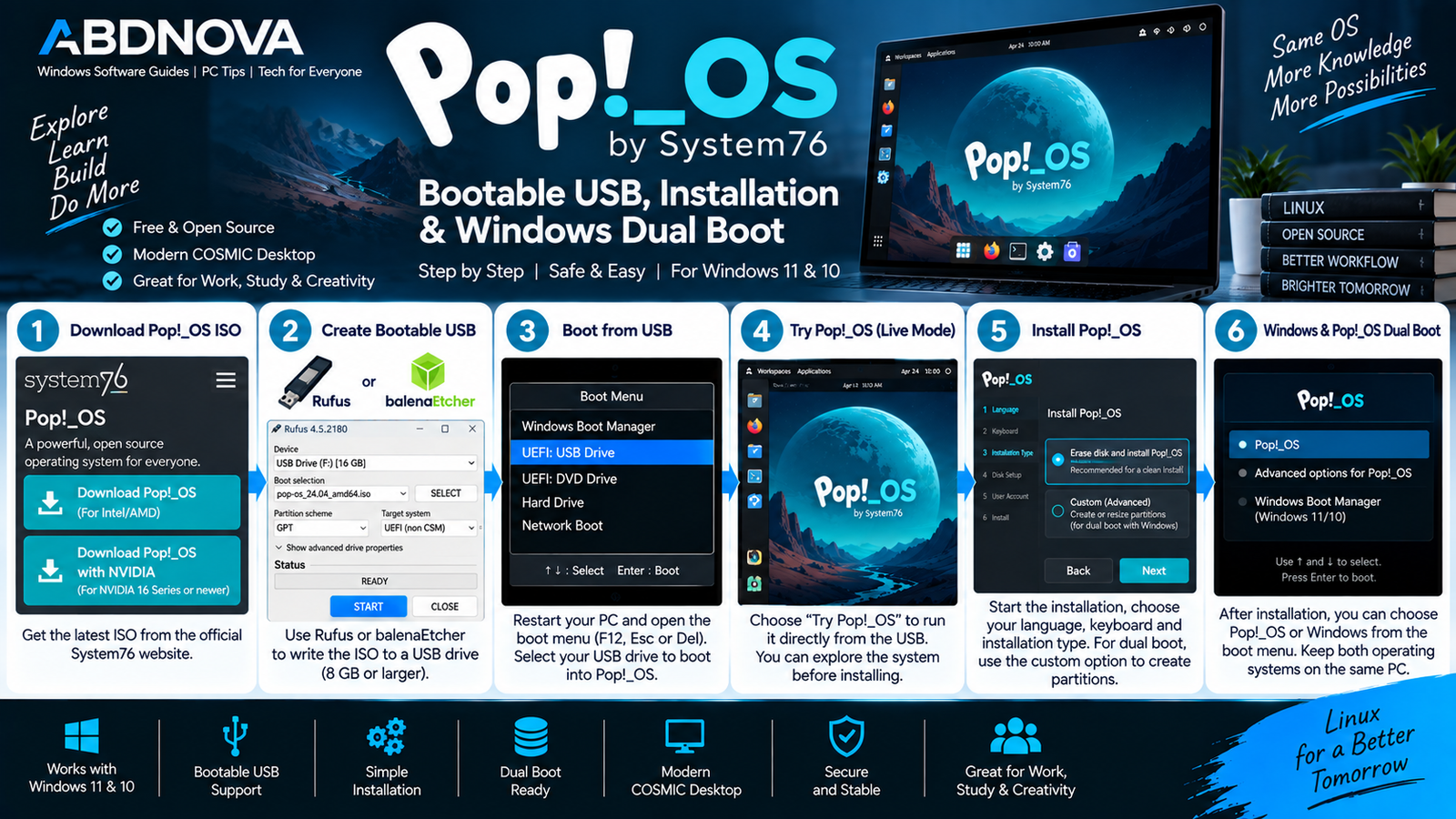
Pop!_OS Bootable USB, Installation & Windows Dual Boot
Create a Pop!_OS Bootable USB on Windows
Windows 11 and Windows 10 users can download the appropriate Pop!_OS ISO and write it to a USB flash drive.
- Download the correct Pop!_OS ISO.
- Verify the ISO checksum.
- Connect a suitable USB flash drive.
- Open a bootable USB creation tool.
- Select the Pop!_OS ISO.
- Select the correct USB drive.
- Write the image.
- Restart the PC.
- Open the BIOS/UEFI boot menu.
- Select the USB drive.
Disable Secure Boot
This is an important installation requirement. System76 instructs users to disable Secure Boot in the BIOS/UEFI before installing Pop!_OS.
The exact procedure varies depending on the PC or motherboard manufacturer.
Try Pop!_OS Before Installing
Booting from the prepared USB lets you explore Pop!_OS before committing to a permanent installation.
Use the live environment to check:
- Display and graphics compatibility.
- Keyboard and mouse.
- Wi-Fi.
- Audio.
- Bluetooth.
- General desktop performance.
Testing first is especially useful when installing Linux on hardware originally configured for Windows.
How to Install Pop!_OS on a PC
- Back up important data.
- Disable Secure Boot.
- Boot the computer from the USB.
- Start the Pop!_OS installation.
- Select the language and keyboard.
- Choose the appropriate installation configuration.
- Select the target drive carefully.
- Configure your user account.
- Complete the installation.
- Restart the computer.
Pop!_OS also supports full-disk encryption during installation.
Pop!_OS and Windows 11/10
You do not necessarily need to remove Windows just to experiment with Pop!_OS. A Windows user can first test Pop!_OS from bootable media.
More advanced users can maintain Windows and Linux on the same computer using an appropriately configured multi-boot setup.
Always back up important files before resizing, deleting, creating, or formatting partitions.
Pop!_OS for NVIDIA PCs
One distinctive Pop!_OS feature is its dedicated NVIDIA installation image.
For systems using NVIDIA 16 Series graphics or newer, System76 provides Pop!_OS 24.04 LTS with NVIDIA.
Check your graphics hardware before downloading so you select the appropriate ISO for your computer.
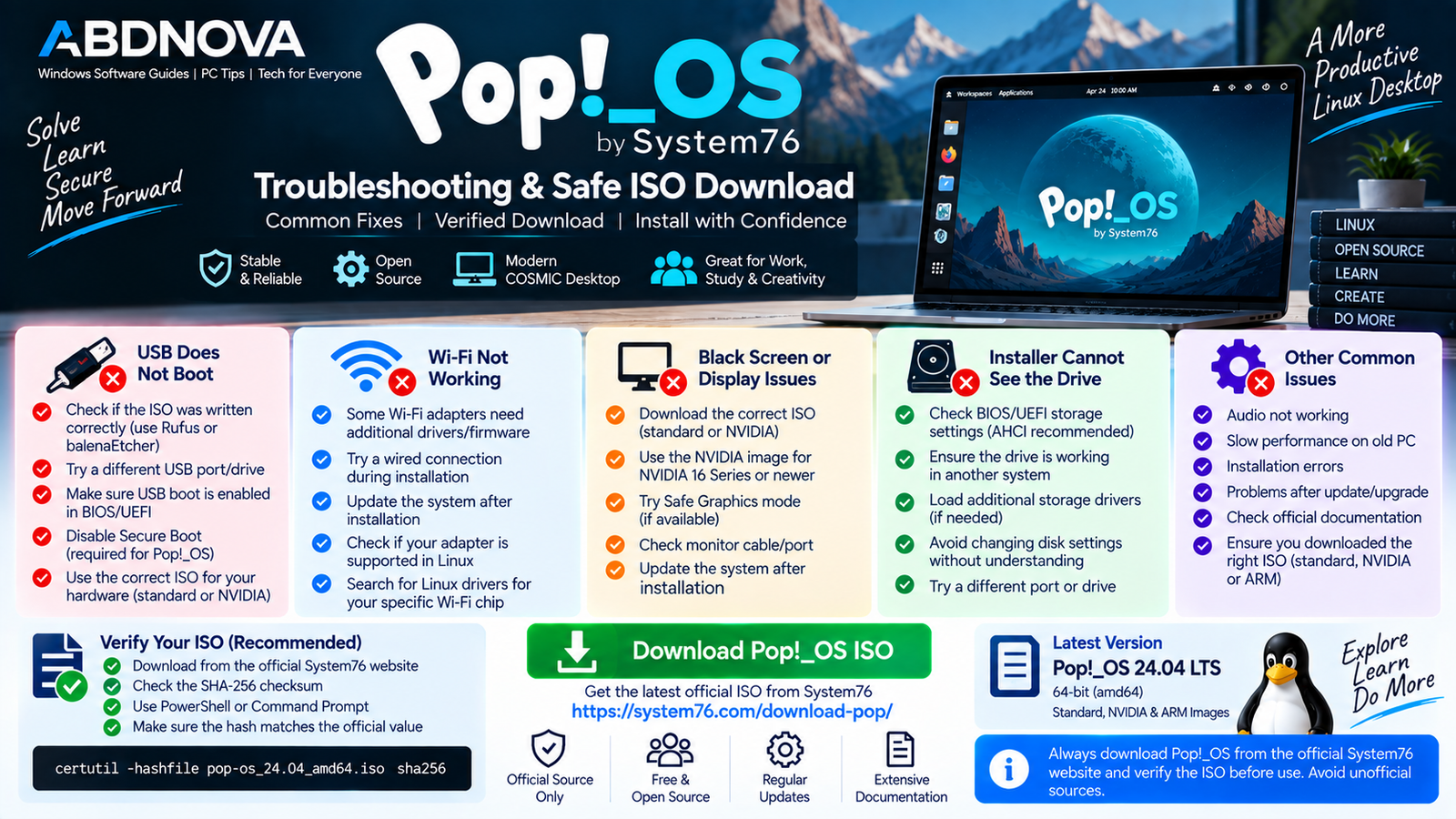
Pop!_OS Troubleshooting & Safe ISO Download
Pop!_OS USB Does Not Boot
Try:
- Confirm the ISO was written correctly.
- Check that USB boot is enabled in BIOS/UEFI.
- Open the boot menu manually.
- Try another USB port.
- Confirm Secure Boot has been disabled.
Black Screen During Installation
Make sure you downloaded the correct image for your graphics hardware. Users with supported newer NVIDIA GPUs should use the dedicated NVIDIA image rather than the standard ISO.
Wi-Fi Does Not Work
Check whether the wireless adapter is detected. Installing available system updates after installation may provide newer kernel, firmware, or hardware-support packages.
Installer Cannot See the Drive
Check the BIOS/UEFI storage configuration and confirm that the drive is functioning correctly.
Avoid changing storage settings without understanding how those changes could affect an existing Windows installation.
Wrong Pop!_OS ISO Downloaded
Check your processor architecture and graphics hardware again.
For typical Intel/AMD PCs, use the standard x86-64 image unless your NVIDIA hardware belongs to the category specified for the dedicated NVIDIA download. ARM64 images are not intended for ordinary Intel/AMD Windows PCs.
Safe Pop!_OS ISO Download
Download Pop!_OS directly from System76 rather than unofficial ISO-hosting websites.
The official download page provides SHA-256 checksums that can be used to verify that the downloaded ISO matches the official image.
- Modified Pop!_OS ISO files.
- Unofficial repacks.
- Unknown third-party ISO downloads.
- Pre-modified installation images.
- Unverified mirrors or file-sharing downloads.
Using the official source also ensures that you can choose the correct standard, NVIDIA, or ARM64 image.
Frequently Asked Questions
Is Pop!_OS free?
Yes. Pop!_OS is free and open-source software.
What is the latest Pop!_OS version?
The current stable release is Pop!_OS 24.04 LTS.
Does Pop!_OS use COSMIC?
Yes. Pop!_OS 24.04 LTS ships with the COSMIC Desktop Environment developed by System76.
Which Pop!_OS ISO should I download?
For Intel or AMD graphics and NVIDIA GTX 10 Series or older, use the standard Pop!_OS 24.04 LTS image. For NVIDIA 16 Series or newer, System76 provides the dedicated NVIDIA image.
Can I install Pop!_OS on a Windows PC?
Yes, provided the computer has compatible hardware. You can create a bootable USB from Windows and use it to try or install Pop!_OS.
Can I try Pop!_OS without installing it?
Yes. Booting from the prepared USB lets you explore Pop!_OS and test hardware before performing a permanent installation.
Does Pop!_OS require Secure Boot to be disabled?
Yes. System76 currently instructs users to disable Secure Boot in BIOS/UEFI before installing Pop!_OS.
How much RAM does Pop!_OS need?
System76 recommends 4 GB RAM along with 16 GB storage and a 64-bit processor.
Does Pop!_OS support NVIDIA graphics?
Yes. System76 provides a dedicated Pop!_OS 24.04 LTS NVIDIA image for NVIDIA 16 Series or newer graphics hardware.
Final Thoughts
Pop!_OS Download for PC provides a modern Linux operating system built around System76’s COSMIC desktop, productivity-focused window management, flexible customization, and dedicated support for newer NVIDIA graphics through a separate installation image.
For Windows users interested in Linux, a bootable USB provides a practical way to explore Pop!_OS before making permanent changes to the computer.
Download the correct ISO directly from System76, verify its checksum, back up important files, check your graphics hardware, and confirm that Secure Boot is disabled before installation.
Download Pop!_OS 24.04 LTS
Get the standard, NVIDIA, or ARM64 Pop!_OS image directly from System76.


