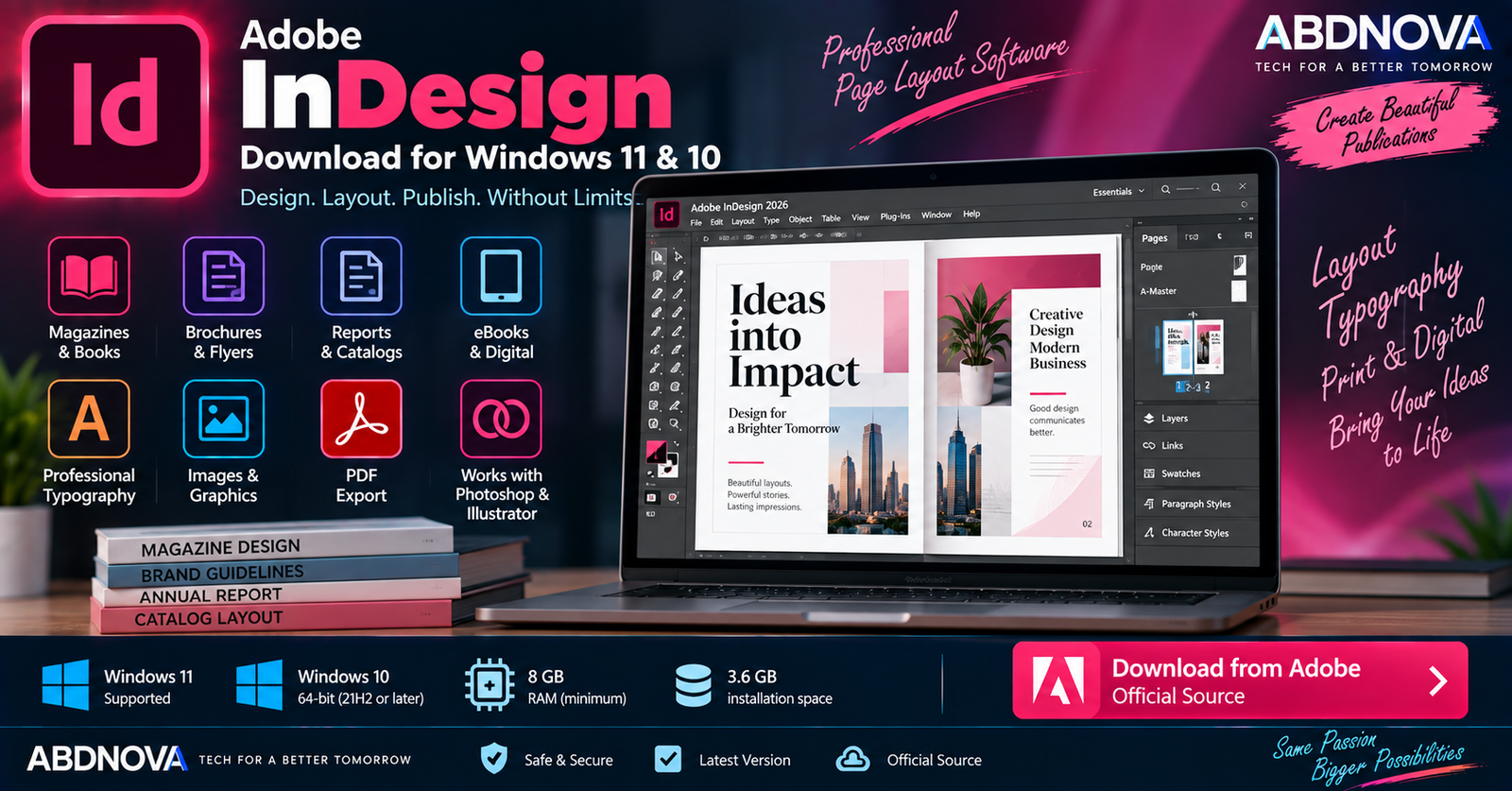

Adobe InDesign Download for Windows 11 & 10
Adobe InDesign Download for Windows gives designers and publishers a professional environment for creating magazines, books, brochures, reports, posters, flyers, catalogs, interactive PDFs, eBooks, and other print or digital publications.
InDesign specializes in multi-page layout, professional typography, linked graphics, reusable styles, long-document management, and print and digital publishing. It also works closely with Photoshop, Illustrator, Adobe Fonts, Creative Cloud Libraries, and other Adobe services.
Current InDesign 21.3 and later supports selected 64-bit Windows 11 and Windows 10 releases. Current 21.x versions require an AVX2-capable processor and at least 8 GB of RAM.
Adobe InDesign for Windows at a Glance
| Details | Information |
|---|---|
| Software | Adobe InDesign |
| Developer | Adobe |
| Category | Page Layout & Desktop Publishing |
| Windows 11 | 23H2, 24H2, 25H2 |
| Windows 10 | 21H2, 22H2 |
| Architecture | 64-bit |
| Processor | Multicore Intel or AMD; AVX2 required |
| RAM | 8 GB minimum; 16 GB recommended |
| Storage | 3.6 GB plus temporary installation space |
| Display | 1024 × 768 minimum; 1920 × 1080 recommended |
| GPU | 1 GB VRAM minimum for optimum GPU performance; 2 GB recommended |
| License | Paid subscription |
| Official Source | Adobe |
Adobe InDesign for Windows 11
Current InDesign 21.3 and later supports Windows 11 23H2, 24H2, and 25H2 on compatible 64-bit systems.
Windows 11 provides a suitable environment for professional InDesign workflows involving large publications, high-resolution graphics, advanced typography, PDF production, and Creative Cloud integration.
Adobe InDesign for Windows 10
InDesign 21.3 and later also supports Windows 10 21H2 and 22H2, 64-bit.
If your PC uses a significantly older Windows 10 release, update Windows or check Adobe’s requirements for an older compatible InDesign version before installation.
Adobe InDesign System Requirements
| Component | Requirement |
|---|---|
| Processor | Multicore 64-bit Intel or AMD processor |
| Instruction Set | AVX2 required for current InDesign 21.x |
| Operating System | Windows 10 21H2/22H2 or Windows 11 23H2/24H2/25H2 |
| RAM | 8 GB minimum; 16 GB recommended |
| Storage | 3.6 GB plus additional temporary installation space |
| Display | 1024 × 768 minimum; 1920 × 1080 recommended |
| GPU Performance | 1 GB VRAM minimum; 2 GB recommended; OpenGL 4.4+ |
Adobe recommends an SSD. Installation to removable flash-storage devices is not supported. Large books, catalogs, linked Photoshop files, Illustrator artwork, fonts, exports, and backups can also require considerably more storage than the application itself.
How to Download & Install Adobe InDesign
The safest installation method is through Adobe and Creative Cloud Desktop.
- Open Adobe’s official InDesign page.
- Choose the available trial or subscription option.
- Sign in to your Adobe account.
- Install Adobe Creative Cloud Desktop if required.
- Open Creative Cloud Desktop.
- Find InDesign.
- Select Install.
- Wait for installation to complete.
- Launch Adobe InDesign.
An internet connection and registration are required for activation, subscription validation, and access to online services.
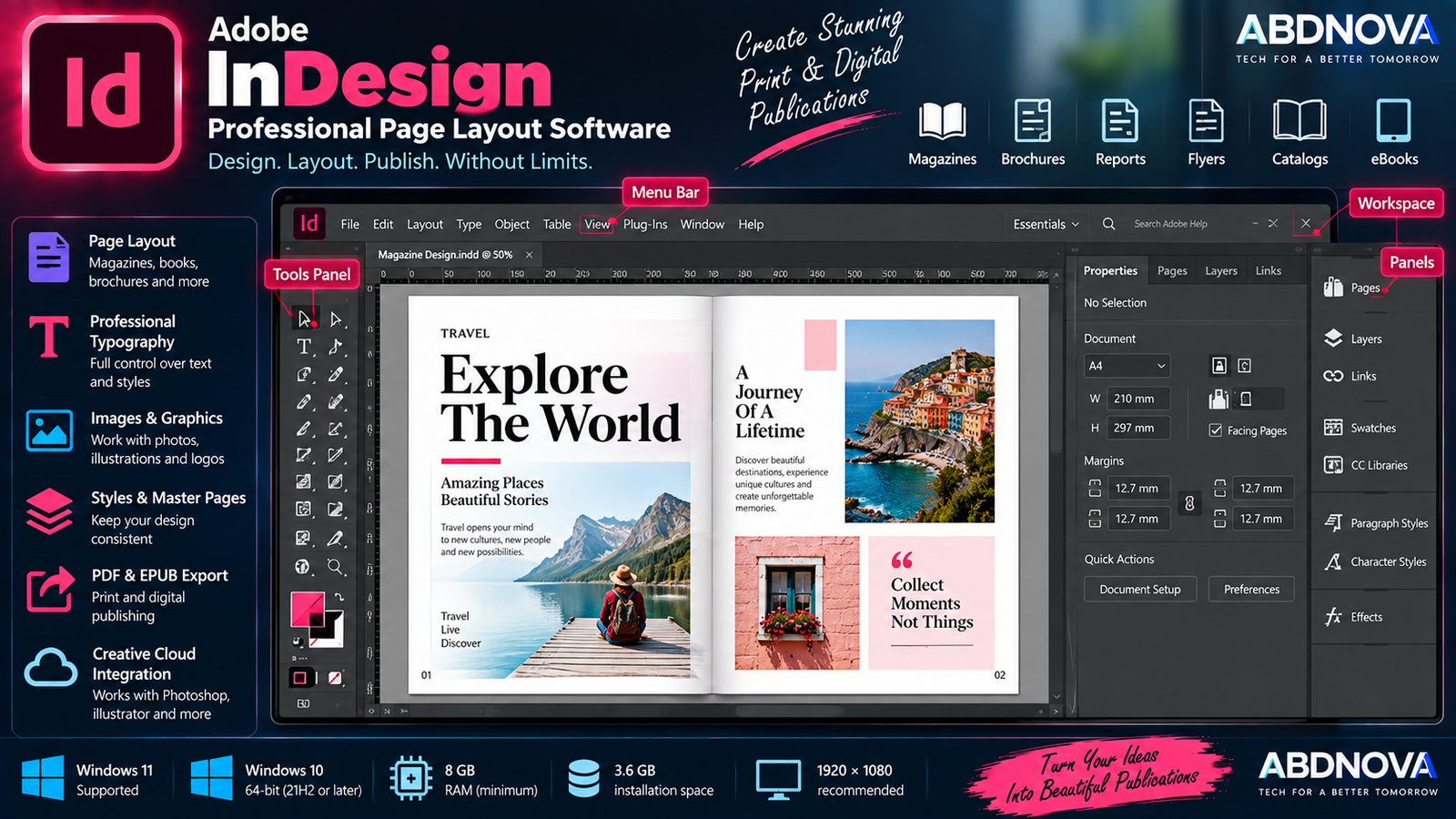
Adobe InDesign Main Interface & Page Layout Features
InDesign provides a professional workspace designed around documents containing multiple pages, text, images, graphics, and reusable design elements.
Important interface areas include:
- Tools panel.
- Control and Properties panels.
- Document window.
- Pages panel.
- Layers panel.
- Links panel.
- Paragraph and Character controls.
- Swatches.
- Styles.
- Creative Cloud Libraries.
- Contextual Task Bar.
The workspace can be customized depending on whether you are working primarily with typography, books, interactive documents, or general page layout.
Professional Page Layout
Page layout is InDesign’s primary strength. It can be used to build:
- Magazines.
- Books.
- Newspapers.
- Brochures.
- Flyers.
- Posters.
- Business reports.
- Product catalogs.
- Newsletters.
- eBooks.
- Interactive documents.
Reusable page structures help maintain recurring elements such as page numbers, headers, footers, logos, and design elements across multi-page publications.
Text Frames & Linked Text
InDesign uses frames to control page content. Text can flow between connected text frames so long stories or chapters can continue automatically across columns and pages.
This workflow is particularly useful for books, magazines, newspapers, reports, and catalogs.
Images & Linked Graphics
InDesign combines text with photographs, illustrations, logos, charts, and other graphics using a linked-asset workflow.
The Links panel helps identify assets that have been moved, modified, or are missing, which becomes particularly useful when a publication contains dozens or hundreds of graphics.
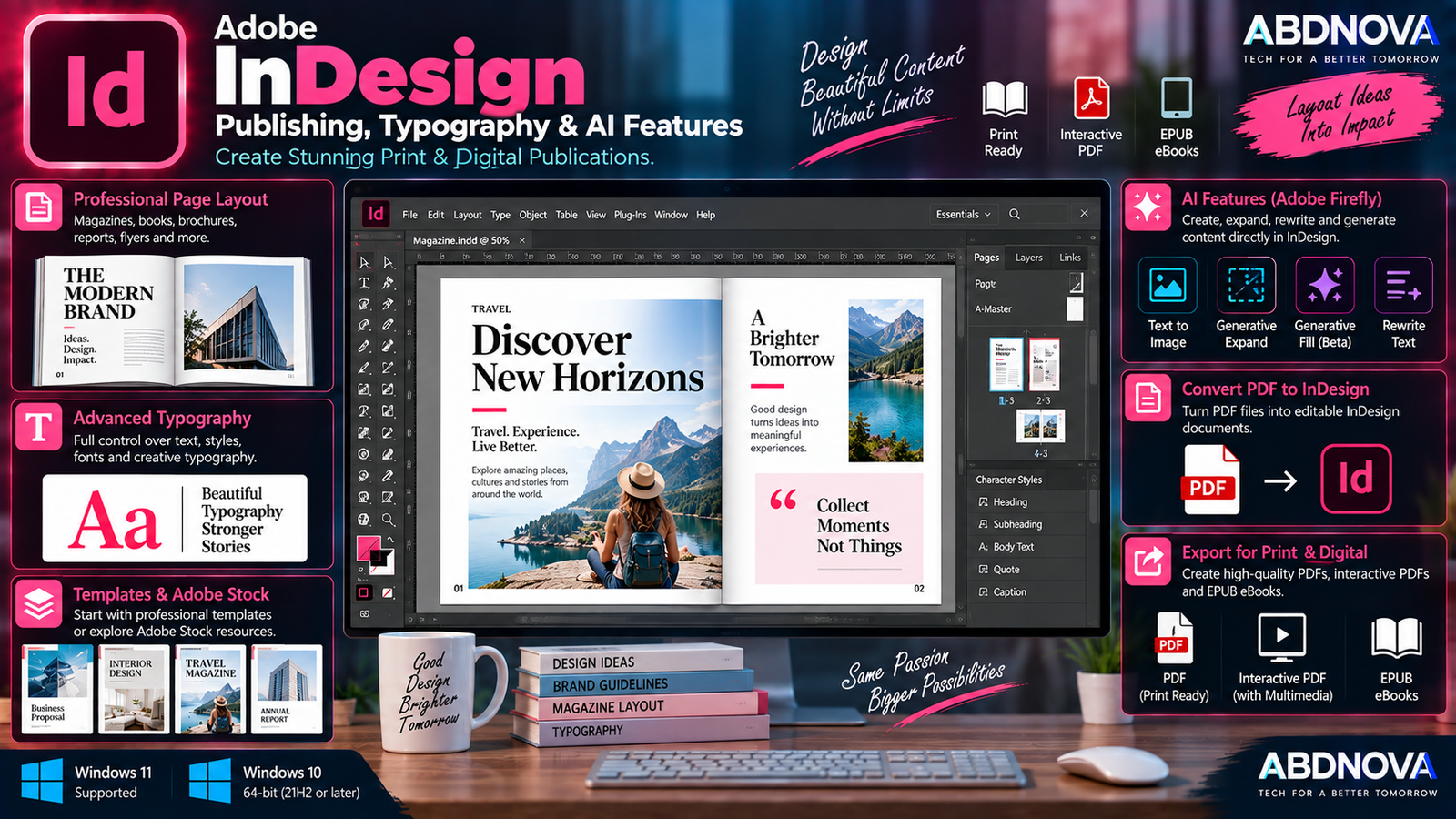
Adobe InDesign Publishing, Typography & AI Features
Professional Typography
InDesign includes detailed typography controls for professional publication design. You can manage:
- Font families and sizes.
- Leading.
- Tracking.
- Kerning.
- Paragraph alignment.
- Baseline settings.
- Columns.
- Text frames.
- Paragraph Styles.
- Character Styles.
- OpenType features.
Paragraph and Character Styles are particularly useful in long documents because formatting changes can be applied consistently across a publication.
Photoshop & Illustrator Integration
InDesign is designed to complement Adobe’s dedicated image-editing and vector-design applications.
Photoshop → Edit photographs
Illustrator → Create vector graphics and logos
InDesign → Assemble the final publication
For image-editing workflows, see our Adobe Photoshop Download for Windows guide. For vector artwork and logos, see our Adobe Illustrator Download for Windows guide.
Templates
InDesign supports templates for faster document creation. Adobe Stock templates can also provide editable starting points for layouts such as brochures and business materials.
Convert PDF to InDesign Document
Adobe currently promotes a Convert PDF to InDesign Document feature for bringing existing PDF-based layouts into InDesign for further editing and republishing.
This can be useful for reports, books, and marketing materials when the original editable InDesign project is unavailable. The quality and editability of converted content can depend on the original PDF.
Text to Image
Current InDesign releases include Adobe Firefly-powered generative features. Text to Image can generate visual content from a written description without leaving the document.
Generated variations can be compared before selecting an image for the layout.
Generative Expand
Generative Expand can extend an existing image so it fits a different frame or aspect ratio. For example, it can generate additional visual content around a portrait image when a wider layout is required.
Generative Fill
Adobe lists Generative Fill as a beta InDesign feature. It can use text prompts to add, replace, or remove visual elements while attempting to preserve the surrounding image context.
Because it is a beta feature, availability and behavior can change during development.
Rewrite
Rewrite can generate alternative text variations from prompts directly within an InDesign workflow. It can be useful for experimenting with headlines and short publication copy, although generated text should still be reviewed before publishing.
Generate Alt Text
InDesign can use AI to generate descriptions for images placed in documents. Users can review and edit the generated alt text before publishing, helping streamline accessibility workflows.
Interactive PDFs
InDesign can create interactive PDF documents containing elements such as:
- Buttons.
- Hyperlinks.
- Multimedia.
This makes it useful for interactive reports, presentations, digital brochures, and other screen-focused publications.
EPUB & Digital Publishing
InDesign supports both reflowable EPUB and fixed-layout EPUB export, making it suitable for eBooks and other digital-publishing projects.
Adobe also provides Publish Online for making supported documents available for web viewing.
Books & Long Documents
Long-document tools can manage:
- Chapters.
- Page numbering.
- Tables of contents.
- Footnotes.
- Indexes.
- Cross-references.
- Styles.
- Multiple document files.
These capabilities make InDesign particularly useful for books, manuals, annual reports, academic publications, and other structured documents.
Preflight & Print Production
Professional publishing requires more than arranging content on a page. Before final output, an InDesign workflow can involve checking:
- Missing fonts.
- Missing linked images.
- Image resolution.
- Overset text.
- Color settings.
- Bleed.
- Page dimensions.
- PDF export settings.
The finished document can then be exported using appropriate PDF settings for the intended printer or publishing service.
Adobe InDesign vs Illustrator vs Photoshop
| Feature | InDesign | Illustrator | Photoshop |
|---|---|---|---|
| Multi-Page Layout | Excellent | Limited | Limited |
| Books & Magazines | Core workflow | Not primary purpose | Not primary purpose |
| Typography | Extensive | Extensive | Available |
| Vector Illustration | Placement/workflow | Core workflow | Limited |
| Photo Editing | Limited | Limited | Core workflow |
| Page Styles | Extensive | Limited | No equivalent workflow |
| Long Documents | Designed for them | Poor fit | Poor fit |
| Print Publishing | Core workflow | Strong for artwork | Raster artwork workflow |
| AI Image Tools | Yes | Yes | Yes |
The three applications complement one another rather than serving as direct replacements. A magazine workflow might use Photoshop for photographs, Illustrator for illustrations and logos, and InDesign for assembling the final multi-page publication.
Is Adobe InDesign Free?
No. Adobe InDesign is commercial software available through eligible Creative Cloud subscription plans.
Trial availability can depend on Adobe’s current offering and region. Creative Cloud Desktop itself can be downloaded separately, but installing Creative Cloud does not provide a permanent free InDesign license.
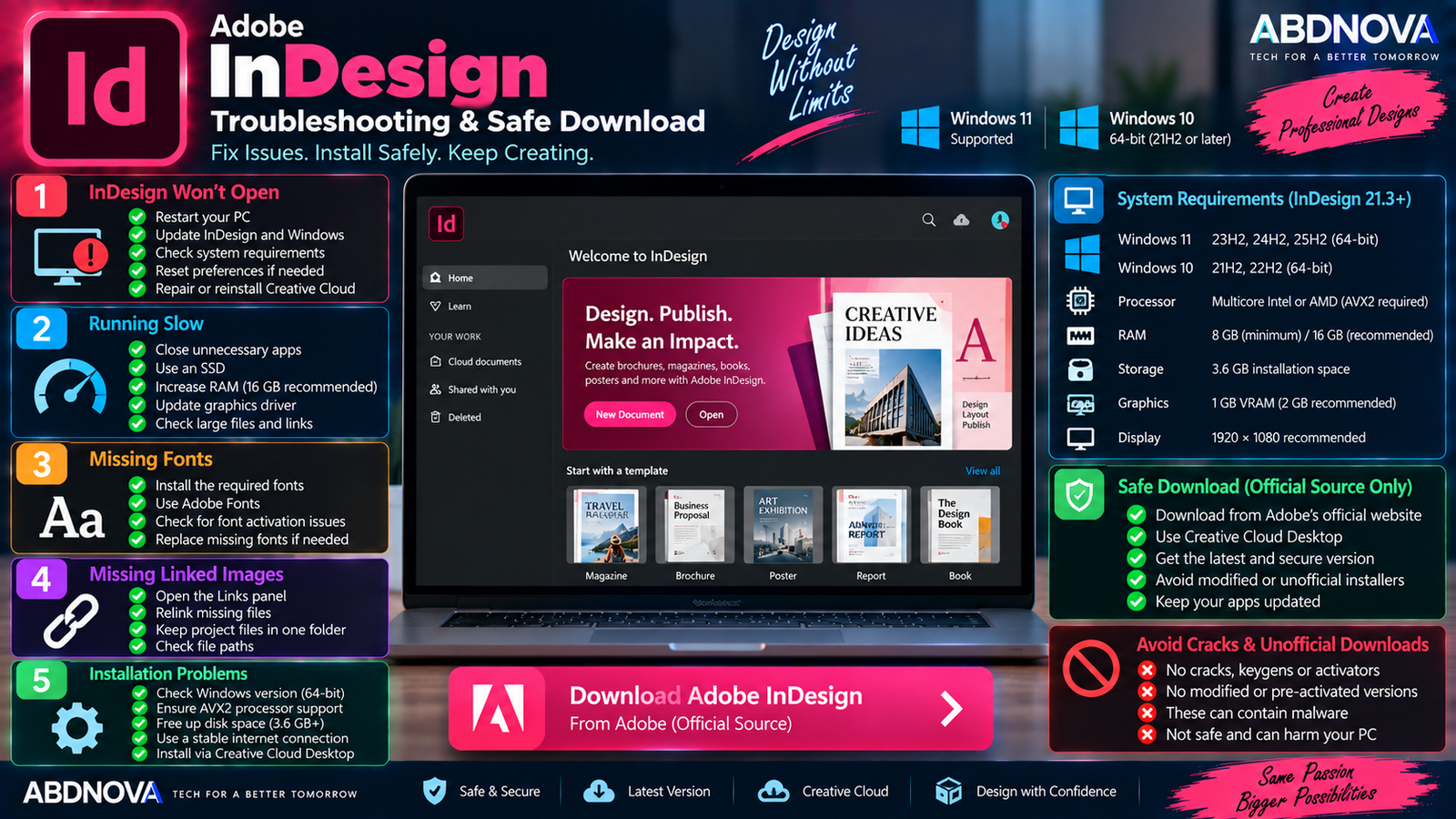
Adobe InDesign Troubleshooting & Safe Download
InDesign Won’t Open
Try:
- Restart Windows.
- Update InDesign.
- Update Windows.
- Confirm that your PC meets current requirements.
- Temporarily test without problematic third-party plugins.
- Reset InDesign preferences if necessary.
- Repair or reinstall the application if the problem continues.
Remember that current InDesign 21.x requires AVX2-capable hardware.
InDesign Is Running Slowly
Performance can be affected by large documents, many high-resolution linked images, limited RAM, slow storage, complex effects, and other applications running in the background.
Adobe recommends 16 GB RAM and an SSD rather than relying only on the minimum configuration for demanding workflows.
Missing Fonts
If InDesign reports missing fonts:
- Check whether the font is installed.
- Check whether Adobe Fonts provides it.
- Confirm that the font has not been renamed or removed.
- Substitute another appropriate font if necessary.
Missing Linked Images
If a linked image has been moved or deleted, open the Links panel, locate the missing asset, and relink it to the correct file.
Keeping all publication assets organized in predictable project folders can reduce missing-link problems.
InDesign Installation Fails
Check:
- Your Windows version.
- AVX2 processor support.
- At least 8 GB RAM.
- Available disk space.
- Internet connection.
- Creative Cloud Desktop status.
Current InDesign requires approximately 3.6 GB for installation plus additional temporary space.
GPU Performance Problems
If GPU-related performance is unstable:
- Update the graphics driver.
- Restart InDesign.
- Check GPU compatibility.
- Test with GPU Performance disabled.
- Install available Windows updates.
For optimum GPU Performance, Adobe specifies at least 1 GB VRAM, recommends 2 GB, and lists OpenGL 4.4 or later.
How to Update Adobe InDesign
Before updating during an important production project, back up the InDesign document and linked assets. If your workflow depends on a specific plugin, check its compatibility with the new InDesign version first.
Safe Adobe InDesign Download
Download InDesign only through Adobe or Adobe Creative Cloud Desktop.
- Adobe InDesign cracks.
- InDesign keygens.
- InDesign activators.
- Pre-activated InDesign copies.
- Lifetime-activated copies.
- Patched InDesign installers.
- Modified installers.
- Unofficial portable versions.
- Creative Cloud bypass tools.
- Repacked Adobe bundles.
Modified packages can expose a computer to malware, credential theft, unwanted software, unstable updates, or unauthorized changes to Adobe licensing components.
Frequently Asked Questions
Does Adobe InDesign work on Windows 11?
Yes. Current InDesign 21.3 and later supports 64-bit Windows 11 versions 23H2, 24H2, and 25H2.
Does InDesign still work on Windows 10?
Yes. Adobe currently lists Windows 10 64-bit versions 21H2 and 22H2 for InDesign 21.3 and later.
How much RAM does Adobe InDesign require?
Adobe specifies 8 GB minimum and recommends 16 GB.
Does InDesign require AVX2?
Yes. AVX2 support is required for current InDesign 21.x releases.
Is InDesign good for books and magazines?
Yes. Multi-page layout, professional typography, linked assets, styles, long-document tools, and print and digital output are core InDesign workflows.
Can InDesign create eBooks?
Yes. InDesign supports reflowable and fixed-layout EPUB export.
Does InDesign have AI features?
Yes. Current features include Text to Image, Generative Expand, Rewrite, and AI-generated alt text. Adobe also lists Generative Fill as a beta feature.
Does Generative Expand require internet access?
Yes. Adobe says Generative Expand uses cloud processing and therefore requires an internet connection.
Can InDesign convert a PDF into an InDesign document?
Adobe currently provides a Convert PDF to InDesign Document feature for bringing PDF-based layouts into InDesign for further editing and republishing.
Is Adobe InDesign free?
No. InDesign is paid software available through eligible Adobe Creative Cloud subscription plans. Trial availability depends on Adobe’s current offering.
Final Thoughts
Adobe InDesign Download for Windows provides a specialized professional environment for multi-page layout and desktop publishing. Its combination of advanced typography, linked graphics, reusable styles, print-production tools, PDF and EPUB output, and integration with other Adobe applications makes it particularly useful for books, magazines, catalogs, reports, brochures, and structured publications.
Current releases also integrate Adobe Firefly features such as Text to Image, Generative Expand, Rewrite, and AI-generated alt text directly into the page-layout workflow.
For Windows users, current InDesign 21.3 and later supports Windows 10 21H2/22H2 and Windows 11 23H2/24H2/25H2 on compatible 64-bit hardware, with 8 GB RAM minimum and 16 GB recommended.
For the safest installation and future updates, download InDesign directly through Adobe rather than using modified installers, cracks, activators, or unofficial software packages.
Download Adobe InDesign for Windows
Get Adobe InDesign directly from the official Adobe website.