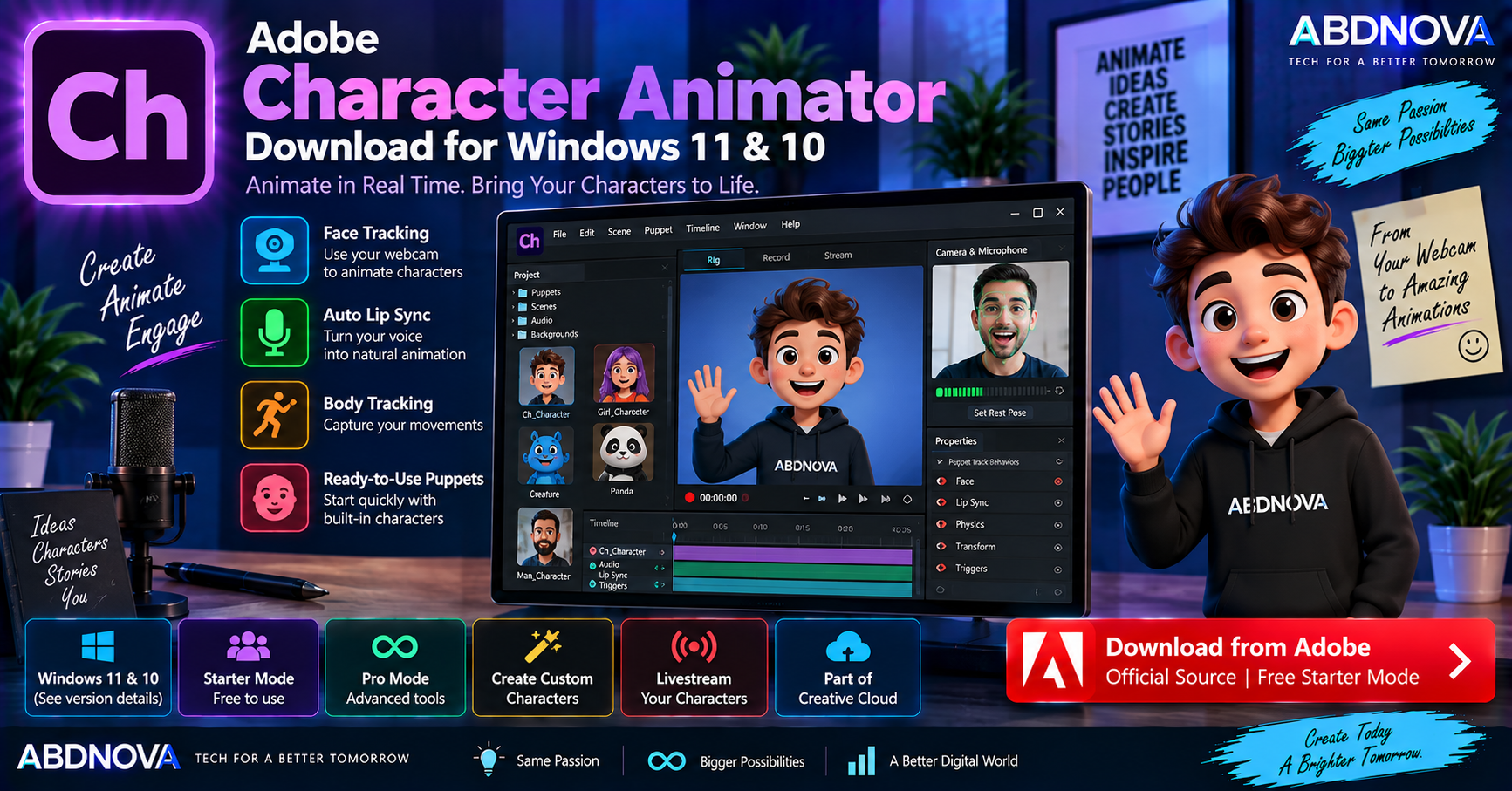

Adobe Character Animator Download for Windows 11 & 10
Adobe Character Animator Download for Windows gives creators a performance-based 2D animation environment that uses a webcam and microphone to bring animated characters to life. Facial expressions, body movement, eye movement, head movement and speech can be translated into the performance of an animated puppet.
Character Animator is particularly useful for YouTube creators, streamers, educators, animators and designers who want talking characters without manually animating every movement. Its core features include real-time face tracking, automatic lip sync, body tracking, puppets, triggers and live character performance.
Adobe Character Animator for Windows at a Glance
| Details | Information |
|---|---|
| Software | Adobe Character Animator |
| Developer | Adobe |
| Category | 2D Character Animation & Motion Capture |
| Current Version | 26.0 |
| Current Release | January 2026 |
| Current Windows Requirement | Windows 11 24H2+ |
| Windows 10 | Compatible Character Animator 25.x |
| Processor | Intel 6th Gen+ / AMD Ryzen 1000+ |
| CPU Requirement | AVX2 required |
| RAM | 8 GB minimum; 16 GB+ recommended |
| Storage | 4 GB minimum for installation |
| Graphics | DirectX 12-compatible graphics driver |
| Display | 1280 × 1080 minimum |
| Webcam | Used for face and body tracking |
| Microphone | Used for recording and lip sync |
| Starter Mode | Free |
| Pro Mode | Available through eligible Creative Cloud plan |
| Official Source | Adobe |
Adobe Character Animator 26.0
Adobe identifies Character Animator 26.0, released in January 2026, as the current version. This release focuses on application improvements and stability.
Adobe Character Animator for Windows 11 & 10
Character Animator on Windows 11
Current Character Animator 26.0 requires Windows 11 version 24H2 or later. The computer also needs a supported Intel or AMD processor with AVX2 and a DirectX 12-capable graphics environment.
Windows 11 users who meet these requirements can install Character Animator through Adobe Creative Cloud Desktop.
Character Animator on Windows 10
Current Character Animator 26.0 does not list Windows 10 as supported. Windows 10 users need a compatible earlier release from the Character Animator 25.x generation.
Adobe’s previous requirements support Windows 10 64-bit version 22H2 or later with compatible Character Animator 25.x releases.
- Windows 11 24H2+ → Character Animator 26.x
- Windows 10 22H2+ → Compatible Character Animator 25.x
Adobe Character Animator System Requirements
| Component | Character Animator 26.0 |
|---|---|
| Operating System | Windows 11 version 24H2 or later |
| Processor | Intel 6th Generation+ or AMD Ryzen 1000 Series+ |
| Instruction Set | AVX2 required |
| RAM | 8 GB minimum; 16 GB or more recommended |
| Storage | 4 GB available space plus additional installation space |
| Display | 1280 × 1080 minimum; 1920 × 1080 or larger recommended |
| Graphics | Latest qualified graphics driver with DirectX 12 support |
A webcam and microphone are also important parts of the Character Animator workflow. The webcam drives face and body tracking, while the microphone is used for voice recording and automatic lip sync.
Adobe recommends headphones when recording so previously recorded audio is less likely to be captured again through the microphone.
How to Download & Install Adobe Character Animator
The safest way to install Character Animator is directly through Adobe and Creative Cloud Desktop.
- Open Adobe’s official Character Animator page.
- Select Start for free or the available download option.
- Install Adobe Creative Cloud Desktop if required.
- Sign in with your Adobe ID.
- Find Character Animator.
- Select Install.
- Wait for installation to complete.
- Launch Character Animator.
- Use Starter or Pro features according to your account and plan.
Adobe Character Animator Starter vs Pro
| Feature | Starter | Pro |
|---|---|---|
| Cost | Free | Eligible Creative Cloud plan |
| Predesigned Puppets | Yes | Yes |
| Real-Time Face Tracking | Yes | Yes |
| Basic Animation & Export | Yes | Yes |
| Custom Characters | Limited workflow | Yes |
| Advanced Rigging | No | Yes |
| Body Tracking | Limited | Yes |
| Custom Movements & Gestures | Limited | Yes |
| Livestreaming | No | Yes |
Starter Mode
Starter mode is designed for beginners who want to animate quickly without building complicated character rigs.
Choose Puppet → Record Face & Voice → Add Emotions & Actions → Export Animation
Adobe provides predesigned puppets, selected gestures, real-time face tracking and basic animation and export tools in Starter mode.
Pro Mode
Pro mode provides the full professional Character Animator environment, including custom characters, advanced puppet creation and rigging, custom gestures, face and body tracking, livestreaming and more detailed animation workflows.
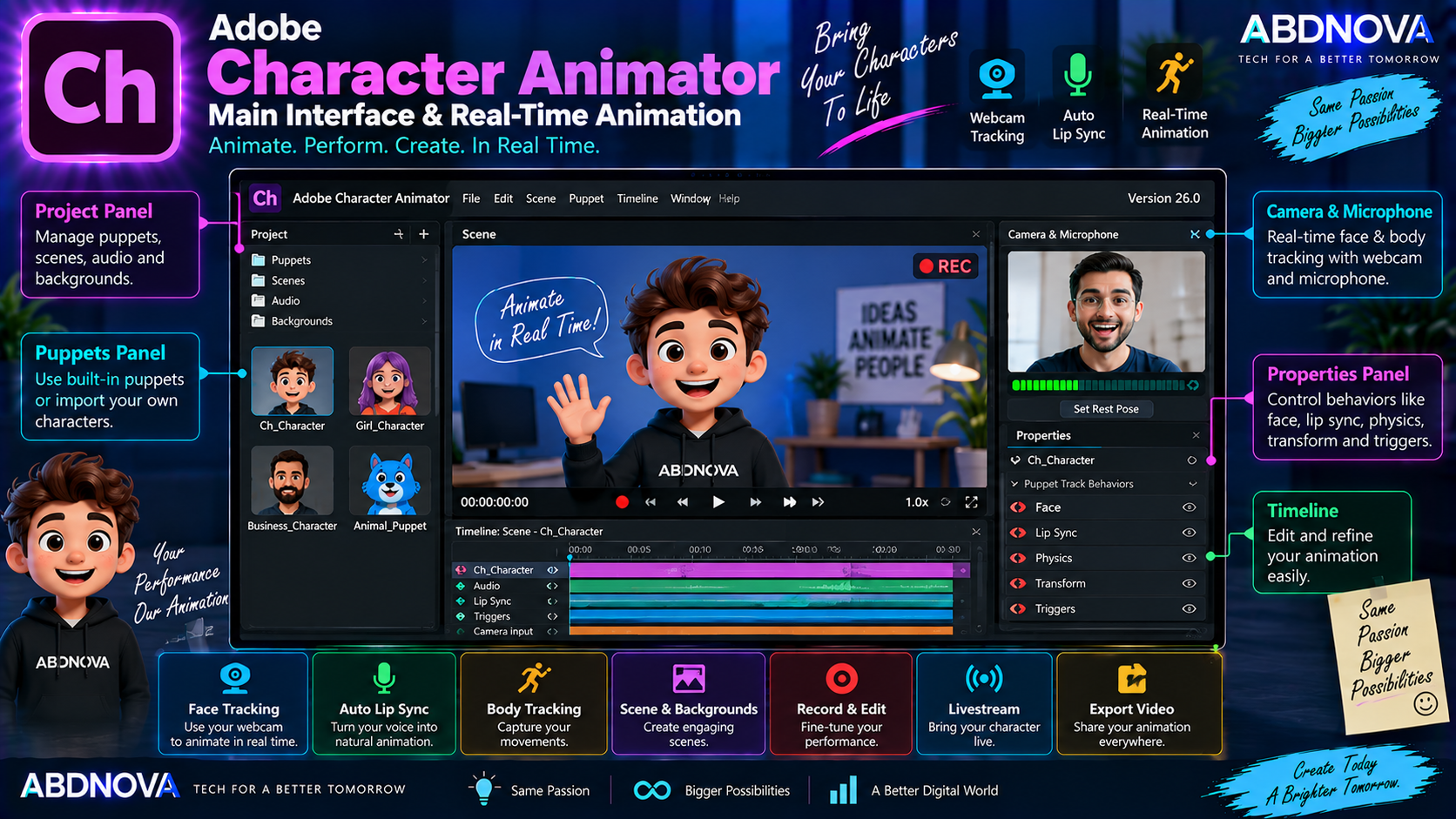
Adobe Character Animator Main Interface & Real-Time Animation
Character Animator Pro revolves around creating or importing a puppet, preparing its rig, recording a performance, editing takes and exporting the finished animation.
Important parts of the workspace include:
- Project assets.
- Puppets.
- Rigging controls.
- Scene.
- Timeline.
- Camera and microphone input.
- Behaviors.
- Triggers.
- Recorded takes.
Starter mode presents a simpler interface for users who do not need advanced rigging controls.
Real-Time Face Tracking
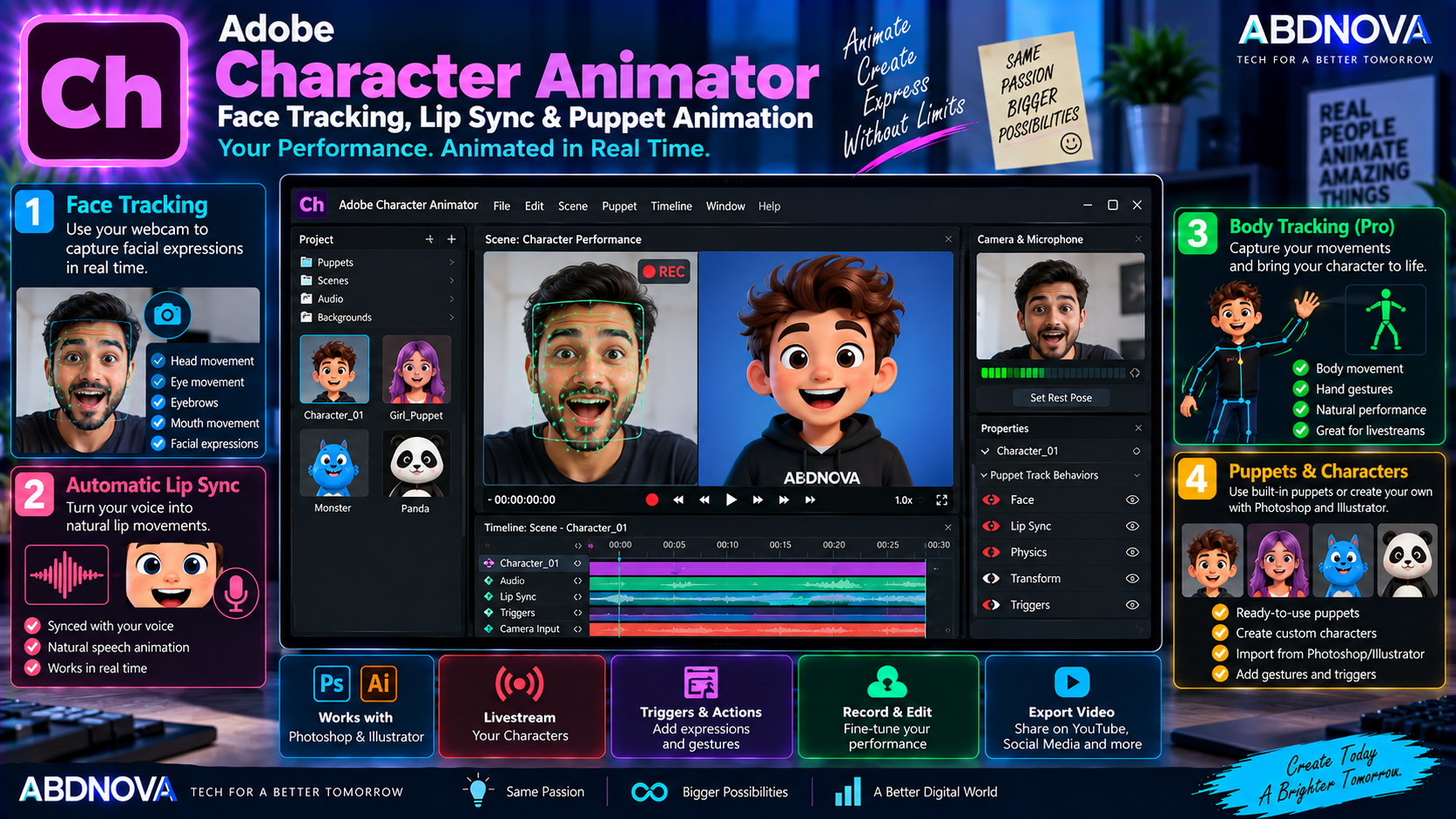
Real-time facial tracking is one of Character Animator’s defining features. A webcam captures your facial movement and applies the performance to the animated puppet.
Depending on the character and rig, tracked movement can include:
- Head movement.
- Eye movement.
- Eyebrows.
- Mouth movement.
- Facial expressions.
The puppet reacts as you perform, reducing the need to manually draw every facial pose.
Adobe Character Animator Face Tracking, Lip Sync & Puppet Animation
Automatic Lip Sync
Character Animator can synchronize a puppet’s mouth with speech. Microphone input or recorded audio is analyzed so the character’s mouth shapes can follow the spoken performance.
This makes the software useful for:
- Talking characters.
- YouTube videos.
- Educational content.
- Presentations.
- Animated podcasts.
- Livestreams.
- Social-media animation.
Body Tracking
Character Animator Pro supports real-time body tracking. With a compatible webcam and properly prepared puppet, physical movement can drive the animated character in real time.
Puppets
Animated characters in Character Animator are called puppets. Beginners can start with Adobe’s predesigned characters, while Pro users can create and import custom characters.
Adobe provides example puppets with predefined expressions and action triggers, allowing new users to start animating before learning advanced rigging.
Puppet Maker
Puppet Maker provides a faster way to create and customize original characters. Pro users can modify character appearance and then use Character Animator’s performance tools to animate them.
Photoshop & Illustrator Integration
Characters can be prepared in Adobe Photoshop or Illustrator and then imported into Character Animator for animation.
Photoshop / Illustrator → Character Animator → Premiere / Video Export
Rigging Characters
Rigging defines how different parts of a puppet move. A character can contain separately controlled areas such as:
- Head.
- Eyes.
- Mouth.
- Arms.
- Hands.
- Legs.
- Body.
Starter mode minimizes this complexity, while Pro mode provides much deeper rigging control.
Triggers & Actions
Triggers allow actions and expressions to be activated during a performance. A puppet might wave, smile, change pose, look surprised, display an object or perform another predefined gesture.
Record Character Performances
Instead of manually animating every movement, Character Animator lets you perform the animation.
- Select a puppet.
- Enable the webcam.
- Enable the microphone.
- Calibrate your face.
- Start recording.
- Speak and move naturally.
- Stop recording.
- Review the animation.
- Edit the performance if necessary.
- Export the result.
Livestream Animated Characters
Character Animator Pro supports live character animation and livestreaming. This can be useful for virtual presenters, gaming content, educational streams, interactive events and live animated shows.
Custom Backgrounds & Editable Replays
Starter mode supports custom image backgrounds, making simple animated videos easier to personalize.
Character Animator also supports editable replays. Reusable performances can be modified and their instances updated, reducing repetitive animation work.
Adobe Character Animator vs Adobe Animate
| Feature | Character Animator | Adobe Animate |
|---|---|---|
| Main Purpose | Performance-based character animation | General 2D animation |
| Face Tracking | Yes | Not primary workflow |
| Body Tracking | Yes, Pro | Not primary workflow |
| Automatic Lip Sync | Yes | Different animation workflow |
| Webcam Performance | Core feature | No |
| Puppet Rigging | Yes | Different character workflow |
| Frame-by-Frame Animation | Not main focus | Yes |
| Motion Tweens | Not main focus | Yes |
| Live Character Performance | Yes | Not primary purpose |
| Livestreaming | Pro | Not primary purpose |
Character Animator focuses on performing through an animated puppet using tracking and live input. Adobe Animate is a broader 2D animation application built around drawing, timeline animation, tweens and frame-by-frame workflows.
Adobe Character Animator vs After Effects
Character Animator and After Effects serve different parts of an animation and post-production workflow. Character Animator focuses on animated characters, webcam motion capture, face and body tracking, automatic lip sync, puppet performance and live animation.
After Effects is designed more broadly for motion graphics, visual effects, compositing, titles, tracking and post-production. For those workflows, see our Adobe After Effects Download for Windows guide.
Is Adobe Character Animator Free?
Yes, Character Animator Starter is free. Adobe allows users to access Starter mode with a free Adobe account and create and export basic animations.
Users who need custom puppets, advanced rigging, body tracking, custom gestures, livestreaming and the complete professional environment need access to the appropriate Pro features through an eligible Creative Cloud plan.
Adobe Character Animator Troubleshooting & Safe Download
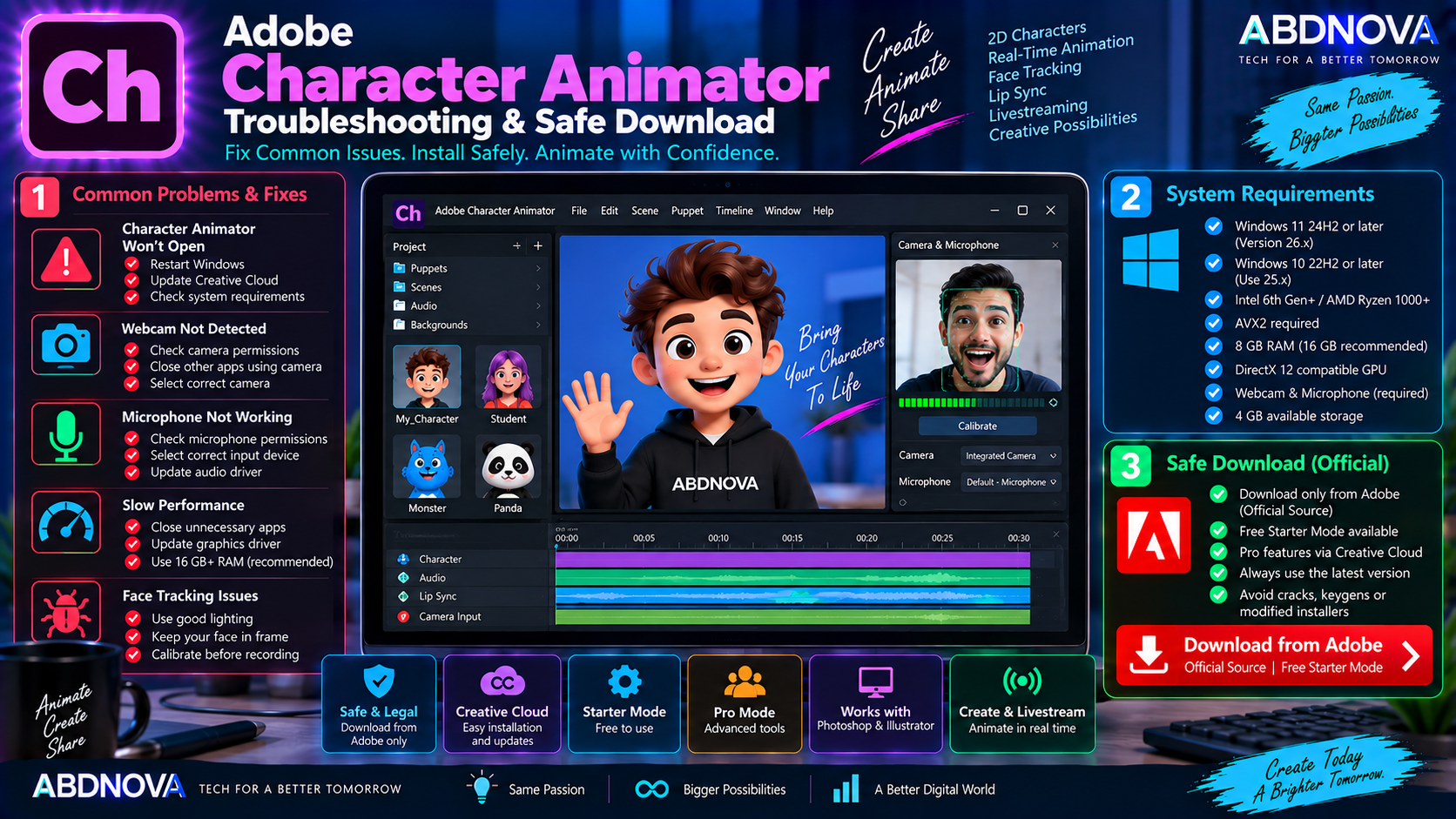
Character Animator Won’t Open
Try:
- Restart Windows.
- Update Character Animator.
- Update Creative Cloud Desktop.
- Update the graphics driver.
- Check Windows compatibility.
- Confirm that the processor supports AVX2.
- Reinstall Character Animator if necessary.
Remember that current Character Animator 26.x requires Windows 11 24H2 or later.
Webcam Is Not Detected
If face tracking does not work:
- Confirm the webcam works in Windows.
- Check Windows camera privacy permissions.
- Close other applications using the webcam.
- Select the correct camera.
- Update the webcam driver.
- Restart Character Animator and Windows.
Microphone Is Not Working
Check Windows microphone permissions, select the correct input device, test the microphone in Windows, close other applications using it and update the audio driver if necessary.
Face Tracking Is Inaccurate
For more consistent tracking:
- Use good front-facing lighting.
- Keep your face clearly visible.
- Position the webcam near eye level.
- Avoid very dark rooms.
- Calibrate the character before recording.
- Limit unnecessary background movement.
Character Animation Is Slow
If performance is poor:
- Close unnecessary applications.
- Update the graphics driver.
- Use a DirectX 12-compatible GPU environment.
- Increase available RAM.
- Reduce other background workloads.
- Restart Character Animator.
Adobe recommends 16 GB or more RAM even though the minimum is 8 GB.
How to Update Adobe Character Animator
Safe Adobe Character Animator Download
Always download Character Animator directly from Adobe or install it through the official Creative Cloud Desktop application.
- Character Animator cracks.
- Keygens.
- Activators.
- Pre-activated versions.
- Patched Character Animator installers.
- Unofficial portable versions.
- Modified Creative Cloud installers.
- Repacked Adobe installers.
There is especially little reason to use a modified copy simply to test Character Animator because Adobe provides Starter mode free.
Frequently Asked Questions
What is the latest Adobe Character Animator version?
Adobe currently identifies Character Animator 26.0, released in January 2026, as the latest documented version.
Does Adobe Character Animator work on Windows 11?
Yes. Current Character Animator 26.0 requires Windows 11 version 24H2 or later.
Does Adobe Character Animator work on Windows 10?
Compatible Character Animator 25.x releases support Windows 10 64-bit version 22H2 or later. Current Character Animator 26.x requires Windows 11 24H2 or later.
Is Adobe Character Animator free?
Character Animator Starter is free. Advanced Pro features require access through an eligible Creative Cloud plan.
Does Character Animator need a webcam?
A webcam is used for its face and body tracking workflow. Webcam-based performance capture is one of Character Animator’s main capabilities.
Does Character Animator automatically lip-sync?
Yes. Character Animator can use recorded audio or microphone input to drive automatic lip-sync animation.
Can I create my own characters?
Yes. Pro users can create custom puppets and import character artwork created in applications such as Photoshop and Illustrator.
Can Character Animator be used for livestreaming?
Yes. Adobe includes character livestreaming among its Pro capabilities.
Final Thoughts
Adobe Character Animator Download for Windows provides a different approach to 2D animation by allowing creators to perform as their characters instead of manually animating every movement.
Real-time face and body tracking, microphone-driven lip sync, puppets, triggers and live animation make it particularly useful for talking characters, YouTube content, education, virtual presenters and livestreaming.
Starter mode provides a practical free entry point, while Pro adds custom puppets, advanced rigging, body tracking, custom gestures and professional live-performance features. Windows users should remember that current Character Animator 26.x requires Windows 11 24H2+, while compatible 25.x releases are needed for supported Windows 10 systems.
For the safest installation and future updates, download Character Animator directly from Adobe rather than using modified or third-party installers.
Download Adobe Character Animator for Windows
Get Adobe Character Animator Starter directly from Adobe and start animating for free.