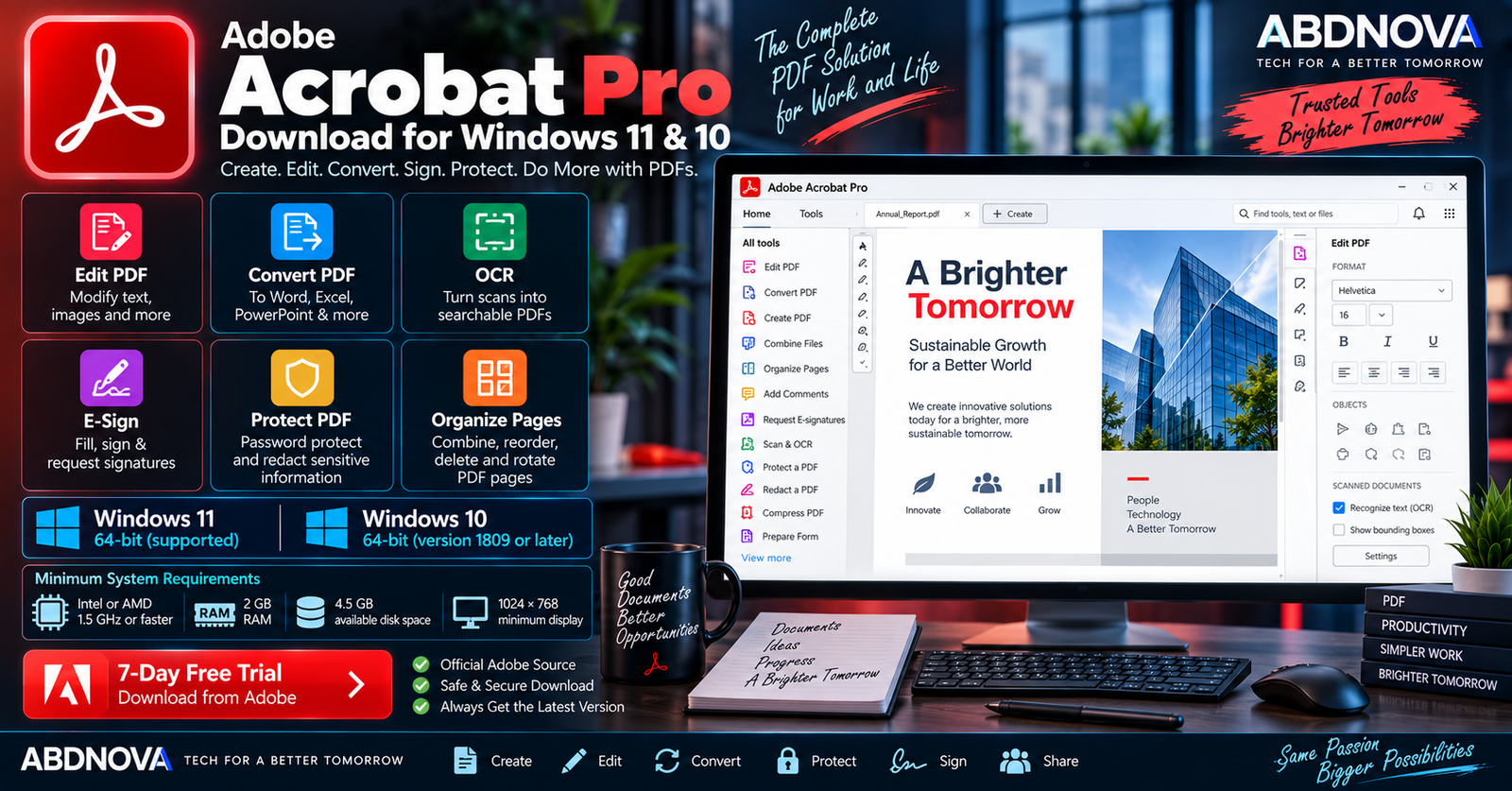

Adobe Acrobat Pro Download for Windows 11 & 10
Adobe Acrobat Pro Download for Windows gives Windows users Adobe’s professional PDF application for creating, editing, converting, organizing, signing, protecting, comparing and managing PDF documents.
Unlike the free Acrobat Reader, Acrobat Pro provides advanced tools for editing PDF text and images, converting files, recognizing scanned text with OCR, organizing pages, redacting sensitive information, requesting electronic signatures and handling professional document workflows.
Current Acrobat Pro supports 64-bit Windows 11 and Windows 10 version 1809 or later. Adobe no longer supports 32-bit operating systems for current Acrobat product and security updates.
Adobe Acrobat Pro for Windows at a Glance
| Details | Information |
|---|---|
| Software | Adobe Acrobat Pro |
| Developer | Adobe |
| Category | PDF Editor & Document Management |
| Windows 11 | 64-bit supported |
| Windows 10 | 64-bit, version 1809 or later |
| Processor | Intel or AMD, 1.5 GHz or faster |
| Minimum RAM | 2 GB |
| Storage | 4.5 GB available space |
| Display | 1024 × 768 minimum |
| Graphics Acceleration | Optional |
| License | Paid subscription |
| Free Trial | 7 days |
| Official Source | Adobe |
Adobe Acrobat Pro for Windows 11
Acrobat Pro supports 64-bit Windows 11 and can handle both everyday PDF viewing and more advanced document-management tasks.
Common Acrobat Pro workflows include:
- Editing PDF text and images.
- Creating PDF documents.
- Converting PDFs.
- Combining files.
- Organizing pages.
- Running OCR on scanned documents.
- Comparing PDF versions.
- Protecting sensitive documents.
- Redacting information.
- Filling and signing forms.
- Requesting electronic signatures.
- Adding comments and annotations.
- Sharing documents for review.
Adobe Acrobat Pro for Windows 10
Current Acrobat Pro also supports 64-bit Windows 10 version 1809 or later.
Press Windows + R, type winver, and press Enter.
Adobe ended support for 32-bit operating systems for current Acrobat product and security updates beginning in January 2023.
Adobe Acrobat Pro System Requirements
| Component | Current Requirement |
|---|---|
| Processor | Intel or AMD processor, 1.5 GHz or faster |
| Operating System | Windows 11 64-bit or Windows 10 64-bit v1809 or later |
| RAM | 2 GB minimum |
| Storage | 4.5 GB available hard-disk space |
| Display | 1024 × 768 minimum |
| Graphics | Video hardware acceleration optional |
How to Download & Install Adobe Acrobat Pro on Windows
The safest way to get Acrobat Pro is directly through Adobe’s official installation workflow.
- Open Adobe’s official Acrobat Pro page.
- Select the available free trial or an Acrobat plan.
- Sign in or create an Adobe account.
- Follow Adobe’s download instructions.
- Run the downloaded installer.
- Allow the installer to download the required components.
- Complete the installation.
- Launch Adobe Acrobat.
- Sign in with the Adobe account associated with your trial or subscription.
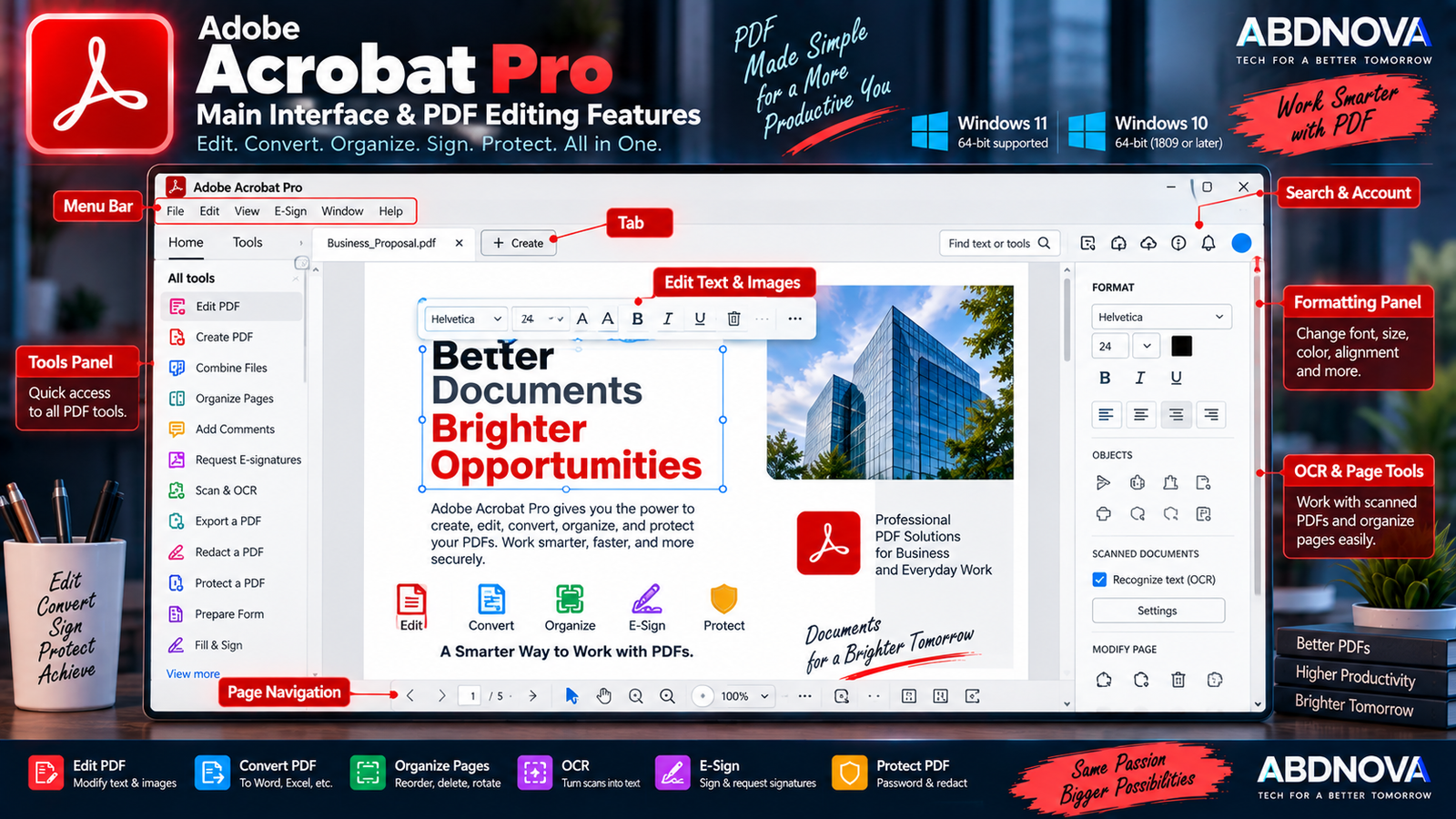
Adobe Acrobat Pro Main Interface & PDF Editing Features
The modern Acrobat interface provides quick access to frequently used PDF tools, recently opened documents and professional document-management features.
Depending on the current plan and feature availability, the workspace can provide access to tools for:
- Editing.
- Converting.
- Creating PDFs.
- Combining files.
- Organizing pages.
- Filling and signing.
- Protecting documents.
- Redacting information.
- Comparing PDFs.
- Sharing.
- Commenting.
- Scanning and OCR.
Edit PDF Text and Images
PDF editing is one of the major differences between Acrobat Pro and the free Acrobat Reader. Acrobat Pro lets you modify existing PDF content rather than simply viewing it.
Typical editing tasks include:
- Correcting spelling mistakes.
- Adding or replacing text.
- Changing fonts.
- Moving text.
- Adding images.
- Replacing images.
- Cropping images.
- Adding new pages.
Create PDF Documents
Acrobat can create PDFs for business communication, contracts, reports, invoices, forms, documentation, archiving and sharing.
Convert PDFs to Word, Excel, PowerPoint & Images
Acrobat Pro includes conversion tools for working with common document and image formats.
- Microsoft Word.
- Microsoft Excel.
- Microsoft PowerPoint.
- JPEG.
- PNG.
- Other supported formats.
This is useful when information received as a PDF needs to be reused in an editable document.
Create and Organize PDF Pages
Acrobat Pro lets you restructure documents without recreating the entire PDF.
- Reorder pages.
- Add pages.
- Delete pages.
- Rotate pages.
- Rearrange document content.
Combine Multiple Files into a PDF
Acrobat can combine material such as Word documents, spreadsheets, images and existing PDFs into a more organized PDF workflow.
Compress PDF Files
PDF compression can reduce the size of large documents for easier storage, email or uploading. Image-heavy documents may benefit significantly, although aggressive compression can reduce image quality.
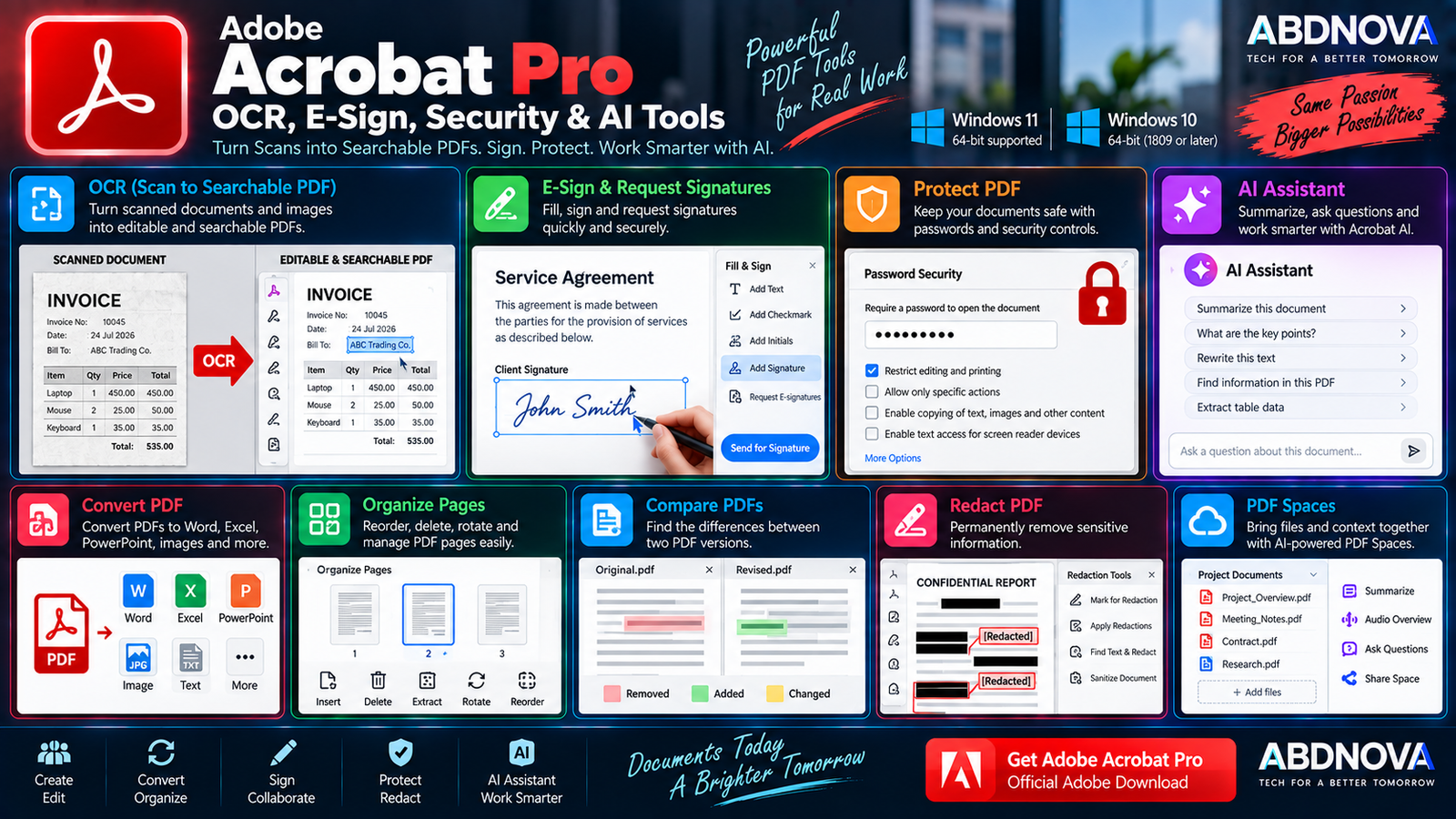
Adobe Acrobat Pro OCR, E-Sign, Security & AI Tools
OCR for Scanned PDFs
Optical Character Recognition, or OCR, converts recognizable text inside scanned documents into searchable and editable information.
OCR is particularly useful for:
- Scanned contracts.
- Receipts.
- Old documents.
- Printed forms.
- Business records.
- Archived paperwork.
- Books and reports.
Recognition accuracy depends heavily on the clarity and quality of the original scan.
Fill and Sign PDFs
Acrobat provides tools for completing supported PDF forms and adding signatures without printing the document first.
This can be useful for applications, agreements, internal forms, purchase documents and administrative paperwork.
Request E-Signatures
Acrobat Pro can send documents to other people for electronic signatures and support signature-response tracking within eligible workflows.
Password-Protect PDFs
Sensitive PDFs can be password-protected, while available security controls can restrict actions such as editing, printing and copying.
Redact Sensitive Information
Acrobat includes dedicated redaction functionality for permanently removing selected sensitive information rather than simply covering it visually.
Examples can include:
- Personal information.
- Account details.
- Confidential business information.
- Internal references.
- Sensitive contract information.
Compare PDF Documents
Acrobat Pro includes document-comparison capabilities that can help identify differences between versions of contracts, policies, reports, specifications and other business documents.
Comments, Reviews & Collaboration
PDFs can be shared for review so other people can provide feedback using comments and annotations, making Acrobat useful for document approval and collaboration workflows.
Acrobat AI Assistant
Adobe continues expanding AI-assisted features in Acrobat. Current functionality can help users ask questions about documents, generate summaries, locate information and perform supported PDF actions through natural-language requests.
Newer Acrobat AI workflows can also support actions such as rewriting, replacing, formatting, highlighting or redacting PDF text through conversational prompts.
PDF Spaces
PDF Spaces provides an AI-powered workspace for bringing related files and context together. Adobe has expanded PDF Spaces with features such as sharing, customization and generated summaries.
Adobe Acrobat Pro vs Acrobat Reader
| Feature | Acrobat Pro | Acrobat Reader |
|---|---|---|
| PDF Viewing | Yes | Yes |
| Advanced PDF Editing | Yes | Primarily viewing/basic interaction |
| Edit Text & Images | Yes | Limited compared with Pro |
| OCR Scanned Documents | Yes | Limited compared with Pro |
| Advanced PDF Conversion | Yes | More limited |
| Organize PDF Pages | Yes | Limited compared with Pro |
| Compare PDFs | Yes | Not a core Reader feature |
| Advanced Redaction | Yes | Pro-oriented workflow |
| Advanced Security Tools | Yes | More limited |
| Core License | Paid | Free reader |
If you only need to open, read and perform basic interactions with PDFs, see our Adobe Acrobat Reader Download guide. Acrobat Pro is intended for users who regularly create, edit, convert, secure, sign and manage PDF documents.
Adobe Acrobat Pro vs PDF-XChange Editor
| Area | Adobe Acrobat Pro | PDF-XChange Editor |
|---|---|---|
| Ecosystem | Adobe PDF ecosystem | PDF-XChange ecosystem |
| Platform Approach | Windows, web and mobile services | Strong Windows desktop focus |
| Advanced PDF Editing | Yes | Yes |
| OCR | Available | Available |
| E-Sign Workflows | Adobe-integrated workflows | Different signing workflow |
| Cloud Integration | Adobe services | More desktop-focused |
| AI Ecosystem | Adobe AI Assistant / PDF Spaces | Different feature approach |
| Licensing | Subscription-oriented | Different licensing options |
For another Windows-focused professional PDF editor, see our PDF-XChange Editor Download for Windows guide.
Is Adobe Acrobat Pro Free?
No. Adobe Acrobat Pro is commercial software.
Adobe currently provides a 7-day free trial that gives users access to Acrobat Pro features. If the trial is not cancelled before it ends, it converts according to the plan and billing terms selected during signup.
Because Adobe can change subscription plans and pricing, check Adobe’s current website for the latest plan details rather than relying on an old fixed price.
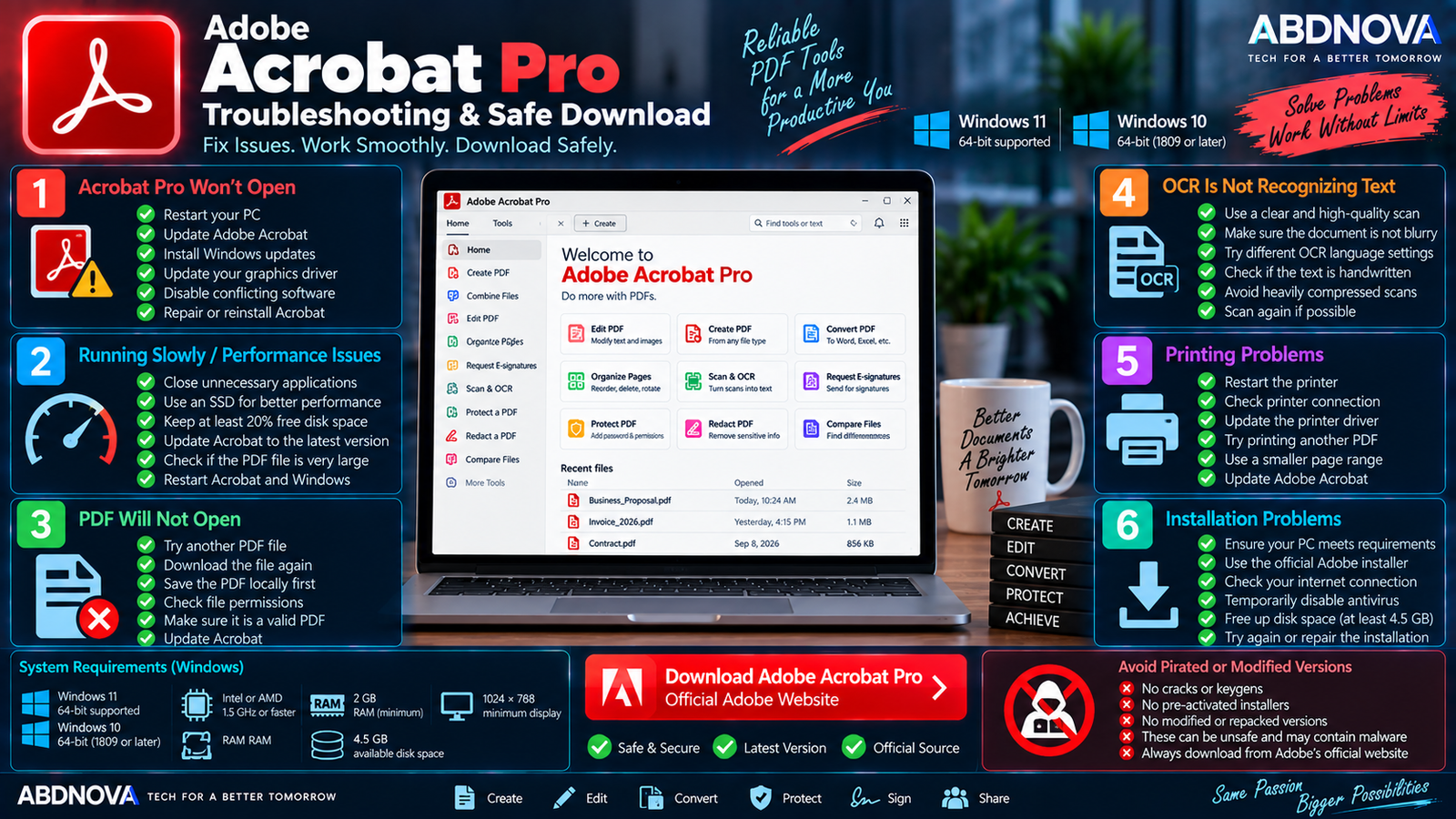
Adobe Acrobat Pro Troubleshooting & Safe Download
Acrobat Pro Won’t Open
- Restart Windows.
- Install available Windows updates.
- Update Acrobat.
- Restart Acrobat after updating.
- Check whether security software is interfering.
- Repair or reinstall Acrobat if necessary.
Acrobat Pro Is Running Slowly
Performance issues may occur with unusually large PDFs, image-heavy documents, OCR operations or many applications running simultaneously.
- Close unnecessary applications.
- Restart Acrobat.
- Restart Windows.
- Update Acrobat.
- Keep adequate free disk space.
- Test another PDF.
- Check whether one particular document is damaged.
PDF Will Not Open
First try another PDF. If other documents work normally, the original PDF may be incomplete or corrupted.
- Download the PDF again.
- Save it locally before opening.
- Update Acrobat.
- Check file permissions.
- Confirm that the file is actually a valid PDF.
Acrobat Installation Problems
Confirm that the PC meets Adobe’s current requirements and that you are using Adobe’s official installer.
- Windows 11 64-bit or Windows 10 64-bit v1809+.
- Intel or AMD processor at 1.5 GHz or faster.
- 2 GB RAM.
- 4.5 GB available storage.
- 1024 × 768 display or higher.
OCR Is Not Recognizing Text Correctly
OCR accuracy can be reduced when the source scan is blurry, low-resolution, crooked, heavily compressed, poorly illuminated, handwritten or uses unusual fonts.
A clearer and properly aligned scan usually provides better recognition results.
Acrobat Printing Problems
- Restart the printer.
- Restart Acrobat.
- Check the printer connection.
- Update the printer driver.
- Try another PDF.
- Test a smaller page range.
How to Update Adobe Acrobat Pro
Keep Acrobat updated for current compatibility, security fixes, bug fixes and new features. Use Acrobat’s built-in update functionality when available and install current Adobe updates.
Safe Adobe Acrobat Pro Download for Windows
Download Acrobat Pro only from Adobe or through Adobe’s official installation workflow.
- Acrobat Pro crack.
- Acrobat Pro keygen.
- Pre-activated Acrobat.
- Acrobat lifetime activated.
- Modified Adobe installer.
- Repacked Acrobat.
- Unofficial portable Acrobat Pro.
- Patched Acrobat executable.
ABDNOVA recommends Adobe’s official Acrobat Pro installer and licensing system only. Modified or unofficial packages can create security, stability, licensing and update risks.
Frequently Asked Questions
Does Adobe Acrobat Pro work on Windows 11?
Yes. Adobe’s current technical requirements support 64-bit Windows 11.
Does Adobe Acrobat Pro still support Windows 10?
Yes. Current requirements support 64-bit Windows 10 version 1809 or later.
Does Acrobat Pro support 32-bit Windows?
No. Current Acrobat no longer supports 32-bit operating systems for product and security updates.
How much RAM does Acrobat Pro need?
Adobe’s current technical requirements specify a minimum of 2 GB RAM.
How much storage does Acrobat Pro require?
Adobe currently lists 4.5 GB of available hard-disk space.
Is Adobe Acrobat Pro free?
No. Acrobat Pro is paid software, but Adobe currently provides a 7-day free trial.
Can Acrobat Pro edit existing PDF text?
Yes. Acrobat Pro can modify existing PDF text and images.
Can Acrobat Pro convert PDF to Word?
Yes. Acrobat Pro supports conversion from PDF to Microsoft Word and other supported document and image formats.
Does Acrobat Pro have OCR?
Yes. OCR can turn recognizable text in scanned documents into searchable and editable PDF content.
Can Acrobat Pro password-protect a PDF?
Yes. Acrobat provides password protection and security controls for supported PDF workflows.
Does Acrobat Pro include AI features?
Yes. Adobe provides AI-assisted Acrobat features for document questions, summaries and supported conversational PDF actions. Availability can depend on the plan, app version and feature rollout.
Final Thoughts
Adobe Acrobat Pro Download for Windows is designed for users who need considerably more than a basic PDF reader. It combines PDF editing, conversion, OCR, page organization, comparison, security, redaction, electronic signatures, collaboration and newer AI-assisted workflows.
Current Acrobat Pro supports 64-bit Windows 11 and Windows 10 version 1809 or later. Adobe also currently provides a 7-day trial for users who want to evaluate the professional features before continuing with a paid plan.
For the safest installation, download Acrobat Pro directly from Adobe and avoid cracks, repacks, patched executables and pre-activated installers.
Download Adobe Acrobat Pro for Windows
Start the official 7-day Acrobat Pro trial directly from Adobe.