

XnView MP Download for Windows – Image Viewer & Photo Manager
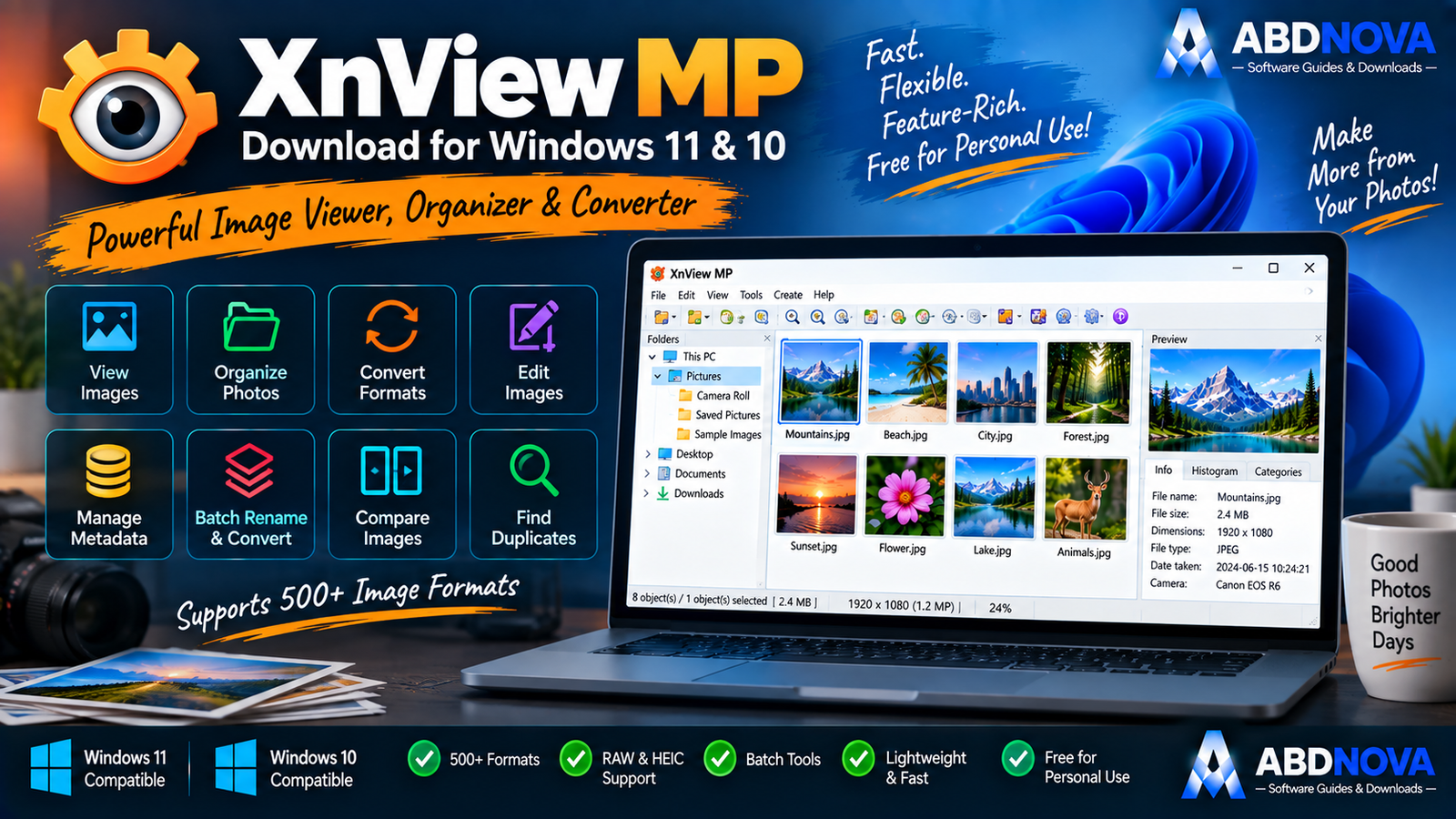
Download XnView MP for Windows 11 and 10 to browse, organize, convert and manage photos with 500+ readable formats, metadata tools and batch processing.
XnView MP Download for Windows gives Windows users a powerful image viewer, photo organizer, converter and lightweight editor designed for large image collections.
XnView MP can read more than 500 image formats, export to around 70 formats, work with RAW, HEIC/HEIF, WebP, AVIF and JPEG XL, manage EXIF/IPTC/XMP metadata, batch-convert and rename files, find duplicates, compare images, create contact sheets and slideshows, and perform everyday edits such as crop, resize, rotate and color correction.
For modern Windows 11 and Windows 10 PCs, XnView MP is the recommended modern edition rather than the older XnView Classic workflow.
XnView MP Download for Windows – Quick Overview
| Information | Details |
|---|---|
| Software | XnView MP |
| Current Version | 1.11.6 |
| Type | Image Viewer / Organizer / Converter |
| Windows 11 | Supported |
| Windows 10 | Supported |
| Current Windows Build | 64-bit |
| Formats Read | 500+ |
| Formats Exported | Around 70 |
| RAW Support | Yes |
| HEIC / HEIF | Yes |
| WebP | Yes |
| AVIF | Yes |
| JPEG XL | Yes |
| Batch Conversion | Yes |
| Batch Rename | Yes |
| EXIF / IPTC / XMP | Yes |
| Duplicate Finder | Yes |
| Image Compare | Up to 4 images |
| Portable ZIP | Yes |
| Adware / Spyware | No |
| Private / Educational Use | Freeware |
| Commercial Use | License required |
What Is XnView MP?
XnView MP is the modern cross-platform version of XnView.
Compared with XnView Classic, XnView MP adds modern capabilities such as 64-bit support, Unicode, dark theme, stronger metadata handling and support for newer formats including HEIC/HEIF, AVIF and JPEG XL.
XnView MP is useful for:
- Viewing photos.
- Browsing large image folders.
- Organizing photo collections.
- Batch conversion.
- Batch renaming.
- RAW photo viewing.
- HEIC/HEIF viewing.
- WebP and AVIF workflows.
- JPEG XL viewing.
- Metadata management.
- Duplicate-image detection.
- Image comparison.
- Contact sheets.
- Slideshows.
- Screen capture.
- Basic photo editing.
XnView MP Setup vs Portable ZIP
Setup Win 64-bit
The standard 64-bit installer is the best option for most Windows 11 and Windows 10 users.
It installs XnView MP normally and integrates it into your regular Windows application workflow.
ZIP Win 64-bit
The ZIP package can be extracted and used without a traditional installer.
This is useful for:
- Portable-style use.
- USB storage.
- Custom application folders.
- Users who prefer not to run a normal installer.
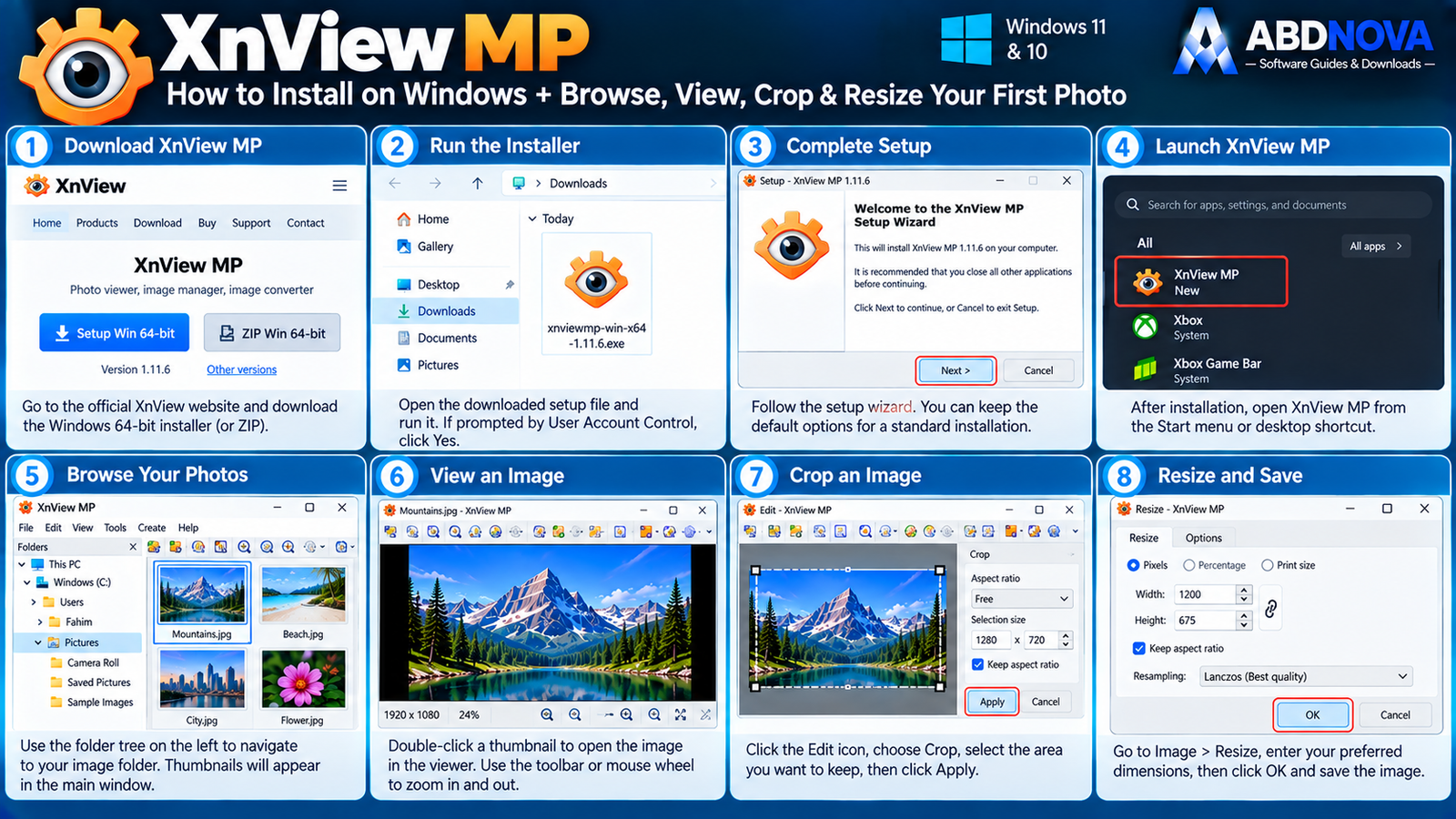
How to Install XnView MP on Windows
- Open the official XnView MP download page.
- Find the Windows section.
- Select Setup Win 64-bit.
- Download the EXE installer.
- Open the downloaded file.
- Confirm the official source if Windows displays a User Account Control prompt.
- Follow the setup wizard.
- Finish installation.
- Launch XnView MP.
- Browse to your Pictures folder or another location containing photos.
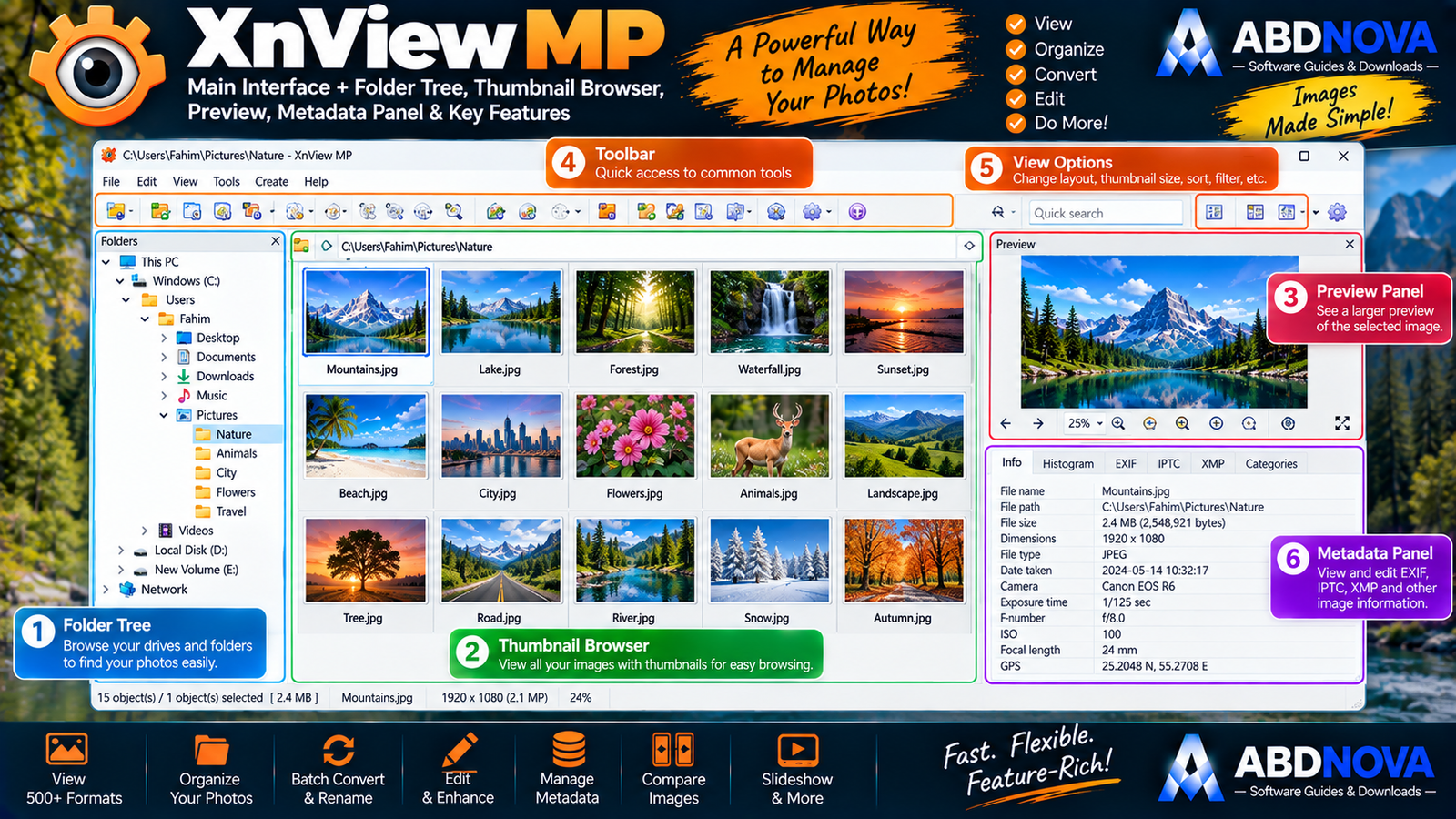
XnView MP Main Interface – Folder Tree, Thumbnails & Preview
XnView MP uses an Explorer-style interface that works well for users managing hundreds or thousands of images.
Folder Tree
The Folder Tree lets you browse:
- Drives.
- Folders.
- Photo collections.
- External storage.
Thumbnail Browser
The thumbnail browser displays photos visually rather than as filenames only.
This makes it much easier to navigate large image collections.
Preview Panel
Select an image to view a larger preview without opening a separate application.
Toolbar
The toolbar provides quick access to common viewing, editing and file-management commands.
Information & Metadata Panels
Depending on the selected workspace, XnView MP can expose file information and metadata while you browse.
Viewing Images with XnView MP
XnView MP supports several viewing modes, including:
- Thumbnail browsing.
- Filmstrip view.
- Full-screen viewing.
- Slideshows.
- Side-by-side image comparison.
Supported Image Formats
Format compatibility is one of XnView MP’s biggest strengths.
Popular supported formats include:
- JPEG / JPG.
- PNG.
- GIF.
- TIFF.
- BMP.
- WebP.
- AVIF.
- HEIC / HEIF.
- JPEG XL.
- PSD.
- JPEG 2000.
- OpenEXR.
- PDF.
- DNG.
- Camera RAW formats.
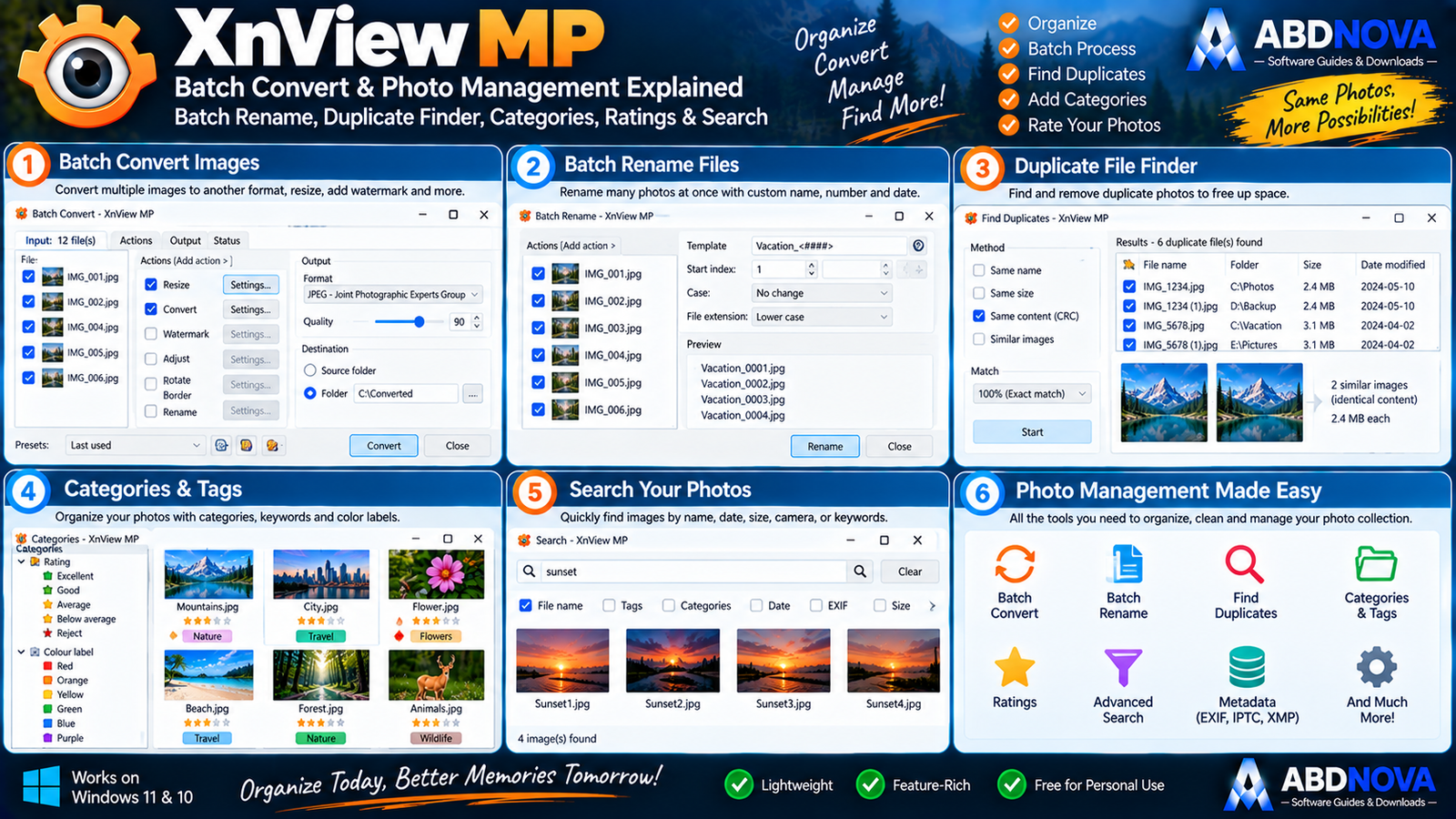
XnView MP Batch Conversion, Rename & Photo Management
Batch Conversion
Batch processing is one of XnView MP’s strongest features.
Instead of converting images one at a time:
Select Images → Tools → Batch Convert
You can process an entire folder or selected image collection.
Batch conversion can:
- Convert formats.
- Resize images.
- Crop images.
- Rotate images.
- Adjust colors.
- Sharpen images.
- Apply effects.
- Add watermarks.
- Rename output files.
Batch Rename
XnView MP can rename many images simultaneously.
For example:
IMG_4281.jpg → travel-bahrain-001.jpg
This is useful when organizing photos for websites, projects, products, trips or archives.
XnView MP vs XnConvert
XnView MP is best when you need:
View + Organize + Edit + Convert
XnConvert is more specialized for large-scale batch processing with many configurable actions.
For normal photo-management workflows, XnView MP is usually enough.
RAW Image Support
Photographers can use XnView MP to browse many camera RAW formats before opening selected images in a dedicated RAW editor.
HEIC & HEIF Support
HEIC/HEIF is commonly used by modern phones and cameras. XnView MP can open these formats directly.
WebP, AVIF & JPEG XL
XnView MP also supports modern image formats including WebP, AVIF and JPEG XL, making it useful for modern website and image workflows.
EXIF, IPTC & XMP Metadata
XnView MP supports strong metadata-management workflows using:
- EXIF.
- IPTC.
- XMP.
Metadata can include camera information, capture date, exposure details, keywords, descriptions, copyright details and ratings.
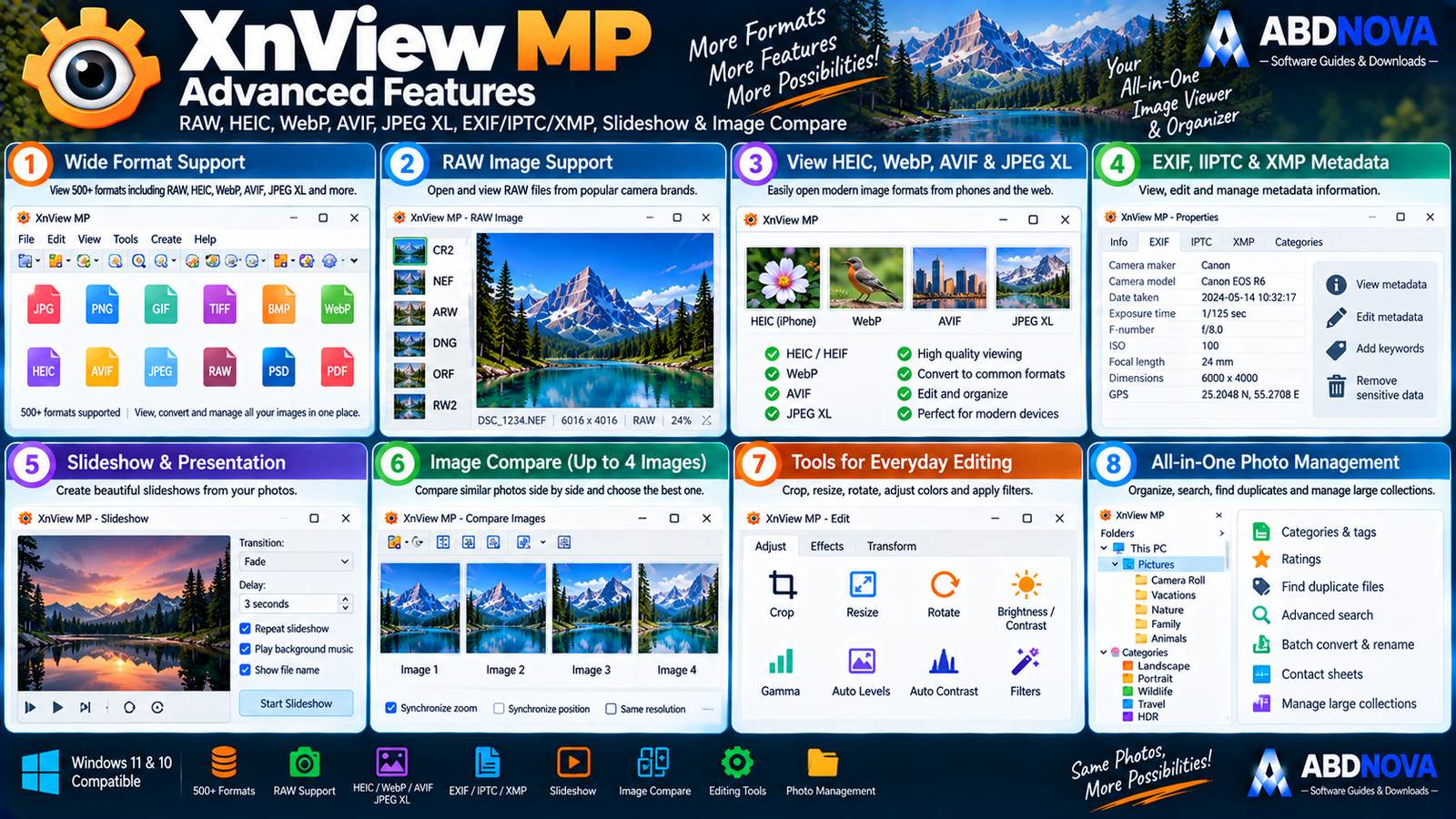
XnView MP Advanced Features – Duplicates, Compare, Slideshows & More
Duplicate File Finder
Large photo libraries often accumulate duplicates after phone backups, camera imports or copying folders between drives.
XnView MP includes a Duplicate File Finder that can help identify unnecessary duplicate images.
Compare Up to Four Images
XnView MP can compare up to four photos side by side.
This is useful when choosing between similar photos based on:
- Sharpness.
- Exposure.
- Composition.
- Facial expression.
- Motion blur.
- Color.
Slideshows
XnView MP can create slideshows from selected images for family photos, travel collections, events, presentations and photo reviews.
Contact Sheets
A contact sheet creates a visual index of many images on one page.
XnView can also create related outputs such as thumbnail galleries, image strips and file listings.
Screen Capture
XnView MP includes built-in screen-capture functionality for basic screenshot workflows.
Photo Editing
XnView MP is not designed to replace Photoshop, but it provides practical everyday image-editing tools.
- Crop.
- Resize.
- Rotate.
- Lossless JPEG rotation.
- Brightness.
- Contrast.
- Gamma.
- Auto Levels.
- Auto Contrast.
- Color depth.
- Filters.
- Effects.
Resize Images
Use:
Image → Resize
You can configure pixel dimensions, percentage, aspect ratio and resampling method.
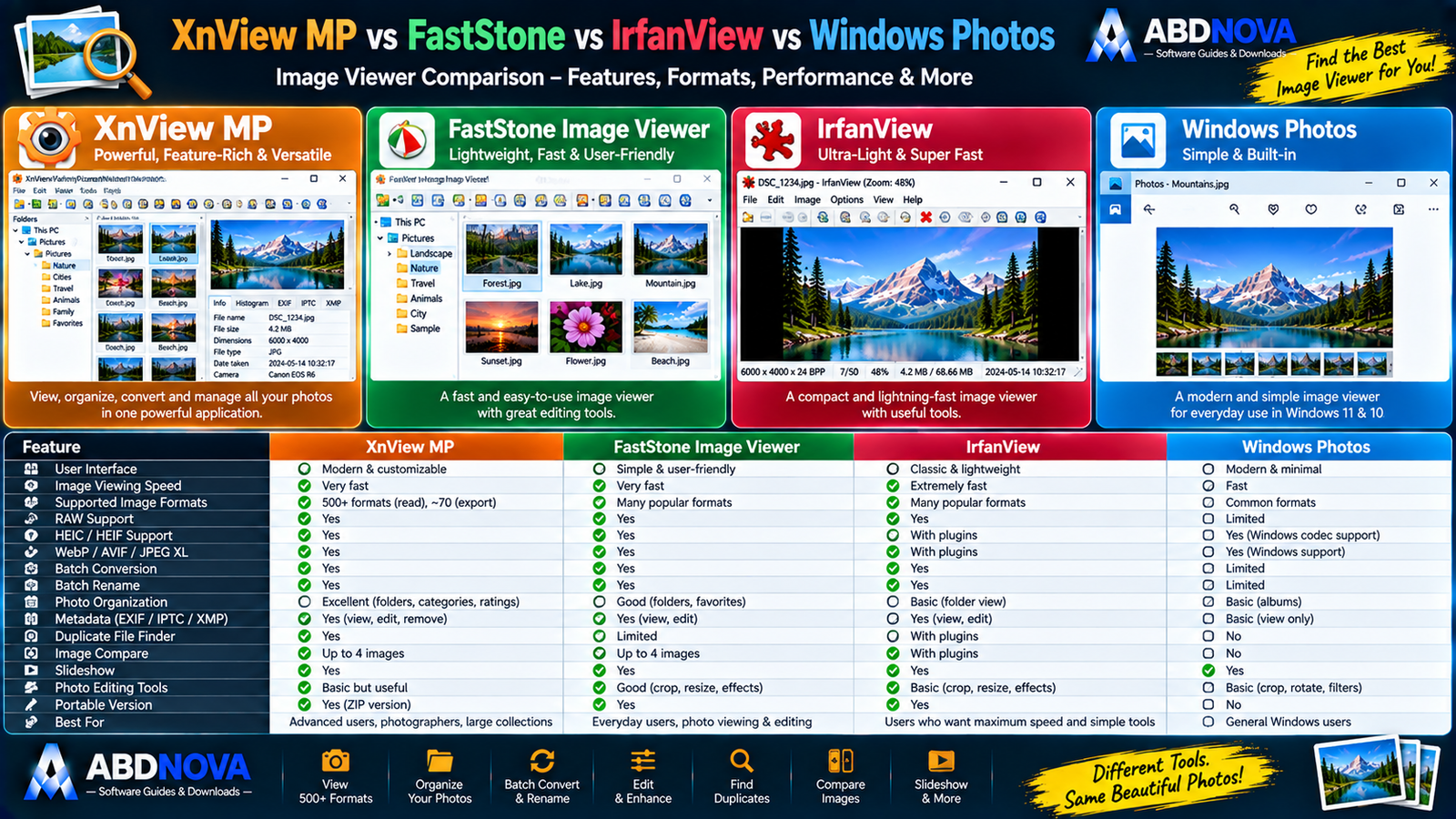
XnView MP vs FastStone vs IrfanView vs Windows Photos
| Feature | XnView MP | FastStone | IrfanView | Windows Photos |
|---|---|---|---|---|
| Image Viewing | Excellent | Excellent | Excellent | Good |
| Photo Organization | Excellent | Strong | Moderate | Basic |
| Formats | 500+ read | Extensive | Extensive | Common formats |
| Batch Conversion | Excellent | Excellent | Excellent | Limited |
| Batch Rename | Yes | Yes | Yes | Limited |
| RAW | Strong | Strong | Supported | Limited |
| HEIC | Yes | Windows codec workflow | May need additional support | Windows-integrated |
| WebP | Yes | Yes | Yes | Yes |
| AVIF | Yes | Varies | Supported workflow | Windows-dependent |
| Metadata Tools | Excellent | Good | Good | Basic |
| Duplicate Finder | Yes | Different workflow | Limited | No |
| Compare Images | Up to 4 | Up to 4 | Different workflow | Limited |
| Portable Option | Yes | Yes | Yes | No |
| Best For | Advanced photo organization | Friendly viewing + editing | Speed + utility functions | Simple everyday viewing |
Why Choose XnView MP?
The biggest reason to choose XnView MP is its combination of broad format compatibility and strong photo-management tools.
FastStone Image Viewer can be attractive when you want a particularly friendly viewer/editor experience, while IrfanView is well known for lightweight speed and utility functions.
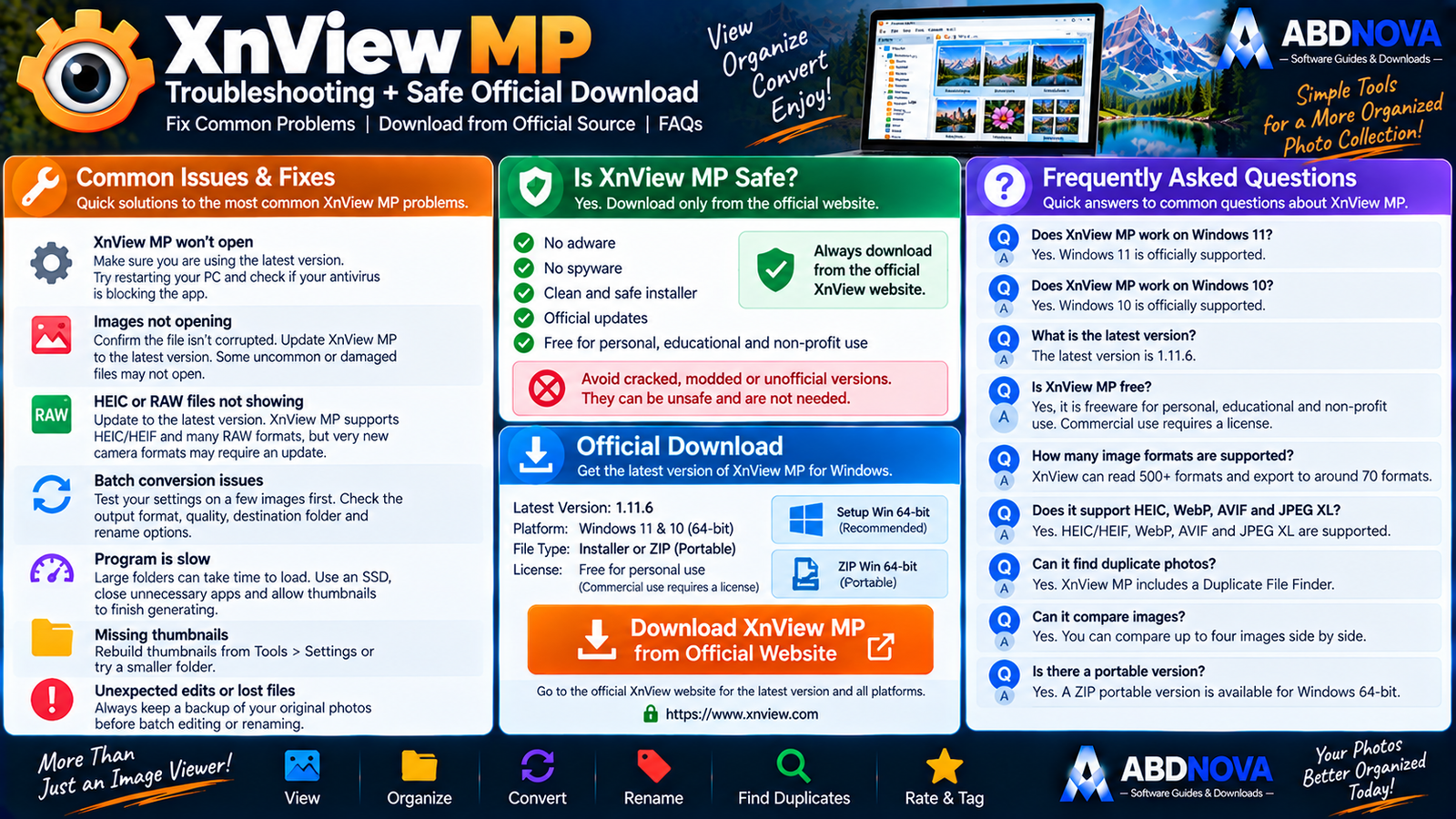
XnView MP Troubleshooting
An Image Won’t Open
Update XnView MP, confirm that the image is not corrupted, check the file format and try another file of the same type.
XnView MP Is Slow with Huge Folders
Try:
- Using smaller folders.
- Closing unnecessary applications.
- Using an SSD.
- Allowing thumbnails to finish generating.
- Reducing unnecessary preview or metadata processing.
HEIC or RAW Files Have Problems
Update to the current XnView MP release first. Newer builds are generally preferable when working with newer image formats and camera files.
Batch Conversion Produces Unexpected Results
Before processing hundreds of photos, test your settings on two or three copies first.
Verify:
- Output format.
- Dimensions.
- Quality.
- Destination folder.
- Filename rules.
- Metadata settings.
Accidentally Deleted or Overwritten Photos
Keep original photos backed up before large batch operations. For important collections, process copies instead of your only originals.
Is XnView MP Safe?
Yes, when downloaded from the official XnView website.
XnView states that its eligible freeware packages contain no adware and no spyware.
- XnView MP Crack.
- XnView Pro Crack.
- XnView Premium MOD.
- Pre-Activated XnView.
- Repacked XnView.
Safe XnView MP Download for Windows
The safest source for XnView MP Download for Windows is the official XnView website.
Use the official XnView MP download page and choose the current Windows 64-bit Setup or ZIP package.
Frequently Asked Questions
Does XnView MP work on Windows 11?
Yes. Windows 11 is supported by the current XnView MP release.
Does XnView MP work on Windows 10?
Yes. Windows 10 is supported.
What is the latest XnView MP version?
The current official release is XnView MP 1.11.6.
Is XnView MP 64-bit?
Yes. The current Windows release is provided as a 64-bit Setup installer and ZIP archive.
Is XnView MP free?
It is freeware for eligible private, educational and qualifying non-commercial use. Commercial/company use requires a license.
How many image formats does XnView MP support?
XnView states that its image technology can read more than 500 formats and export to around 70 formats.
Does XnView MP support HEIC?
Yes. HEIC and HEIF are supported.
Does XnView MP support AVIF?
Yes. AVIF is supported.
Does XnView MP support RAW photos?
Yes. XnView MP can browse many common camera RAW formats.
Can XnView MP batch-convert images?
Yes. Batch conversion is one of its strongest features.
Can XnView MP find duplicate photos?
Yes. It includes a Duplicate File Finder.
Can XnView MP compare photos?
Yes. It can compare up to four images side by side.
Is there a portable XnView MP version?
Yes. The current Windows download includes a ZIP package suitable for portable-style use.
Is XnView MP safe?
Yes, when downloaded from the official XnView website.
Final Thoughts
XnView MP Download for Windows is a strong choice for users who need considerably more than a basic Windows photo viewer.
Its combination of 500+ readable formats, RAW, HEIC, WebP, AVIF and JPEG XL support, batch conversion, batch renaming, EXIF/IPTC/XMP metadata tools, duplicate detection, image comparison, contact sheets, slideshows and everyday photo editing makes it especially useful for large image collections.
For modern Windows 11 and Windows 10 computers, use the current 64-bit XnView MP build and obtain it directly from the official developer source.
Ready to download XnView MP?
Get the current 64-bit Setup or ZIP package directly from the official XnView website. ABDNOVA recommends official sources only.


