

Thunderbird Download for Windows 11 & 10
Download Thunderbird for Windows 11 and Windows 10 to manage email accounts, calendars, contacts, tasks, filters and other communication tools from one desktop application.
Thunderbird Download for Windows gives Windows users a free and open-source desktop email and productivity application that combines email, calendars, contacts, tasks and related communication tools in one program.
Thunderbird is developed by the Thunderbird project and is designed for users who want a capable desktop email client without being tied to a paid subscription.
The current Thunderbird desktop release is version 155.0, released September 1, 2026. Its official system requirements list Windows 10 or later, which includes both Windows 10 and Windows 11.
Thunderbird currently provides Windows 64-bit and 32-bit downloads, including a 64-bit MSI package.
Thunderbird Download for Windows – Quick Overview
| Information | Details |
|---|---|
| Software | Mozilla Thunderbird / Thunderbird |
| Category | Email & Productivity |
| Current Release | 155.0 |
| Windows Support | Windows 10 or later |
| Windows 11 | Yes |
| 64-bit | Yes |
| 32-bit | Yes |
| MSI Package | Yes, 64-bit |
| License | Free & Open Source |
| Multiple Email Accounts | Yes |
| Calendar | Built in |
| Contacts / Address Book | Built in |
| Tasks | Built in |
| OpenPGP | Supported |
| S/MIME | Supported |
| Add-ons | Yes |
| IMAP / POP | Supported |
Thunderbird’s biggest advantage is its ability to combine multiple email accounts, calendars, contacts and productivity tools inside one desktop interface.
Download Thunderbird for Windows 11 & 10
Windows users should download Thunderbird directly from the official Thunderbird website.
Official Windows download options include:
- Windows 64-bit.
- Windows MSI 64-bit.
- Windows 32-bit.
For most modern Windows 11 and Windows 10 computers, the 64-bit version is the normal choice.
There is no reason to download unofficial repacks or modified installers because Thunderbird is already free and open source.
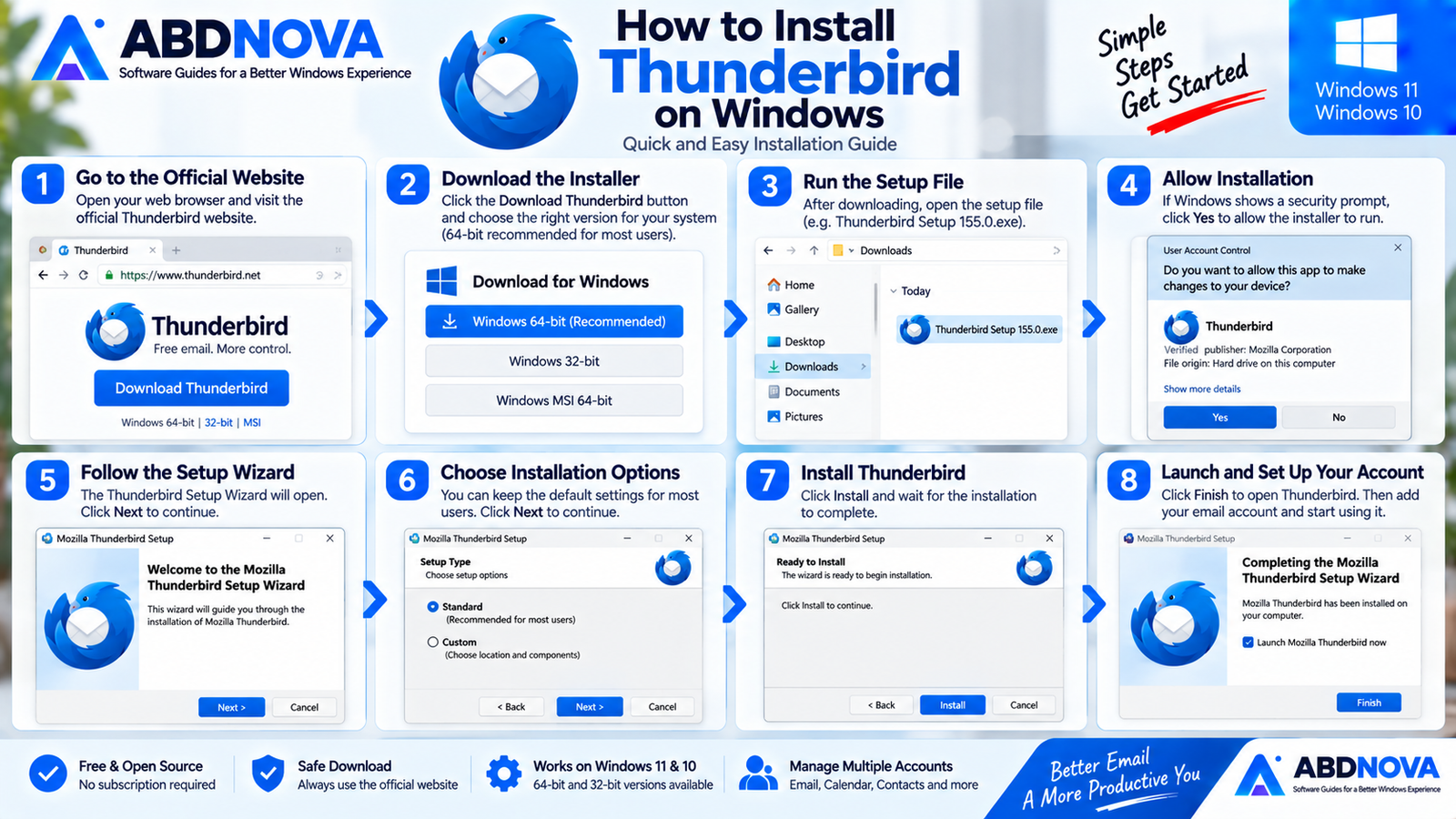
How to Install Thunderbird on Windows
- Visit the official Thunderbird website.
- Download the appropriate Windows installer.
- Open the downloaded setup file.
- Allow Windows to run the installer if prompted.
- Follow the setup instructions.
- Launch Thunderbird.
- Add your email account.
- Let Thunderbird detect the appropriate account settings.
- Sign in and complete any authentication required by your email provider.
After setup, Thunderbird can begin synchronizing your messages and folders.
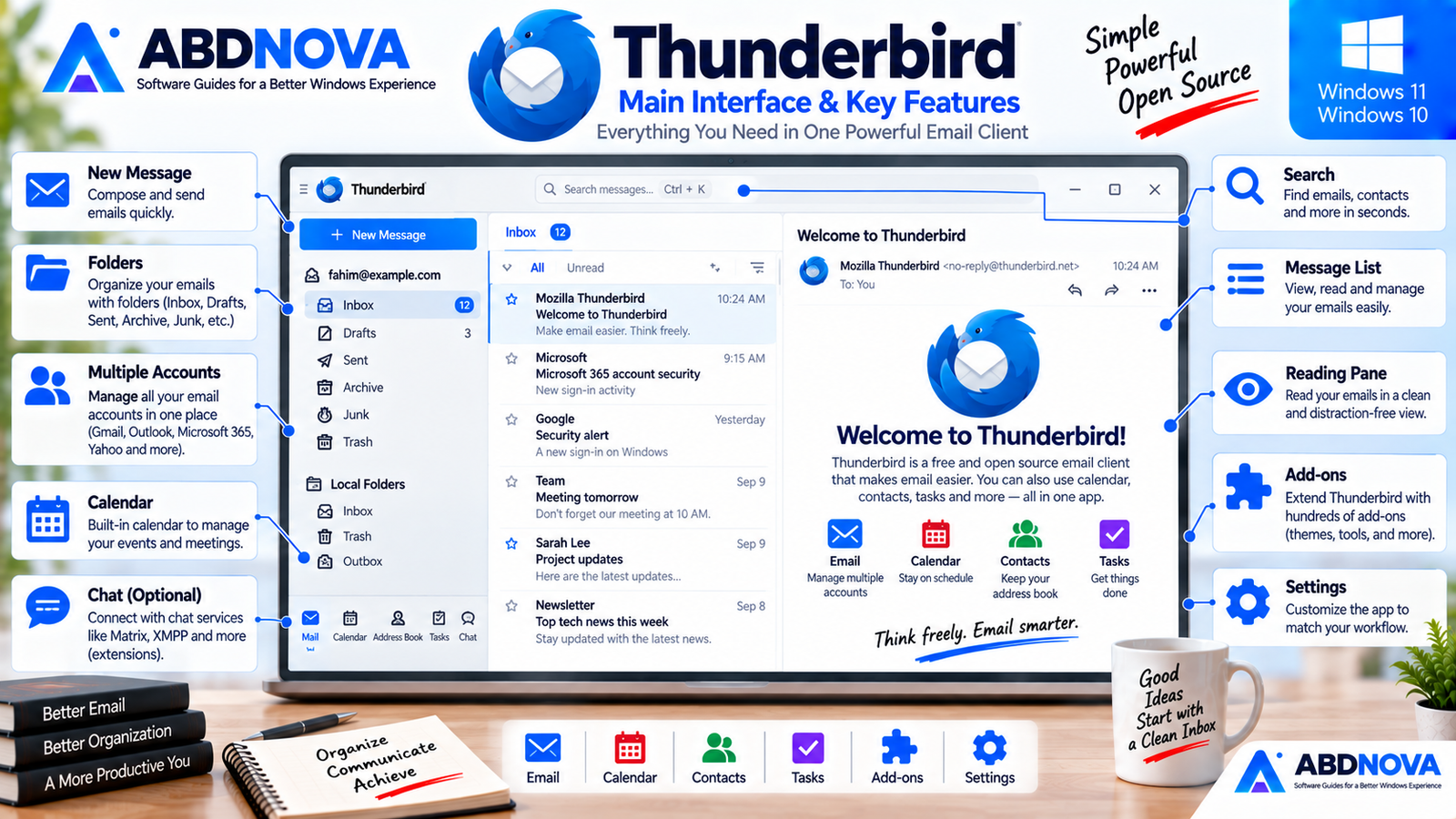
Thunderbird Main Interface & Key Features
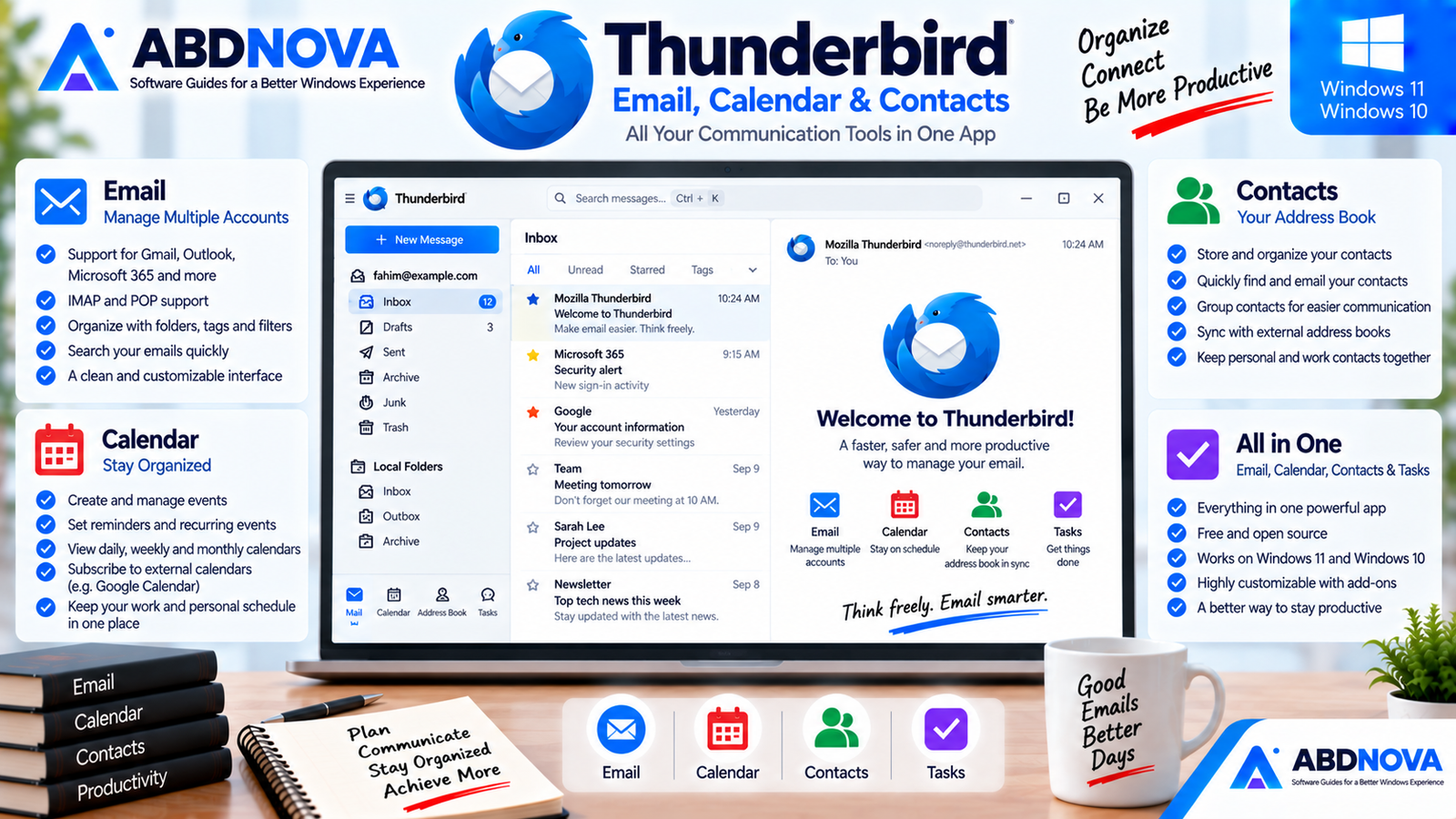
Thunderbird is designed to handle more than one part of your communication workflow.
Mail — Read, organize, search and send email.
Calendar — Manage events and schedules.
Address Book — Store and organize contacts.
Tasks — Keep track of tasks associated with your productivity workflow.
Combining messages, calendars and contacts in one application can be particularly useful for users who would otherwise keep several browser tabs or separate communication applications open.
Add Multiple Email Accounts
Thunderbird can manage multiple compatible email accounts from one desktop application.
Example setup
Personal
Gmail
Work
Microsoft 365
Website
Domain email
Instead of opening several websites or separate applications, Thunderbird can keep compatible accounts accessible from the same desktop environment.
Thunderbird Email, Calendar & Contacts
IMAP vs POP
When configuring an email account in Thunderbird, you may encounter both IMAP and POP.
IMAP
IMAP is usually the more convenient option when you access the same email account from multiple devices.
Messages and folders remain synchronized with the mail server, so actions performed on one device can generally be reflected elsewhere.
POP
POP is traditionally designed around downloading messages from the server to the local email client.
It can still be useful for particular workflows, but IMAP is normally more convenient for modern multi-device email usage.
Gmail in Thunderbird
Thunderbird can be used with Gmail accounts.
Modern account authentication normally opens Google’s login process so users can authorize Thunderbird through the provider’s authentication system.
Thunderbird has continued improving OAuth security, including updated Gmail OAuth support using PKCE.
When adding Gmail, use Thunderbird’s normal account setup and follow Google’s authentication screen when it appears.
Microsoft 365 & Exchange
Thunderbird’s Microsoft account support has continued to improve.
Thunderbird 155 includes streamlined manual account configuration involving Exchange, Microsoft Graph and custom OAuth support, while Thunderbird 154 enabled Microsoft Graph for Microsoft 365.
Exchange support remains an active development area, particularly around broader Exchange, Microsoft 365, calendar and address-book integration.
Calendar
Thunderbird includes calendar functionality directly inside the desktop application.
You can use it to organize:
- Meetings.
- Appointments.
- Events.
- Personal schedules.
- Work schedules.
- Reminders.
- Recurring events.
Having email and calendar information together is particularly useful when conversations relate directly to upcoming meetings or appointments.
Address Book & Contacts
Thunderbird includes an integrated address book for managing contacts.
Contact information can remain close to your email workflow rather than requiring a completely separate application.
Thunderbird 155 also added a configuration option for selecting the default address book used for manually added contacts.
Search & Message Organization
Thunderbird provides several tools for organizing and locating email:
- Folders.
- Search.
- Tags.
- Filters.
- Starred messages.
- Archives.
- Unified folders.
Recent Thunderbird releases have also continued improving global search, helping users manage larger collections of mail across several accounts.
Message Filters
Filters can automate repetitive email organization.
Invoices → Accounts
Website Notifications → Website
Supplier Messages → Purchasing
Newsletters → Reading
This can reduce the amount of manual inbox organization required each day.
Thunderbird Advanced Features
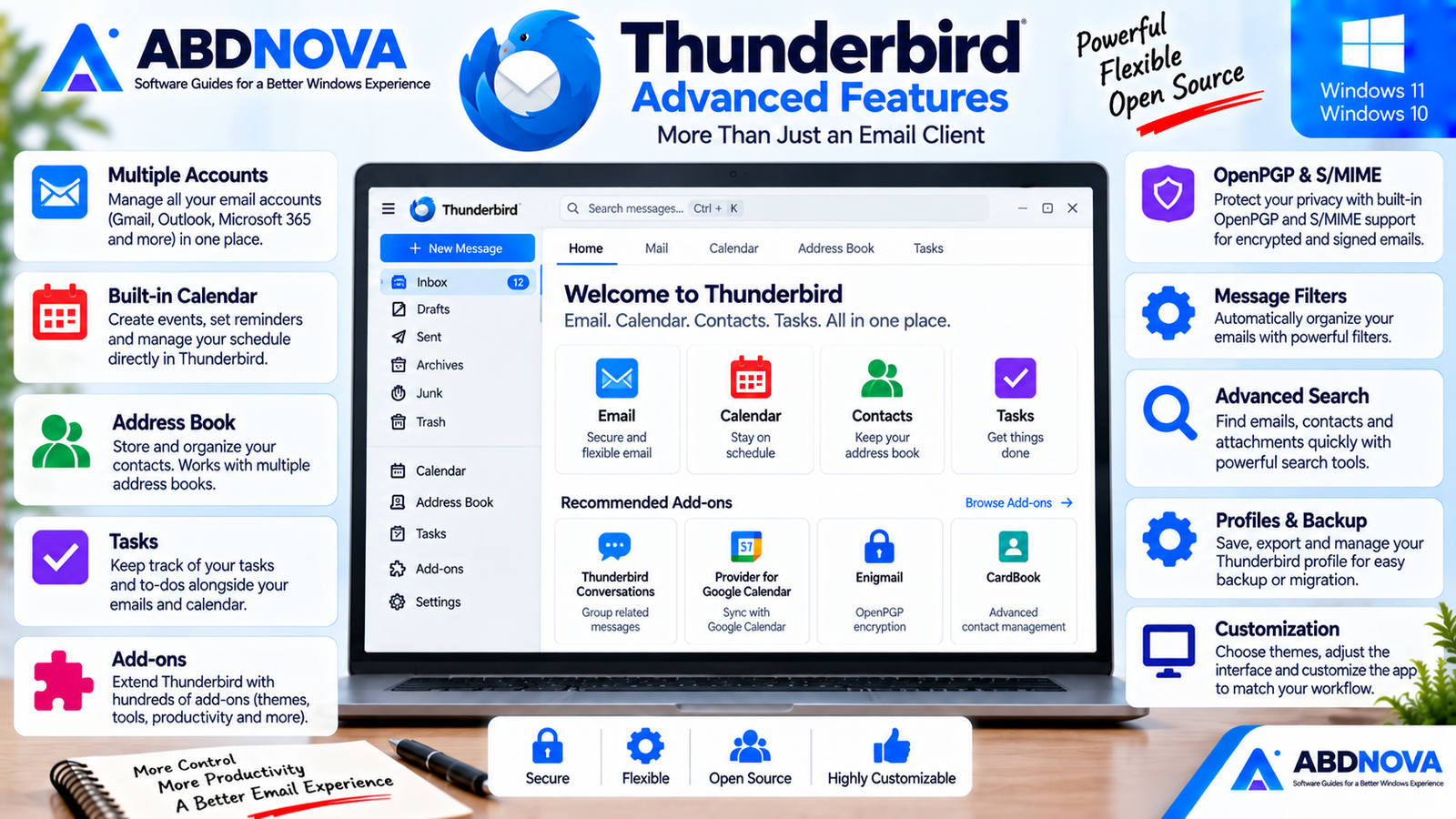
OpenPGP & S/MIME
Thunderbird includes advanced security functionality for users who need encrypted or digitally signed email.
- OpenPGP.
- S/MIME.
Thunderbird’s development roadmap continues to include work related to OpenPGP, S/MIME, tracking protection, phishing prevention and other security improvements.
Thunderbird 155 also improved S/MIME information by displaying signature, digest and encryption algorithms along with key sizes in its S/MIME popup.
Add-ons & Customization
Thunderbird can be expanded through add-ons.
The official Thunderbird Add-ons ecosystem includes extensions covering areas such as:
- Appearance and customization.
- Calendar.
- Contacts.
- Folders and filters.
- Import and export.
- Message composition.
- Privacy and security.
- Tags.
- Language support.
This gives Thunderbird considerably more flexibility than a basic fixed-feature mail client.
Import & Export
Thunderbird provides tools for moving and backing up application data.
A Thunderbird profile can contain information including:
- Messages.
- Passwords.
- User preferences.
- Account information.
- Address books.
- Settings.
Thunderbird’s export functionality can create a backup containing accounts, messages, address books and settings.
This is particularly useful when:
- Moving to a new computer.
- Reinstalling Windows.
- Creating backups.
- Migrating email setups.
- Protecting a long-established Thunderbird configuration.
For important email collections, maintaining a separate backup is a sensible precaution even when messages also remain on an IMAP server.
Thunderbird Profiles
Thunderbird stores user information inside a profile that is separate from the application installation itself.
Profiles can store personal information such as messages, passwords and user preferences.
This distinction can become important during troubleshooting, Windows reinstallation or migration to another PC.
Thunderbird Release vs ESR
Thunderbird provides different release tracks.
Thunderbird Release
The normal Release channel receives newer features more frequently. As of September 12, 2026, the current normal desktop release is Thunderbird 155.0, released September 1, 2026.
Thunderbird ESR
Thunderbird also maintains Extended Support Release versions. For example, Thunderbird 153.1.1 ESR was released August 26, 2026.
For most home users, the normal release downloaded from Thunderbird’s main download page is the straightforward choice.
Organizations with managed environments may have reasons to use an ESR release instead.
Related Email Software for Windows
Thunderbird is designed to work with many compatible email providers rather than locking users into one email service.
If privacy-focused email is especially important, ABDNOVA also has a guide to Proton Mail Desktop Download for Windows. Proton also provides Proton Mail Bridge for eligible users who want to access Proton Mail through compatible desktop email clients such as Thunderbird.
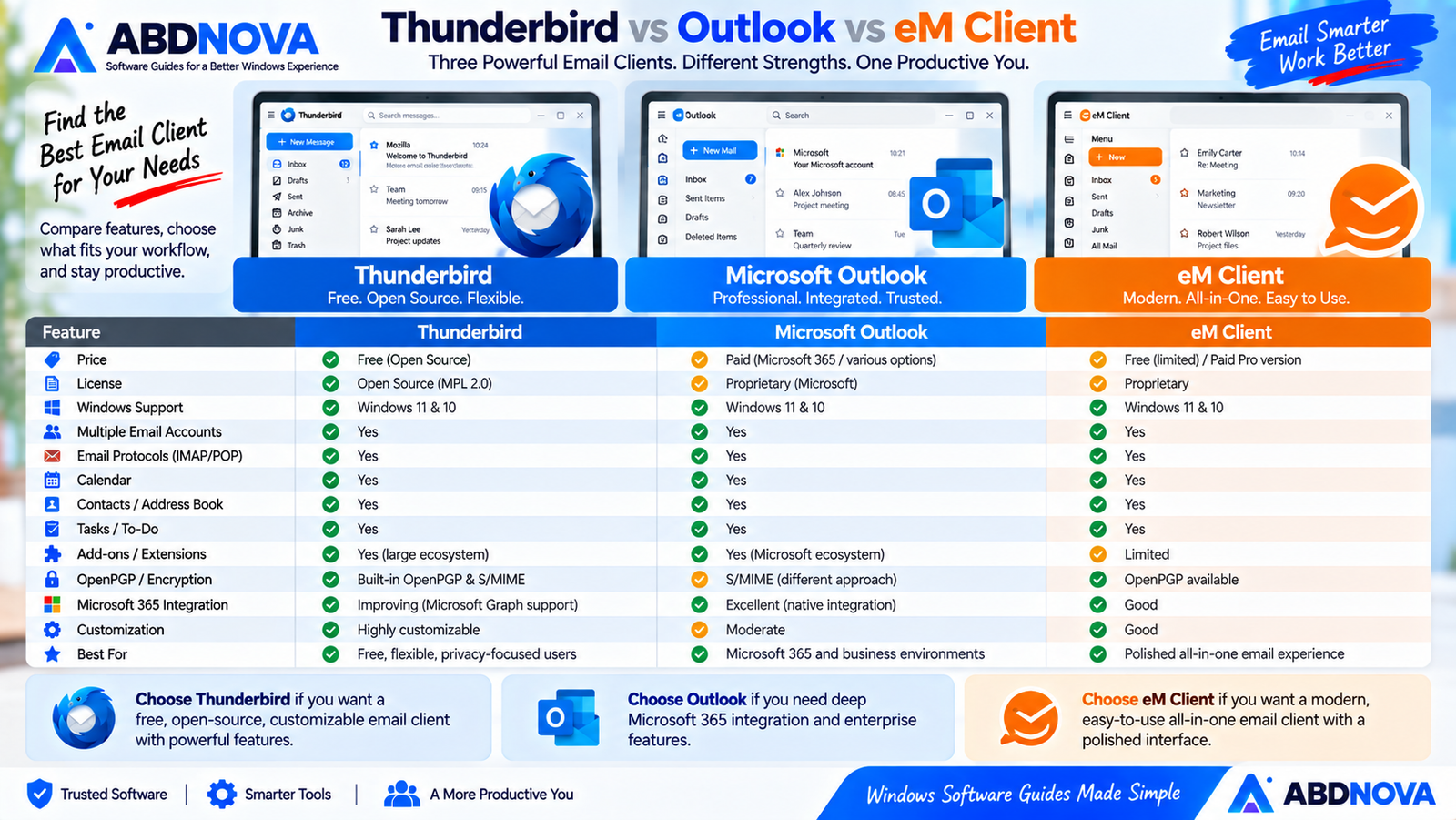
Thunderbird vs Outlook vs eM Client
| Feature | Thunderbird | Outlook | eM Client |
|---|---|---|---|
| Windows App | Yes | Yes | Yes |
| Free Option | Yes | Available options vary | Yes, limited |
| Open Source | Yes | No | No |
| Multiple Email Accounts | Yes | Yes | Yes |
| Calendar | Yes | Yes | Yes |
| Contacts | Yes | Yes | Yes |
| IMAP / POP | Yes | Yes | Yes |
| Add-ons | Strong | Microsoft ecosystem | More limited |
| OpenPGP | Built-in support | Different approach | Available |
| Microsoft Ecosystem | Improving | Excellent | Good |
| Customization | Strong | Moderate | Good |
| Best For | Free, flexible desktop email | Microsoft 365 workflows | Polished all-in-one email |
Choose Thunderbird if you want a free, open-source and customizable desktop email client capable of managing multiple accounts, calendars, contacts, security features and extensions.
Choose Outlook when deep integration with Microsoft 365 and enterprise Microsoft services is the priority.
Choose eM Client if you prefer a polished commercial email-client experience with a simpler all-in-one approach.
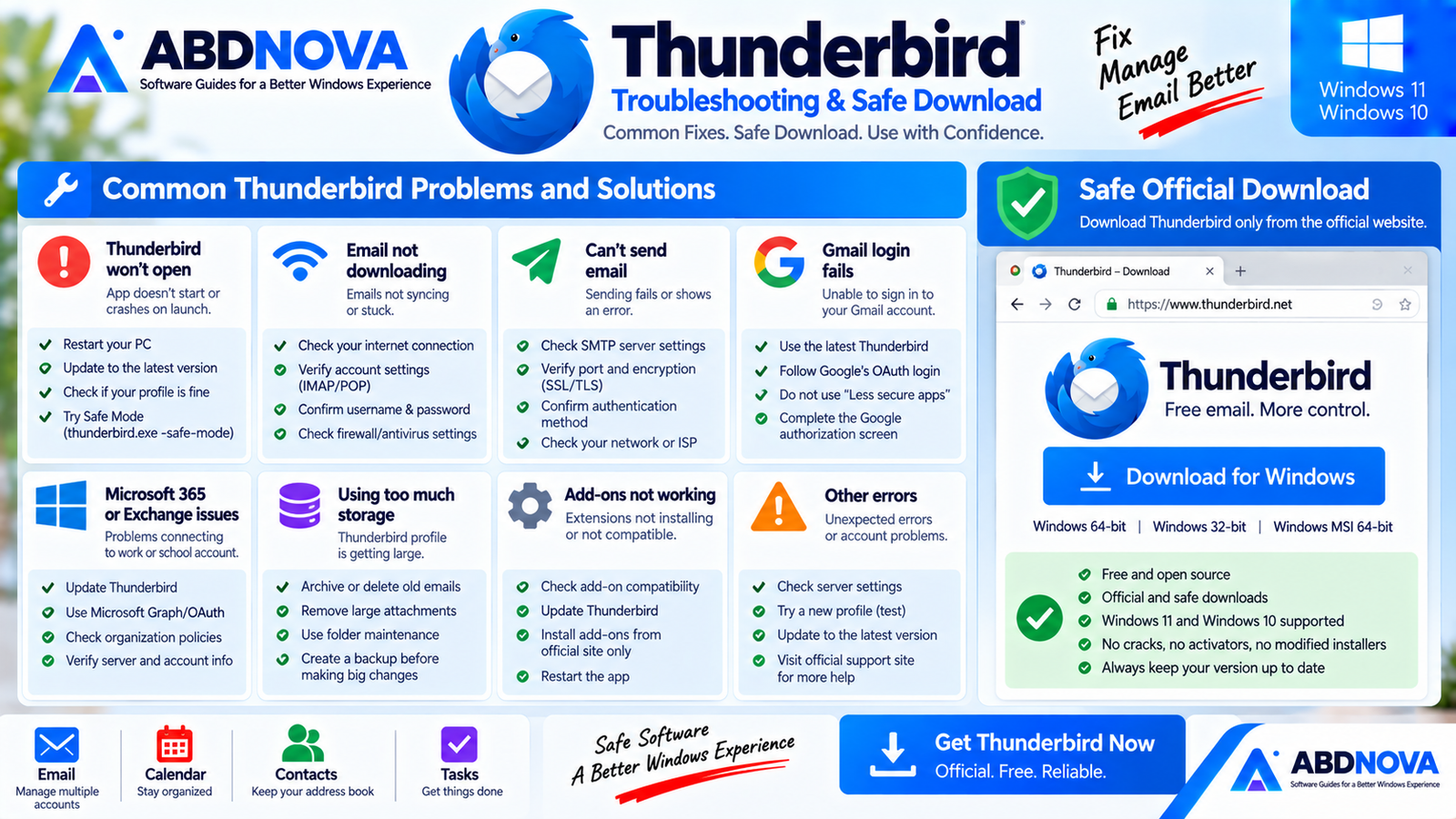
Thunderbird Troubleshooting on Windows
Thunderbird Won’t Open
Restart the computer first.
Then confirm that you are using a supported Windows version. Current Thunderbird releases require Windows 10 or later.
If the problem continues, check whether the issue is related to your Thunderbird profile rather than immediately deleting email data.
Email Isn’t Downloading
Check:
- Internet connection.
- Account credentials.
- IMAP or POP settings.
- Server hostname.
- Port settings.
- Authentication method.
- Antivirus or firewall interference.
If your provider recently changed its authentication requirements, update Thunderbird and review the provider’s current account settings.
Can’t Send Email
Sending problems are frequently related to SMTP configuration.
Check the outgoing server hostname, port, encryption type, username and authentication method.
Gmail Login Fails
Make sure Thunderbird is current and complete Google’s normal OAuth authorization process.
Avoid disabling modern authentication simply to force an older password-based setup.
Microsoft 365 Account Has Problems
Update Thunderbird first.
Microsoft 365 and Exchange support has changed significantly in recent Thunderbird releases, including Microsoft Graph and expanded OAuth functionality.
For business accounts, your organization’s administrator may also enforce specific authentication or access policies.
Thunderbird Is Using Too Much Storage
Large mailboxes can accumulate significant local data.
Review unnecessary messages and attachments, archive mail where appropriate and use Thunderbird’s folder-maintenance features carefully.
Safe Official Thunderbird Download
Thunderbird is free and open source. You do not need cracks, activators, patched installers, unofficial repacks or modified editions.
- Thunderbird Crack.
- Thunderbird Pro Crack.
- Thunderbird Premium.
- Thunderbird Activator.
- Modified Thunderbird.
- Unofficial Thunderbird repacks.
Use Thunderbird’s official website to obtain the current Windows installer and select the appropriate platform variant.
Frequently Asked Questions
Is Thunderbird free?
Yes. Thunderbird is free, and the project is supported in part through donations.
Is Thunderbird open source?
Yes. Thunderbird is an open-source email and productivity application.
Does Thunderbird work on Windows 11?
Yes. Current Thunderbird desktop releases require Windows 10 or later, which includes Windows 11.
Does Thunderbird still support Windows 10?
Yes. Windows 10 remains within Thunderbird’s current official system requirements.
What is the latest Thunderbird version?
As of September 12, 2026, the current normal Thunderbird desktop release is version 155.0, released September 1, 2026.
Is Thunderbird available in 64-bit?
Yes. Thunderbird provides an official Windows 64-bit download and a 64-bit MSI package.
Is Thunderbird available in 32-bit?
Yes. Thunderbird currently also provides an official Windows 32-bit download.
Can Thunderbird manage multiple email accounts?
Yes. Thunderbird can bring multiple compatible email accounts into one desktop application.
Does Thunderbird include a calendar?
Yes. Thunderbird includes calendar functionality alongside email, contacts and tasks.
Does Thunderbird support add-ons?
Yes. Thunderbird has an official add-ons ecosystem covering customization, calendar, contacts, filters, import/export, privacy, message composition and other categories.
Can I back up Thunderbird?
Yes. Thunderbird provides profile export functionality that can back up accounts, messages, address books and settings.
Final Thoughts
Thunderbird Download for Windows remains a strong option for Windows users who want a free, open-source desktop email client without sacrificing advanced functionality.
Thunderbird combines multiple email accounts, calendar, contacts, tasks, filters, search, profiles, add-ons, OpenPGP, S/MIME and extensive customization in one desktop application.
Its Microsoft 365 and Exchange capabilities are also improving, while Thunderbird’s established IMAP and POP workflow remains useful for Gmail, domain email and many other providers.
Users interested in another email-focused Windows option can also see our Proton Mail Desktop Download for Windows guide.
For Windows 11 and Windows 10 users who manage several email accounts or simply want more control over their desktop email experience, Thunderbird is a practical alternative to commercial mail clients.
Download Thunderbird for Windows
Get the current Windows version directly from the official Thunderbird website.


