
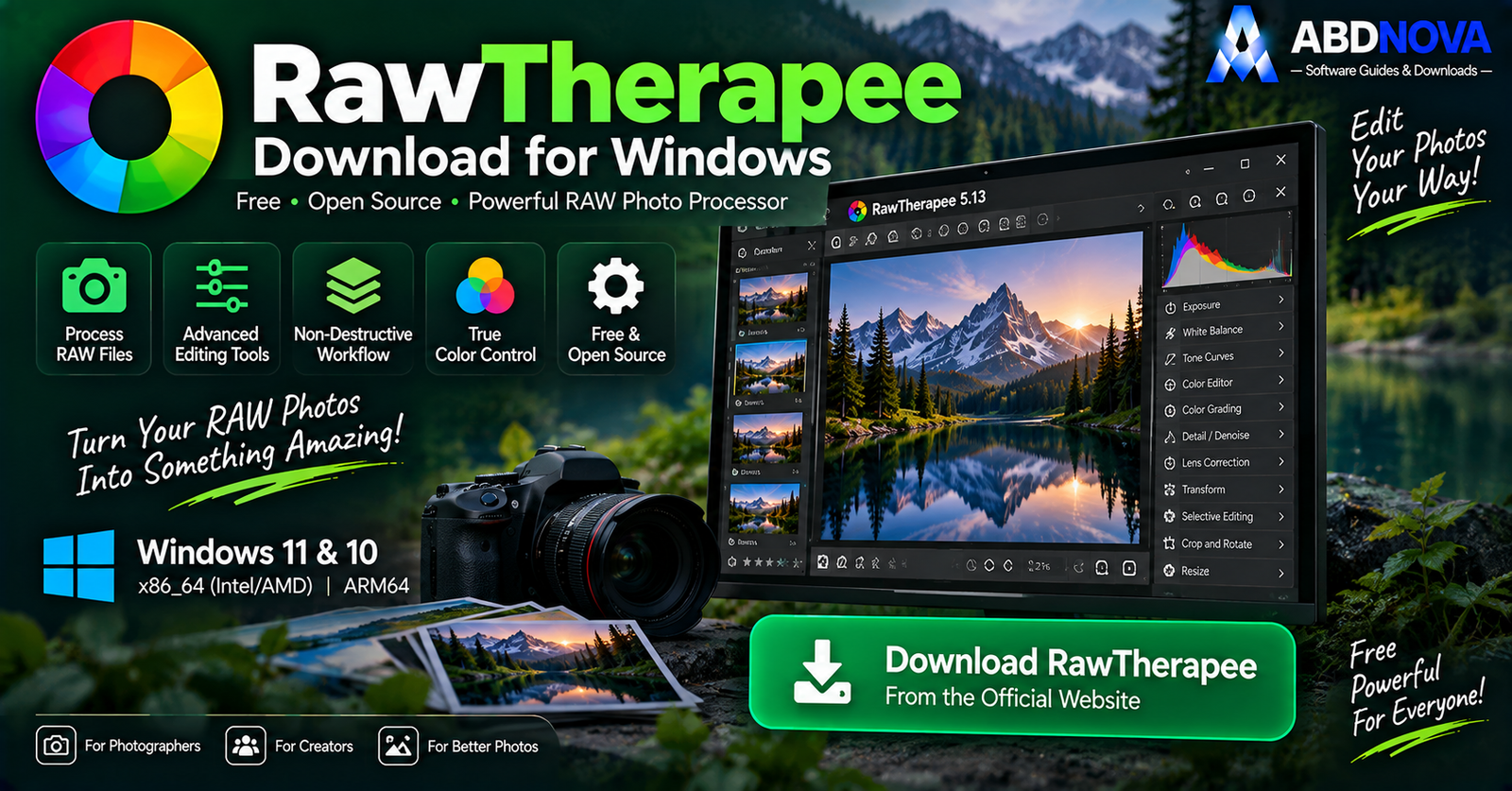

RawTherapee Download for Windows 11 & 10

Download RawTherapee for Windows 11 and 10 to develop RAW photos with advanced exposure, color, denoise, sharpening, lens correction and selective editing tools.
RawTherapee Download for Windows gives photographers a free and open-source RAW-processing application with detailed control over image quality, exposure, color, noise reduction, sharpening, lens correction and RAW development.
Unlike a simple image viewer, RawTherapee focuses heavily on developing camera RAW files. Its non-destructive workflow keeps the original RAW image untouched while your adjustments are used to create the final exported image.
RawTherapee is suitable for photography enthusiasts as well as more demanding users who want extensive RAW-processing controls without paying for a subscription.
RawTherapee Download for Windows – Quick Overview
| Information | Details |
|---|---|
| Software | RawTherapee |
| Current Version | 5.13 |
| Release Date | July 26, 2026 |
| Type | RAW Photo Processor |
| Windows 11 | Supported |
| Windows 10 | Supported |
| Intel / AMD x86_64 | Yes |
| Windows ARM64 | Yes |
| Price | Free |
| License | GPLv3 |
| RAW Processing | Yes |
| Non-Destructive Workflow | Yes |
| Batch Processing | Yes |
| Selective Editing | Yes |
| Advanced Color Tools | Yes |
| Denoising | Yes |
| Lens Correction | Yes |
| Processing Profiles | Yes |
| File Browser | Yes |
| Queue Processing | Yes |
What Is RawTherapee?
RawTherapee is a free, cross-platform RAW image-processing application designed to develop photographs from a broad range of digital cameras.
RawTherapee is useful for:
- RAW photo development.
- Exposure recovery.
- White-balance correction.
- Advanced color editing.
- Noise reduction.
- Sharpening.
- Lens correction.
- Selective local adjustments.
- Batch processing.
- Processing profiles.
- Queue-based exporting.
RawTherapee x86_64 vs ARM64 for Windows
RawTherapee 5.13 provides two official Windows CPU builds.
x86_64
Choose the x86_64 Windows build for most PCs using Intel or AMD processors.
ARM64
Choose the ARM64 Windows build for compatible ARM-based computers, including supported Qualcomm-powered Windows devices.

How to Install RawTherapee on Windows
- Visit the official RawTherapee website.
- Open the download page.
- Select Windows.
- Choose x86_64 for Intel/AMD or ARM64 for a compatible ARM PC.
- Download the official package.
- Open the downloaded ZIP file.
- Run the executable installer inside it.
- Follow the Windows setup wizard.
- Launch RawTherapee.
- Browse to a folder containing your photographs.
The current official release provides separate Windows packages for x86_64 and ARM64 systems.
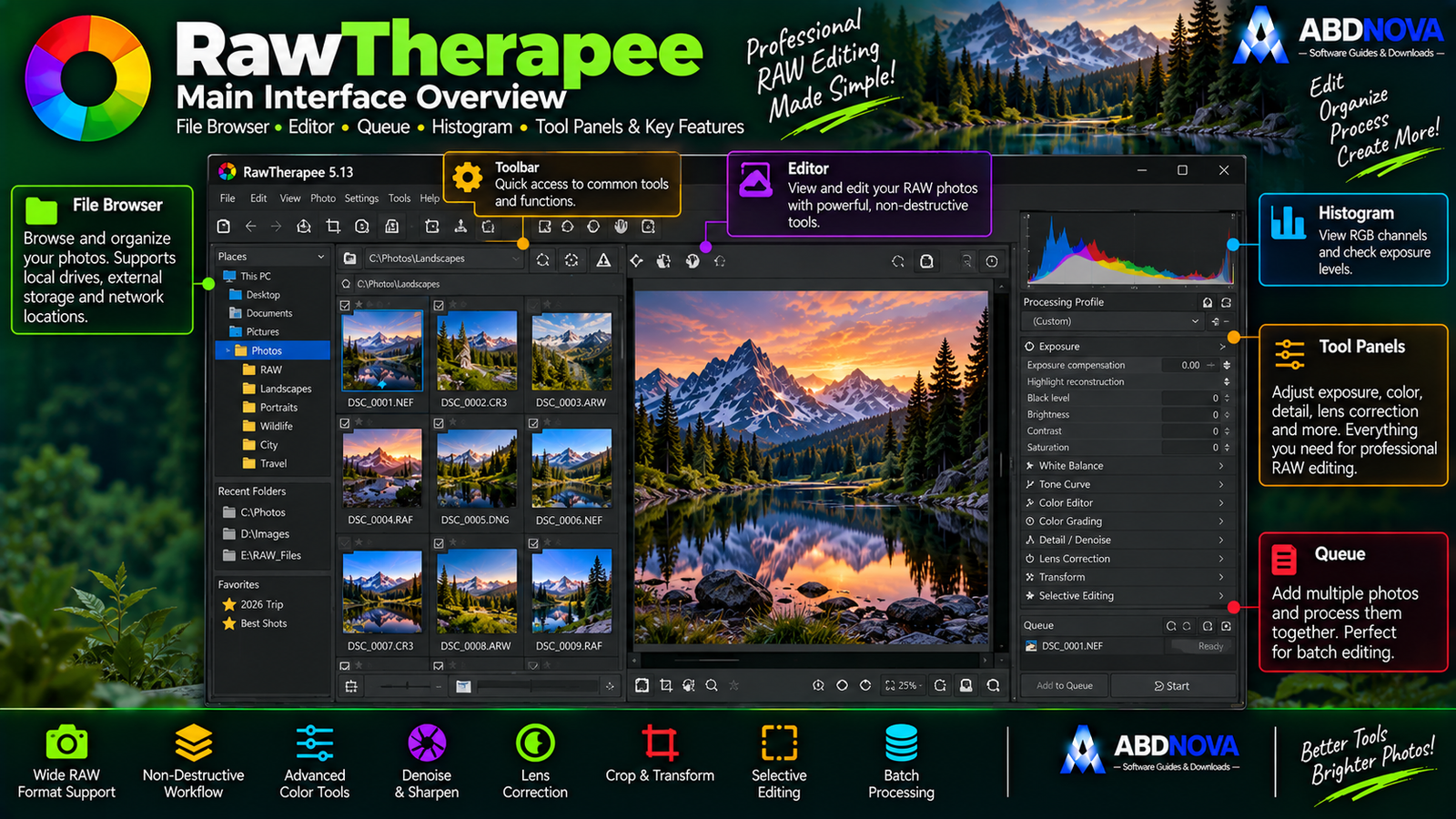
RawTherapee Main Interface – File Browser, Editor & Queue
File Browser
The File Browser is used to locate photographs stored on your PC or external drives.
You can browse folders, preview images and select the RAW files you want to process.
Editor
The Editor is where the main RAW-development work takes place.
Most exposure, color, detail, denoise, sharpening, lens and selective-editing controls are available here.
Queue
Finished images can be added to the processing Queue instead of being exported immediately.
This can be particularly useful when working through a large photography session.
Non-Destructive RAW Processing
RawTherapee is designed around a non-destructive workflow.
For example:
The original camera RAW file remains untouched. RawTherapee stores the processing instructions separately and applies them when the final image is generated.
This allows you to experiment with different processing styles while keeping the original photograph intact.

RawTherapee RAW Editing – Exposure, Color & Detail
RAW Camera Support
RAW processing is RawTherapee’s primary purpose.
Recent releases use LibRaw alongside RawTherapee’s enhanced RAW-reading workflow, helping the project support newer cameras and RAW formats.
Exposure & Tone Controls
RawTherapee provides detailed controls for:
- Exposure.
- Highlights.
- Shadows.
- Black levels.
- Contrast.
- Tone curves.
- Dynamic range.
- Highlight recovery.
White Balance
White-balance tools can correct photos that appear too blue, yellow, warm or cool.
Because RawTherapee works from RAW sensor data, white-balance adjustments can be more flexible than corrections made to an already-compressed JPEG.
Advanced Color Editing
Color tools can include controls for:
- Saturation.
- Vibrance.
- Hue.
- Color appearance.
- Color toning.
- Channel relationships.
- Gamut.
- Color profiles.
Recent RawTherapee releases also include Gamut Compression tools for handling highly saturated colors.
Denoise RAW Photos
Noise reduction is particularly useful for high-ISO, indoor and night photography.
Sharpening & Detail
RawTherapee includes detailed sharpening controls for improving perceived detail after demosaicing and resizing.
Lens & Geometry Correction
Lens and geometry tools can help correct:
- Distortion.
- Vignetting.
- Perspective issues.
- Chromatic aberration.

RawTherapee Advanced Features – Selective Editing, Profiles & Batch Queue
Selective Editing
Selective Editing lets you target specific areas instead of changing the entire photograph equally.
It can be used to:
- Brighten a subject.
- Darken a sky.
- Adjust a color region.
- Improve local contrast.
- Recover a specific area.
- Apply localized color changes.
Processing Profiles
A processing profile stores a set of image-development settings.
You could create profiles for:
- Landscape.
- Portrait.
- Night Photography.
- High ISO.
- Web Export.
Profiles are useful when many photographs were captured under similar conditions.
Batch Processing & Queue
A typical RawTherapee batch workflow is:
This lets you focus on photo development first and run computationally intensive exports afterward.
Resize & Framing
RawTherapee can resize images during processing and can also add configurable framing around exported photographs.
This can be useful for:
- Websites.
- Social media.
- Portfolios.
- Presentations.
- Printing.
RAW Burst Support
Recent releases improved support for Canon RAW burst files, making additional images contained in supported burst-mode files accessible to the application.
What’s New in RawTherapee 5.13?
RawTherapee 5.13 was released on July 26, 2026.
One of the most practical changes for Windows users is the availability of separate official builds for:
- x86_64 CPUs such as Intel and AMD.
- ARM64 CPUs such as compatible Qualcomm processors.
The 5.13 release also includes additional improvements to Gamut Compression and Color Management tools.

RawTherapee vs darktable vs digiKam vs Adobe Lightroom
| Feature | RawTherapee | darktable | digiKam | Adobe Lightroom |
|---|---|---|---|---|
| RAW Development | Excellent | Excellent | Strong | Excellent |
| Non-Destructive Editing | Yes | Yes | Yes | Yes |
| Advanced Color Tools | Excellent | Excellent | Good | Excellent |
| Noise Reduction | Advanced | Advanced | Good | Advanced |
| Selective Editing | Yes | Advanced masks | Moderate | Advanced |
| Processing Profiles | Excellent | Styles / presets | Different workflow | Presets |
| Batch Queue | Excellent | Export workflow | Advanced BQM | Batch export |
| Photo Management | Basic | Strong | Excellent | Excellent |
| Face Recognition | No | No | Yes | Platform features |
| Open Source | Yes | Yes | Yes | No |
| Subscription | No | No | No | Yes |
| Best For | Detailed RAW processing | RAW workflow + editing | Photo management | Commercial ecosystem |
The main difference is focus. RawTherapee concentrates heavily on detailed RAW development, darktable combines RAW development with a broader photography workflow, while digiKam is more focused on managing and organizing large photo libraries.
If photo-library organization, face recognition and metadata management are more important than deep RAW development, digiKam is the more management-focused option.

RawTherapee Troubleshooting
RAW File Won’t Open
First update to the latest stable RawTherapee release. New camera models may require newer RAW-reading support.
RawTherapee Is Slow
RAW processing is computationally demanding.
Performance can depend on:
- CPU.
- RAM.
- RAW resolution.
- Processing tools.
- Number of images.
- Background applications.
Colors Look Different After Export
Check:
- Output color profile.
- Monitor calibration.
- Export format.
- Color-management settings.
Photos Look Too Sharp or Noisy
Try balancing:
Inspect the photograph at 100% zoom before export.
New Camera Isn’t Supported Properly
Install the newest stable release. Newer RawTherapee versions continue improving RAW compatibility through LibRaw and the project’s own processing support.
Is RawTherapee Safe?
Yes, when downloaded directly from the official RawTherapee project.
RawTherapee is free and open-source software released under GPLv3. Official release pages also publish SHA-256 hashes for package verification.
- RawTherapee Crack.
- RawTherapee Pro Crack.
- RawTherapee Premium.
- Pre-Activated RawTherapee.
- Modified installers.
- Third-party repacks.
Safe RawTherapee Download for Windows
The safest source for RawTherapee Download for Windows is the official RawTherapee website.
Use the official RawTherapee download page and choose the Windows package that matches your processor architecture.
Frequently Asked Questions
What is the latest RawTherapee version?
The current stable release is RawTherapee 5.13, released July 26, 2026.
Is RawTherapee free?
Yes. RawTherapee is free and open-source software released under GPLv3.
Does RawTherapee work on Windows 11?
Yes. The current Windows builds are suitable for modern Windows systems including Windows 11.
Does RawTherapee work on Windows 10?
Yes. Windows 10 is supported by the current 64-bit Windows branch.
Is RawTherapee available for Windows ARM?
Yes. RawTherapee 5.13 provides an official ARM64 Windows build.
Which RawTherapee version should Intel and AMD users download?
Choose the x86_64 Windows build.
Does RawTherapee edit the original RAW file?
No. RawTherapee uses a non-destructive workflow, so the camera RAW file remains unchanged while your processing instructions are used to generate the final output.
Can RawTherapee batch-process photos?
Yes. Processing profiles and the Queue make it well suited to batch workflows.
Is RawTherapee good for professional photographers?
It provides sophisticated RAW, color, detail and correction tools suitable for demanding photography workflows, although professional suitability depends on the photographer’s overall cataloging and collaboration requirements.
Is RawTherapee better than darktable?
Neither is universally better. RawTherapee focuses especially strongly on detailed RAW development, while darktable provides a broader integrated photography workflow.
Is RawTherapee better than digiKam?
They serve different purposes. RawTherapee focuses on RAW development, while digiKam is much more focused on photo-library management and organization.
Final Thoughts
RawTherapee Download for Windows is an excellent choice for photographers who want deep RAW-processing controls without paying for a subscription.
Its combination of non-destructive RAW development, advanced exposure and color controls, denoising, sharpening, lens correction, Selective Editing, processing profiles, batch processing and queue-based exporting provides extensive control over how camera files are developed.
RawTherapee 5.13 also provides dedicated x86_64 and ARM64 Windows builds, making it suitable for both traditional Intel/AMD PCs and newer ARM-based Windows hardware.
Ready to download RawTherapee?
Get the latest Windows x86_64 or ARM64 release directly from the official RawTherapee website. ABDNOVA recommends official sources only.


