


PhotoScape X Download for Windows 11 & 10
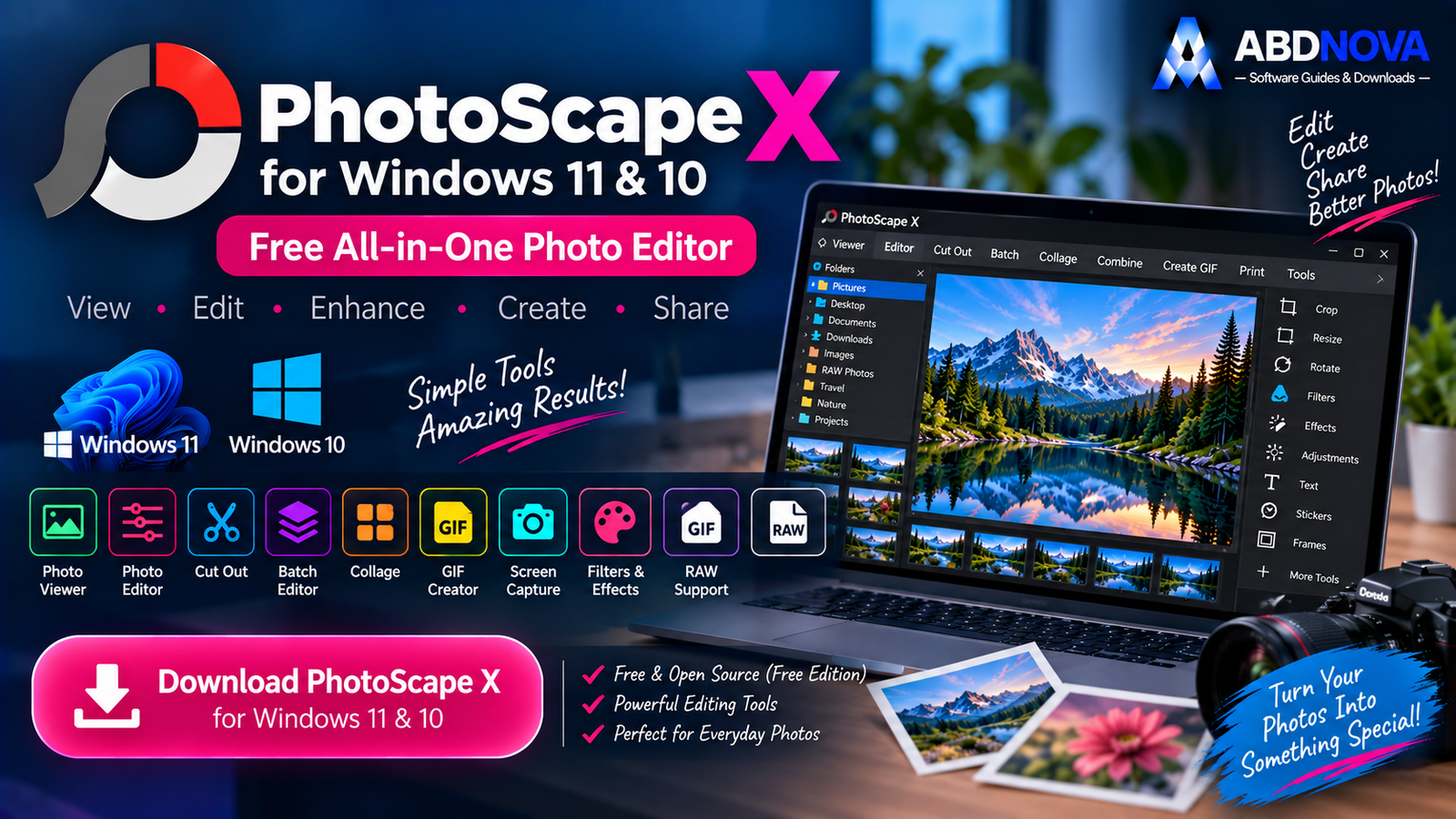
Download PhotoScape X for Windows 11 and 10 to view, edit, crop, resize, batch-process, combine and enhance photos with an easy all-in-one workflow.
PhotoScape X Download for Windows gives Windows users an approachable all-in-one photo editor for viewing, editing, cropping, resizing, enhancing, batch-processing, combining and organizing images.
It combines Viewer, Editor, Cut Out, Batch Editor, Collage, Combine, GIF Creator, Screen Capture, Color Picker, RAW support, filters, effects, brushes and photo-merging tools in one application.
For users who want more editing power than a basic image viewer but do not necessarily need a complex professional editor, PhotoScape X is a practical option.
PhotoScape X Download for Windows – Quick Overview
| Information | Details |
|---|---|
| Software | PhotoScape X |
| Type | Photo Editor / Viewer |
| Windows 11 | Supported |
| Windows 10 | Version 1709 or later |
| Architecture | 64-bit |
| Free Edition | Yes |
| Pro Edition | Paid |
| Photo Viewer | Yes |
| Photo Editor | Yes |
| RAW Images | Yes |
| Batch Editor | Yes |
| Cut Out / Background Removal | Yes |
| Collage | Yes |
| Combine Images | Yes |
| Animated GIF Creator | Yes |
| Screen Capture | Yes |
| Filters & Effects | 1,000+ listed |
| HDR Merge | Yes |
| Focus Stacking | Yes |
| Macro | Yes |
| Microsoft Store | Official Windows distribution |
What Is PhotoScape X?
PhotoScape X is an all-in-one image viewer and editor designed around separate workspaces for common photo tasks.
Main PhotoScape X tools include:
- Viewer.
- Editor.
- Cut Out.
- Batch Editor.
- Collage.
- Combine.
- Create GIF.
- Print.
- Screen Capture.
- Color Picker.
- RAW support.
PhotoScape X Free vs Pro
PhotoScape X Free
The standard PhotoScape X edition is free and already includes a broad collection of viewing, editing, batch, collage, GIF and utility features.
PhotoScape X Pro
PhotoScape X Pro is a paid edition that adds additional functionality and content.

How to Install PhotoScape X on Windows
- Open the official PhotoScape X website.
- Select the Windows download option.
- Open the linked Microsoft Store page.
- Choose Install.
- Allow Windows to complete the download and installation.
- Open PhotoScape X from the Start menu.
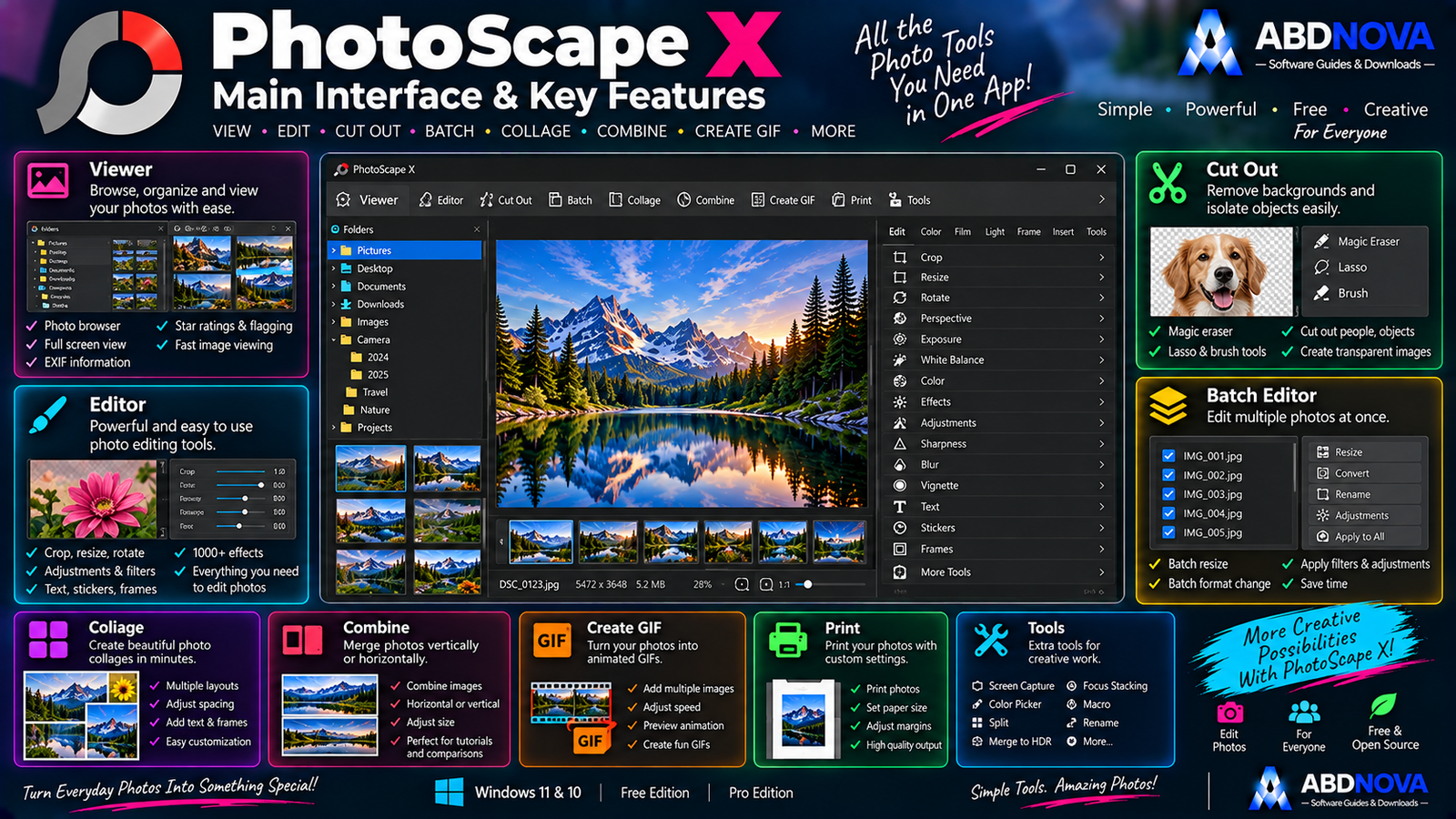
PhotoScape X Main Interface & Viewer
PhotoScape X separates its tools into dedicated workspaces instead of placing everything inside one large editing screen.
Viewer
The Viewer is useful for browsing photo collections before editing.
Viewer features include:
- Photo browsing.
- Full-screen viewing.
- Loupe View.
- Flagging.
- Star ratings.
- Lossless rotation.
- Metadata viewing.
PhotoScape X can display EXIF, IPTC and GPS metadata.
If your priority is extremely lightweight viewing and utility-style batch work, see our IrfanView Download for Windows guide.
Photo Editor
The Editor is the main workspace for everyday image editing.
Tools include:
- Crop.
- Circular Crop.
- Perspective Crop.
- Resize.
- Rotate.
- Straighten.
- Flip.
- Masks.
- Local adjustments.
- Brushes.
- Objects.
- Frames.
- Filters.
- Effects.

PhotoScape X Editing, Filters & Effects
Exposure & Color Adjustments
PhotoScape X provides controls for:
- Exposure.
- Brightness.
- Contrast.
- Saturation.
- Vibrance.
- Color Temperature.
- Tint.
- White Balance.
- Curves.
- Levels.
- Color Balance.
- Channel Mixer.
- Selective Color.
- Shadows / Highlights.
- Auto Levels.
- Auto Contrast.
- Clarity.
- Dehaze.
Filters & Effects
The developer lists more than 1,000 filters and effects.
Examples include:
- Film effects.
- Light leaks.
- HDR-style effects.
- Bloom.
- Sepia.
- Black & White.
- Vignette.
- Film Grain.
- Bokeh Blur.
- Textures.
- Lens Flares.
- Old Photo effects.
Crop & Resize Photos
A simple editing workflow can be:
Specialized crop options include circular and perspective crop.
Cut Out & Background Removal
The Cut Out workspace can separate a subject from its background using:
- Magic Eraser.
- Lasso Tool.
- Brush Tool.
This can be useful for product photos, social graphics, thumbnails, profile images and posters.

PhotoScape X Advanced Features – Batch, Collage, GIF & RAW
Batch Editor
Batch processing is one of PhotoScape X’s strongest productivity features.
Dedicated batch tools include:
- Batch Edit.
- Batch Format Change.
- Batch Resize.
- Batch Rename.
Collage
The Collage workspace can place multiple photos inside a predefined layout.
It is useful for:
- Travel photos.
- Before/after images.
- Family collections.
- Social graphics.
- Product presentations.
Combine Images
Combine can attach images vertically or horizontally, which is useful for tutorials, comparison images, screenshots and long visual guides.
Create Animated GIFs
RAW Photo Support
PhotoScape X supports RAW images, making it useful for photographers as well as normal JPEG and PNG users.
However, it is designed as a broader all-in-one editor rather than a dedicated RAW developer.
For a deeper non-destructive RAW-development workflow, see our darktable Download for Windows guide.
Spot Healing & Clone Stamp
Retouching tools include Spot Healing Brush and Clone Stamp for removing:
- Small blemishes.
- Dust spots.
- Minor unwanted objects.
- Small distractions.
Red-Eye Correction
The Fix Red Eye tool can correct the red-eye effect sometimes produced by flash photography.
Text, Stickers & Objects
Object tools include:
- Text.
- Images.
- Stickers.
- Figures.
- Arrows.
- Lines.
- Rectangles.
- Circles.
- Text Warp.
- Object Transform.
- Object Mask.
HDR Merge & Focus Stacking
Merge to HDR combines bracketed exposures into a higher-dynamic-range result.
Focus Stacking combines photos captured at different focus distances to increase apparent depth of field.
Focus stacking can be especially useful for macro and product photography.
Macro
The Macro feature can record multiple actions and replay them together.
This can reduce repetitive work when processing similar images.
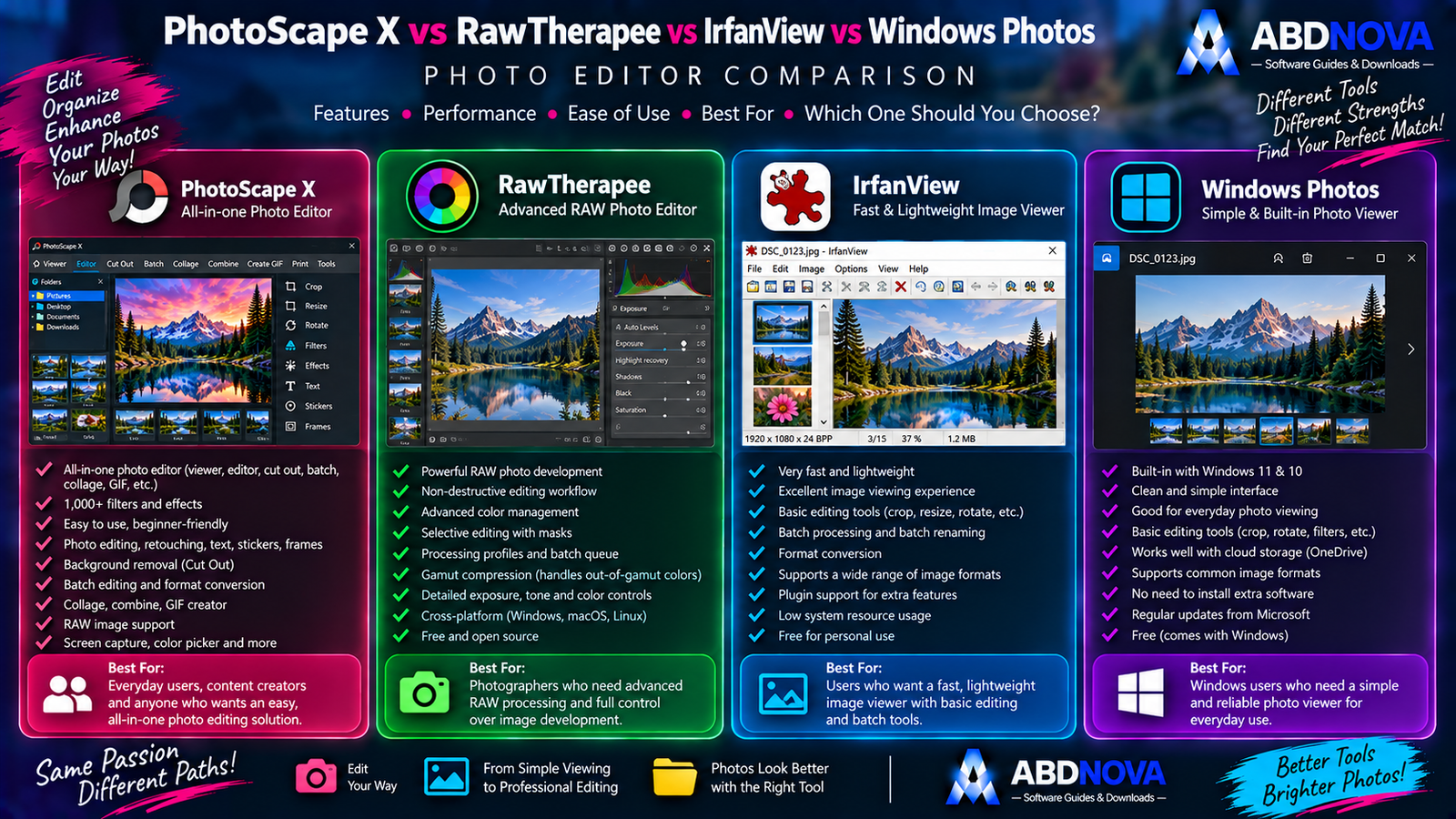
PhotoScape X vs RawTherapee vs IrfanView vs Windows Photos
| Feature | PhotoScape X | RawTherapee | IrfanView | Windows Photos |
|---|---|---|---|---|
| Image Viewing | Excellent | Good | Excellent | Excellent |
| Easy Photo Editing | Excellent | Advanced | Good | Good |
| RAW Support | Yes | Excellent | Supported workflows/plugins | Limited |
| Advanced RAW Development | Moderate | Excellent | No | No |
| Batch Editing | Excellent | Excellent | Excellent | Limited |
| Cut Out | Yes | No | Limited | Limited |
| Collage | Yes | No | Limited | Limited |
| GIF Creator | Yes | No | Supported workflows | Limited |
| Filters & Effects | Excellent | Photography-focused | Moderate | Basic |
| HDR Merge | Yes | Different workflow | No | No |
| Focus Stacking | Yes | No | No | No |
| Best For | All-in-one easy editing | RAW development | Fast viewing / utilities | Everyday viewing |
The difference is straightforward: PhotoScape X focuses on easy all-in-one photo editing, RawTherapee is aimed at advanced RAW development, IrfanView emphasizes lightweight viewing and fast utilities, while Windows Photos covers basic everyday image viewing.
PhotoScape X Free vs Pro – Which Should You Choose?
The free version already provides a broad collection of practical photo tools.
Consider PhotoScape X Pro only when its additional paid features or content provide real value for your editing workflow.

PhotoScape X Troubleshooting
PhotoScape X Won’t Install
Confirm that your PC is using:
- Windows 11, or
- Windows 10 Version 1709 or later.
- 64-bit Windows.
Microsoft Store Download Isn’t Working
You can also reopen the Microsoft Store listing from the official PhotoScape X website.
RAW Photo Doesn’t Open Correctly
RAW compatibility can vary by camera model.
Check whether the camera’s RAW format is supported and make sure you are using the current available PhotoScape X build.
For specialized RAW processing, dedicated tools such as darktable or RawTherapee may be more appropriate.
Batch Processing Is Slow
Try:
- Closing unnecessary applications.
- Processing fewer images at once.
- Reducing unnecessary effects.
- Using faster local storage.
Edited Photo Looks Different
Check:
- Color adjustments.
- Export format.
- Image quality.
- Color profile.
- Monitor settings.
Is PhotoScape X Safe?
Yes, when installed through the official Windows distribution path.
- PhotoScape X Pro Crack.
- PhotoScape X Premium Crack.
- PhotoScape X Activated.
- PhotoScape X Mod.
- Repacked installers.
Safe PhotoScape X Download for Windows
The safest source for PhotoScape X Download for Windows is the official PhotoScape X website and its linked Microsoft Store distribution.
Use the official PhotoScape X website and select the Windows download option to continue to the Microsoft Store.
Frequently Asked Questions
Is PhotoScape X free?
Yes. PhotoScape X has a free edition, while PhotoScape X Pro is a separate paid edition.
Does PhotoScape X work on Windows 11?
Yes. PhotoScape X supports modern 64-bit Windows systems, including Windows 11.
Does PhotoScape X work on Windows 10?
Yes. The source document lists Windows 10 Version 1709 or later, 64-bit.
Is PhotoScape X available from Microsoft Store?
Yes. The official Windows download route leads to Microsoft Store.
Can PhotoScape X edit RAW photos?
Yes. RAW support is included in its feature set.
Can PhotoScape X remove backgrounds?
Yes. Cut Out includes tools such as Magic Eraser, Lasso and Brush methods.
Can PhotoScape X batch-edit photos?
Yes. It supports batch editing, resizing, format conversion and renaming.
Can PhotoScape X create GIFs?
Yes. It includes an animated GIF creator.
Can PhotoScape X create collages?
Yes. Dedicated Collage and Combine tools are included.
Is PhotoScape X better than RawTherapee?
They serve different needs. PhotoScape X is easier and broader for general editing, effects, collages, cut-outs and GIFs, while RawTherapee focuses much more deeply on RAW development.
Does PhotoScape X support focus stacking?
Yes. Focus Stacking is included in the feature set described in the supplied source.
Does PhotoScape X support HDR Merge?
Yes. It includes Merge to HDR functionality.
Final Thoughts
PhotoScape X Download for Windows is a strong choice for Windows 11 and Windows 10 users who want one approachable application for everyday photo editing instead of several separate utilities.
Its combination of Viewer, Editor, Cut Out, Batch Editor, Collage, Combine, GIF Creator, RAW support, filters, effects, retouching tools, HDR Merge, Focus Stacking and Macro automation covers an unusually broad range of photo tasks.
For most users, start with the free PhotoScape X edition and install it through the official Windows distribution route.
Ready to download PhotoScape X?
Get PhotoScape X through the official website and Microsoft Store. ABDNOVA recommends official sources only.


