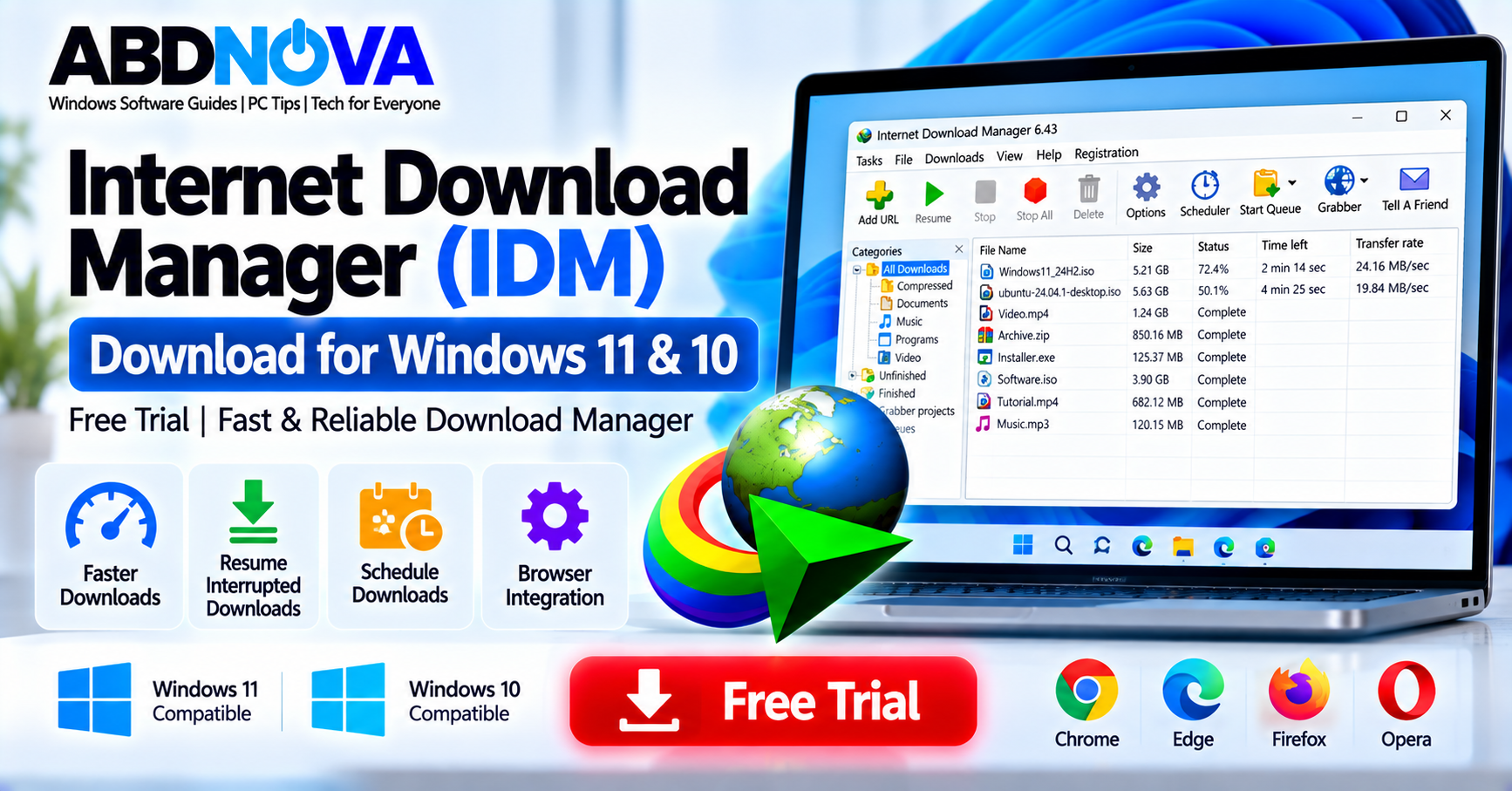

Internet Download Manager (IDM) Download for Windows 11 & 10 – Free Trial
Internet Download Manager (IDM) is a Windows download manager developed by Tonec. It can manage downloads from web browsers, resume supported interrupted transfers, organize files into categories, schedule downloads, and integrate with popular browsers including Google Chrome, Microsoft Edge, Mozilla Firefox, and Opera.
The current official release is IDM 6.43 Build 11, released on September 23, 2026. Tonec provides a fully functional 30-day free trial, allowing Windows users to evaluate IDM before purchasing a license.
Internet Download Manager Details
| Detail | Information |
|---|---|
| Software | Internet Download Manager (IDM) |
| Developer | Tonec FZE |
| Current Version | 6.43 Build 11 |
| Release Date | September 23, 2026 |
| Platform | Windows |
| Trial | 30 days |
| Installer Size | About 10 MB |
| Browser Integration | Chrome, Edge, Firefox, Opera and others |
| License | Commercial after trial |
| Official Source | Tonec / Internet Download Manager website |
IDM 6.43 Build 11 includes fixes related to a 403 Forbidden download problem, an MP4 assembly issue that could result in separate audio and video tracks being saved, and other bugs.
What Is Internet Download Manager?
IDM is designed to take control of supported downloads from your browser and manage them through a dedicated Windows application.
When browser integration is enabled, clicking a supported download link can automatically send the download to IDM. Downloads can also be added manually using a URL, browser right-click commands, clipboard detection, drag-and-drop, and other supported methods.
The main IDM window provides centralized access to downloads, categories, queues, scheduling, options, and download controls.
IDM Main Interface & Download Management Features
The IDM main interface acts as the central location for managing current and completed downloads.
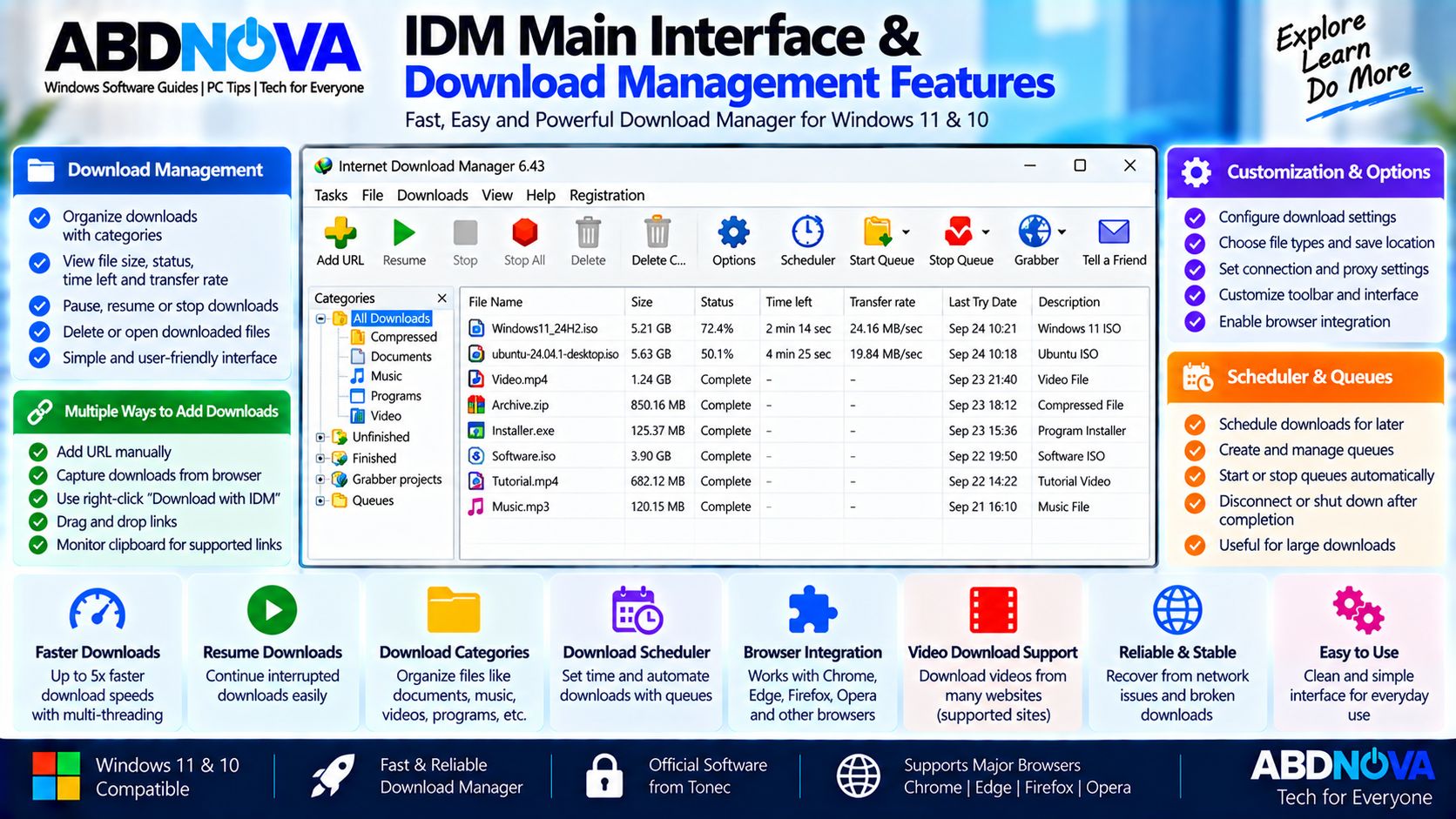
Depending on your configuration, the interface can be used to:
- Add a download URL manually.
- Start or resume downloads.
- Stop active downloads.
- Delete download entries.
- Organize downloaded files.
- Manage download queues.
- Open the Scheduler.
- Configure IDM options.
IDM also supports interface customization, including toolbar buttons and columns.
Resume Interrupted Downloads
One of IDM’s useful features is its ability to resume supported interrupted downloads. Tonec documents recovery from interruptions such as connection problems, network failures, computer shutdowns, and unexpected power outages.
Successful resuming also depends on whether the remote download server supports the required resume operation.
Download Categories
IDM can organize downloaded files into categories, helping separate items such as documents, compressed files, music, programs, and videos.
It can also suggest a category and save location based on the downloaded file type.
Multiple Ways to Add Downloads
Supported downloads can be added using:
- Browser monitoring
- Manual URL entry
- Browser right-click commands
- Clipboard detection
- Drag-and-drop
- Supported command-line options
IDM Free Trial
Internet Download Manager is not permanently free software. Tonec provides a 30-day evaluation period, and the evaluation version is fully functional.
The official site states that an email address or credit card is not required to begin the trial.
After the evaluation period, users who want to continue using IDM should purchase and register an official license.
How to Install IDM on Windows 11 & 10
Installing Internet Download Manager is straightforward when using the official installer.
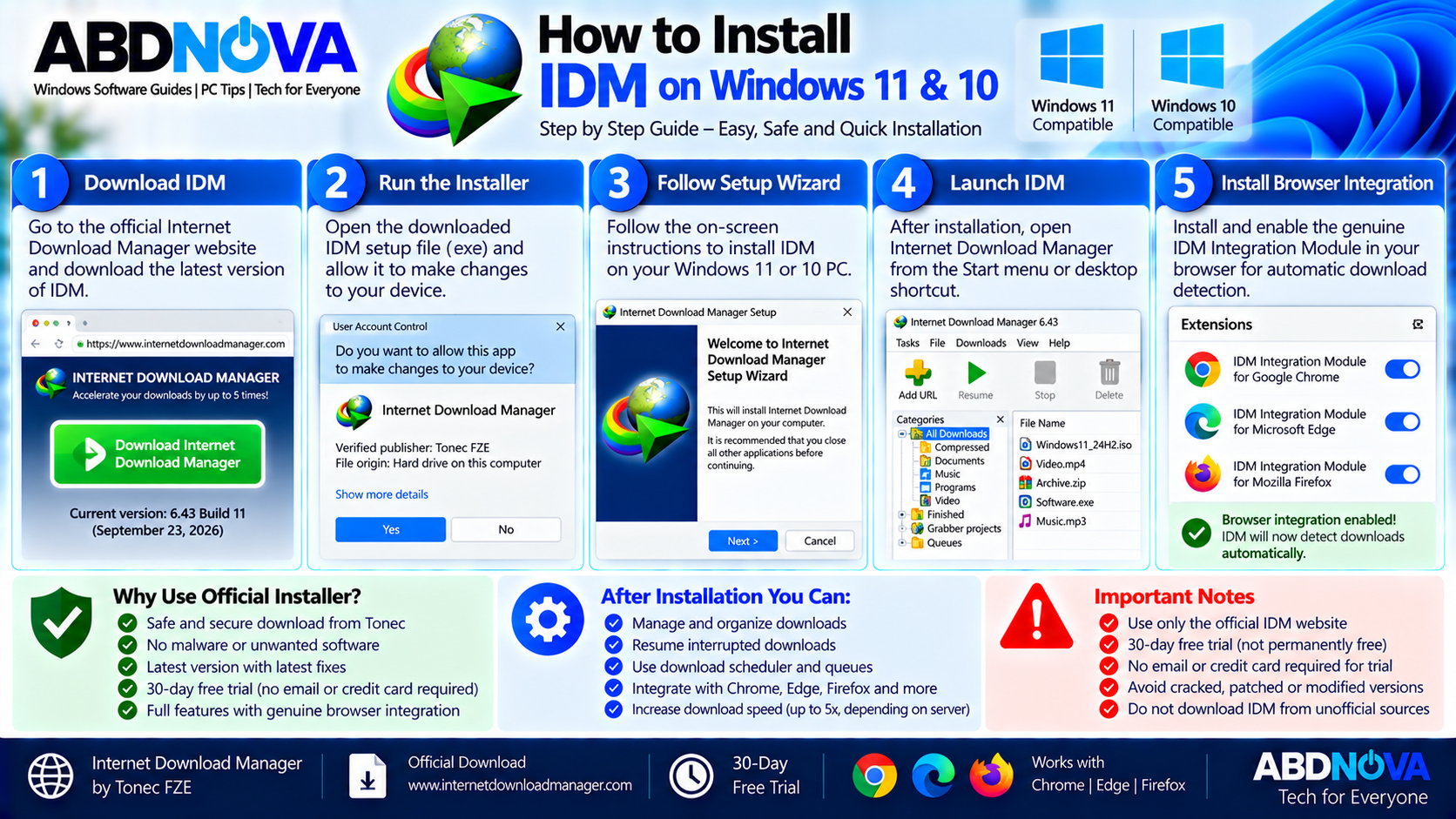
- Download the official Internet Download Manager installer.
- Open the downloaded .exe file.
- Follow the IDM setup wizard.
- Complete the installation.
- Launch Internet Download Manager.
- Install or enable the genuine IDM Integration Module if you want browser integration.
After changing browser-integration settings, restarting the browser may be necessary.
Browser Support
IDM integrates with major browsers including Google Chrome, Microsoft Edge, Mozilla Firefox, Opera, and other supported browsers.
If you use Chrome, see our Google Chrome Offline Installer guide. We also have guides for Microsoft Edge Offline Installer and Mozilla Firefox Offline Installer.
IDM Browser Integration, Resume Downloads & Scheduler
IDM’s browser integration, interrupted-download recovery, and Scheduler are among its main download-management features.
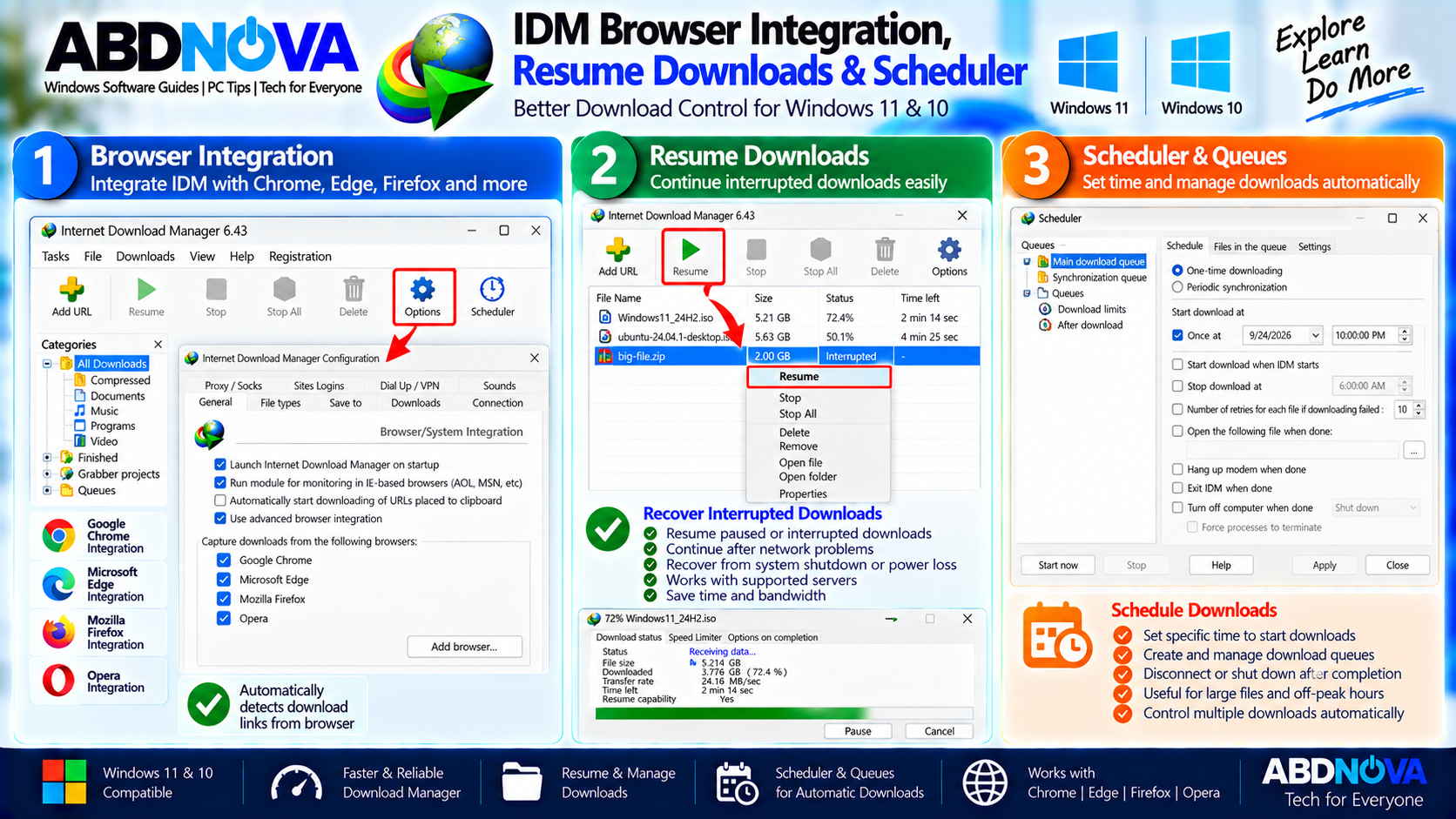
How IDM Browser Integration Works
Open:
This area contains IDM’s browser and system-integration settings.
When integration is working correctly, IDM can detect supported download links and display its download dialog automatically. You can also right-click a supported download link and select Download with IDM.
IDM Integration Module
The browser extension is an important part of IDM browser integration.
If IDM is installed but supported downloads continue opening only in your browser, verify that the genuine IDM Integration Module is installed and enabled.
How to Resume a Broken Download
If a download was interrupted, open IDM and locate it in the download list.
Select the file and use Resume. IDM can continue many supported interrupted transfers instead of downloading the entire file again.
However, whether a particular download can resume depends partly on the download source and server.
Schedule Downloads
IDM includes a built-in Scheduler that can create and manage download queues.
Scheduled queues are useful when you want large downloads to start later, such as during off-peak internet hours.
IDM also provides options for actions after scheduled downloads complete, depending on your configuration.
IDM Troubleshooting, Free Trial & Safe Download
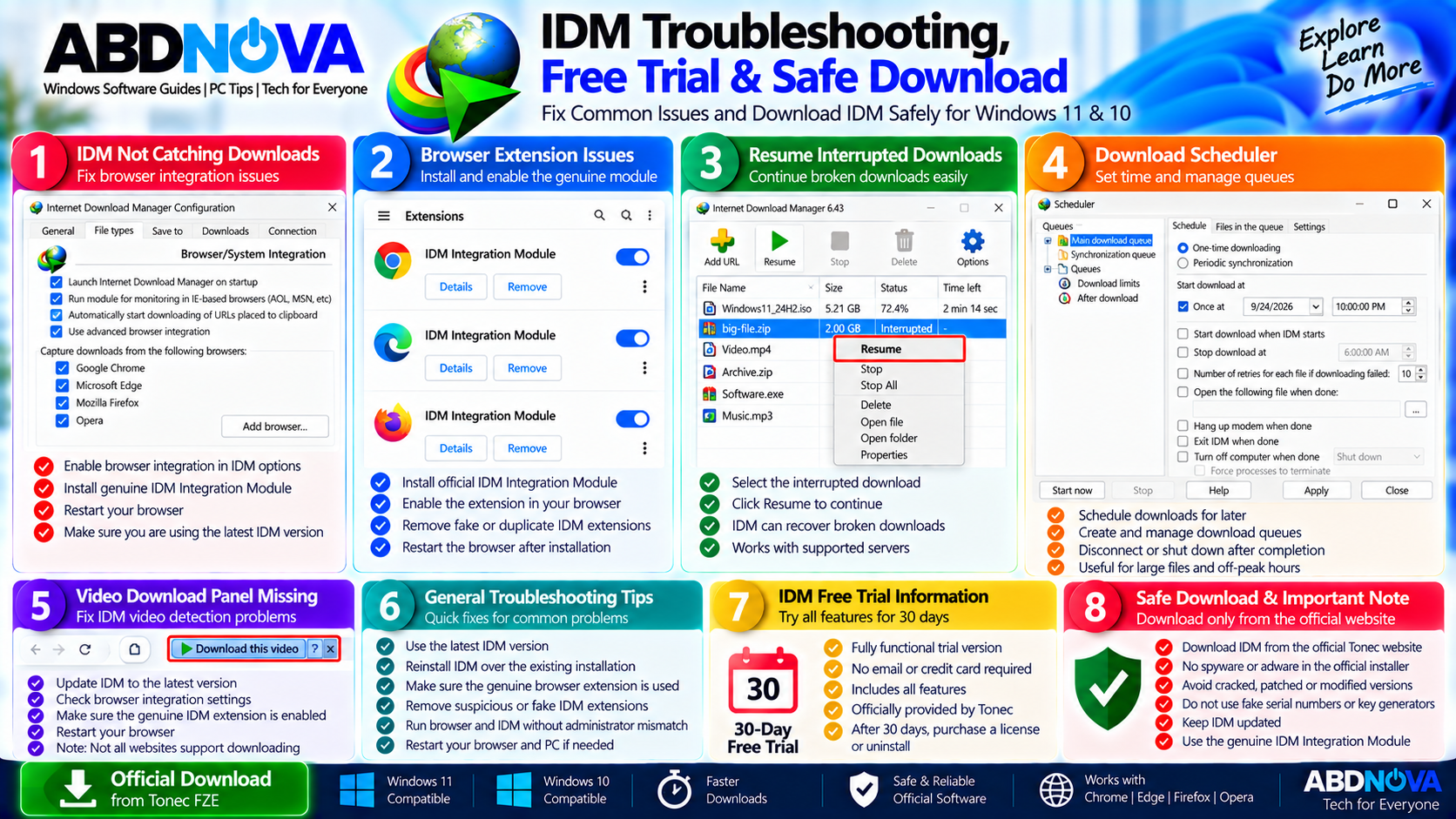
Most IDM browser-detection problems can be checked by updating IDM, confirming browser integration, and verifying that the genuine IDM Integration Module is installed.
IDM Does Not Catch Downloads
If IDM stops detecting supported browser downloads:
- Make sure IDM is updated to the latest official release.
- Open IDM → Options → General.
- Confirm that browser integration is enabled.
- Check that the genuine IDM Integration Module is installed and enabled.
- Restart the browser after changing integration settings.
Browser integration can also be affected when the browser and IDM are running with different privilege levels.
IDM Video Download Panel Is Missing
If IDM’s download panel does not appear on a supported website:
- Update IDM.
- Check browser integration.
- Verify the genuine IDM Integration Module.
- Restart the browser.
- Remove suspicious or duplicate IDM extensions.
- Reinstall the genuine extension if necessary.
Not every website or protected streaming service permits or technically supports downloading through IDM.
Is Internet Download Manager Safe?
The safest approach is to obtain IDM directly from its developer and use Tonec’s genuine browser integration components.
For safer use:
- Download IDM from the official source.
- Use the genuine IDM browser extension.
- Keep IDM updated.
- Avoid cracks and patches.
- Avoid unofficial activation tools.
- Avoid fake serial generators.
- Avoid modified installers.
Frequently Asked Questions
Is Internet Download Manager free?
IDM is commercial software, but Tonec currently provides a fully functional 30-day free trial.
What is the latest IDM version?
As of September 24, 2026, the latest official release is Internet Download Manager 6.43 Build 11, released on September 23, 2026.
Does IDM work with Windows 11?
IDM is a Windows download manager and its current official release is available directly from Tonec. Keep both Windows and IDM updated for the best compatibility.
Does IDM support Chrome, Edge and Firefox?
Yes. Tonec provides browser integration for Google Chrome, Microsoft Edge, Mozilla Firefox, Opera, and other supported browsers.
Can IDM resume interrupted downloads?
Yes. IDM can resume many supported interrupted downloads, although successful resuming also depends on whether the download source supports it.
Can IDM schedule downloads?
Yes. IDM includes a Scheduler for download queues and scheduled downloading.
Do I need an IDM crack after the trial expires?
No. If you want to continue using IDM after the trial, purchase an official license. Avoid cracks, patched executables, key generators, and activation scripts.
Where should I download IDM?
Use Tonec’s official Internet Download Manager website or a trusted download link that serves the unchanged official Tonec installer.
Final Thoughts
Internet Download Manager (IDM) provides centralized Windows download management with browser integration, interrupted-download recovery, categories, queues, and scheduled downloading.
Tonec currently provides a 30-day free trial, giving Windows 11 and Windows 10 users time to evaluate the full program before purchasing a license.
For reliable browser integration and safer installation, use the official IDM installer and genuine IDM Integration Module, keep the software updated, and avoid cracks, patches, unofficial activation tools, and modified installers.
Download Internet Download Manager
Get the official 30-day IDM free trial from Tonec.