
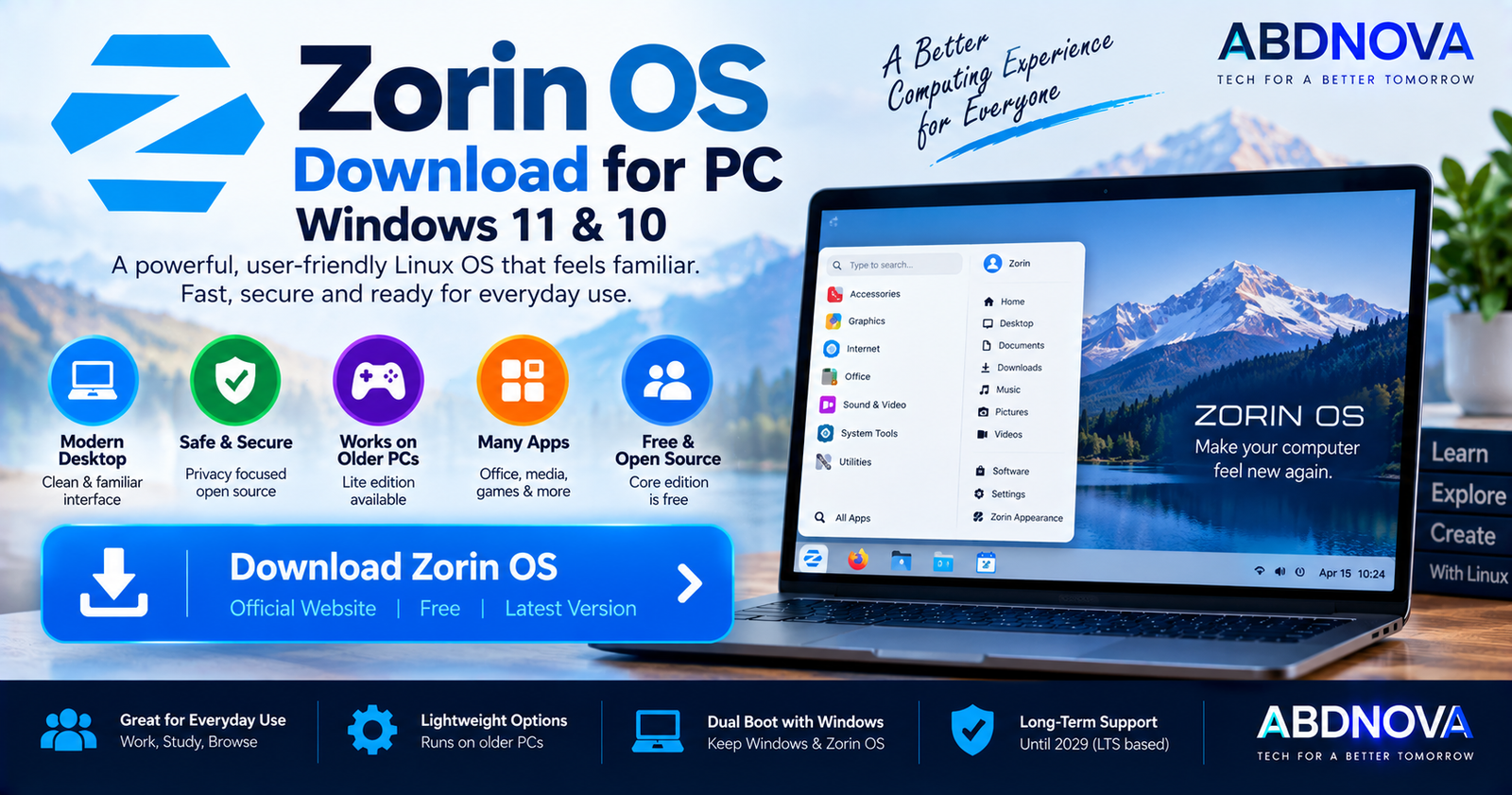

Zorin OS Download for PC
Zorin OS Download for PC provides a Linux-based operating system designed to make the transition from Windows or macOS easier. It combines a customizable desktop, graphical software store, Linux security, Windows App Support, and a live USB mode that lets you try the operating system before installing it.
The latest release is Zorin OS 18.1, released on April 15, 2026. It is based on Ubuntu 24.04 LTS, uses Linux kernel 6.17, and receives software updates and security patches until June 1, 2029.
For most home users switching from Windows, Zorin OS 18.1 Core 64-bit is the practical edition to start with. Core is completely free.
Zorin OS for PC at a Glance
| Details | Information |
|---|---|
| Operating System | Zorin OS |
| Latest Version | Zorin OS 18.1 |
| Release Date | April 15, 2026 |
| Base System | Ubuntu 24.04 LTS |
| Linux Kernel | 6.17 |
| Architecture | 64-bit x86 Intel/AMD |
| Desktop | GNOME-based; XFCE on Lite |
| Minimum CPU | 1 GHz dual-core Intel/AMD 64-bit |
| Minimum RAM | 2 GB |
| Core Storage | 15 GB minimum |
| Minimum Display | 800 × 600 |
| Core Edition | Free |
| Education Edition | Free |
| Pro Edition | Paid, one-time purchase |
| Live USB | Yes |
| Dual Boot with Windows | Yes |
| Support | Until June 1, 2029 |
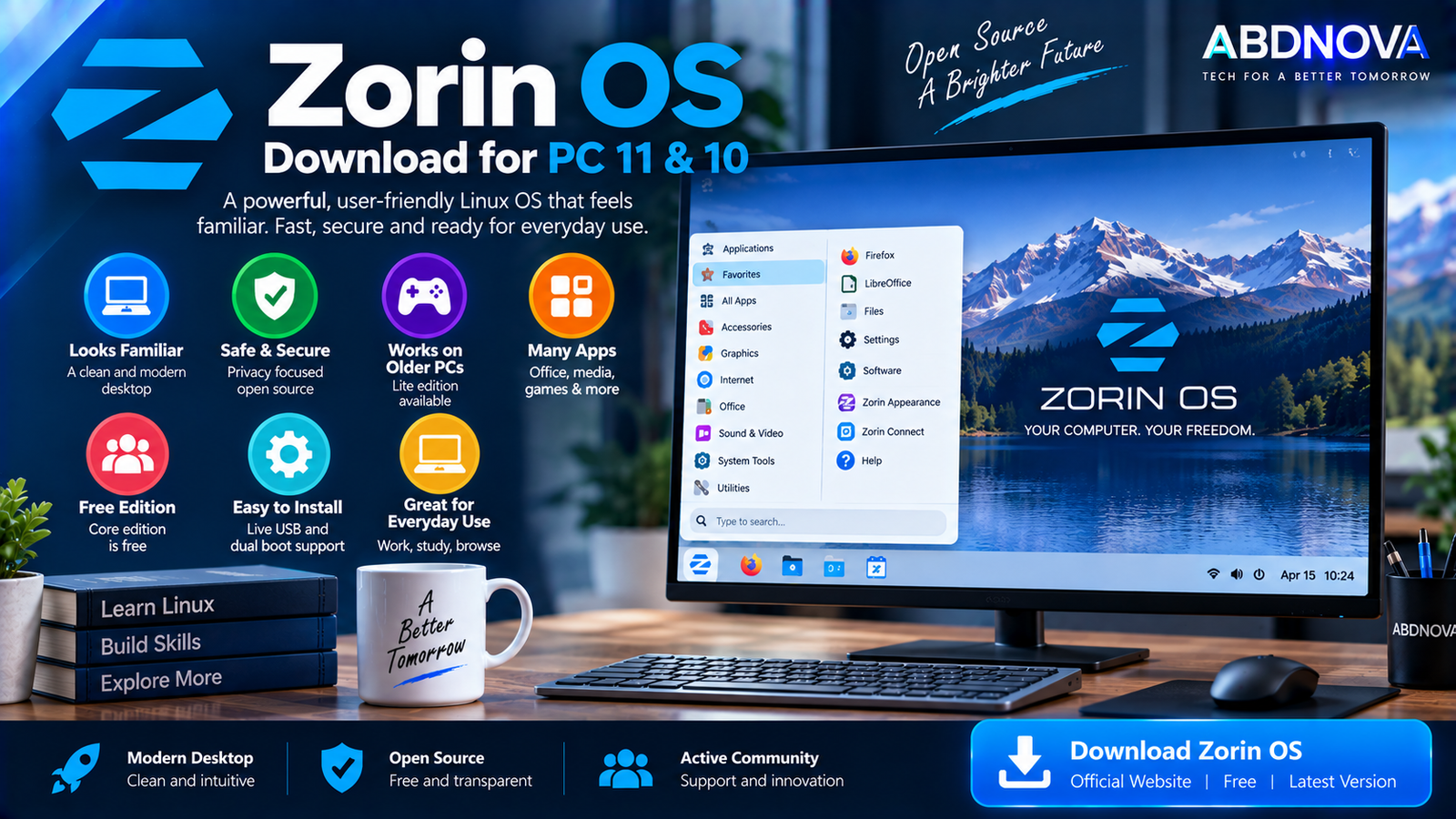
Zorin OS Download for Windows 11 & 10 PCs
Zorin OS can be downloaded using a Windows 11 or Windows 10 computer, but the downloaded ISO is used to create Linux installation media rather than installing like a normal Windows program.
Zorin OS currently supports 64-bit Intel and AMD x86 processors. ARM-based Windows computers such as Snapdragon-powered Surface devices are not currently supported.
For most standard Intel or AMD Windows PCs, download:
Core includes the essential Zorin desktop experience, standard applications, an office suite, Zorin Connect, and four basic desktop layouts.
What’s New in Zorin OS 18.1?
Zorin OS 18.1 adds updated software, security improvements, broader hardware compatibility, Windows App Support improvements, and the Zorin OS 18.1 Lite edition.
- Ubuntu 24.04 LTS base.
- Linux kernel 6.17.
- Updated applications.
- Improved hardware support.
- Current security patches.
- Expanded Windows-app recommendations.
- Flatpak, Snap, and AppImage support.
- Zorin OS Lite for older and lower-spec PCs.
Zorin expanded its Windows application detection database to support more than 240 apps. When appropriate, Zorin can recommend a native Linux version or another suitable way to use an application instead of simply running its Windows installer.
Zorin OS Editions
Zorin OS Core
Zorin OS 18.1 Core is free and is the most suitable starting point for most home users. It includes standard desktop applications, office software, Zorin Connect, and four basic desktop layouts.
Zorin OS Pro
Zorin OS Pro is the paid edition. It adds:
- 12 desktop layouts in total.
- Additional professional creative applications.
- Advanced productivity tools.
- Additional artwork.
- Installation support.
Pro is sold as a one-time purchase for the current major version rather than as a subscription.
Zorin OS Education
Education is a free edition designed for schools and students. It includes educational software and games in addition to standard desktop functionality.
Zorin OS Lite
Zorin OS 18.1 Lite is designed for older and lower-specification computers. It uses the lighter XFCE 4.20 desktop environment rather than the GNOME-based environment used by Core and Pro.
Zorin OS System Requirements
| Component | Minimum Requirement |
|---|---|
| Processor | 1 GHz dual-core Intel/AMD 64-bit CPU |
| RAM | 2 GB |
| Display | 800 × 600 |
| Core Storage | 15 GB |
| Education Storage | 35 GB |
| Pro Storage | 45 GB |
These are minimum specifications. More RAM, an SSD, and additional free storage can provide a smoother experience for modern web browsing, multitasking, gaming, development, and other demanding workloads.
How to Download Zorin OS for PC
Download Zorin OS directly from the official Zorin website. For most users, choose:
The official download page also provides Pro, Education, and Lite editions. Core and Education are free, while Pro is a paid edition.
Zorin also publishes SHA256 checksums so you can verify the integrity of your downloaded ISO before creating installation media.
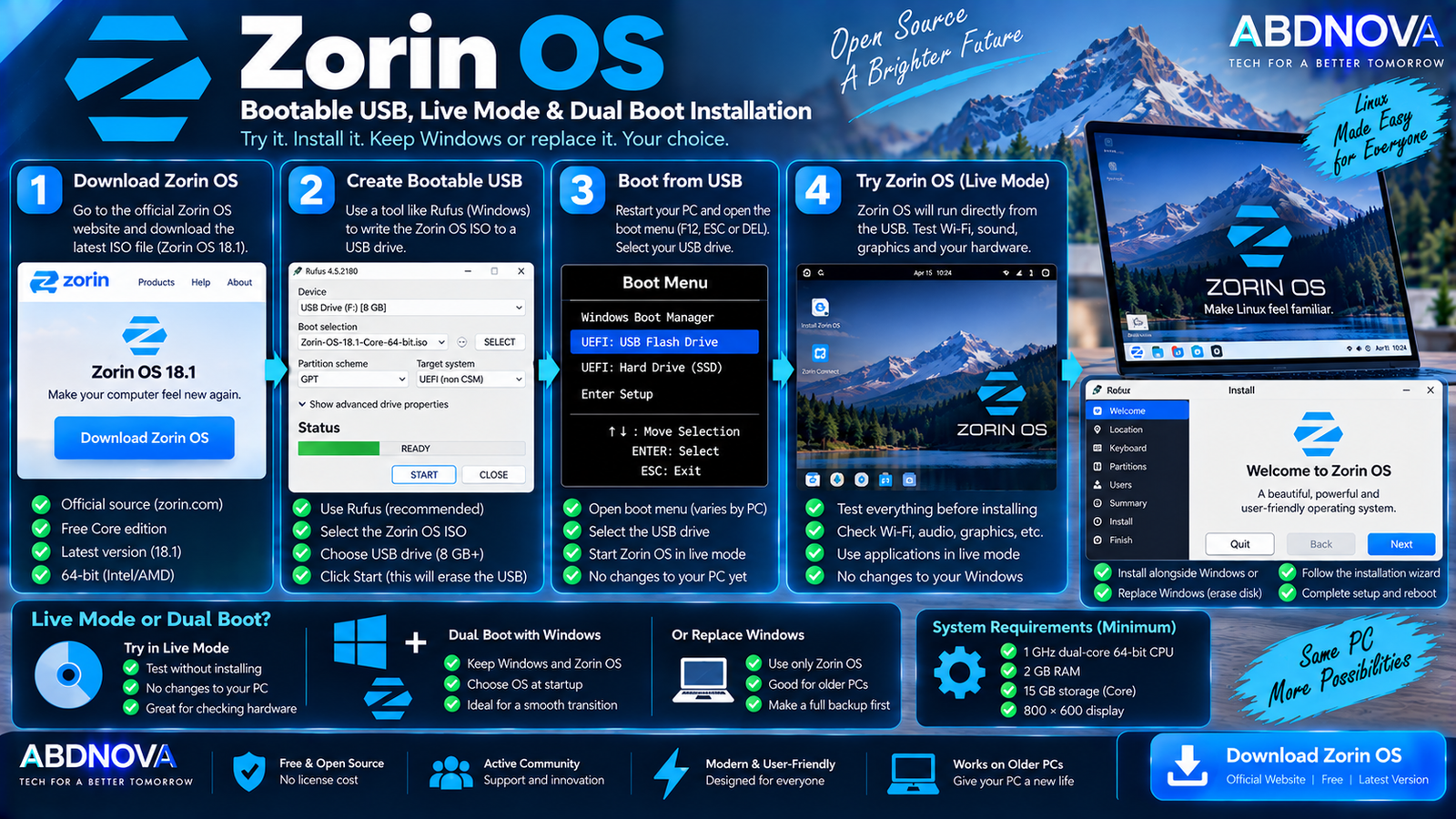
Zorin OS Bootable USB, Live Mode & Dual Boot Installation
Create a Zorin OS Bootable USB
After downloading the ISO, create a bootable USB drive before installing or testing Zorin OS.
The basic Windows workflow is:
- Download the official Zorin OS ISO.
- Insert a USB flash drive.
- Open a trusted bootable-USB utility.
- Select the Zorin OS ISO.
- Select the correct USB drive.
- Write the ISO to the USB.
- Restart the computer.
- Open the BIOS/UEFI boot menu.
- Select the USB drive.
- Start Zorin OS.
Try Zorin OS Without Installing
You do not need to immediately remove Windows. Zorin OS can run directly from the USB in a live environment without making permanent changes to the PC’s internal drive.
Before installation, test:
- Wi-Fi.
- Bluetooth.
- Audio.
- Keyboard.
- Mouse.
- Touchpad.
- Graphics.
- Display.
- Webcam.
- External devices.
This is particularly useful before installing Zorin OS on an older or unusual computer.
Install Zorin OS Alongside Windows
Zorin OS supports installation alongside Windows in a dual-boot configuration. You can then select which operating system to start each time the PC boots.
Windows 11 + Zorin OS
Windows 10 + Zorin OS
Dual boot is useful when you want Linux for everyday computing, development, or learning while still keeping Windows for specific software or games.
Replace Windows with Zorin OS
Zorin OS can also become the computer’s only operating system. This can be useful for an older PC that no longer meets the requirements for newer Windows versions.
However, selecting an installation option that erases the disk will remove Windows, applications, and files stored on that disk. Create a complete backup first.
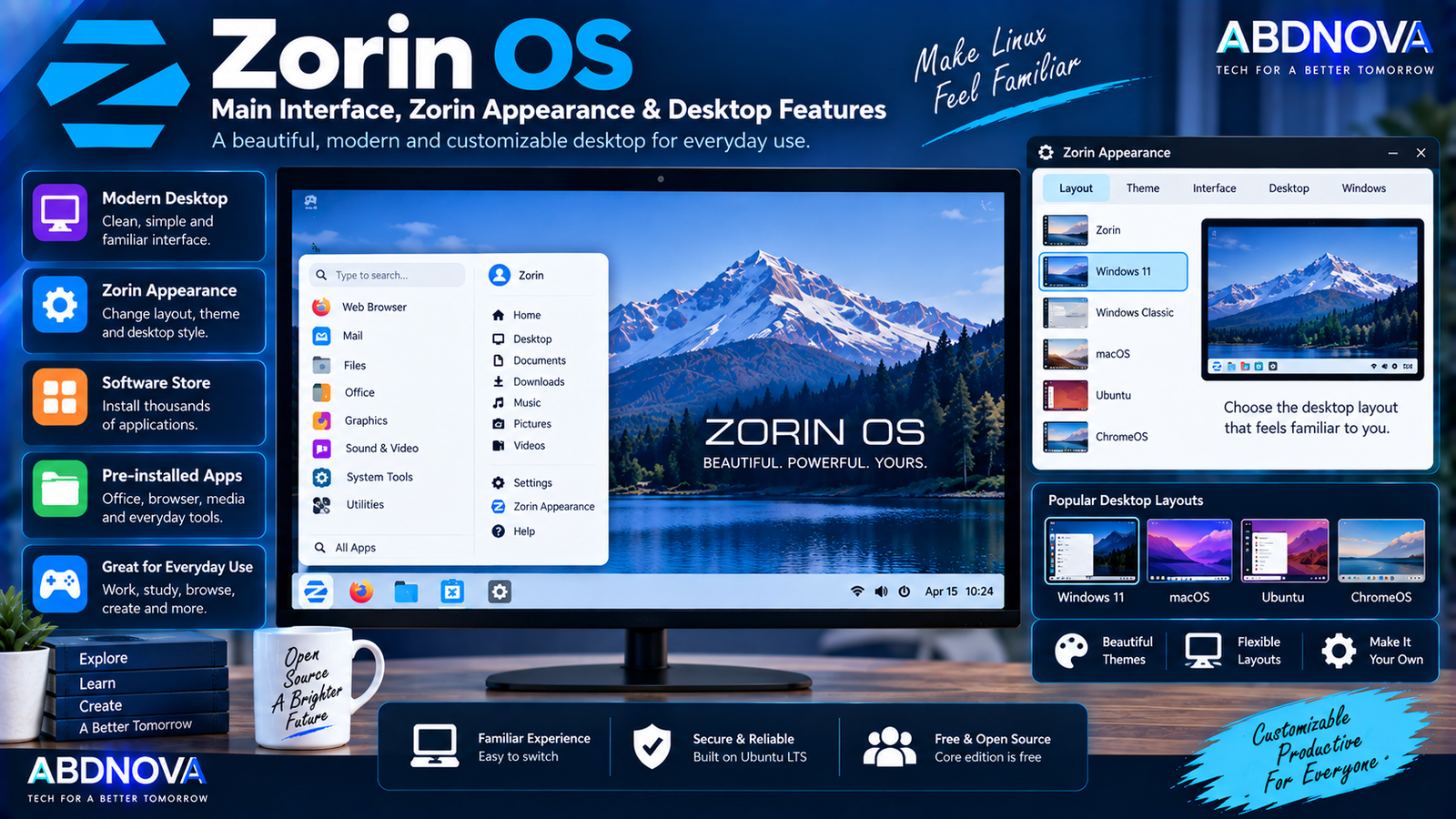
Zorin OS Main Interface, Zorin Appearance & Desktop Features
One of Zorin OS’s main features is its familiar and customizable desktop design. Zorin Appearance lets you change the desktop layout without manually rebuilding the interface.
Zorin Appearance
Depending on the edition, Zorin Appearance can customize:
- Desktop layout.
- Theme.
- Interface appearance.
- Panel arrangement.
- Window behavior.
- Desktop style.
Core provides four basic layouts, while Pro provides 12 layouts in total, including additional Windows-like, macOS-like, ChromeOS-like, Ubuntu-like, and other configurations.
Software Store
Zorin OS includes a graphical software store for discovering and installing applications.
Supported software and package formats include:
- APT.
- Flatpak.
- Snap.
- .deb.
- AppImage.
- Web Apps.
- .exe and .msi through optional Windows App Support.
Default software sources include Zorin repositories, Ubuntu packages, Flathub, and the Snap Store.
Windows App Support
Zorin OS places particular emphasis on making migration from Windows easier. Optional Windows App Support can help run many .exe and .msi applications.
Zorin can also recognize many Windows installers and recommend a native Linux application or another suitable alternative when one is available.
Microsoft Office Documents
Zorin OS includes an office suite capable of working with common Microsoft Office/365 document formats, including:
- Word documents.
- Excel spreadsheets.
- PowerPoint presentations.
Zorin OS 18.1 includes LibreOffice 26.2 with improvements to Microsoft Office/365 document compatibility. Complex documents using Microsoft-specific formatting, macros, or advanced features may not behave identically.
Zorin Connect
Zorin Connect can link a compatible phone with your PC and provide convenient integration between mobile and desktop devices. It is included with Core and Pro.
Zorin OS for Older PCs
Zorin OS is designed to work across a wide range of PC hardware. For older and lower-powered computers, Zorin OS 18.1 Lite is especially relevant because it uses the lightweight XFCE desktop.
The official minimum requirements begin at a 1 GHz dual-core 64-bit processor and 2 GB RAM, although actual performance depends on the hardware and applications you use.
Zorin OS for Developers
Because Zorin OS is based on Ubuntu, it provides access to a large Linux development ecosystem.
Typical development workloads include:
- Python.
- Java.
- JavaScript.
- Node.js.
- C and C++.
- Git.
- Web development.
- Linux development.
- Containers.
- Server administration.
- Cloud development.
If you also use containers from Windows, see our Docker Desktop Download for Windows guide.
Gaming on Zorin OS
Zorin OS supports native Linux games as well as many Windows games through Linux gaming platforms and compatibility technologies such as Steam and Lutris.
Graphics hardware from NVIDIA, AMD, and Intel is supported, but game compatibility varies. Some titles using particular anti-cheat systems, proprietary launchers, or Windows-specific technologies may still require Windows.
Zorin OS vs Linux Mint
| Feature | Zorin OS | Linux Mint |
|---|---|---|
| Base | Ubuntu | Ubuntu |
| Main Desktop | GNOME-based | Cinnamon |
| Windows-like Experience | Strong focus | Traditional desktop |
| Free Edition | Core | Yes |
| Paid Edition | Pro available | No equivalent |
| Lightweight Edition | Lite / XFCE | Xfce |
| Live USB | Yes | Yes |
| Dual Boot | Yes | Yes |
| Windows App Assistance | Built-in migration focus | Available through Linux tools |
| Desktop Layouts | Zorin Appearance | Highly customizable |
Zorin OS vs Ubuntu Desktop
| Feature | Zorin OS | Ubuntu Desktop |
|---|---|---|
| Base | Ubuntu LTS | Ubuntu |
| Interface | Customized for familiarity | Ubuntu GNOME |
| Windows-style Layout | Available | Not default |
| Free Edition | Yes | Yes |
| Paid Desktop Edition | Pro available | No equivalent desktop edition |
| Live USB | Yes | Yes |
| Dual Boot | Yes | Yes |
| Package Ecosystem | Ubuntu-based | Ubuntu |
Zorin OS adds its own desktop experience and migration-oriented features on top of an Ubuntu LTS foundation.
Zorin OS vs Windows 11
Zorin OS is a separate Linux operating system, not a customized edition of Windows. Even with a Windows-style desktop layout, application compatibility and system behavior are different.
Zorin OS may be relevant for:
- Older PCs.
- Linux beginners.
- Open-source software users.
- Students.
- Developers.
- Privacy-conscious users.
- PCs that do not meet Windows 11 requirements.
Windows may still be necessary if you depend on Windows-only professional applications, hardware utilities, or games that do not work correctly under Linux.
Zorin OS Privacy & Security
Zorin describes its operating system as privacy-respecting and states that it does not collect personal data. Zorin OS is also based on open-source technologies.
Zorin OS 18.1 includes current security patches and will continue receiving software and security updates until June 2029.
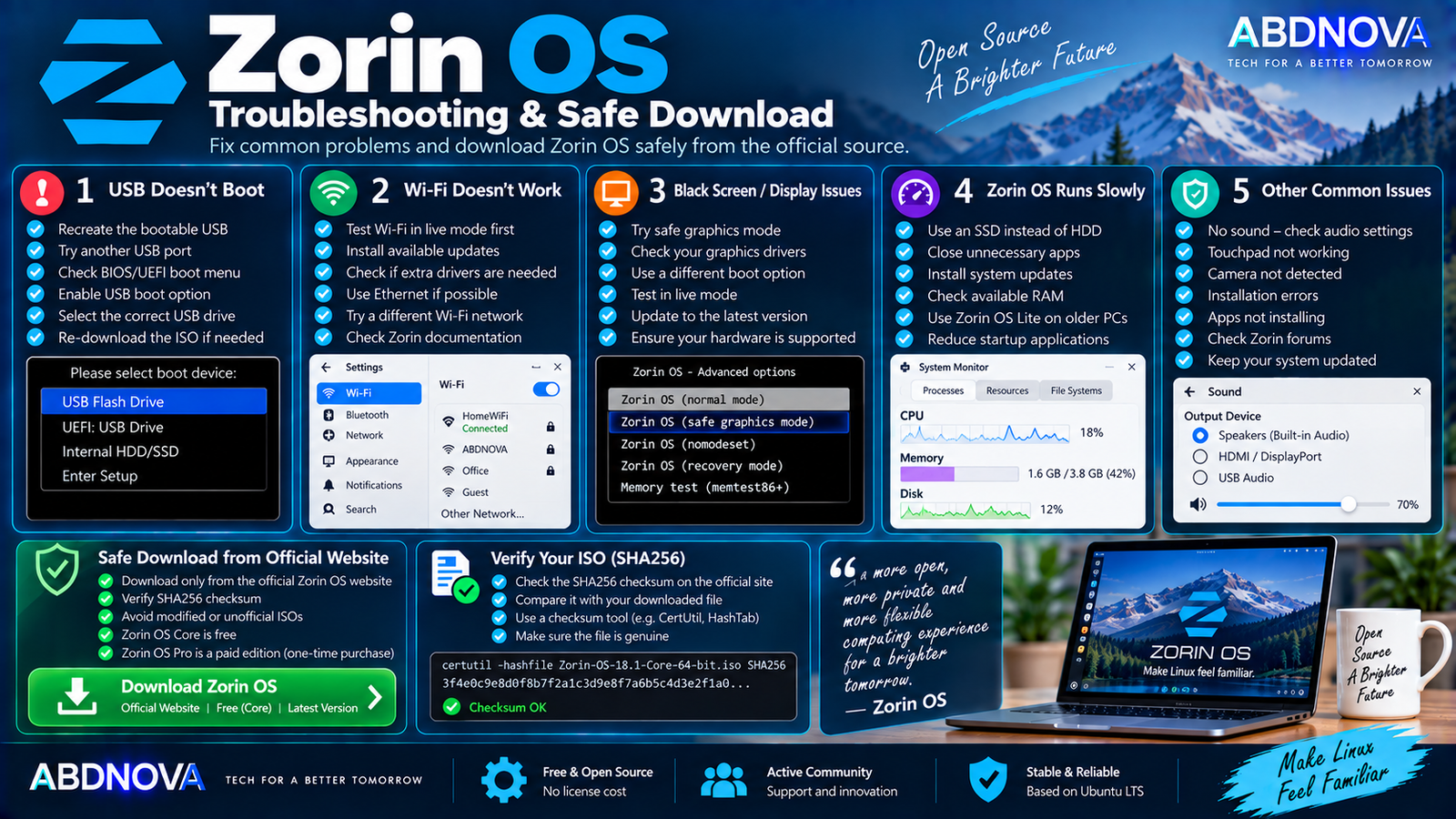
Zorin OS Troubleshooting & Safe Download
Zorin OS USB Doesn’t Boot
Try:
- Recreate the bootable USB.
- Try another USB port.
- Open the BIOS/UEFI boot menu manually.
- Confirm USB boot is enabled.
- Verify that the correct drive was selected.
- Re-download the ISO if corruption is suspected.
Wi-Fi Doesn’t Work
Try:
- Test Wi-Fi from the live USB first.
- Install available updates.
- Check whether the Wi-Fi adapter needs additional drivers.
- Temporarily use Ethernet if possible.
- Check Zorin’s support documentation for your hardware.
Black Screen After Boot
A black screen can sometimes be related to graphics compatibility or boot configuration. Try the available safe-graphics or troubleshooting boot options and confirm that the GPU is supported.
Zorin OS Runs Slowly
Try:
- Install Zorin OS on an SSD.
- Install available updates.
- Close unnecessary applications.
- Check available RAM.
- Check graphics drivers.
- Reduce unnecessary startup applications.
For an older or low-specification PC, consider Zorin OS Lite.
Safe Zorin OS Download
Download Zorin OS only from the official Zorin website. The official download page provides SHA256 checksums that can be used to verify the downloaded ISO.
- Zorin OS crack.
- Zorin OS Pro crack.
- Zorin OS Pro activated.
- Free cracked Pro ISO.
- Modified Zorin ISO.
- Unofficial repack.
- Patched Zorin OS.
- Pre-activated Zorin OS.
Zorin OS Core is already free. Zorin OS Pro is a legitimate paid edition and should only be obtained through Zorin’s official distribution channels.
Frequently Asked Questions
What is the latest Zorin OS version?
Zorin OS 18.1 is the latest version. It was released on April 15, 2026.
Is Zorin OS free?
Yes. Zorin OS Core and Education are free. Zorin OS Pro is a paid edition with additional layouts, software, and support.
Is Zorin OS 18.1 64-bit?
Yes. Zorin OS 18.1 supports 64-bit x86 Intel and AMD processors.
Can Zorin OS run on 2 GB RAM?
Yes. The official minimum requirement is 2 GB RAM, although additional memory will provide a better experience for modern applications and multitasking.
Can I install Zorin OS alongside Windows?
Yes. Zorin OS supports dual boot, allowing you to keep Windows and choose which operating system to start.
Can I try Zorin OS before installing it?
Yes. You can boot Zorin OS from a USB flash drive and test the operating system without changing the computer’s internal drive.
Does Zorin OS run Windows EXE files?
Zorin OS provides optional Windows App Support for many .exe and .msi applications, but compatibility is not guaranteed for every Windows program.
How long is Zorin OS 18 supported?
Zorin OS 18 receives software updates and security patches until at least June 2029.
Is Zorin OS suitable for an old PC?
Potentially. Zorin OS Lite is designed for older and lower-spec computers, while the official minimum requirements begin at a 1 GHz dual-core 64-bit processor and 2 GB RAM.
Is Zorin OS based on Ubuntu?
Yes. Zorin OS 18.1 is based on Ubuntu 24.04 LTS.
Final Thoughts
Zorin OS Download for PC is a practical option for users who want to move from Windows to Linux while retaining a familiar and customizable desktop experience.
Zorin OS 18.1 Core provides the essential desktop experience for free, Lite targets older and lower-spec PCs, Education adds software for students and schools, and Pro provides additional layouts, professional applications, and installation support.
For most users, start with Zorin OS 18.1 Core from the official website. Create a bootable USB and test Wi-Fi, graphics, audio, and other important hardware in the live environment before replacing Windows or changing disk partitions.
Download Zorin OS 18.1
Get Zorin OS Core, Lite, Education, or Pro directly from the official Zorin website.


