
Adobe Audition Download for Windows 11 & 10
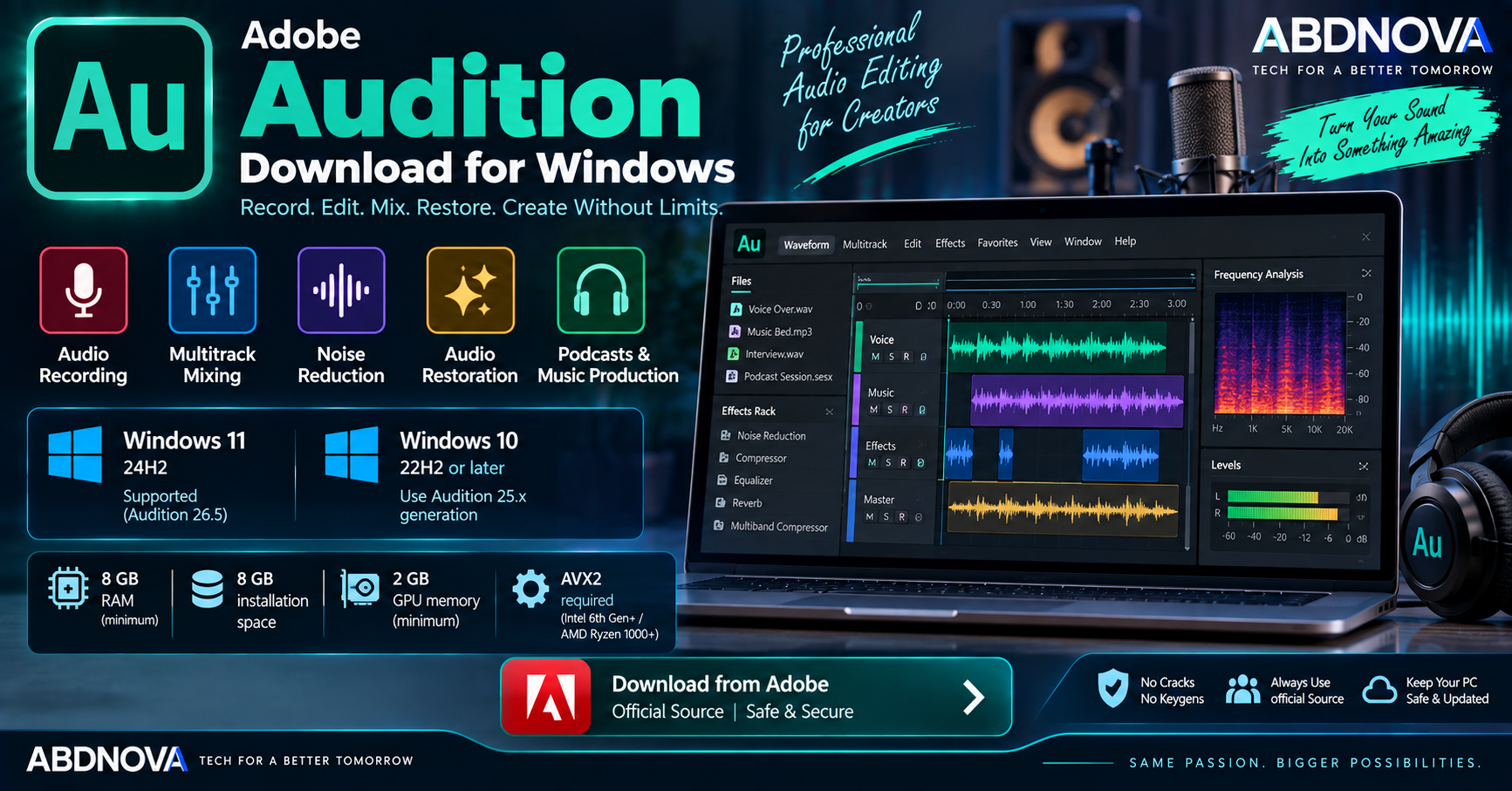
Adobe Audition Download for Windows gives audio creators access to Adobe’s professional workstation for recording, editing, mixing, restoration, and audio finishing. It is designed for podcasts, music, voice recordings, sound effects, dialogue cleanup, video production, and other professional audio workflows.
Audition combines Waveform and Multitrack editing with spectral editing, effects, noise reduction, Essential Sound, recording tools, and integration with Adobe Premiere.
Adobe Audition for Windows at a Glance
| Details | Information |
|---|---|
| Software | Adobe Audition |
| Developer | Adobe |
| Category | Audio Editing & Recording |
| Latest Release | Audition 26.5 — September 2026 |
| Current Windows Support | Windows 11 24H2 |
| Windows 10 | Audition 25.x — Windows 10 64-bit 22H2+ |
| Processor | Intel 6th Gen+ / AMD Ryzen 1000+ with AVX2 |
| Windows ARM | Qualcomm Snapdragon X Series |
| Minimum RAM | 8 GB |
| Recommended RAM | 16 GB for HD; 32 GB+ for 4K workflows |
| GPU Memory | 2 GB minimum; 8 GB recommended |
| Storage | 8 GB plus additional media storage |
| Display | 1920 × 1080 minimum |
| Audio Hardware | ASIO compatible or Microsoft Windows Driver Model |
| License | Paid Creative Cloud subscription |
| Free Trial | 7 days |
Adobe Audition for Windows 11 & 10
Adobe Audition on Windows 11
Current Adobe Audition 26.5 requires Windows 11 version 24H2. Adobe also supports compatible Windows on ARM computers using Qualcomm Snapdragon X Series processors.
Audition can be used for:
- Audio recording.
- Podcast editing.
- Music editing.
- Multitrack mixing.
- Dialogue cleanup.
- Noise reduction.
- Audio restoration.
- Sound effects.
- Audio mastering.
- Video-production audio.
Adobe Audition on Windows 10
Windows 10 users need to pay attention to the Audition version. The current 26.x generation requires Windows 11 24H2 and no longer lists Windows 10 as a supported operating system.
However, the earlier Audition 25.x generation supports Windows 10 64-bit version 22H2 or later.
Adobe Audition System Requirements
| Component | Current Audition 26.x Requirement |
|---|---|
| Operating System | Windows 11 version 24H2 |
| Processor | Intel 6th Gen+ or AMD Ryzen 1000 Series+ with AVX2 |
| Recommended Processor | Intel 11th Gen+ with Quick Sync or AMD Ryzen 3000 / Threadripper 3000 Series+ |
| Windows ARM | Qualcomm Snapdragon X Series |
| RAM | 8 GB minimum |
| HD Workflow | 16 GB RAM recommended |
| 4K+ Workflow | 32 GB RAM or more recommended |
| GPU Memory | 2 GB minimum; 8 GB recommended |
| Storage | 8 GB minimum plus additional media storage |
| Display | 1920 × 1080 minimum |
| Sound Card | ASIO compatible or Microsoft Windows Driver Model |
Audition is primarily an audio workstation, but Adobe’s current requirements still specify GPU memory. For professional projects, a fast internal SSD is recommended for the application and cache, with additional high-speed storage for media.
How to Download & Install Adobe Audition on Windows
Adobe Audition should be downloaded directly through Adobe and installed using Creative Cloud Desktop.
- Open Adobe’s official Audition page.
- Select the free trial or an available subscription.
- Sign in to your Adobe account.
- Download Creative Cloud Desktop if required.
- Install and open Creative Cloud.
- Open the Apps section.
- Find Adobe Audition.
- Select Install.
- Wait for installation to finish.
- Launch Audition.
Adobe Audition Main Interface & Audio Editing Features
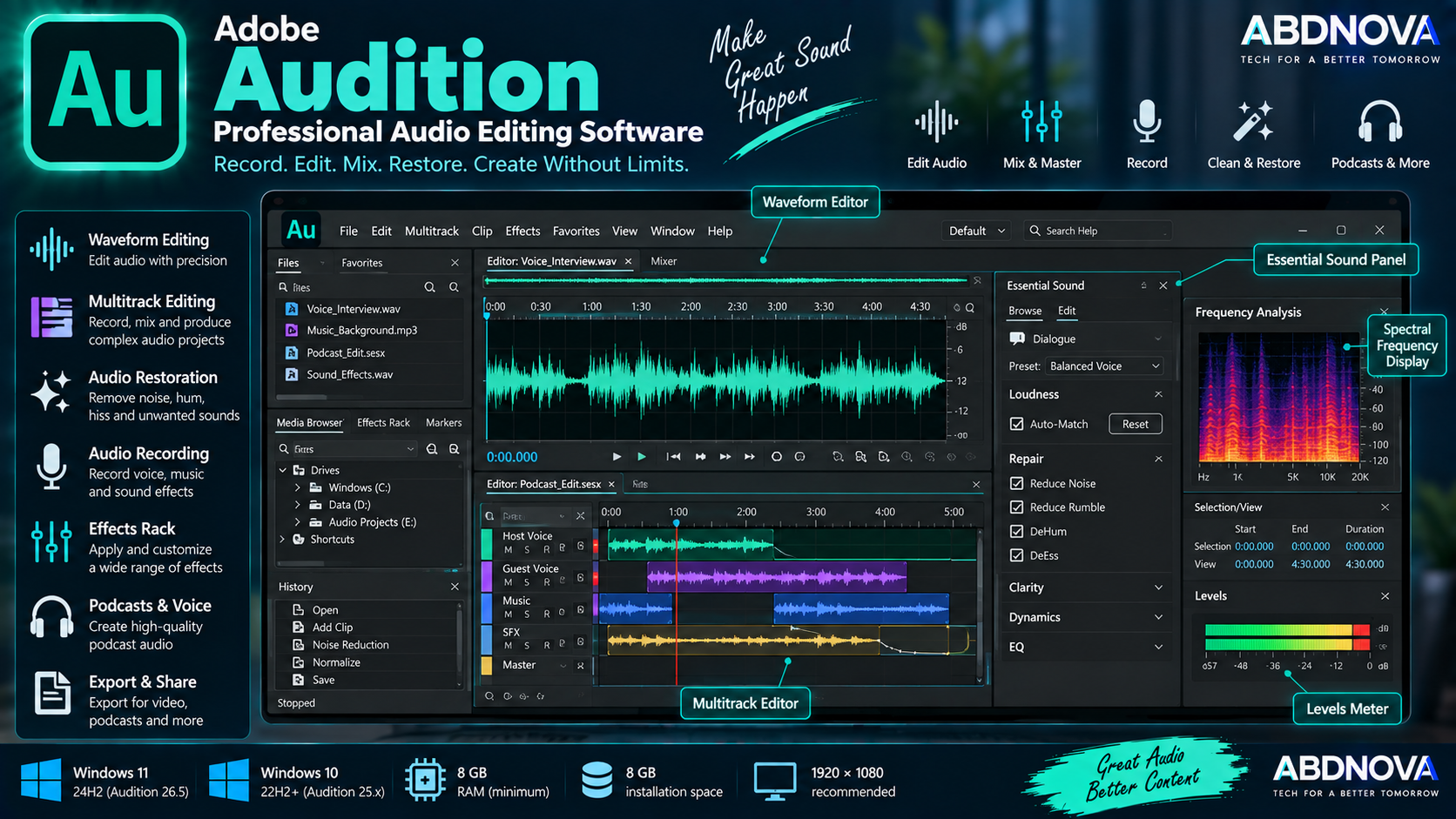
Adobe Audition provides two major editing environments: the Waveform Editor for detailed work on individual audio files and the Multitrack Editor for recording, arranging, editing, and mixing multiple audio tracks.
Other important workspace areas include the Files panel, Editor panel, Effects Rack, Essential Sound, level meters, Media Browser, Properties, Markers, History, Diagnostics, and Frequency Analysis.
Waveform Editing
The Waveform Editor is useful when working directly with an individual audio file. You can use it to:
- Cut unwanted sections.
- Adjust volume.
- Apply effects.
- Repair audio.
- Remove noise.
- Change pitch.
- Adjust timing.
- Normalize audio.
- Analyze frequencies.
It is particularly useful for voice recordings, interviews, individual music files, and detailed restoration work.
Multitrack Recording & Mixing
The Multitrack Editor combines multiple audio sources into a single project while allowing each track to be edited and mixed independently.
For example, a podcast session can contain separate tracks for:
- Host microphone.
- Guest microphone.
- Background music.
- Intro and outro.
- Sound effects.
Track and clip color coding can also make complex multitrack sessions easier to organize.
Record Audio
Audition can record audio from microphones and compatible audio devices through both Waveform and Multitrack workflows. It also supports input monitoring, timed recording, and punch-in recording workflows.
For higher-quality recording, use an appropriate microphone and audio interface and carefully set the input level before recording.
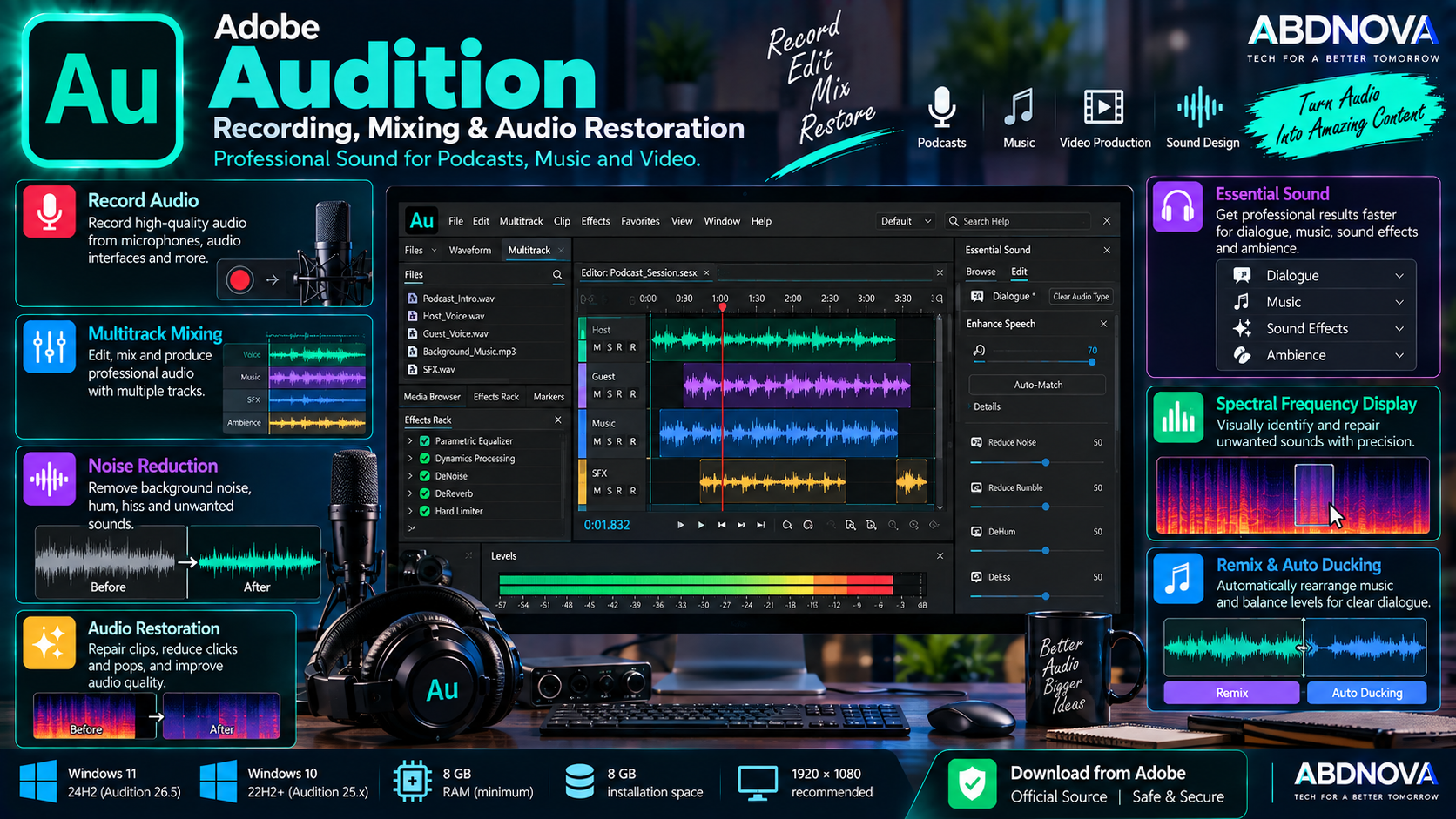
Adobe Audition Recording, Mixing & Audio Restoration
Noise Reduction & Audio Restoration
Audio restoration is one of Audition’s major capabilities. It can help address common recording problems including:
- Background noise.
- Hiss.
- Hum.
- Clicks and pops.
- Unwanted sounds.
- Uneven volume.
- Problem frequencies.
Spectral Frequency Display
The Spectral Frequency Display represents audio according to frequency and intensity rather than only showing a conventional waveform.
This can make individual unwanted sounds easier to identify. For example, an editor may be able to visually locate a cough, click, beep, phone notification, background noise, or unwanted frequency and repair the affected area without unnecessarily changing the entire recording.
Essential Sound Panel
The Essential Sound panel simplifies common adjustments for different types of audio, including:
- Dialogue.
- Music.
- Sound effects.
- Ambience.
It provides a more approachable workflow for common audio-processing tasks without requiring users to manually configure every advanced control.
Effects Rack
The Effects Rack lets you combine multiple effects and experiment with an effects chain before committing to a final result.
Available processing can include equalization, compression, reverb, delay, noise processing, amplitude processing, filters, modulation, and stereo processing.
Podcast Editing
Adobe Audition is well suited to podcast production. A typical workflow can look like:
Multitrack sessions allow hosts, guests, music, and effects to remain on separate tracks throughout the production process.
Music Editing & Mixing
Audition can also record, edit, process, and mix music. Users can record audio, edit clips, apply effects, build multitrack sessions, adjust levels, process individual tracks, and export finished mixes.
Remix
Remix can automatically rearrange music to fit a target duration. For example, a longer music track can be restructured to fit a shorter video or production segment without manually cutting many sections.
Auto Ducking
Auto Ducking can reduce music volume when dialogue or other important audio is present. This is useful for podcasts, interviews, YouTube videos, documentaries, and voice-over projects.
Adobe Audition & Premiere Workflow
Audition integrates naturally with Adobe Premiere workflows. Premiere handles timeline-based video editing, while Audition provides more specialized tools for detailed audio editing, restoration, recording, and mixing.
This combination can be useful for films, YouTube videos, interviews, documentaries, commercials, video podcasts, and other professional productions.
For the video-editing side of this workflow, see our Adobe Premiere Pro Download for Windows guide.
Adobe Audition vs Audacity
| Feature | Adobe Audition | Audacity |
|---|---|---|
| Audio Recording | Yes | Yes |
| Waveform Editing | Advanced | Yes |
| Multitrack Editing | Advanced | Yes |
| Spectral Editing | Advanced | Available |
| Audio Restoration | Advanced tools | More limited workflow |
| Professional Mixing | Strong | Basic–Moderate |
| Premiere Integration | Yes | No |
| License | Paid subscription | Free |
Audacity can be useful when a free audio editor is sufficient, while Audition provides a more integrated professional production environment and Adobe workflow.
Is Adobe Audition Free?
No. Adobe Audition is commercial software available through a Creative Cloud membership.
Adobe currently provides a 7-day free trial of the complete desktop application. The trial includes the latest version and current updates rather than being a permanently limited free edition.
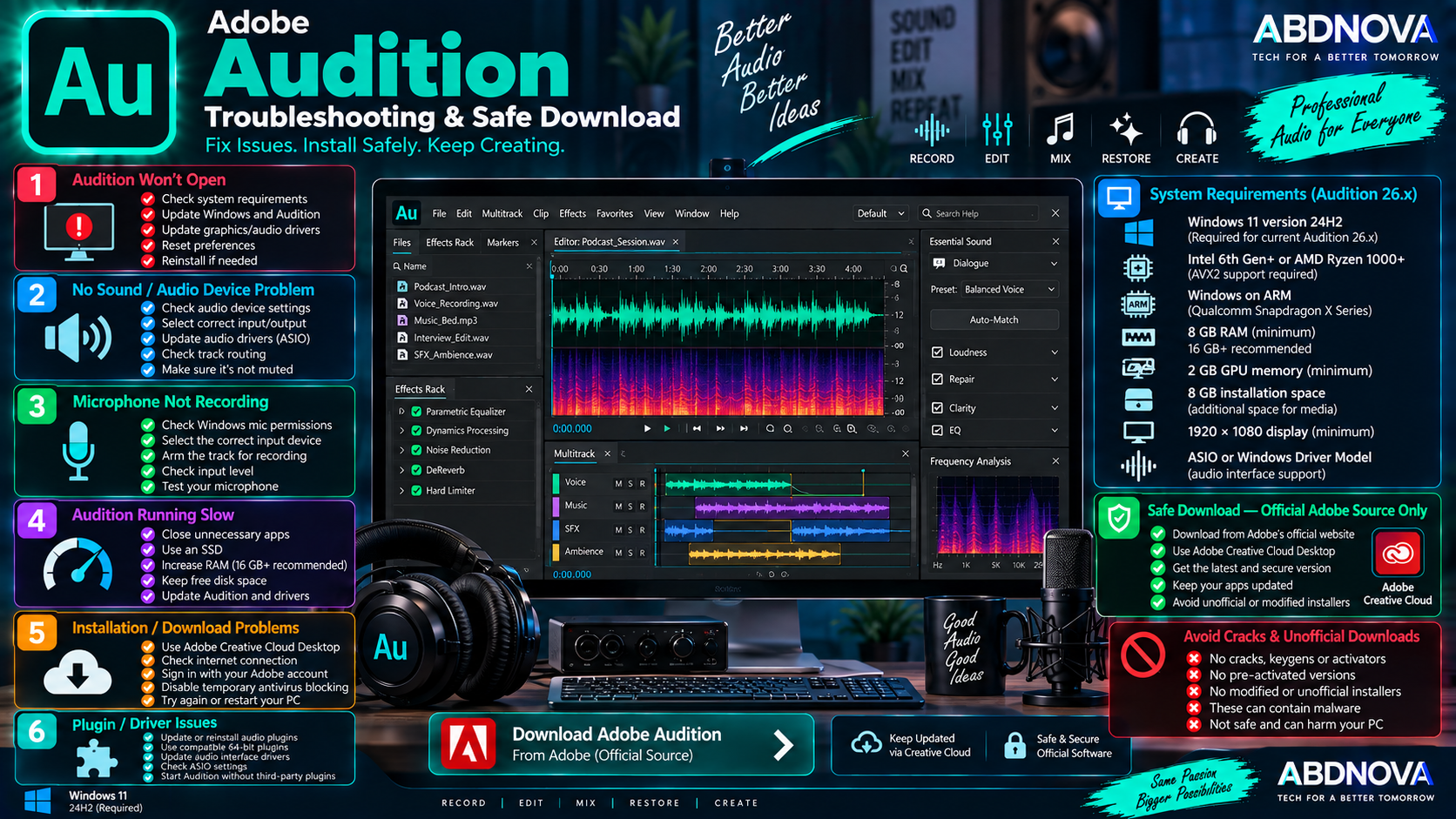
Adobe Audition Troubleshooting & Safe Download
Adobe Audition Won’t Open
Try:
- Restarting Windows.
- Updating Audition through Creative Cloud.
- Installing Windows updates.
- Updating graphics and audio drivers.
- Checking the system requirements.
- Temporarily disabling problematic third-party plugins.
- Resetting Audition preferences if necessary.
- Reinstalling Audition if the problem continues.
For current Audition 26.x, make sure the computer is running Windows 11 24H2 and uses a supported AVX2-capable processor.
No Sound in Adobe Audition
Check:
- Windows audio output.
- Audition Audio Hardware preferences.
- Input and output device selection.
- Audio interface connection.
- ASIO driver.
- Track routing.
- Mute and Solo controls.
If you use a professional audio interface, install the latest manufacturer-provided ASIO driver when available.
Microphone Is Not Recording
Check Windows microphone permissions, the selected input device, Audition’s Audio Hardware settings, track input assignment, Record Arm status, input level, and audio-interface connection.
Testing the microphone in Windows first can help determine whether the problem is inside Audition or affects the device more generally.
Audition Is Running Slowly
Performance can often be improved by:
- Closing unnecessary applications.
- Using an SSD.
- Increasing available RAM.
- Keeping sufficient free storage.
- Reducing unnecessary effects.
- Updating Audition.
- Updating device drivers.
Recording Has Delay or Latency
Recording latency can be affected by audio drivers, buffer settings, hardware, and real-time processing.
For professional recording, use an ASIO-compatible audio interface where appropriate, select the proper driver, adjust the buffer size, close unnecessary applications, and avoid excessive real-time processing while recording.
How to Update Adobe Audition
For professional projects, keep backups before major application upgrades and verify compatibility for important third-party audio plugins.
Safe Adobe Audition Download
Download Adobe Audition only from Adobe or through the official Adobe Creative Cloud Desktop application.
- Adobe Audition cracks.
- Keygens.
- Activators.
- Pre-activated versions.
- Patched Audition installers.
- “Lifetime activated” versions.
- Modified Creative Cloud installers.
- Unofficial portable versions.
- Repacked Adobe packages.
Modified executables can contain malware, credential-stealing software, unwanted applications, or unstable changes that interfere with updates and Creative Cloud services.
Frequently Asked Questions
Does Adobe Audition work on Windows 11?
Yes. Current Adobe Audition 26.5 requires Windows 11 version 24H2.
Does Adobe Audition work on Windows 10?
Audition 25.x supports Windows 10 64-bit version 22H2 or later, while current Audition 26.x requires Windows 11 24H2.
What is the latest Adobe Audition version?
The current release checked is Adobe Audition 26.5, released in September 2026.
How much RAM does Adobe Audition need?
Adobe specifies 8 GB minimum, with 16 GB recommended for HD workflows and 32 GB or more for 4K and higher-resolution workflows.
Does Adobe Audition support Windows ARM?
Yes. Current Audition supports compatible Windows on ARM systems using Qualcomm Snapdragon X Series processors.
Is Adobe Audition good for podcasts?
Yes. Audition supports recording, multitrack editing, dialogue processing, audio restoration, music mixing, effects, and final export, making it suitable for podcast production.
Can Adobe Audition remove background noise?
Yes. Noise reduction and audio restoration are important Audition capabilities, with tools for identifying and reducing unwanted sounds and frequencies.
Is Adobe Audition free?
No. Adobe Audition is paid software, but Adobe currently provides a 7-day free trial of the full desktop application.
Final Thoughts
Adobe Audition Download for Windows provides a professional audio workstation for recording, waveform editing, multitrack mixing, podcasts, music, dialogue cleanup, restoration, sound design, and video-production audio.
Its Waveform and Multitrack editors, Spectral Frequency Display, Essential Sound, Effects Rack, Remix, recording tools, restoration features, and Premiere integration make it suitable for users who need more than basic audio cutting and recording.
The main compatibility consideration in 2026 is that current Audition 26.x requires Windows 11 24H2. Windows 10 users need a compatible earlier release such as Audition 25.x.
For a safe installation and reliable updates, use Adobe’s official Audition page and Creative Cloud instead of cracked, modified, pre-activated, or third-party installers.
Download Adobe Audition for Windows
Get the official Adobe Audition desktop application and 7-day trial directly from Adobe.