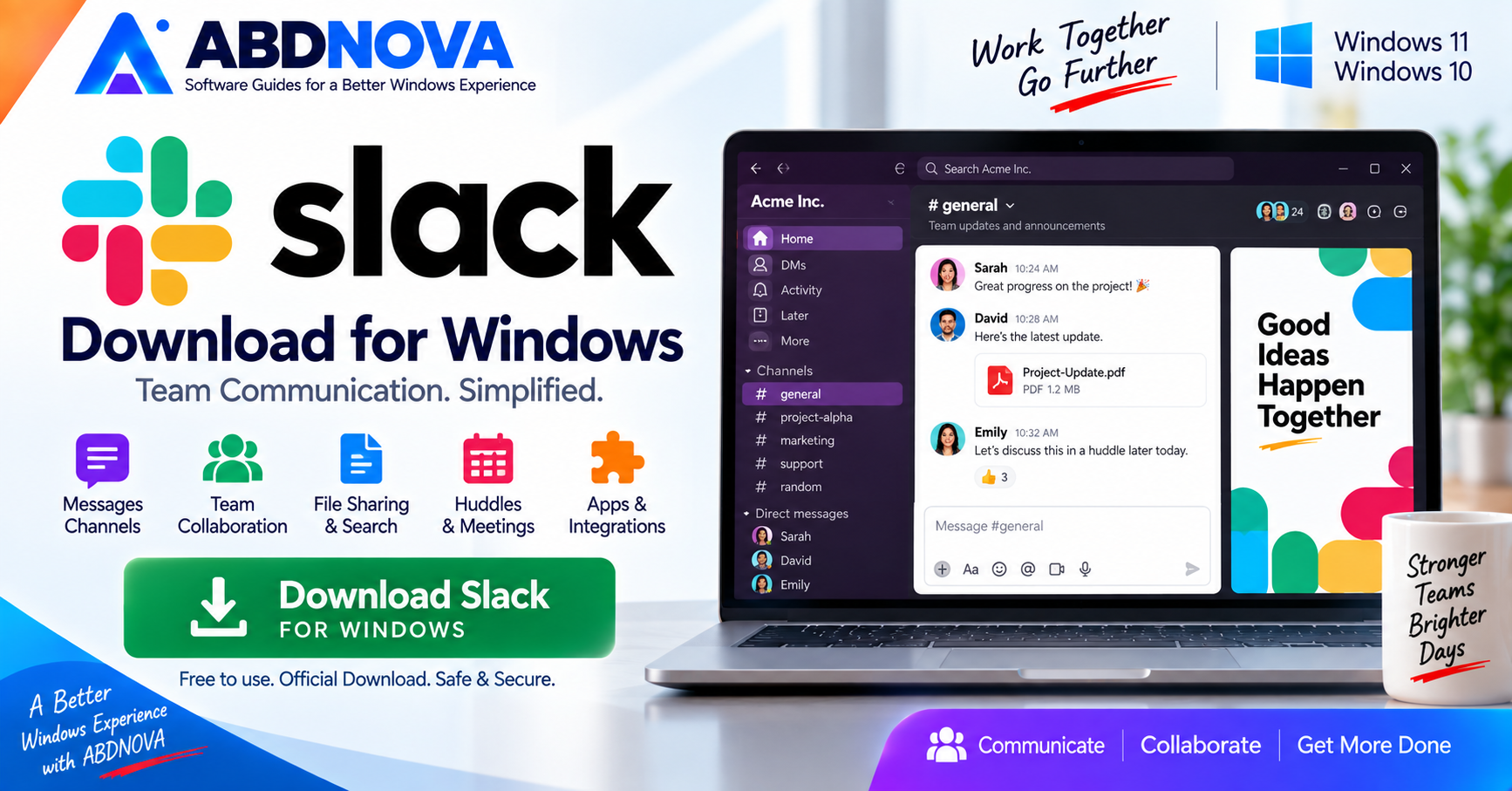

Slack Download for Windows 11 & 10
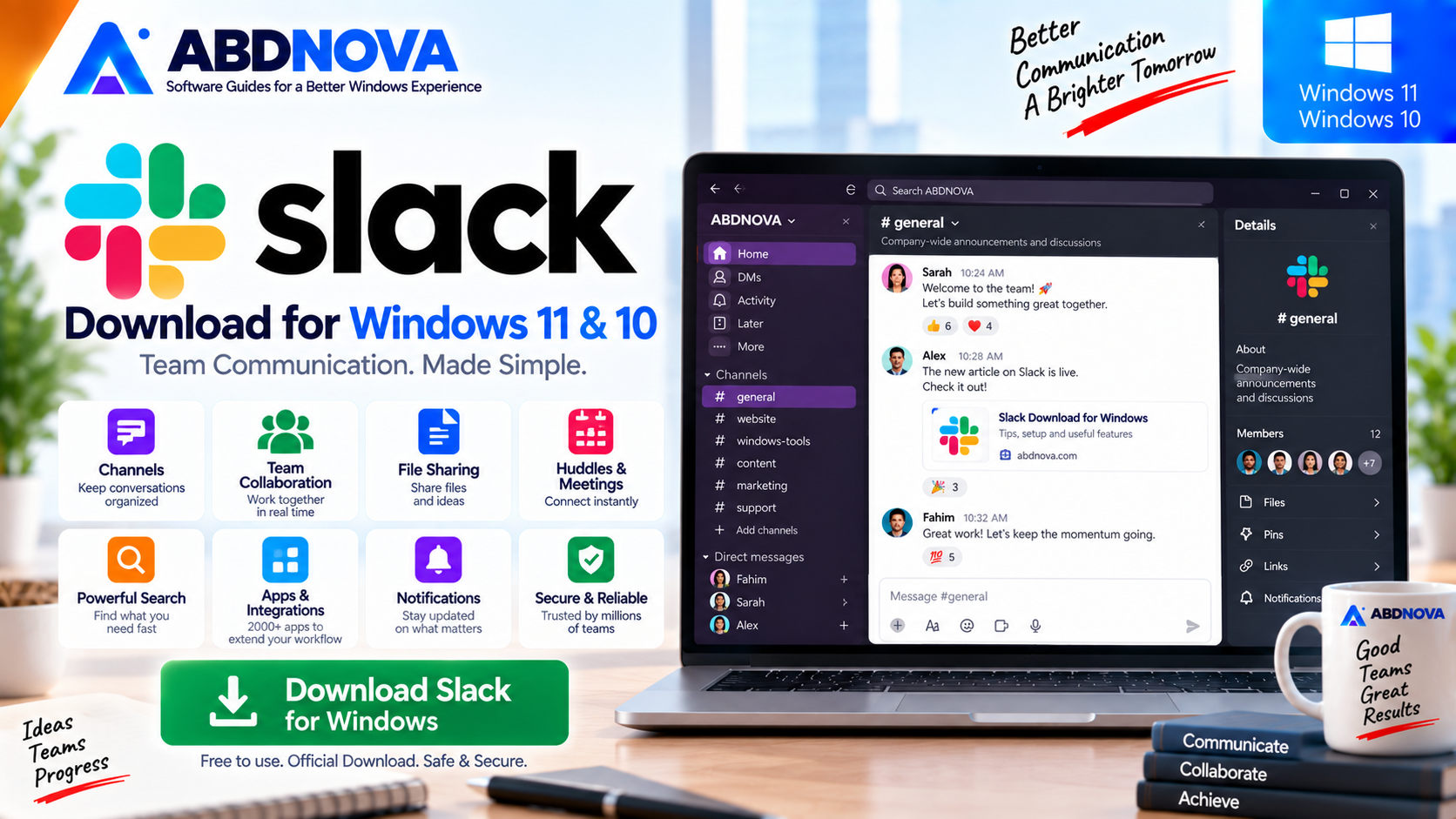
Download Slack for Windows to access channels, direct messages, Huddles, shared files, search, notifications and connected workplace tools from the desktop.
Slack Download for Windows gives teams a desktop collaboration app for organizing messages, files, meetings, apps and project conversations inside shared workspaces.
The Windows desktop app provides fast access to channels, direct messages, notifications, Huddles, search, shared files and connected workplace tools without keeping Slack open in a browser.
Slack for Windows at a Glance
| Information | Details |
|---|---|
| Software | Slack |
| Developer | Slack Technologies, LLC / Salesforce |
| Category | Team Communication & Collaboration |
| Current Windows Version | 4.52.155 |
| Current General Windows Requirement | Windows 11 version 23H2 or later |
| Windows 10 | Not in current general desktop support matrix |
| Standard Architecture | 64-bit |
| ARM64 | Available |
| Microsoft Store | Available |
| Enterprise Deployment | MSIX |
| License | Free and paid plans |
| Channels | Yes |
| Direct Messages | Yes |
| Threads | Yes |
| Huddles | Yes |
| File Sharing | Yes |
| Apps & Integrations | Yes |
What Is Slack?
Slack is a workplace communication and collaboration platform designed to organize team conversations around workspaces, channels, projects and topics.
Instead of spreading communication across long email chains and multiple disconnected chat tools, teams can keep relevant messages, files and discussions together.
A company might create channels for:
- General announcements.
- Purchasing.
- Marketing.
- Customer support.
- Website development.
- Individual projects.
Download Slack for Windows
The safest way to get Slack is through Slack’s official Windows download page.
The current official Windows page provides:
- Standard 64-bit download.
- Microsoft Store installation.
- ARM64 download.
- Enterprise deployment packages.
For a normal supported Windows PC, the regular 64-bit desktop version is usually the simplest choice.
Slack Windows 11 and Windows 10 Compatibility
Windows 11
Slack currently lists Windows 11 version 23H2 or later in its general minimum desktop requirements.
Using a current supported Windows 11 build helps ensure continued feature, security and compatibility updates.
Windows 10
Slack’s general current desktop requirements no longer list Windows 10 as a supported desktop operating system.
Slack’s lifecycle documentation states that Windows 10 version 21H2 reached end of Slack support on March 15, 2025.
Slack separately documents Windows 10 compatibility for its enterprise MSIX deployment package, but this should not be interpreted as general support for every Windows 10 desktop installation.
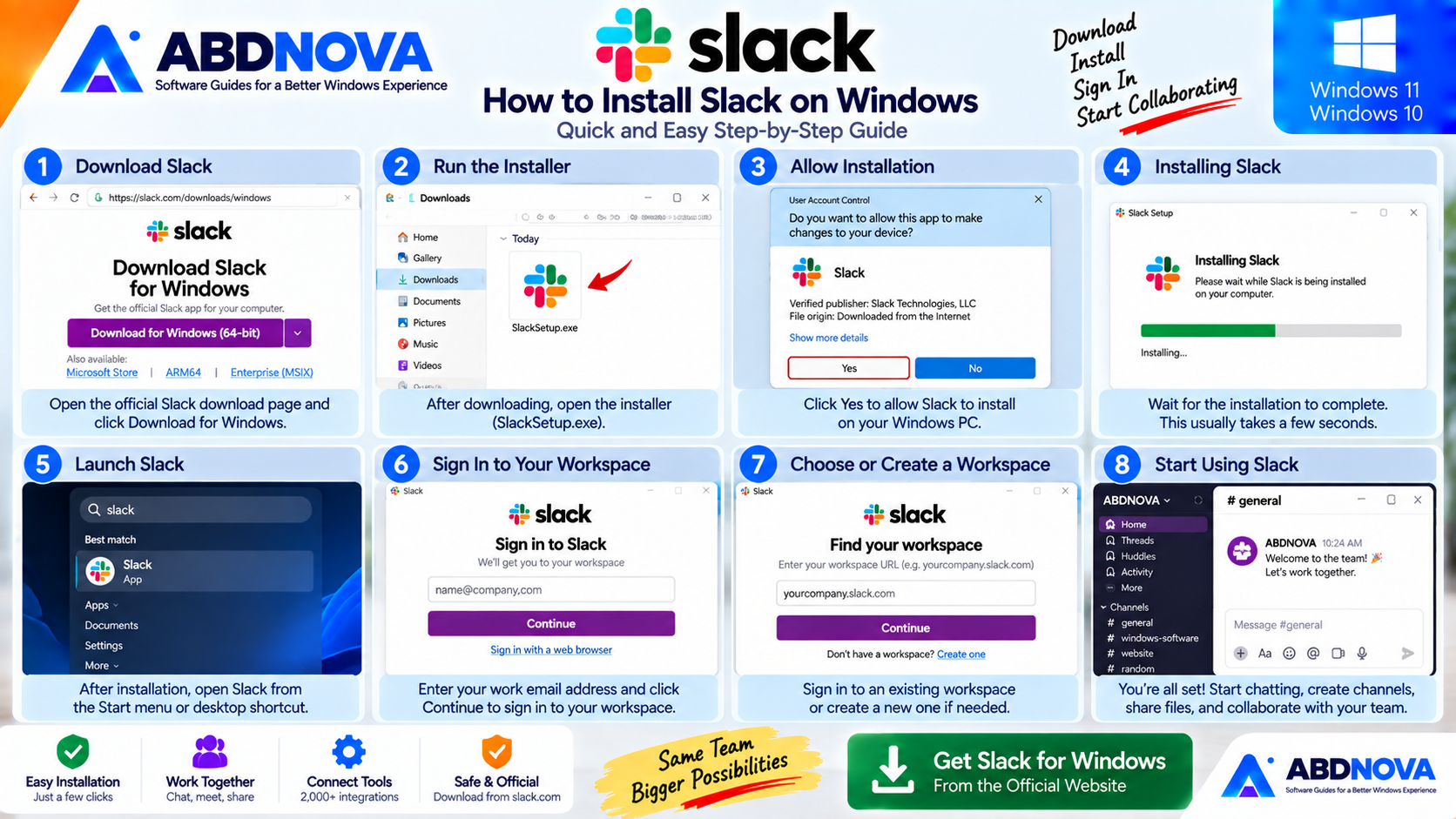
How to Install Slack on Windows
- Open Slack’s official Windows download page.
- Choose the appropriate Windows download.
- Save the installer to your PC.
- Open the downloaded installer.
- Allow Windows to complete the installation.
- Launch Slack.
- Sign in to your workspace.
- Configure notifications and other preferences.
You can also install Slack from Microsoft Store if you prefer applications managed through the Store.
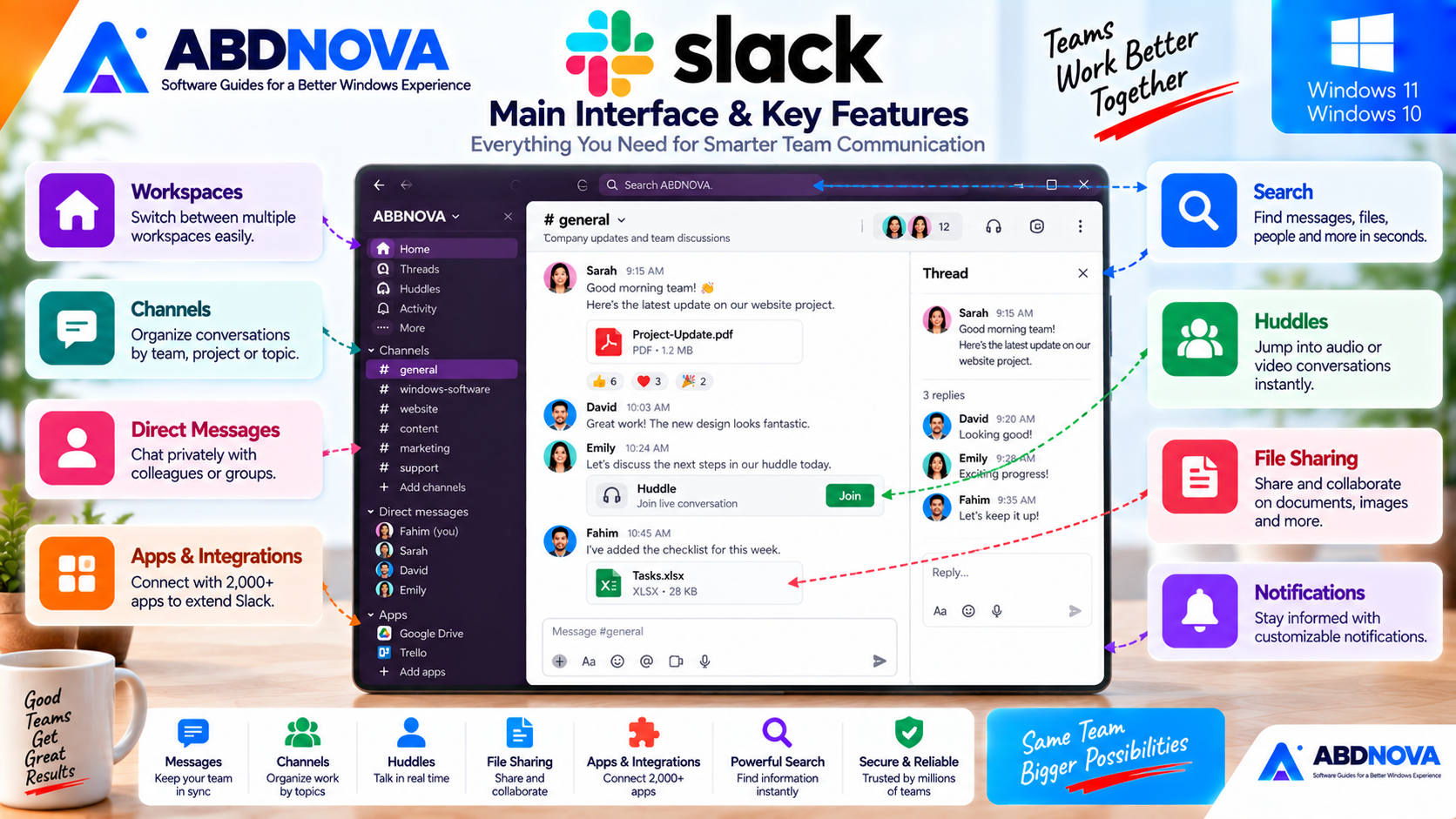
Slack Main Interface & Key Features
Slack’s desktop interface is designed around workspaces and conversations.
The sidebar provides access to areas such as:
- Channels.
- Direct messages.
- Activity.
- Threads.
- Huddles.
- Search.
- Apps.
- Connected tools.
- Workspace resources.
This structure helps keep project and department conversations separated while still making the entire workspace searchable.
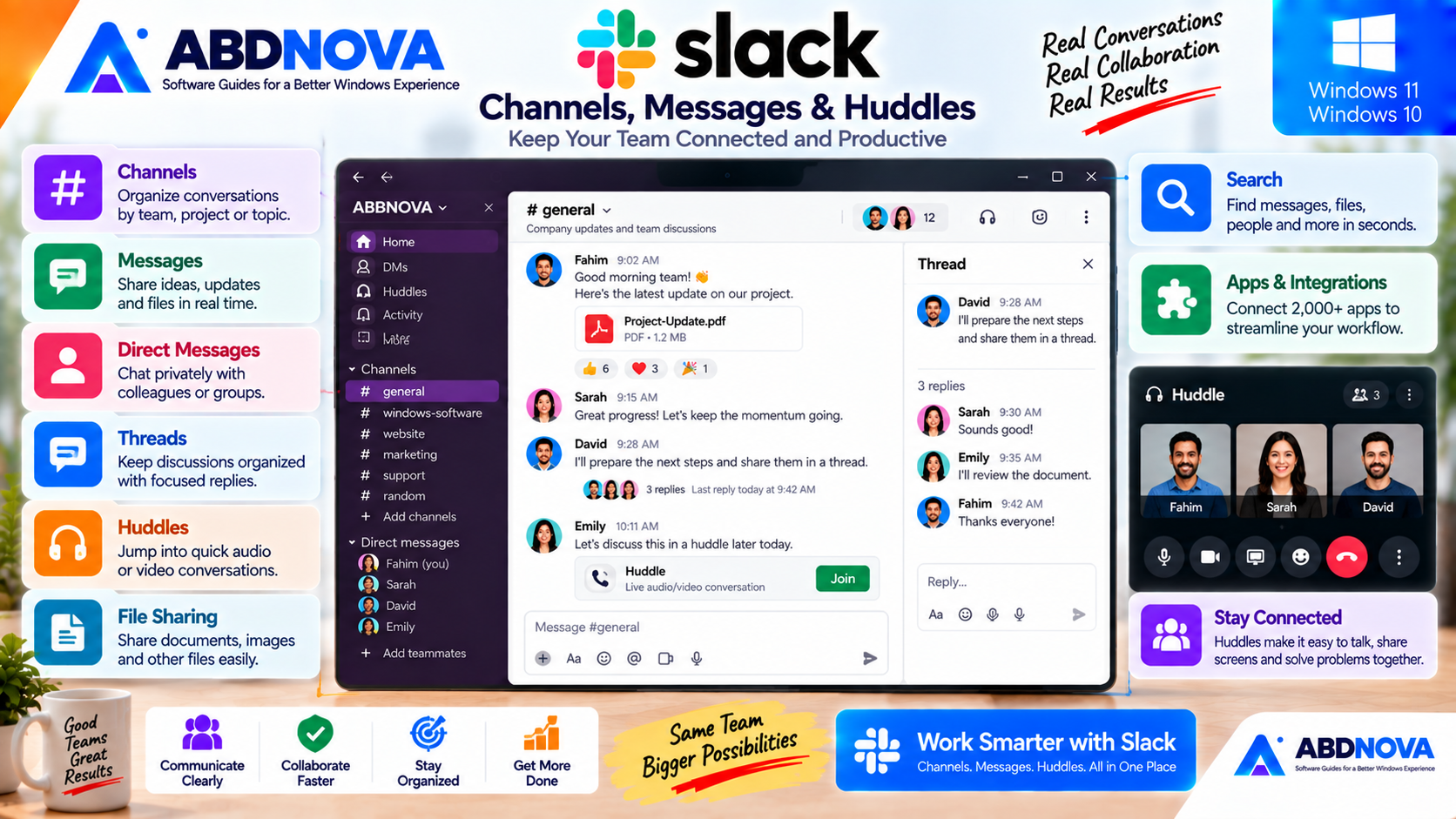
Slack Channels, Messages & Huddles
Channels
Channels are one of Slack’s core organizational features.
A channel provides a shared space where members can discuss a project, department, topic or workflow.
Keeping messages and shared files inside the relevant channel makes previous conversations easier to find later.
Direct Messages
Direct messages are useful when a full channel discussion is unnecessary.
Slack supports private one-to-one messaging as well as smaller group direct-message conversations.
Threads
Busy channels can become difficult to follow if every response appears in the main conversation.
Threads keep replies connected to the original message, helping teams discuss specific questions or updates without filling the main channel with unrelated replies.
Huddles
Slack Huddles provide a quick way to move from text communication into live collaboration.
Instead of arranging a formal meeting for every small discussion, coworkers can start a Huddle when they need to talk something through quickly.
This can be especially useful for remote and hybrid teams.
File Sharing
Slack conversations can contain:
- Documents.
- Images.
- Project files.
- Other supported attachments.
Keeping the file together with the conversation about that file can make collaboration easier.
Search
As a Slack workspace grows, it can contain thousands of messages and shared resources.
Search helps users locate:
- Messages.
- People.
- Channels.
- Shared information.
- Previously discussed work.
Notifications
Slack provides configurable notifications so you do not need to receive an alert for every conversation.
A practical setup usually prioritizes:
- Direct messages.
- Mentions.
- Important channels.
Less important channels can use reduced notification settings to minimize unnecessary interruptions.
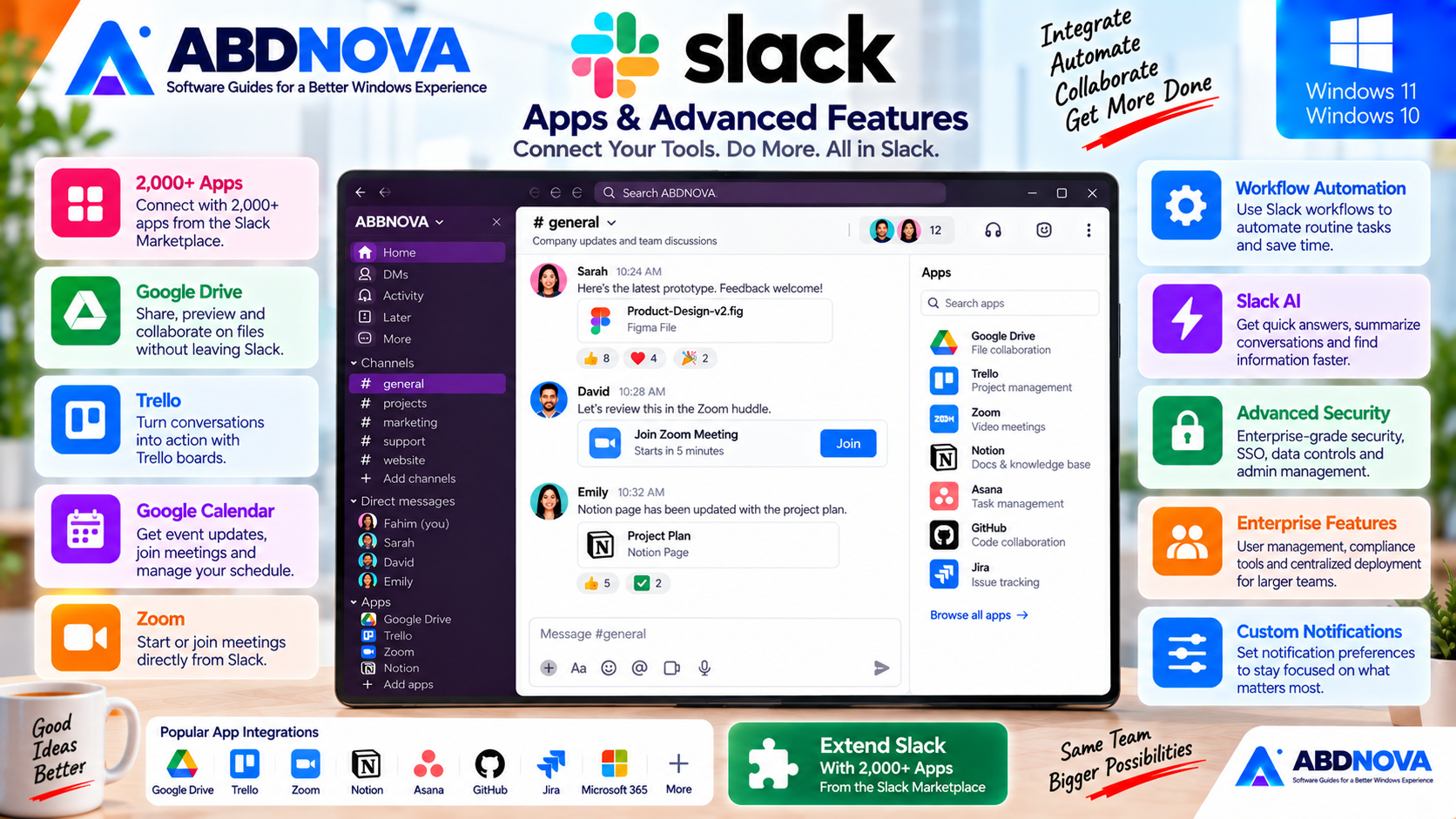
Slack Apps & Advanced Features
Apps and Integrations
One of Slack’s major strengths is its integration ecosystem.
Connected apps can bring notifications, information and workflows from other workplace services into Slack.
Slack states that its Marketplace contains more than 2,000 apps.
Workspace administrators can control whether members can install apps directly or need approval first.
Slack Free vs Paid Plans
Slack offers a free plan as well as paid plans for organizations that need additional capabilities.
Paid tiers can provide expanded collaboration, administration, history, security and enterprise features.
Slack for Business Teams
Slack becomes more useful when organizations create a clear channel structure.
#general
Company-wide information.
#purchasing
Supplier and purchasing discussions.
#marketing
Campaigns and marketing activity.
#website-project
Website development and content discussions.
#support
Customer or internal support matters.
A structured channel system is usually more effective than treating Slack as one large general chat room.
Slack Enterprise Deployment on Windows
IT administrators have additional Windows deployment options.
Slack currently provides an MSIX package for enterprise deployment.
The MSIX package can support centralized installation and updating and can be deployed through technologies such as:
- Microsoft Intune.
- Configuration Manager.
- DISM.
- AppInstaller.
- PowerShell.
Slack retired its older MSI deployment installers in September 2025 and moved enterprise deployment toward MSIX.
Individual home or office users normally do not need enterprise deployment packages.
How to Update Slack on Windows
Keeping Slack current is important because older desktop releases eventually reach the end of Slack’s support lifecycle.
For Slack installed directly from the developer:
For Microsoft Store installations, updates can be handled through Microsoft Store.
Slack states that desktop app versions generally have a support period of around 12–18 months.
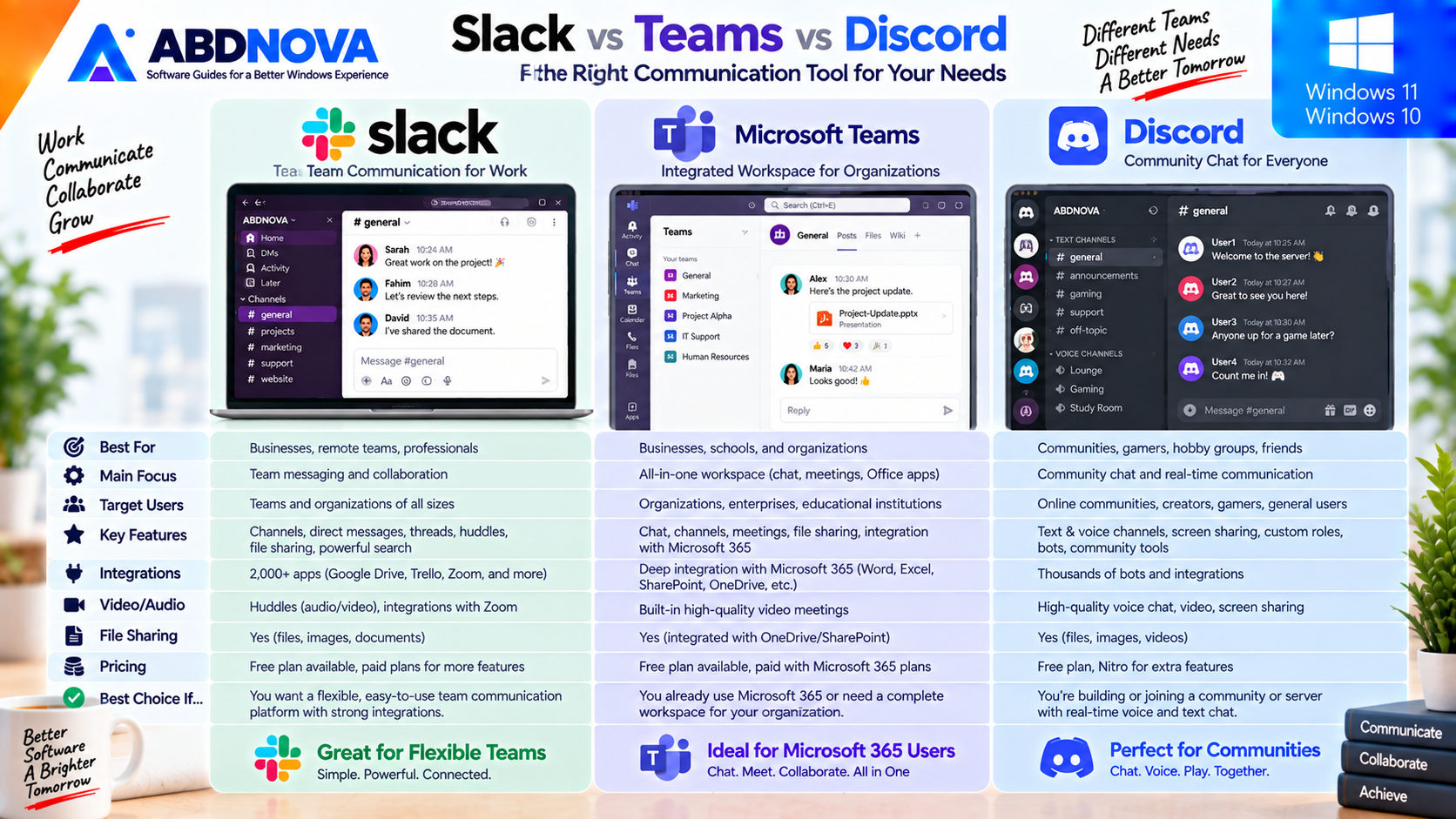
Slack vs Microsoft Teams vs Discord
| Feature | Slack | Microsoft Teams | Discord |
|---|---|---|---|
| Main Focus | Workplace collaboration | Microsoft-oriented teamwork | Communities & communication |
| Channels | Excellent | Yes | Yes |
| Direct Messages | Yes | Yes | Yes |
| Live Voice | Huddles | Meetings / calls | Voice channels |
| Video | Available | Strong | Yes |
| File Sharing | Yes | Yes | Yes |
| Workplace Integrations | Very strong | Strong Microsoft ecosystem | More community focused |
| Enterprise Administration | Strong | Strong | Different focus |
| Best For | Organized team communication | Microsoft 365 organizations | Communities and informal collaboration |
Slack is especially useful for teams that want channel-based communication, searchable work history, Huddles and a large workplace-app ecosystem.
Microsoft Teams is usually a stronger fit when an organization is deeply invested in Microsoft 365, Outlook, SharePoint and related Microsoft services.
Discord has strong real-time community communication features and is widely used for communities, gaming and less formal group collaboration.
For another Windows communication app with channels, large communities and cloud-synced chats, see our Telegram Desktop Download for Windows guide.
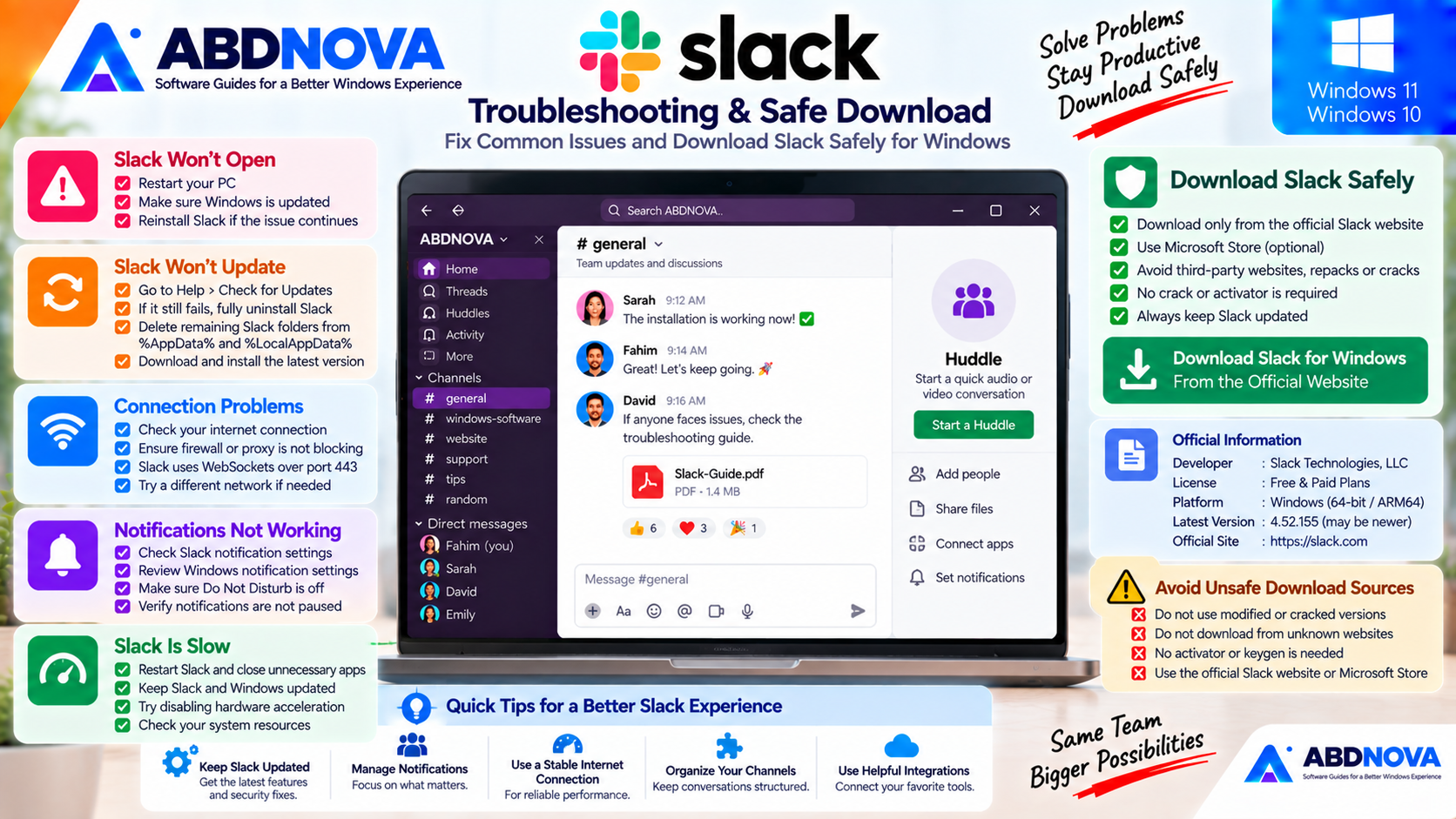
Slack Troubleshooting on Windows
Slack Won’t Open
Restart Windows and try opening Slack again.
If the problem continues, make sure both Slack and Windows are current.
Older Slack releases can eventually become unsupported even when they continue to open temporarily.
Slack Won’t Update
For a direct-download installation, use:
If updating repeatedly fails, Slack’s troubleshooting guidance may require completely uninstalling Slack, removing remaining Slack folders under %AppData% and %LocalAppData%, and reinstalling the current version.
Slack Has Connection Problems
Check your internet connection and confirm Slack is updated.
On managed networks, firewalls and proxies can interfere with Slack’s persistent connection.
Slack documentation states that its messaging service uses WebSockets over port 443.
Slack Notifications Are Not Working
Check both:
- Slack notification preferences.
- Windows notification settings.
Also make sure notifications are not paused and Windows Focus or Do Not Disturb is not suppressing them.
Slack Is Slow
Restart Slack and close unnecessary applications.
If performance remains poor:
- Update Slack.
- Update Windows.
- Check available system resources.
- Review organization-controlled hardware acceleration settings if applicable.
Is Slack Safe to Download?
Yes, when downloaded from an official Slack source.
For normal Windows installations, use Slack’s own Windows download page or its official Microsoft Store distribution.
- Slack cracks.
- Modified Slack installers.
- Unofficial repacks.
- Activators.
- Unknown third-party download sites.
Safe Slack Download for Windows
Developer: Slack Technologies / Salesforce
Official source: Slack
Modified version required: No
Crack or activator required: No
Use the official Slack Windows page for the current supported installer.
Frequently Asked Questions
Is Slack free for Windows?
Yes. Slack offers a free plan as well as paid options for organizations needing additional capabilities.
Does Slack work on Windows 11?
Yes. Slack’s current general system requirements specify Windows 11 version 23H2 or later.
Does Slack still support Windows 10?
Windows 10 is no longer listed in Slack’s current general desktop requirements. Some enterprise MSIX documentation still lists Windows 10 compatibility, so Windows 10 users should verify the current requirements before installation.
What is the current Slack version for Windows?
The official Windows download page currently lists Slack 4.52.155. Because Slack updates frequently, a newer version may be available when you download it.
Is Slack available in Microsoft Store?
Yes. Slack provides a Microsoft Store installation option for Windows.
Is there an ARM64 version of Slack?
Yes. Slack’s official Windows download page currently provides an ARM64 option.
Is Slack still available in 32-bit?
Current Slack Windows releases are 64-bit. Slack ended new 32-bit Windows releases beginning with desktop version 4.39.
Can I use multiple Slack workspaces?
Yes. Slack can be used with multiple workspaces when your accounts and organizations require them.
What are Slack Huddles?
Huddles are Slack’s lightweight live-collaboration feature for quickly moving from text conversation to live discussion.
Does Slack support file sharing?
Yes. Slack channels and conversations can contain documents, images and other supported project files.
Should I download Slack from a third-party site?
No. The safest choices are Slack’s official Windows download page and its official Microsoft Store distribution.
Final Thoughts
Slack Download for Windows provides a powerful team-communication environment built around channels, direct messages, threads, Huddles, shared files, search, notifications and a large integration ecosystem.
For business teams, a clear channel structure can keep project, department and support conversations much easier to organize than long email chains or disconnected chat applications.
The biggest current consideration is Windows compatibility. Slack’s normal desktop support now centers on Windows 11 version 23H2 or later. Windows 10 users should check the latest official support matrix before installation rather than assuming the newest regular Slack desktop release remains supported.
For supported Windows 11 PCs, use Slack’s current 64-bit desktop application or the official Microsoft Store release and keep the app updated.
Download Slack for Windows
Get the current supported Windows desktop app directly from Slack. ABDNOVA recommends official sources only.