


Kdenlive Download for Windows 11 & 10
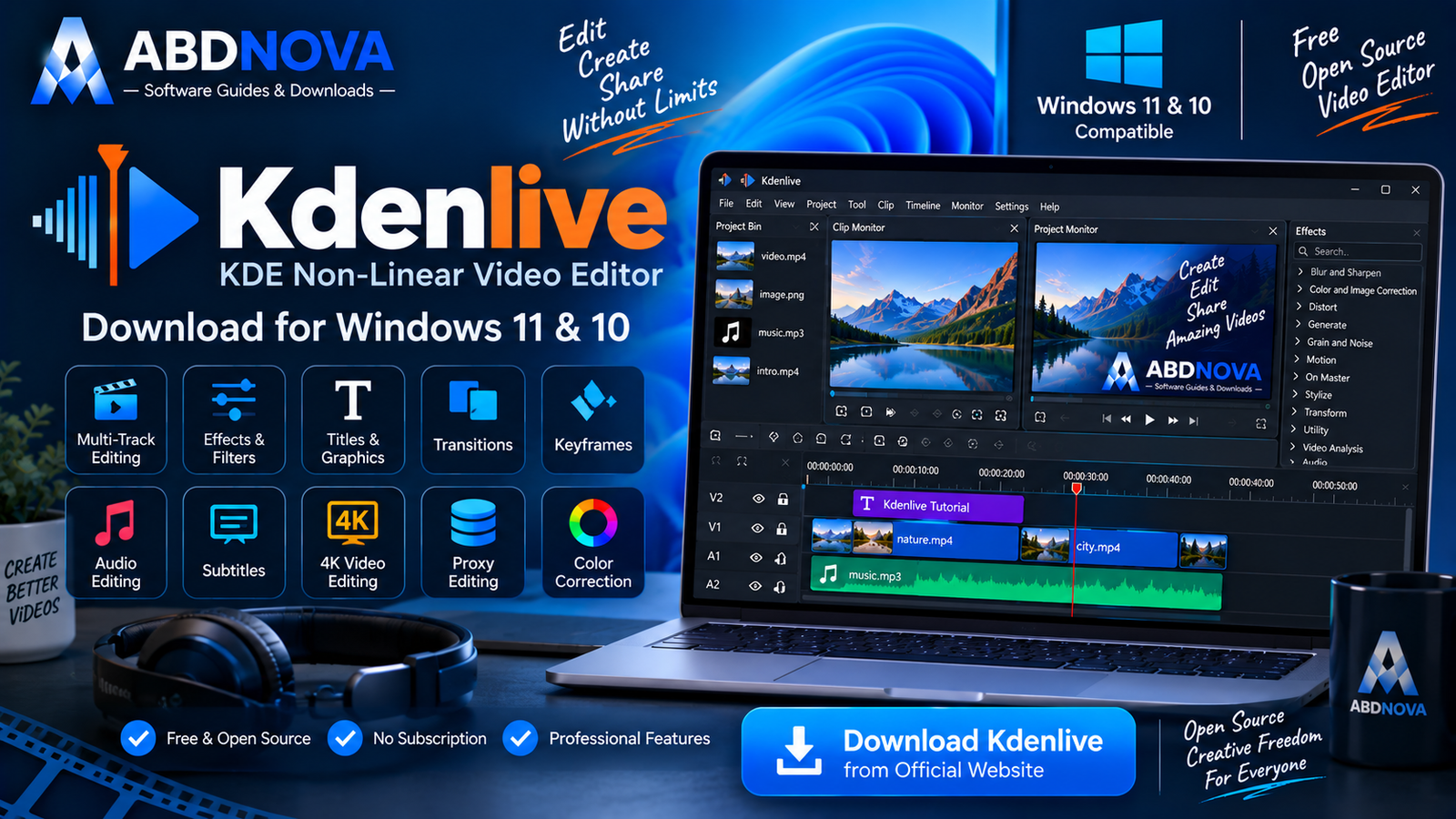
Download Kdenlive for Windows 11 and 10 to edit videos with multi-track timelines, keyframes, effects, subtitles, proxy editing and flexible rendering tools.
Kdenlive Download for Windows 11 & 10 gives Windows users a powerful free and open-source nonlinear video editor without requiring a paid subscription.
Kdenlive stands for KDE Non-Linear Video Editor. It provides multi-track video and audio editing, timeline tools, keyframe animation, effects, transitions, titles, subtitles, color correction, proxy editing and support for demanding 4K+ projects.
Kdenlive is useful for:
- YouTube videos and tutorials.
- Educational and product videos.
- Screen recordings and interviews.
- Social-media content.
- Short films.
- Multi-track projects.
- High-resolution and 4K video editing.
Kdenlive Download for Windows – Quick Overview
| Information | Details |
|---|---|
| Software | Kdenlive |
| Full Name | KDE Non-Linear Video Editor |
| Current Version | 26.08.0 |
| Type | Nonlinear Video Editor |
| License | Free & Open Source |
| Windows | Windows 10 or newer |
| Architecture | 64-bit |
| Multi-track Editing | Yes |
| Keyframes | Yes |
| Effects & Filters | Yes |
| Titles & Subtitles | Yes |
| Proxy Editing | Yes |
| 4K+ Editing | Yes |
| Installable Build | Yes |
| Standalone Build | Yes |
| Subscription | No |
| Official Source | Kdenlive.org |
What Is Kdenlive?
Kdenlive is a nonlinear video editor developed as part of the KDE ecosystem. Unlike simple video cutters or template-focused editors, it gives users detailed control over clips, tracks, effects, audio, titles, subtitles and the complete editing timeline.
It supports flexible video and audio tracks, three-point editing, keyframeable effects, customizable layouts, scopes and proxy workflows for high-resolution footage.
Kdenlive Installable vs Standalone Version
Installable Version
The normal Windows installer is the recommended choice for most users. It installs Kdenlive like a regular Windows application and appears in the installed-app list.
Standalone Version
Kdenlive also provides a standalone Windows build. It can be extracted and launched without a traditional installation, making it useful when you prefer a self-contained application folder.
Kdenlive System Requirements
| Component | SD | HD | 4K |
|---|---|---|---|
| CPU | 1 × 2 GHz core | 4 cores | 8 cores |
| RAM | 4 GB | 8 GB | 16 GB |
| Graphics | Compatible graphics | Better GPU recommended | Capable GPU recommended |
| Storage | SSD preferred | SSD recommended | Fast SSD strongly recommended |

How to Install Kdenlive on Windows
- Visit the official Kdenlive website.
- Open the download section.
- Choose the Windows installable version.
- Save the installer to your computer.
- Open the downloaded installer.
- Approve the Windows permission prompt after confirming the official source.
- Follow the installation steps.
- Complete setup and launch Kdenlive.
Start Your First Kdenlive Project
A simple workflow looks like this:

Kdenlive Main Interface & Editing Workflow
Project Bin
The Project Bin stores the media used in your project, including video clips, images, music, voice recordings and graphics.
Clip Monitor
The Clip Monitor lets you preview source footage and select the part you want before adding it to the timeline.
Project Monitor
The Project Monitor displays the current edited result from the timeline.
Timeline
The timeline is the main editing workspace where video, audio, titles, effects, transitions and compositions are arranged across multiple tracks.
Audio Mixer
The Audio Mixer provides controls for managing audio levels and tracks in your project.
Subtitle Track
Kdenlive provides a dedicated subtitle workflow so subtitle text and timing can be managed directly with the project.

Kdenlive Timeline Editing, Keyframes & Effects
Kdenlive’s timeline provides substantially more control than a basic consumer video editor.
Timeline tools include:
- Selection.
- Razor.
- Spacer.
- Insert and overwrite.
- Lift and extract.
- Mix clips.
- Timeline preview rendering.
- Audio mixing.
- Subtitle tools.
Kdenlive Keyframes
Many effects can be animated with keyframes. Instead of keeping one effect value throughout a clip, you can change position, scale, rotation, opacity, color or another supported parameter over time.
Effects & Filters
Kdenlive provides video and audio effects for tasks such as brightness adjustment, contrast correction, color correction, blur, sharpening, noise reduction, cropping, transformations and audio processing.
Transitions & Compositions
Transitions and compositions can be used for fades, clip blending, layered video, picture-in-picture layouts and other visual effects.
Titles & Graphics
Titles are useful for intros, headings, lower thirds, credits, calls to action and informational overlays.

Kdenlive Proxy Editing, Subtitles & Speech-to-Text
Proxy Editing Explained
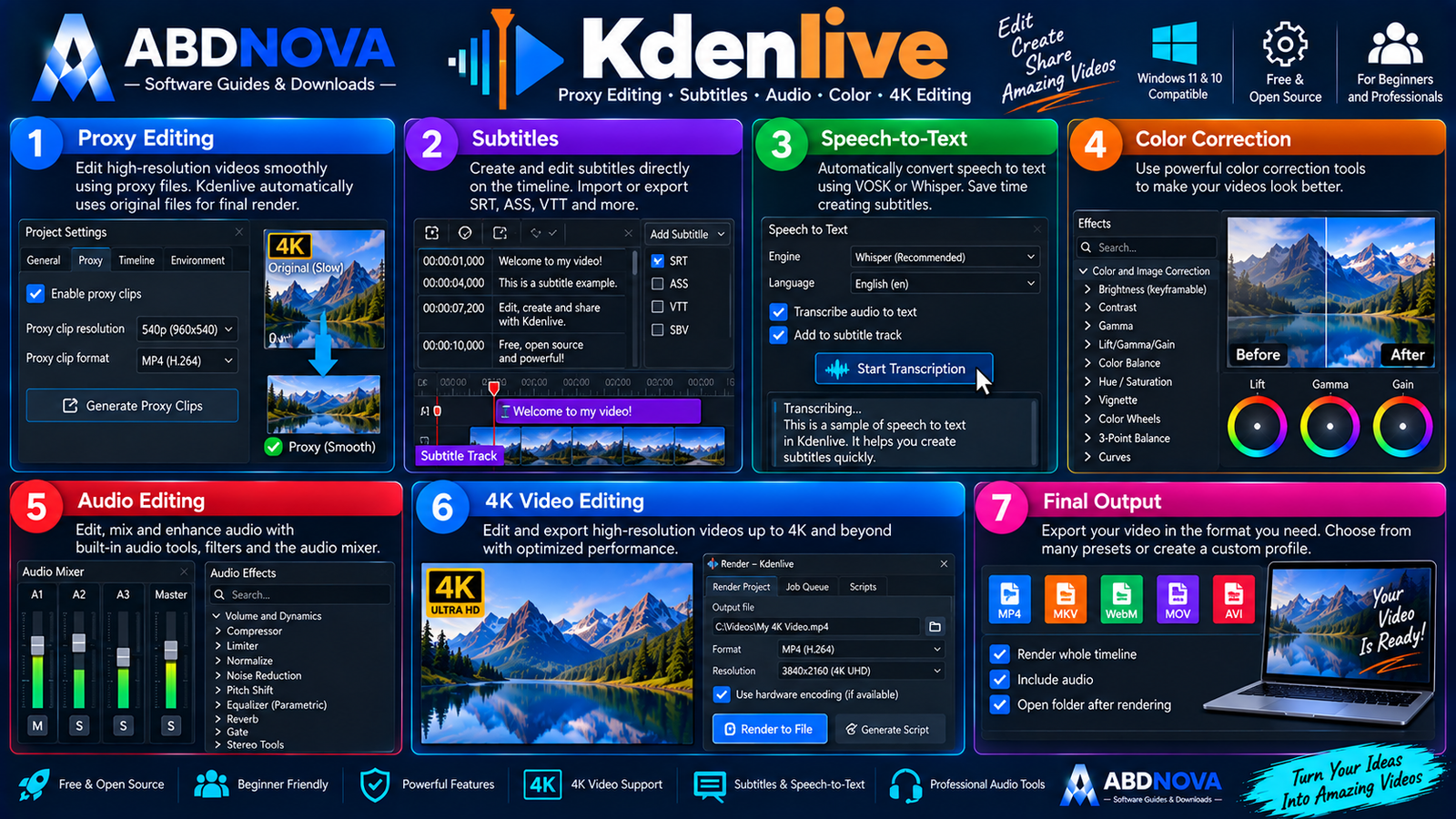
Proxy editing is one of Kdenlive’s most useful features when high-resolution footage causes slow timeline playback.
A proxy is a smaller working version of your original video:
This can help when 4K footage stutters, timeline scrubbing is slow, laptop hardware is limited or several high-resolution clips are used together.
Kdenlive Subtitles
Kdenlive can create and edit subtitles using a dedicated subtitle workflow. The article source documents support for common subtitle formats including ASS, SRT, VTT and SBV for supported import workflows.
Speech-to-Text
Kdenlive also provides speech-to-text configuration options that can help accelerate transcription and subtitle creation. Automatically generated text should still be reviewed for mistakes before export.
Kdenlive 4K Video Editing
Kdenlive can work with 4K+ footage. For demanding projects, proxy clips can make editing much smoother while preserving the original high-resolution media for final rendering.
Kdenlive Rendering & Export
Kdenlive calls the final export process Rendering.
Open it using:
or
Ctrl + Enter
The Render dialog lets you choose the output destination and rendering preset, with additional settings available depending on the selected format.
Kdenlive 26.08 – What’s New?
Kdenlive 26.08.0 was released on August 31, 2026. The release focuses strongly on stability while also adding useful workflow improvements.
Notable Kdenlive 26.08 additions include:
- Automatic creation of additional audio tracks when required.
- Ability to reorder tracks.
- Multiple crash fixes.
- Undo/redo improvements.
- Additional timeline workflow improvements.
- Title Editor improvements.

Kdenlive vs OpenShot vs Shotcut vs DaVinci Resolve
| Feature | Kdenlive | OpenShot | Shotcut | DaVinci Resolve |
|---|---|---|---|---|
| Free Version | Yes | Yes | Yes | Yes |
| Open Source | Yes | Yes | Yes | No |
| Beginner Friendly | Good | Excellent | Good | Moderate |
| Multi-track Editing | Excellent | Good | Good | Excellent |
| Keyframes | Yes | Yes | Yes | Yes |
| Proxy Editing | Excellent | Available workflows | Available | Excellent |
| Subtitle Tools | Strong | Basic / Moderate | Moderate | Strong |
| Effects | Strong | Good | Strong | Excellent |
| Professional Workflow | Strong | Moderate | Strong | Excellent |
Kdenlive is particularly attractive when you want a powerful open-source editor with advanced timeline, proxy and subtitle tools.
OpenShot focuses more strongly on simplicity, Shotcut provides another flexible open-source editing environment, while DaVinci Resolve offers a more advanced professional post-production and color-grading workflow.
Is Kdenlive Better Than OpenShot?
It depends on what you need. OpenShot can be easier for beginners, while Kdenlive provides deeper control over timeline editing, effects, keyframes, proxy media, subtitles and project organization. For creators who prefer a more template-driven workflow with built-in social-media tools, CapCut is another related option.

Kdenlive Troubleshooting
Kdenlive Is Lagging
- Enable Proxy Clips.
- Reduce preview resolution.
- Use Timeline Preview Rendering.
- Close unnecessary applications.
- Keep project media on a fast SSD.
Audio Is Crackling
Check the selected audio device, Windows audio drivers, project audio settings and the source file. Test another known-good audio file to determine whether the issue is specific to one project or media file.
Kdenlive Won’t Open Correctly
If a configuration problem is suspected, Kdenlive provides troubleshooting options for resetting configuration and resolving Windows-specific problems.
Rendering Fails
Check available storage, the output location, source media, render preset, effects and overall system stability. Rendering a short section can help identify a problematic clip or effect.
4K Playback Is Slow
Enable Proxy Clips. Kdenlive can use smaller proxy media during editing while retaining the original source files for final rendering.
Is Kdenlive Safe?
Yes, when Kdenlive is obtained from its official developer source and kept updated.
- Kdenlive Crack.
- Kdenlive Pro Crack.
- Kdenlive MOD.
- Kdenlive Premium.
- Pre-Activated Kdenlive.
- Repacked Kdenlive.
Kdenlive is already free and open source, so there is no reason to download a cracked or modified build.
Safe Official Kdenlive Download
The safest source for Kdenlive Download for Windows 11 & 10 is the official Kdenlive website.
You can review the official Kdenlive download page for the current Windows release and available installable or standalone packages.
Frequently Asked Questions
Does Kdenlive work on Windows 11?
Yes. Current Kdenlive Windows builds support modern Windows systems including Windows 11.
Does Kdenlive work on Windows 10?
Yes. The current official download requires Windows 10 or newer.
Is Kdenlive free?
Yes. Kdenlive is free and open-source software.
What is the current Kdenlive version?
Kdenlive 26.08.0 is the current release verified for this article.
Can Kdenlive edit 4K video?
Yes. Kdenlive supports high-resolution editing and provides proxy workflows that can make demanding 4K projects easier to edit.
How much RAM does Kdenlive need?
The requirements depend on the project. The article’s official guidance lists approximately 4 GB for SD, 8 GB for HD and 16 GB for 4K workflows.
Does Kdenlive support subtitles?
Yes. Kdenlive includes dedicated subtitle tools and supports common subtitle formats.
Does Kdenlive support proxy editing?
Yes. Proxy clips can reduce the workload during editing while the original media is retained for final rendering.
Does Kdenlive have keyframes?
Yes. Many Kdenlive effects and properties can be animated using keyframes.
Where should I download Kdenlive?
Download it directly from the official Kdenlive website.
Final Thoughts
Kdenlive Download for Windows 11 & 10 is an excellent option for users who want substantially more editing control than a basic video editor while keeping the software free and open source.
Its multi-track timeline, keyframes, effects, transitions, titles, subtitle tools, proxy editing and 4K+ workflow make it suitable for YouTube videos, tutorials, educational content and more complex editing projects.
For the safest installation, use the current Windows build directly from the official Kdenlive source.
Ready to download Kdenlive?
Download the original Kdenlive Windows installer provided from the official Kdenlive release. ABDNOVA provides the original, unmodified Kdenlive installer obtained from the official source.


