
FL Studio – Music Production and Sound Design
FL Studio is a digital audio workstation (DAW) developed by Image-Line for music production, audio recording and sound design. It allows users to create music using virtual instruments, audio samples and MIDI controllers.
This FL Studio download page includes software details, main features, installation instructions and the official Windows installer.
FL Studio Overview
FL Studio uses a pattern-based workflow where individual drum sequences, melodies and recordings can be arranged into a complete music project.
The interface includes a Channel Rack, Piano Roll, Playlist and Mixer. Each section serves a different purpose, allowing users to manage their projects without switching between separate applications.
The software is suitable for music producers, DJs, composers and users learning digital music production.
Software Information
| Details | Information |
|---|---|
| Software Name | FL Studio |
| Developer | Image-Line |
| Operating System | Windows 11 / 10 |
| Architecture | 64-bit |
| Software Type | Digital Audio Workstation |
| License | Commercial / Trial |
| Category | Multimedia |
| Official Website | image-line.com |
Key Features of FL Studio
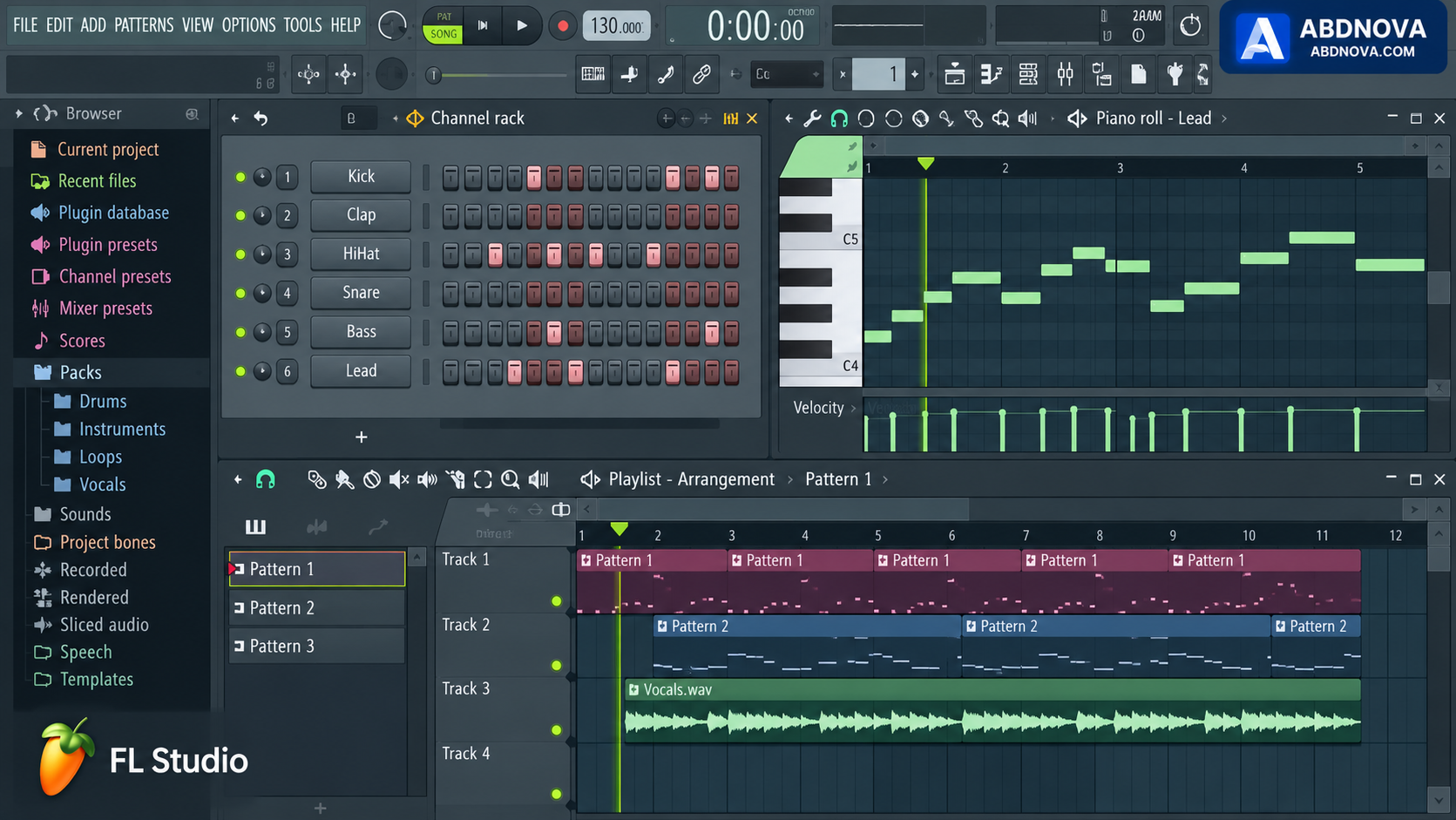
- Channel Rack: Manage instruments, drum samples and rhythmic patterns.
- Piano Roll: Create and edit melodies, chords and MIDI notes.
- Playlist: Arrange patterns, audio recordings and automation clips.
- Mixer: Adjust sound levels, route audio and apply effects.
- Audio Recording: Capture vocals and instruments using supported editions.
- Plugin Support: Work with compatible VST, VST3 and native plugins.
- Automation: Adjust instrument and effect parameters during playback.
- Audio Export: Render completed tracks in WAV, MP3 and FLAC formats.
FL Studio Editions
| Edition | Suitable For |
|---|---|
| Fruity Edition | Beat making and basic music composition |
| Producer Edition | Music production and audio recording |
| Signature Bundle | Production with additional plugins |
| All Plugins Edition | Advanced production with a wider collection of native plugins |
Select an edition based on your recording requirements and the instruments or effects you need.
System Requirements
- Operating System: Windows 11 or Windows 10.
- Processor: Compatible 64-bit Intel or AMD processor.
- RAM: Sufficient memory for audio processing and plugins.
- Storage: Available space for installation and sound libraries.
- Audio Device: Compatible sound card or audio interface.
Check the current hardware requirements on the official Image-Line website before installation.
FL Studio Download for Windows
Image-Line provides an official Windows installer that allows users to explore the software in trial mode.
Obtain the installer directly from Image-Line to ensure you receive the original software.
How to Install FL Studio
- Download the Windows installer from the official website.
- Run the setup file.
- Accept the license agreement.
- Select the required installation components.
- Complete the installation and launch FL Studio.
- Continue with the trial or activate your purchased license.
Open Audio Settings after installation and select the correct audio output device.
Creating Your First Beat
Start by adding kick, snare and hi-hat samples to the Channel Rack. Create a basic drum pattern using the Step Sequencer and adjust the tempo according to your music style.
Add a virtual instrument and compose a short melody using the Piano Roll. Place the drum and melody patterns in the Playlist to build your arrangement.
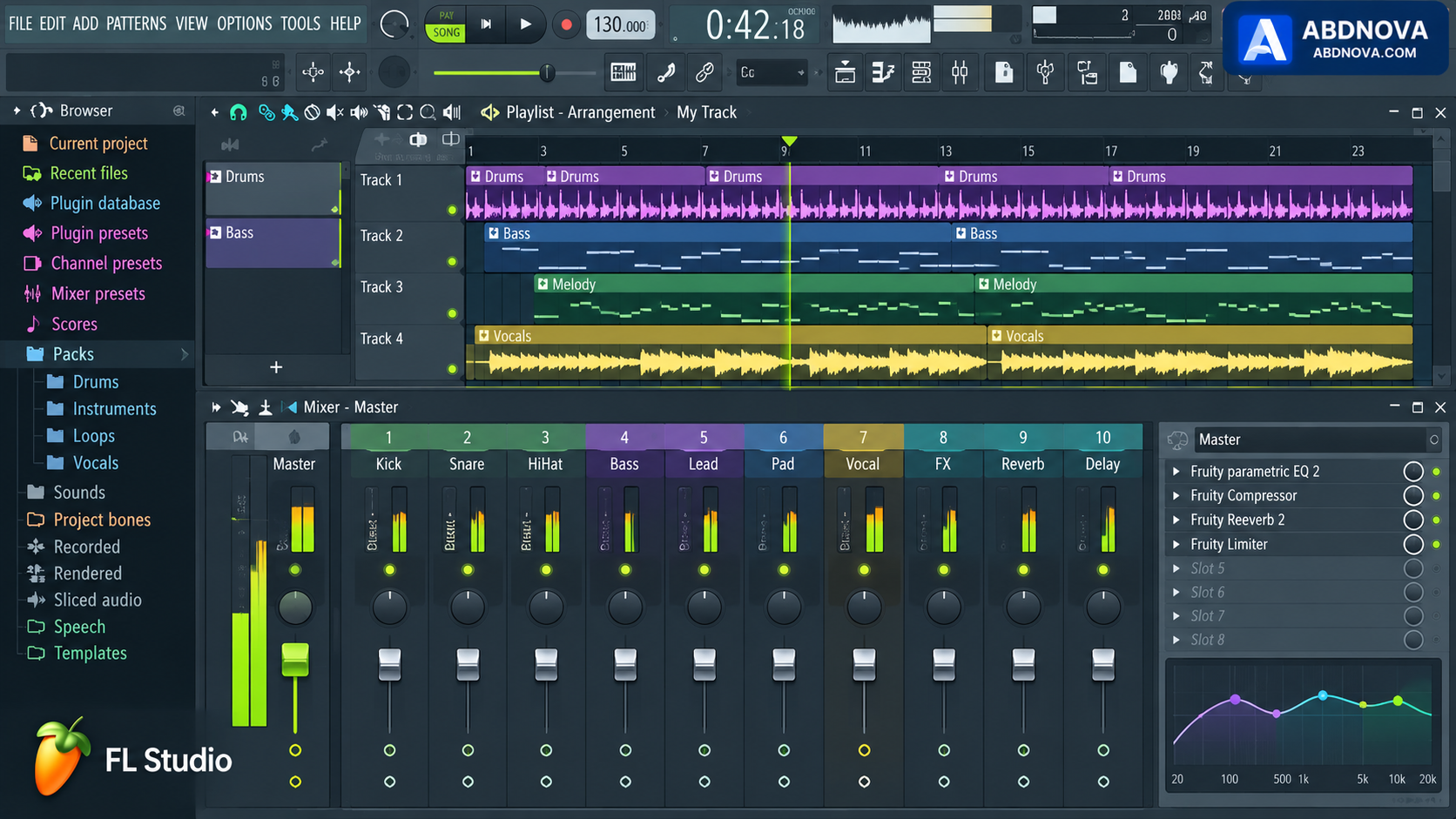
Before exporting, use the Mixer to balance the sound levels and prevent audio clipping.
Common Problems and Solutions
| Problem | Solution |
|---|---|
| Audio crackling | Increase the audio buffer size |
| No sound | Check the selected audio output device |
| Missing plugins | Rescan plugins through Plugin Manager |
| High CPU usage | Disable unused instruments and effects |
| MIDI keyboard not detected | Enable the device in MIDI Settings |
For standalone audio editing and waveform adjustments, you can also use Audacity for Windows.
Frequently Asked Questions
Does FL Studio require an internet connection?
Most music production tasks can be performed offline. Internet access may be required for license activation, updates and online services.
Can I use FL Studio without a MIDI keyboard?
Yes. You can enter musical notes directly through the Piano Roll using your mouse.
Does FL Studio offer lifetime updates?
Image-Line provides Lifetime Free Updates for purchased FL Studio editions, subject to its licensing terms.
Can FL Studio run on a laptop?
Yes. Performance depends on the laptop’s processor, available memory and project complexity.
Final Thoughts
Before purchasing FL Studio, consider the type of music projects you plan to work on. Users who mainly create beats may have different requirements from those recording vocals or working with several audio tracks.
Try the official installer and choose an edition that matches your production needs.
Download FL Studio – Official Installer
Windows 11 & 10 • 64-bit • Commercial / Trial
Official installer from Image-Line.