

KMPlayer Download for Windows – Free Multimedia Player

Download KMPlayer for Windows 11 and 10 to play video and audio with built-in codecs, hardware acceleration, subtitles, playback-speed controls and high-resolution support.
KMPlayer Download for Windows gives Windows users a feature-rich multimedia player that supports a wide range of video, audio, subtitle and playlist formats.
KMPlayer includes hardware acceleration, built-in codecs, external codec support, subtitle customization, playback-speed controls, audio synchronization, equalizer options, video capture, GIF capture and high-resolution playback.
For most modern 64-bit Windows 11 and Windows 10 PCs, KMPlayer 64X is the more performance-focused choice, especially for 4K, 8K, UHD and 60FPS playback.
KMPlayer Download for Windows – Quick Overview
| Information | Details |
|---|---|
| Software | KMPlayer |
| Type | Video & Audio Player |
| Windows 11 | Supported |
| Windows 10 | Supported |
| 64-bit | Yes |
| 32-bit | Available with standard KMPlayer |
| KMPlayer 64X | Yes |
| 4K Playback | Yes |
| 8K Playback | KMPlayer 64X |
| UHD / 60FPS | Supported by 64X |
| Hardware Acceleration | Yes |
| Built-in Codecs | Yes |
| External Codecs | Supported |
| Subtitle Support | Yes |
| Audio Equalizer | Yes |
| Video Capture | Yes |
| GIF Capture | Yes |
| URL Playback | Yes |
| DVD / Blu-ray | Supported by KMPlayer 64X |
| Official Source | KMPlayer |
What Is KMPlayer?
KMPlayer is a Windows media player designed for users who want more control over playback than a basic media player provides.
KMPlayer can be used for:
- MP4, MKV, AVI, MOV and WMV playback.
- MP3, FLAC, AAC and other audio formats.
- 4K and UHD video.
- 8K playback with KMPlayer 64X.
- Hardware-accelerated video decoding.
- Subtitle customization.
- Playback-speed adjustment.
- Audio synchronization.
- Equalizer presets.
- Video and GIF capture.
- DVD and Blu-ray content.
- URL-based online playback.
- External codec support.
KMPlayer vs KMPlayer 64X
KMPlayer currently provides two main Windows-oriented options.
Standard KMPlayer
The standard edition is suitable for users who want broader PC compatibility, including 32-bit Windows environments.
- 32-bit and 64-bit Windows support.
- 4K and Ultra HD playback.
- 3D video support.
- Hardware acceleration.
- Built-in and external codecs.
- Subtitle support.
- Video capture.
- URL streaming.
KMPlayer 64X
KMPlayer 64X is optimized specifically for modern 64-bit PCs.
- 4K and 8K video.
- UHD and 60FPS playback.
- Hardware acceleration.
- High-quality video renderer.
- DVD and Blu-ray playback.
- Subtitle controls.
- Bookmarks.
- Playback-speed adjustment.
- Noise reduction.
- Audio synchronization.
- GIF capture.

How to Install KMPlayer on Windows
- Open the official KMPlayer website.
- Choose KMPlayer 64X or the standard PC version depending on your system.
- For most modern 64-bit PCs, choose KMPlayer 64X.
- Download the official installer.
- Open the downloaded setup file.
- Review the Windows UAC prompt and confirm the installer came from the official source.
- Follow the setup wizard.
- Complete installation and launch KMPlayer.
- Drag and drop a video into the player or use the Open File command.
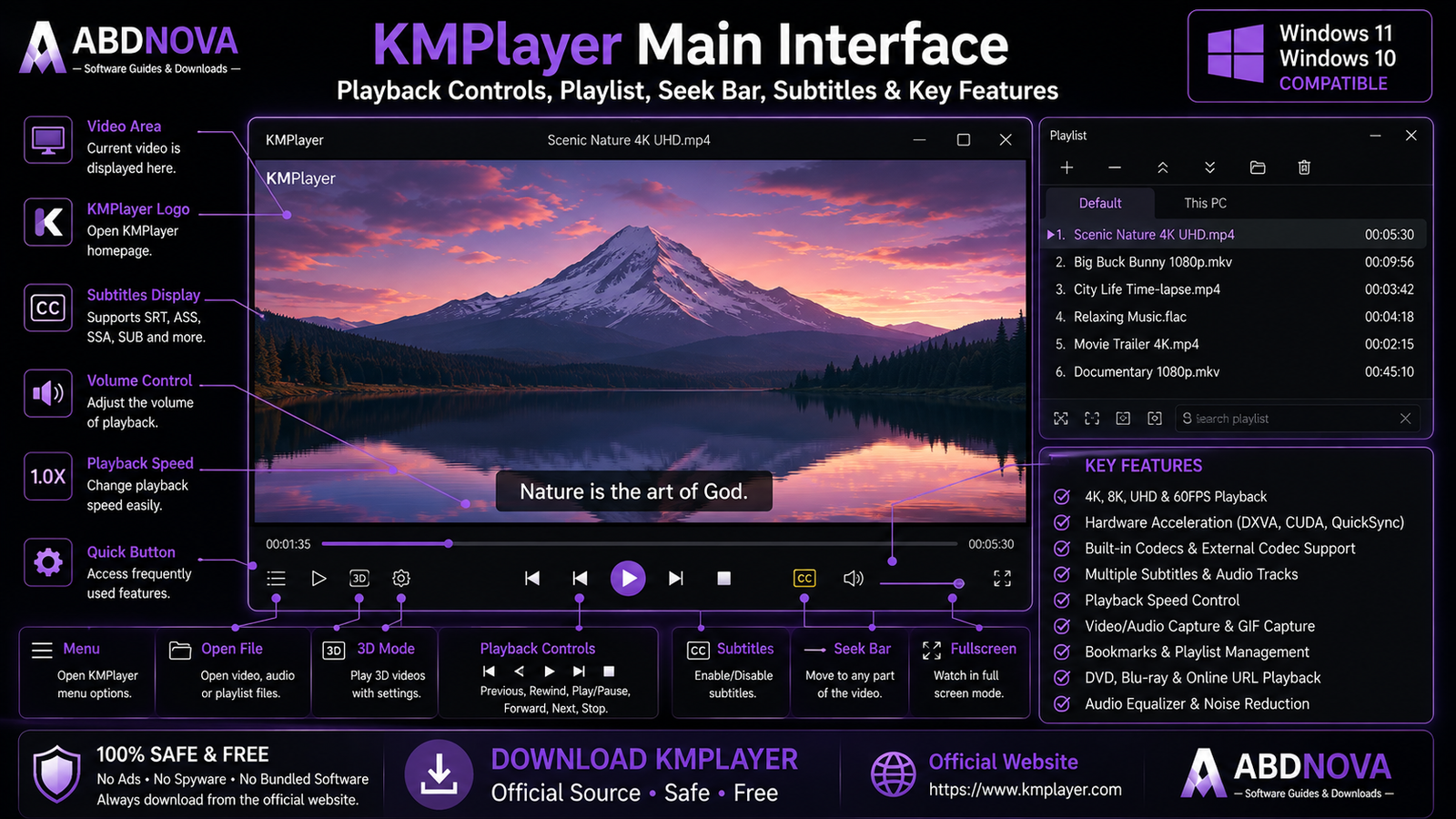
KMPlayer Main Interface & Playback Controls
KMPlayer provides a modern media-player interface with quick access to standard playback controls and advanced settings.
Video Display Area
The main display area shows the active video.
Seek Bar
Use the seek bar to move backward or forward through the current media file.
Playback Controls
Standard controls include play, pause, stop, previous, next, seek, volume and fullscreen.
Playlist
You can queue multiple files and play them sequentially.
Quick Button
KMPlayer 64X includes a Quick Button system for fast access to frequently used functions.
Settings
Advanced settings cover video, audio, subtitles, playback, capture, renderer, codecs and interface options.

KMPlayer Audio, Playback Speed, Capture & Extra Features
Multiple Audio Tracks
Containers such as MKV can include multiple audio streams. KMPlayer lets you switch between available languages, commentary tracks, stereo or surround audio depending on the file.
Audio Equalizer
KMPlayer 64X provides preset equalizer options for different listening situations such as music, movies, headphones and laptop speakers.
Audio Synchronization
If dialogue is slightly ahead of or behind the video, KMPlayer includes audio-delay controls that can help correct small synchronization problems.
Playback Speed
KMPlayer supports playback-speed adjustment, which can be useful for tutorials, lectures, recorded meetings and long-form videos.
Video Rotation & Screen Adjustment
Screen-adjustment tools can help when phone footage is rotated incorrectly, an aspect ratio needs adjustment or video positioning needs correction.
Video & GIF Capture
KMPlayer can capture frames and selected sections of video. KMPlayer 64X can also capture part of a video as an animated GIF.
Bookmarks
Bookmarks make it easier to return quickly to important scenes, tutorial sections, lecture timestamps or favorite moments.
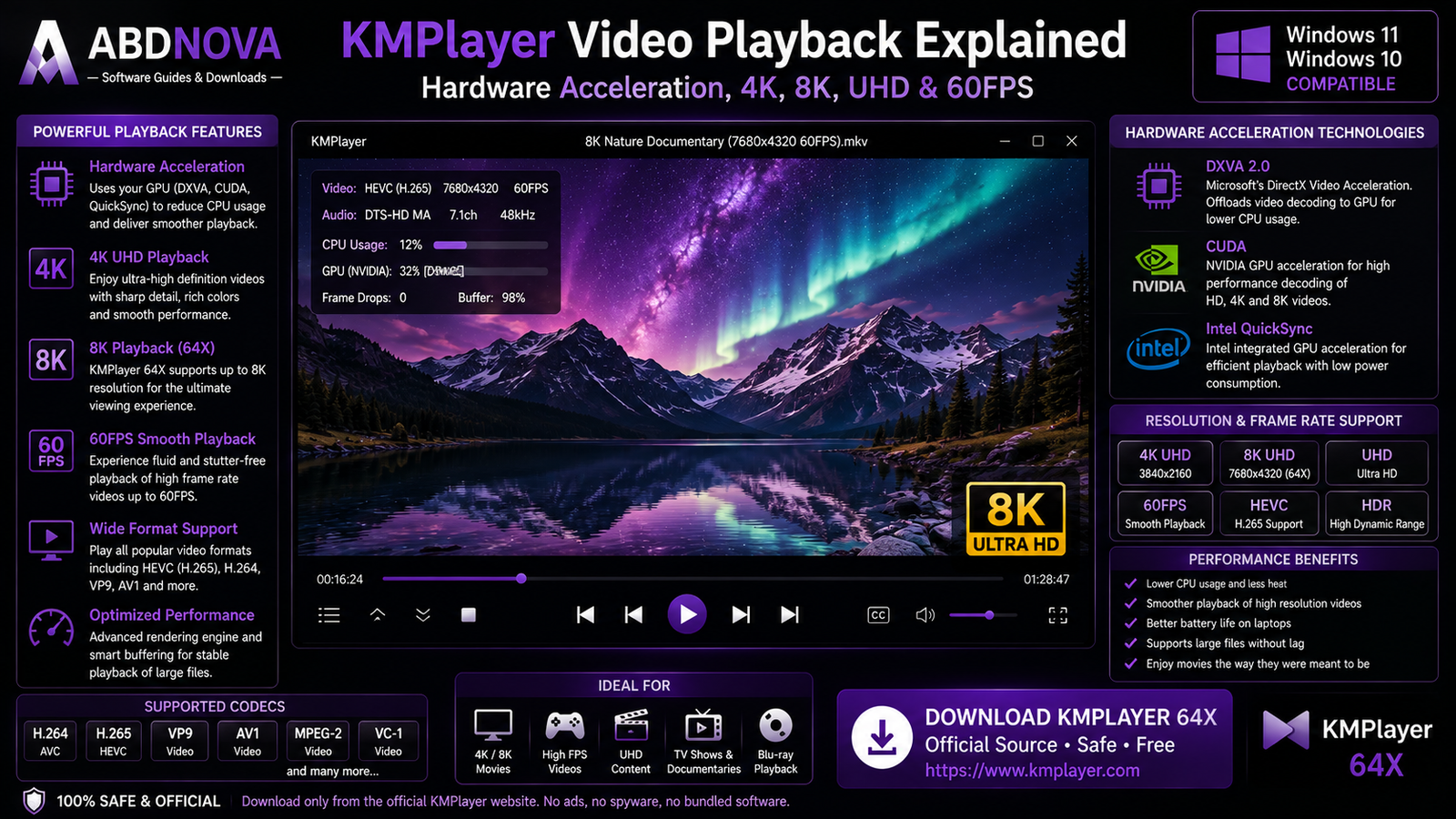
KMPlayer Video Playback, Hardware Acceleration & Codecs
Supported Video Formats
Common supported formats include:
- AVI.
- MKV.
- MP4.
- MOV.
- WMV.
- FLV.
- TS.
- MPEG.
- VOB.
- OGM.
- 3GP.
- RMVB and RM.
- WEBM.
- M2TS and MTS.
Supported Audio Formats
Examples include MP3, AAC, FLAC, WAV, WMA, AC3, DTS, OGG, ALAC, OPUS and APE.
Built-in Codecs
KMPlayer includes built-in codec support for formats and technologies including:
- H.264.
- H.265 / HEVC.
- VP8.
- VP9.
- MPEG-1.
- MPEG-2.
- VC-1.
- Xvid.
This reduces the need to install a separate codec pack for normal playback.
External Codec Support
Advanced users can add external codecs when required for unusual media formats.
Hardware Acceleration
Hardware acceleration can reduce CPU load by allowing compatible video decoding work to use available GPU or hardware-decoder capabilities.
This can be particularly useful for 4K, 8K, HEVC/H.265 and high-bitrate video.
KMPlayer 4K & 8K Playback
KMPlayer 64X is designed for high-resolution playback and officially promotes support for 4K, 8K, UHD and 60FPS video.
Subtitle Support
KMPlayer supports subtitle formats including SRT, ASS, SSA, SUB, IDX, SMI, TXT, SUP, USF and LRC.
You can adjust subtitle size, color and position, load external subtitle files and correct timing when subtitles appear too early or too late.

KMPlayer vs PotPlayer vs VLC vs MPC-BE
| Feature | KMPlayer | PotPlayer | VLC | MPC-BE |
|---|---|---|---|---|
| Main Focus | Feature-rich Windows playback | Advanced Windows playback | Cross-platform media playback | Lightweight Windows playback |
| 4K | Yes | Yes | Yes | Yes |
| 8K | 64X supports | Hardware dependent | Hardware dependent | Hardware dependent |
| Hardware Acceleration | Yes | Yes | Yes | Yes |
| Built-in Codecs | Yes | Yes | Yes | Yes |
| Subtitle Support | Strong | Strong | Strong | Strong |
| Playback Speed | Yes | Yes | Yes | Available |
| Capture | Yes | Yes | Available | Available |
| Customization | Strong | Very extensive | Moderate | Good |
| Best For | Modern high-res playback | Deep configuration | Cross-platform use | Lightweight Windows playback |
KMPlayer vs PotPlayer
PotPlayer generally exposes more advanced configuration options. KMPlayer provides a more approachable feature-rich experience while still offering extensive playback controls.
KMPlayer vs VLC
VLC is especially useful if you want one familiar media player across several desktop and mobile platforms.
KMPlayer is more Windows-focused and emphasizes features such as KMPlayer 64X, high-resolution playback, GIF capture and extensive playback controls.
For another Windows media-player option, see our VLC Media Player Download for Windows guide.
DVD, Blu-ray & URL Playback
KMPlayer 64X lists support for DVD and Blu-ray content, although actual disc playback can depend on the drive, disc structure and encryption.
KMPlayer also supports URL-based online playback. Because online services can change their delivery systems, some URLs may stop working until the player is updated.

KMPlayer Troubleshooting
KMPlayer Won’t Open
Restart Windows, install the latest official version, reinstall KMPlayer if necessary, reset unusual settings and confirm that you installed the correct KMPlayer edition.
Video Plays but the Screen Is Black
Update your GPU driver, change the video renderer, test hardware acceleration on or off, reset video-processing settings and try another video file.
4K or 8K Video Stutters
Enable hardware acceleration, update your graphics driver, close heavy background applications, use a fast local drive and confirm that your GPU supports the codec used by the video.
Subtitles Don’t Appear
Check subtitle visibility, the selected subtitle track, the external subtitle filename, encoding and subtitle position. You can also load the subtitle file manually.
Subtitles Are Out of Sync
Use KMPlayer’s subtitle synchronization controls to adjust the timing until the text matches the dialogue.
No Audio
Check KMPlayer volume, Windows volume, the selected audio track, output device and equalizer or audio settings.
Audio Is Out of Sync
Use the audio-sync adjustment to compensate for small timing differences.
Online URL Won’t Play
Update KMPlayer and try the URL again. Online services can change their streaming systems, which may affect older player versions.
Safe KMPlayer Download for Windows
The safest source for KMPlayer Download for Windows is the official KMPlayer website.
Visit the official KMPlayer website and choose KMPlayer 64X or the standard PC edition according to your Windows system.
- KMPlayer Crack.
- KMPlayer Premium Crack.
- KMPlayer Pro.
- KMPlayer Activated.
- KMPlayer Mod.
- Modified KMPlayer.
- Unofficial KMPlayer repacks.
KMPlayer is already available free, so there is no legitimate need to use a cracked or modified copy.
Frequently Asked Questions
Does KMPlayer work on Windows 11?
Yes. KMPlayer 64X officially supports Windows 11.
Does KMPlayer work on Windows 10?
Yes. KMPlayer provides Windows 10-compatible PC editions.
Is KMPlayer free?
Yes. KMPlayer is available as a free media player.
Is KMPlayer open source?
No. KMPlayer should be treated as freeware/proprietary software rather than open-source software.
Should I use KMPlayer or KMPlayer 64X?
For a modern 64-bit Windows 11 or Windows 10 PC, KMPlayer 64X is the better default choice. Standard KMPlayer is useful when broader compatibility or 32-bit support is required.
Can KMPlayer play 4K video?
Yes. Both standard KMPlayer and KMPlayer 64X support high-resolution video playback.
Can KMPlayer play 8K video?
Yes. KMPlayer 64X officially promotes playback up to 8K on compatible hardware.
Does KMPlayer support 60FPS video?
Yes. KMPlayer 64X advertises support for high-quality playback up to 8K and 60FPS.
Does KMPlayer support hardware acceleration?
Yes. Hardware acceleration is one of KMPlayer’s main playback features.
Does KMPlayer have built-in codecs?
Yes. KMPlayer includes built-in codec support for common media formats and codecs.
Can I install external codecs?
Yes. KMPlayer supports external codecs for users who need additional format support.
Does KMPlayer support subtitles?
Yes. KMPlayer supports many subtitle formats and provides subtitle-size, color, position and synchronization controls.
Can KMPlayer capture GIFs?
Yes. KMPlayer 64X includes animated GIF capture functionality.
Can KMPlayer play DVD and Blu-ray content?
The KMPlayer 64X feature page lists DVD and Blu-ray content playback, although actual compatibility can depend on the media and hardware.
Is KMPlayer safe?
Yes, when downloaded directly from the official KMPlayer website.
Final Thoughts
KMPlayer Download for Windows is a strong choice for users who want a feature-rich Windows media player with broad file compatibility, built-in codecs, hardware acceleration, subtitle customization, audio controls, playback-speed adjustment, bookmarks, capture tools and high-resolution playback.
KMPlayer 64X is especially attractive for modern 64-bit PCs because it is designed for high-resolution playback including 4K, 8K, UHD and 60FPS video. Users with older or 32-bit systems can choose the standard KMPlayer edition instead.
Always download KMPlayer from the official website rather than third-party modified or repackaged installers.
Ready to download KMPlayer?
Choose KMPlayer 64X or the standard PC edition directly from the official KMPlayer website. ABDNOVA recommends official sources only.


